Produkt wont show in particular category

Hi
I have an issue. New products wont show on a specific category site, but same product have no problem showing on some of my other category sites.
Can you help me?
-

Hi Celine,
Thank you for reaching out.
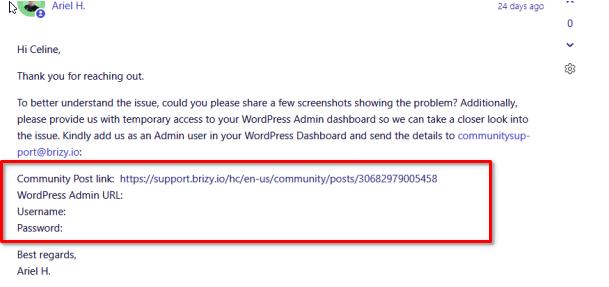
To better understand the issue, could you please share a few screenshots showing the problem? Additionally, please provide us with temporary access to your WordPress Admin dashboard so we can take a closer look into the issue. Kindly add us as an Admin user in your WordPress Dashboard and send the details to communitysupport@brizy.io:
Community Post link: https://support.brizy.io/hc/en-us/community/posts/30682979005458
WordPress Admin URL:
Username:
Password:Best regards,
Ariel H.0 -
Hi Celine,
I just wanted to follow up regarding the temporary WordPress Admin access we requested so we can check the issue mentioned in your community post. Please let us know once you’ve added us as an Admin user and sent the details to mailto:communitysupport@brizy.io.
Best regards,
Ariel H.0 -
Do you have a guide on how to add brizy as an admin user? I cant figure it out myself.
0 -

Hello Celine,
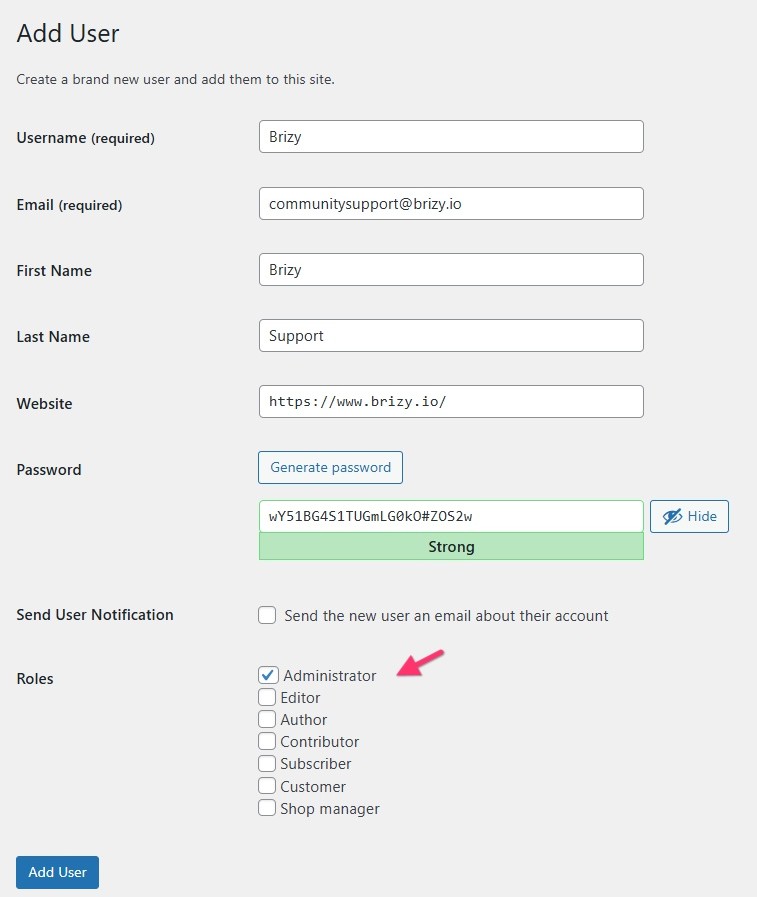
Kindly set "Administrator" role while adding a user under the "Roles" section.
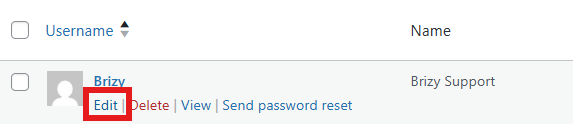
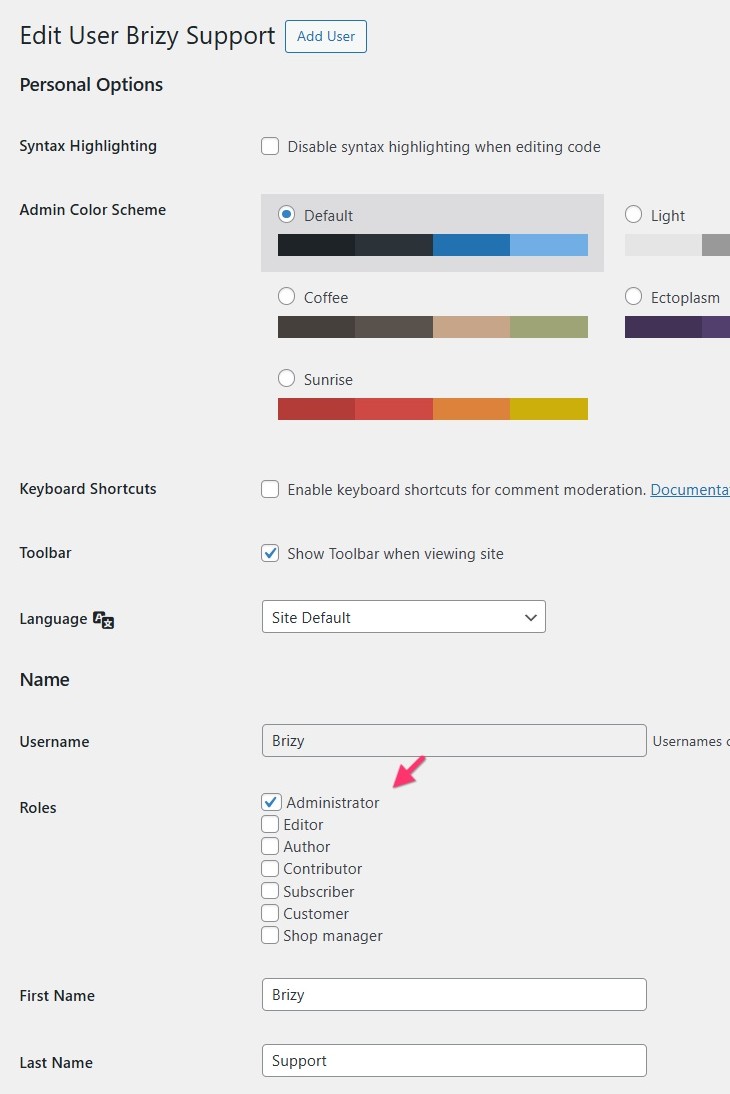
In case of an existing user, edit the user and select the appropriate role for the user and click on the "Update User" button
 0
0 -
Thank you. I have done that now.
0 -
Hi Celine,
Thank you for the update.
We haven’t received your site credentials yet. You may post them directly here, rest assured they will remain private and only visible to our support team.
Once we have them, we’ll proceed with checking the issue right away.
Best regards,
Ariel H.0 -
Hi - I have send two mails and waiting for an answer? I am not so keen on writing about it on this site, when it is about sensitive information.
0 -
Hi Celine,
We haven’t received your site credentials yet, so we’re still unable to look into the issue directly. If you prefer to send them privately, please confirm whether you were able to send the details using the steps outlined in one of our previous emails.
This helps us locate your message quickly and avoid any delays.In the meantime, the most common cause of this behavior is that the category page is using a Products element with a query filter applied. If that’s the case, switching to the Archive element in your dynamic template usually resolves the problem, as it automatically pulls products based on the active category without requiring additional filters.
Kind regards,
Ariel H.0 -
Hi.
I have answered your mail in our mail thread. I am afraid that the site credentials will be public and don’t know where to send them. Will you answer in a private conversation?
0 -
Hi Celine,
To keep your site credentials private, I’ve created a separate private ticket for your issue. You can safely share the details there.
Best regards,
Ariel H.0
Please sign in to leave a comment.
Comments
10 comments