Bluehost Connect A Domain and Broke Brizy Theme Site

I had transferred a domain to the site but it wasn't linking to the wordpress site I created on bluehost. The tech helped me connect the domain and it broke the theme. This is what the tech stated: "I have checked the issue on the server side and unable to see any error or issue from the server side. Error log says the issue is with the theme. Please contact the theme vendor and get the updated version of the theme and then contact us with new server requirements of that theme script so that we can update it for you and the issue will be resolved"
-

Hello Derrick,
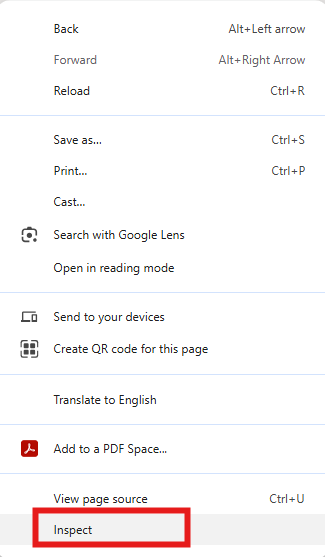
I have looked at your website homepage https://mercyworksva.org/, using Chrome DevTools. After adding the custom domain, some of your website resources are showing "404 File Not Found error". Have a look at https://jumpshare.com/V2WXGVtt If you would like to access DevTools, kindly right click on your homepage and select the option "Inpsect" on one these browsers: Google Chrome, Firefox, Opera or Safari.
- Current path of one of the missing fiiles: https://mercyworksva.org/website_8d3653df/wp-content/plugins/brizy-pro/public/editor-build/prod/css/preview.pro.min.css
- Correct path: https://mercyworksva.org/wp-content/plugins/brizy-pro/public/editor-build/prod/css/preview.pro.min.css.
Your website is looking for some of its resources in a folder under the site root /website_8d3653df and those files are returning a "404 File Not Error". This indicates that after adding the custom domain, some of the file paths are not correctly updated. Kindly check with BlueHost Support if they can fix the problem with incorrect file paths. If your hosting provider is unable to offer meaningful help, please get back to us. We will take a look.
0
Please sign in to leave a comment.
Comments
1 comment