Brizy IMGS folder

Hi there Brizy team.
I'm just trying to reduce some clutter on my server and I stumbled across folder /uploads/brizy/imgs
It has a lot of copies of the same image (with different dimensions) contained within the folder. (over 10,000 in total!)
AI assistant on a webseach says this is an old folder and is no longer used - but I don't trust what AI says...ever!
Can anyone tell me if I need this large store of resized images please. Am I safe to delete?
Many thanks.
-

Hi Robert,
Thank you for contacting us.
It may not be safe to delete the files inside the /uploads/brizy/imgs directory directly, as some of them could still be used on your pages.
You might want to try using a plugin like Media Cleaner, which scans unused media files and help identify images that are no longer referenced in your content. This can help you clean up unused images safely. However, we highly recommend doing this first on a staging site before applying any deletions to your live website to ensure that no important files are accidentally removed.
Best regards,
Ariel H.0 -
Thanks Ariel - I will proceed with caution.
Do you know if I were to first create a backup of the imgs folder and then try deleting some files - would I be able to simply reupload the files back into the imgs folder to restore any issues I might create?
Or would that cause some kind of referencing issue within the database such that it permanently breaks it?
0 -
Hi Robert,
Reuploading the deleted files manually isn’t always reliable, as it can cause referencing issues within the database.
You can use a plugin like WPVivid, which not only lets you create full backups of your website but also includes a staging feature. This way, you can safely test removing some of the image files on a copy of your site first.
If you prefer to test it directly on your live site, make sure to create a complete backup beforehand using WPVivid. If anything doesn’t go as expected, you can easily restore your site from that backup.
Best regards,
Ariel H.0 -
Hi again Ariel,
I thought I would follow up on this to report my findings.
After some thorough testing with test sites, I discovered that the IMGS folder doesn't seem to be needed at all - in so far as if you delete everything within that folder, Brizy will dynamically replace the files as needed.
This meant that I was able to take the project with 10,000 files in the image folder and have it reduced down to just 200 files.
My best guess here is that Brizy retains old copies of these automatic renders, every time the site is edited a little bit, it makes a new set.
Would it be a suggestion to have Brizy manage / purge these superfluous image files? 10,000 files where 200 are needed seems like quite careless management of resources.
Some of my projects are on shared hosting limited by either website or more importantly inode / file count.
0 -
Hi Robert,
Thank you for the update.
We understand why you’re doing this, many hosting providers are quite strict when it comes to inode limits. While caching might play a minor role, could you please share your site’s URL so we can inspect it?
Best regards,
Ariel H.0 -
Thanks Ariel,
There's nothing to inspect on my site now - where there were once 10,000 files, there are now 200.
This would appear to be a very much a generic Brizy (untidiness?) you can recreate on any installation.
If you publish a page with a good few images on it, you'll see the IMGS folder get populated. Now, go back in and say give all those images a tweak - and give the page some general edits - you'll see more image files added in the IMGS folder - and none of the original (presumably now unused) images are removed. I don't believe there is any function operating within Brizy to remove any of the created images here? So over time the folder will grow very large upon further site edits.
Here's a small screenshot of the problem I was facing.
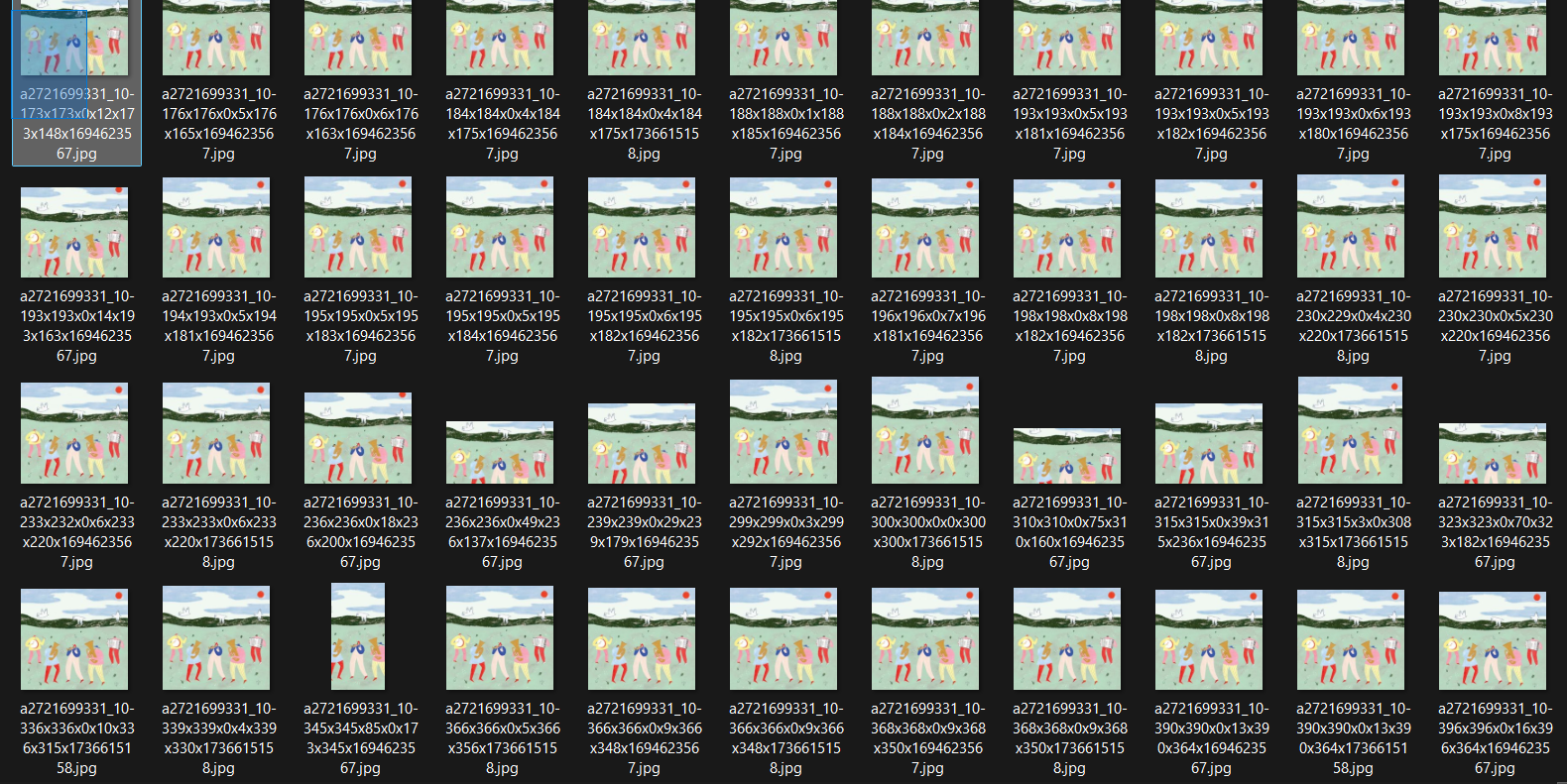 0
0 -
Hi Robert,
You were absolutely right, deleting the IMGS folder doesn’t cause any issues, as the images are regenerated automatically from the Media Library. I’ve tested this on my local environment and was able to confirm the same behavior - https://youtu.be/cVRkjHsI1Ic
Best regards,
Ariel H.0
Please sign in to leave a comment.
Comments
7 comments