Not working: access a file via a URL setting in a button.

Hi,
I'm referring to an issue reported and temporarily solved on July 7th, 2025
At that time, I was encountering issues with corrupted URLs on https://create.innovastart.se. When creating a button in Brizy with the correct URL, it displayed a mishmash of data in the URL, which caused the URL to malfunction. A quick solution was to deactivate the Surecart WordPress plugin.
But I need Surecart. So, first, I contacted Surecart support and notified them of the issue. I also mentioned that deactivating the Surecart plugin temporarily solved the problem.
However, after an email dialogue, they instructed me to contact you at Brizy Support instead.
At Brizy, you then came up with the instruction to include only, e.g., "/link" rather than a full URL. That, plus resetting the WordPress permalink, was the solution presented.
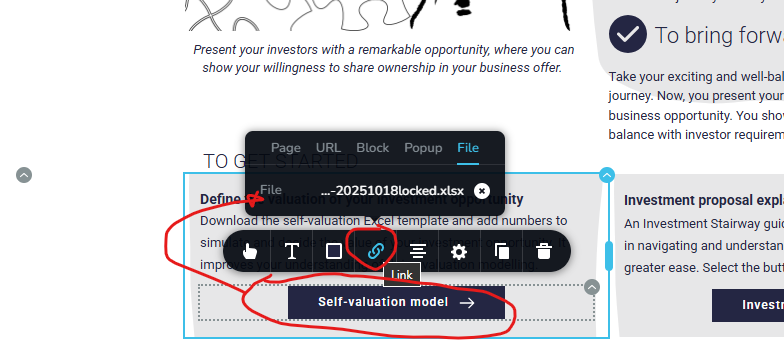
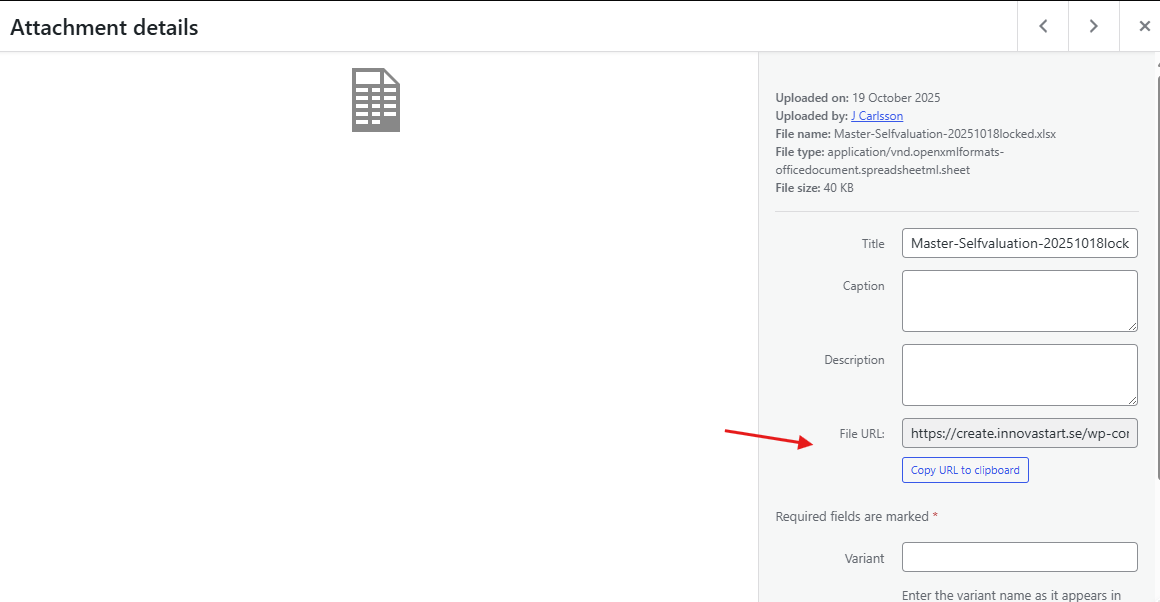
Unfortunately, I'm experiencing the same issue again — this time when trying to access an Excel file configured in a button setting to download from the WordPress media folder. Instead, I get a default webpage. Resetting the permalink does not resolve my problem, and I am unsure how to adjust the URL for linking a file.
( https://create.innovastart.se/wp-content/uploads/2025/10/Master-Selfvaluation-20251018locked.xlsx )
Can you help me with this new problem? If you do not have a solution, please refrain from advising me to contact Surecart support. Instead of pushing me back and forth, I suggest that you communicate with your colleagues at Surecart to resolve my issue. Please comment.
Here are the steps to replicate the issue:
1. Go to https://create.innovastart.se.
2. Select "Member Login" in the navigation menu.
3. Sign in using the username 'Tina1' and password 'tina14ever!!pw'
4. You are directed to the page https://create.innovastart.se/start52.
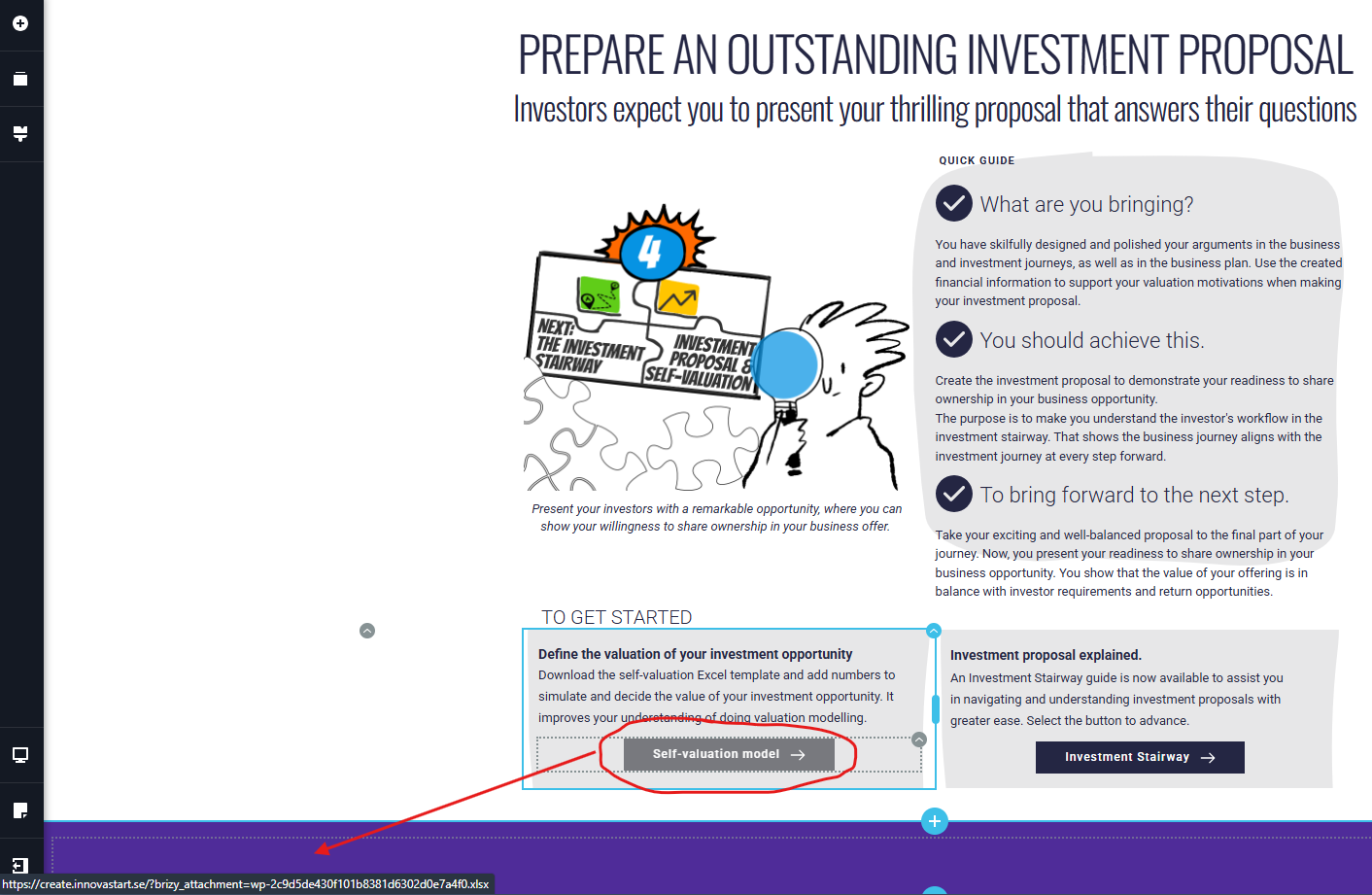
5. Browse down to select the button for the "Investment Proposal". On the following page, you find a button named "Self-valuation model".
(Note: in the bottom left corner of the screen, you will see the corrupted URL command appear.) See the screendump attached.
6. When you press the button, instead of opening the specific Ninja Forms, you are redirected to another webpage.
Please let me know if you need additional information or if I can provide you with login details to access create.innovastart.se using an administrator profile.
Screendumps are attached.
I appreciate your support.
Regards,
Johnny Carlsson
-

Hi Johnny,
Thank you for contacting us.
Please provide us with temporary access to your WP Admin page so we can take a look. Kindly add us as an Admin user to your WordPress Dashboard and send the following details to communitysupport@brizy.io.
Community Post link: https://support.brizy.io/hc/en-us/community/posts/30571436275346
WordPress Admin URL:
Username:
Password:Looking forward to your response.
Best regards,
Ariel H.0 -
Hi Johnny,
Thank you for your cooperation. Could you also provide us with temporary access to your cPanel so we can further investigate the issue? Kindly send the cPanel login credentials to our community support inbox.
0 -
Hi Johnny,
Thank you for your cooperation.
At first, we suspected that the issue might be caused by server-side caching. However, after further checking, we found out that the issue is due to a conflict with the SureCart plugin. This plugin appends additional URL parameters, which interfere with Brizy’s button links and cause the redirect issue you’re seeing. When SureCart is disabled, the problem no longer occurs. This is demonstrated on this screencast - https://youtu.be/0lXal2tifeo
We kindly suggest reporting this conflict to SureCart support, as they may be able to provide a fix or adjustment on their end to prevent the plugin from modifying the URLs generated by Brizy.
Best regards,
Ariel H.0
Please sign in to leave a comment.
Comments
3 comments