Different font after putting the site online

After exporting the site and putting it online, the font was different from the one displayed in the Brizy builder. The builder maintains the desired font: Print here: https://prnt.sc/R7lDV3ul1PFA
Different font after export: https://prnt.sc/dlACoG0aTwY9
The fonts I used in the builder are those already included in the builder and template (I didn't add anything external).
I appreciate your willingness to resolve this issue. Thank you.
-

Hello Marco,
In the editor, I do not see the desired font shown at https://prnt.sc/R7lDV3ul1PFA. Instead I see this: https://jmp.sh/6xU2FroZ. Can you sign into your Brizy Cloud dashboard from a different browser and check the editor font once again?
0 -
Hello George,
I usually use the Google Chrome browser.( inicial print in this support ticket)
I just accessed the builder through the Microsoft Edge browser and the font is the same.
Microsoft Edge still the desired font: https://prnt.sc/SWFsOdDy4PJ4
0 -
Hello Marco,
You have applied the "Montserrat Alternates" font here.
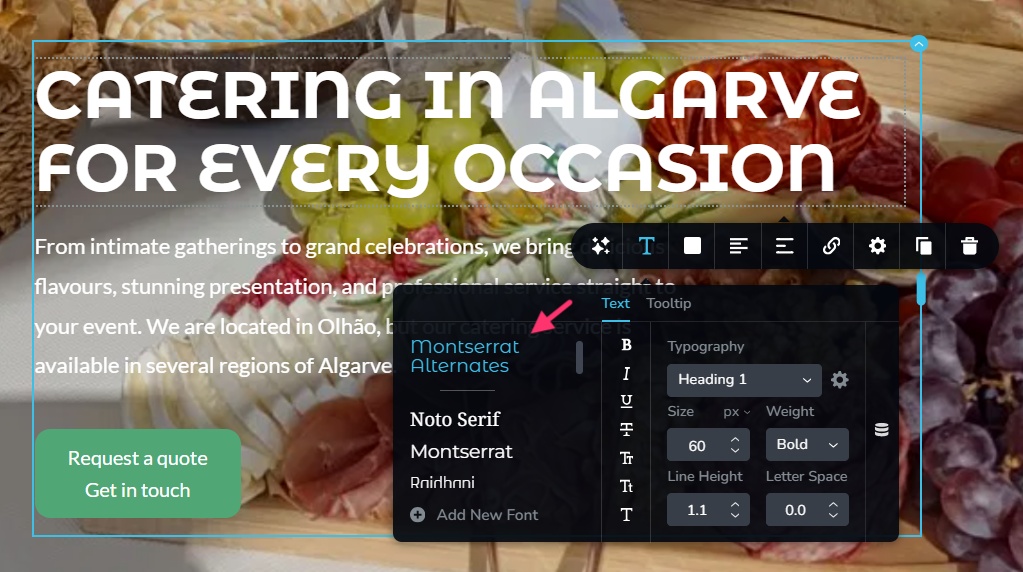
If you look at "Montserrat Alternates" font at https://fonts.google.com/specimen/Montserrat+Alternates it looks similar to your hero section text.

What font do you see at your end for the hero section heading?
0 -
The font is "Montserrat Alternates," but it appears differently in the builder panel, just like in the screenshot I'm sending. https://prnt.sc/P_zSJrFeX4Eb
I checked Google Fonts as suggested, and it really is different. This difference in font appearance wasn't present when I published the site online on the Brizy Cloud server with the assigned address.
It only occurred after publishing to another external server. In any case, that's it; In the builder appears different to me. To resolve this, i will change the font to one similar to the one i want to see if it resolves the issue. But it's strange that this happens. If I can't resolve it by changing the font, I'll get back to you. Thank you.
0
Please sign in to leave a comment.
Comments
4 comments