how to configure icon and web page name in browser tab

Hi,
My Brizy web page (hosted on www.infostory.ai) doesn't show a logo and page name when displayed as tab in browser). As you can see below, it says "Home" and there is no logo as in the case of Brizy and NameCheap tabs.
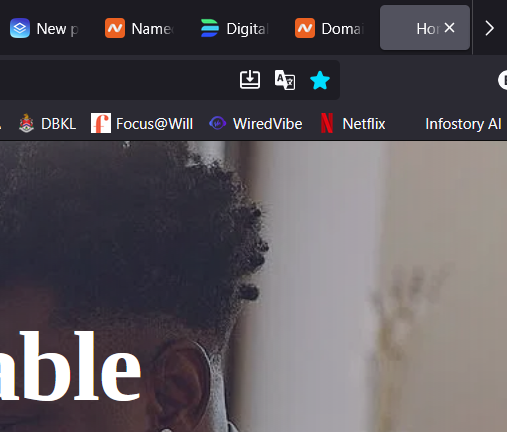
How can I fix this? Thanks.
0
-

Hello Edwin,
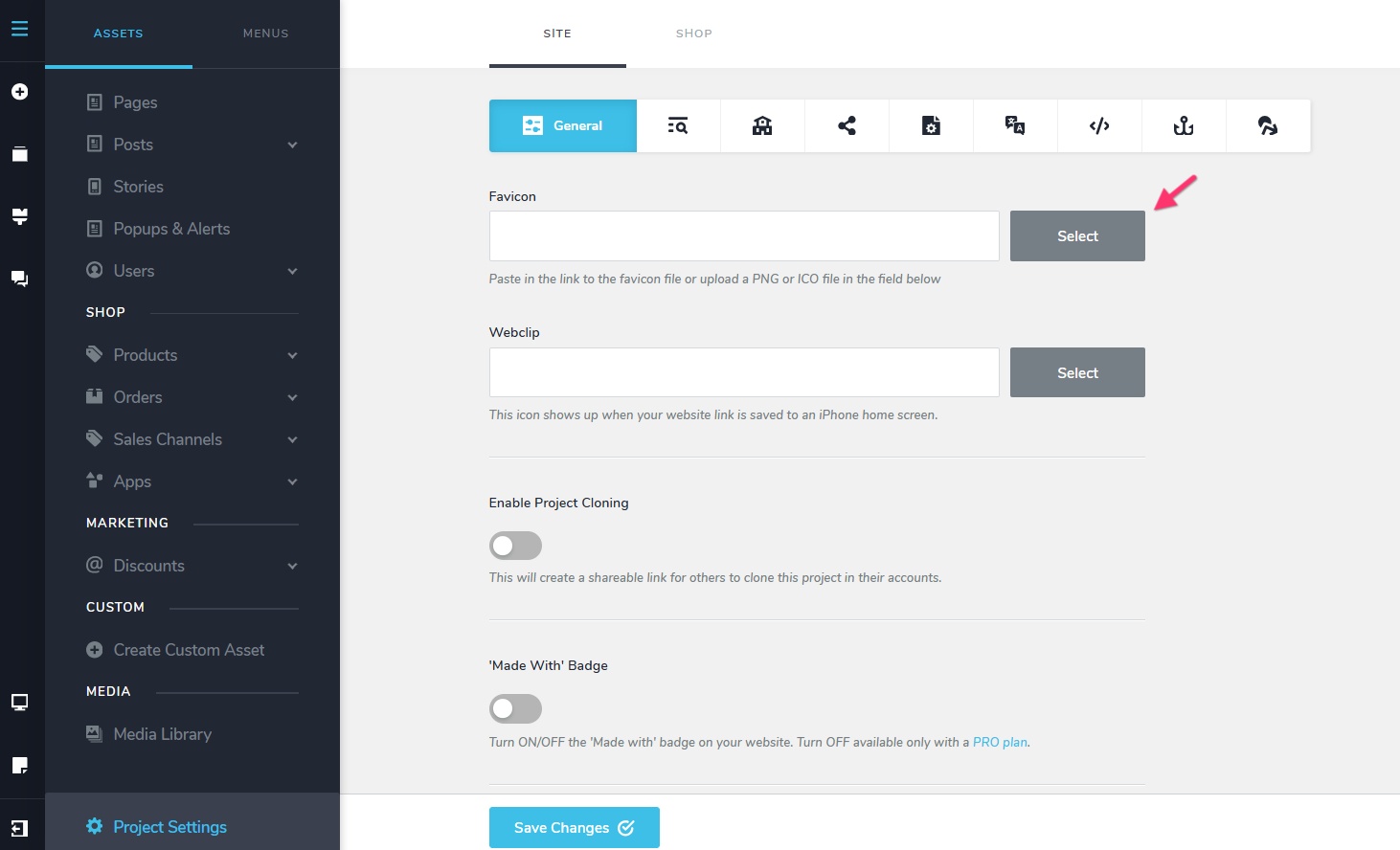
The icon you are referring to is called "Favicon". Kindly upload your favicon under CMS > Project Settings > General tab
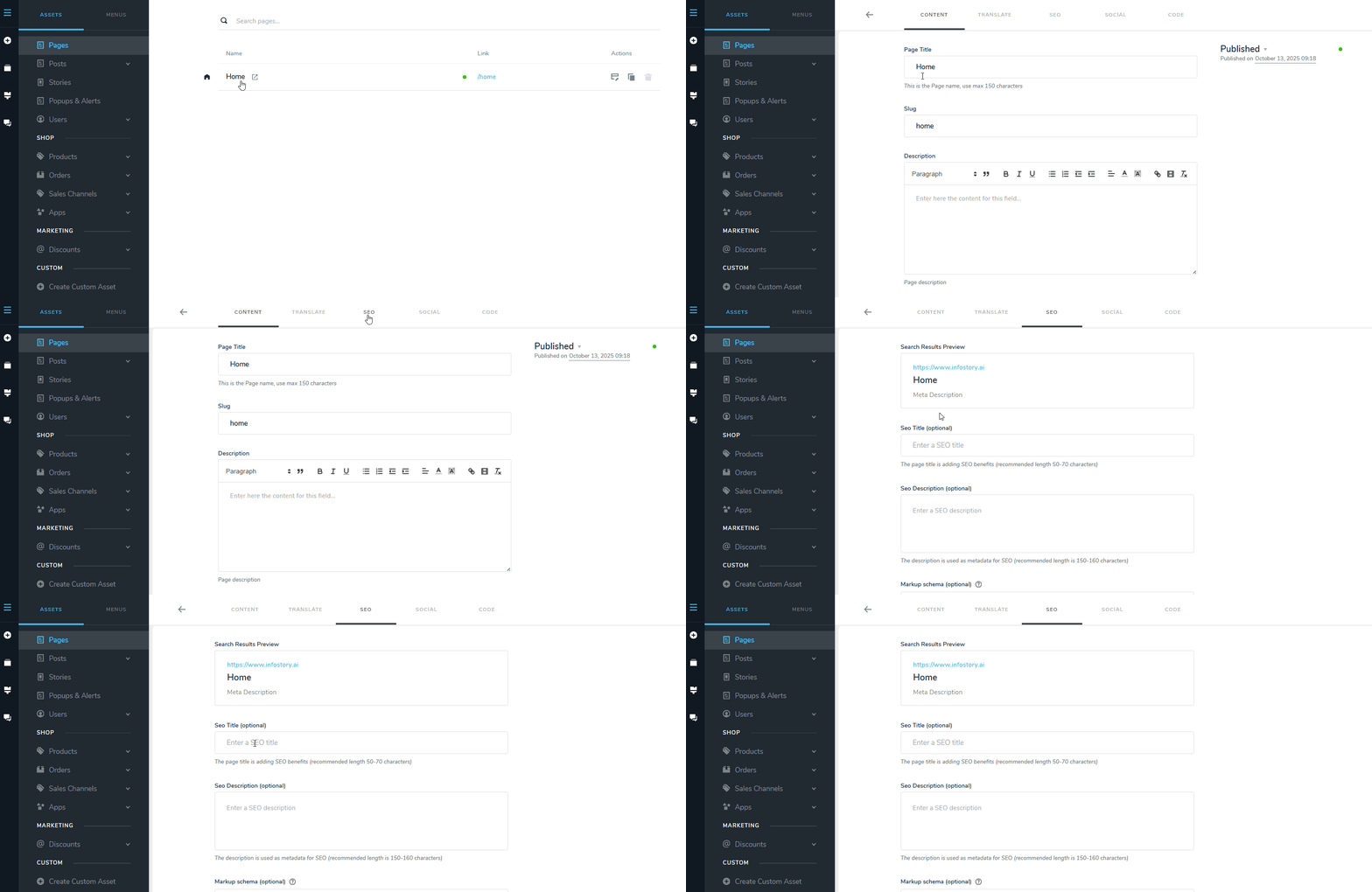
To change "Home" to something else, click on the name of your Homepage in the list of pages, select the "SEO" tab and edit the "SEO Title".
 0
0
Please sign in to leave a comment.
Comments
1 comment