Issue – “Featured Image” option greyed out in Brizy dynamic image settings

Hi Brizy Support,
I’m having an issue with dynamic images in Brizy.
When I try to assign a dynamic image to a block (for example, to display the featured image of a custom post type), the “Featured Image” option appears greyed out and can’t be selected.
The featured image is correctly set in the WordPress editor and visible on the backend, but Brizy doesn’t let me choose it dynamically — the option remains disabled.
I’ve already enabled Brizy for the “Property” post type under Brizy → Settings, but the problem persists.
Could you please check what might be causing this and how to make the “Featured Image” option selectable for my CPT template?
Thanks a lot for your help!
Best regards,
Fabio
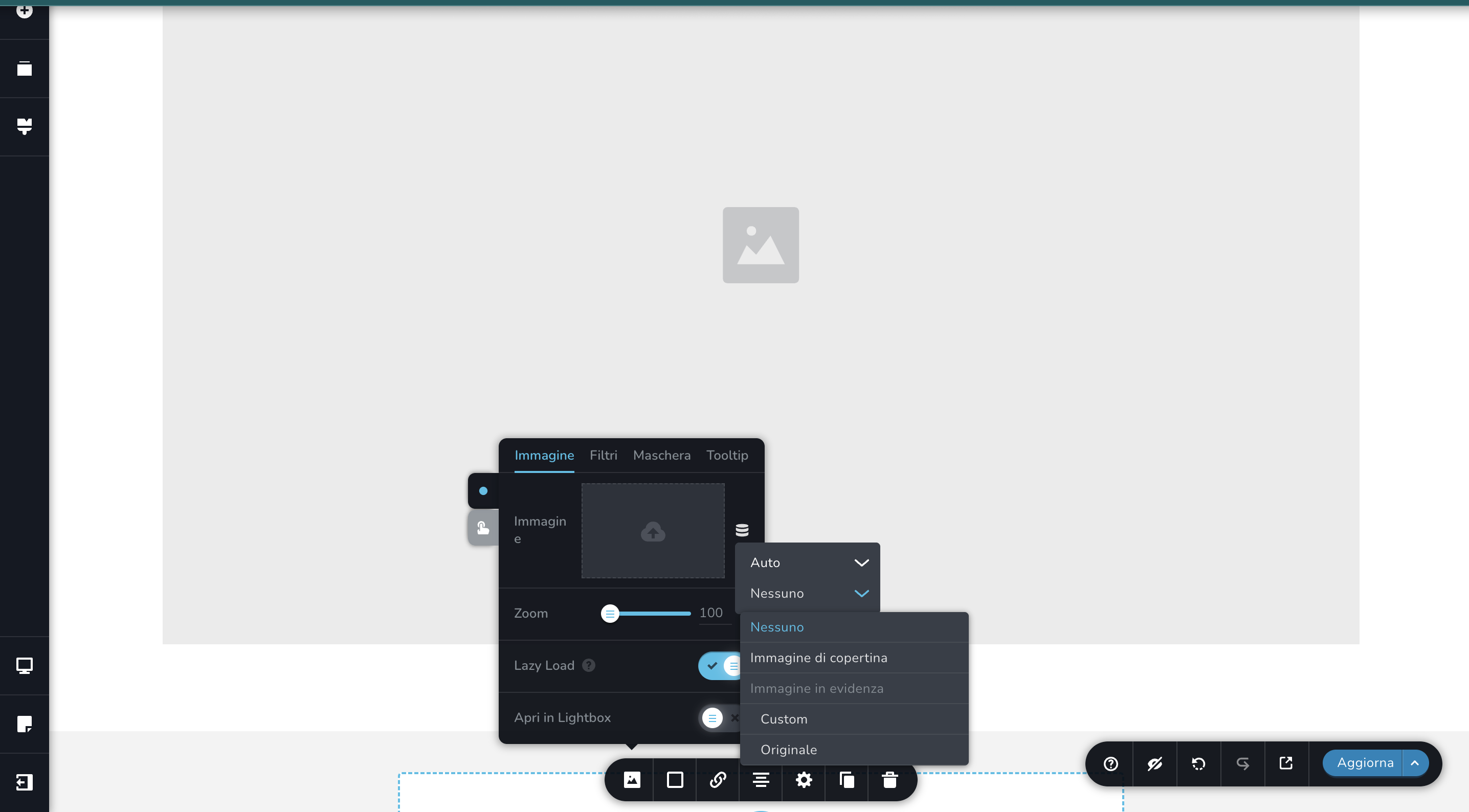
-

Hello Fabio,
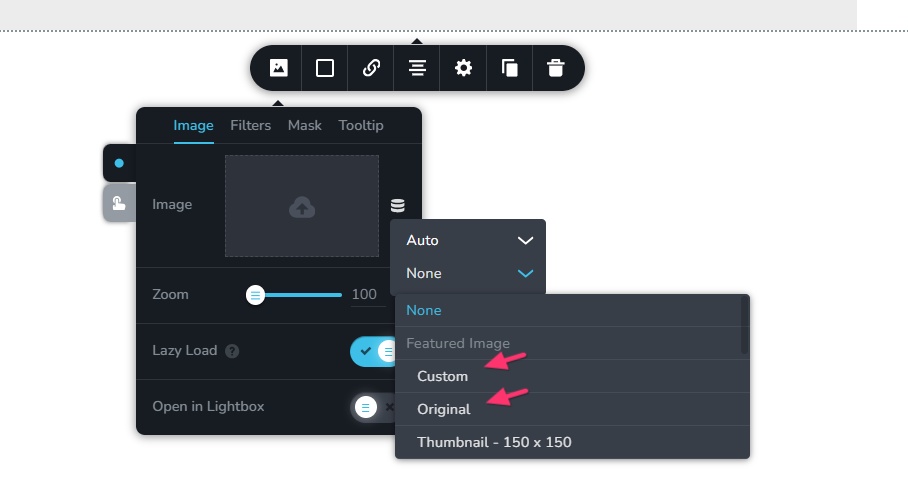
Kindly select the "Custom" or "Original" option under the "Featured Image" to dynamically select an image. Here is what each option means.
- Custom: Depending on the screen size, your featured image will be resized to a smaller size.
- Original: Regardless of the screen size of the device, the image will be displayed in the original size.
 0
0
Please sign in to leave a comment.
Comments
1 comment