How do I add a menu dropdown icon?

You know this arrows that only appear of there are submenu items? How can I add that?

0
-

Hello Ryan,
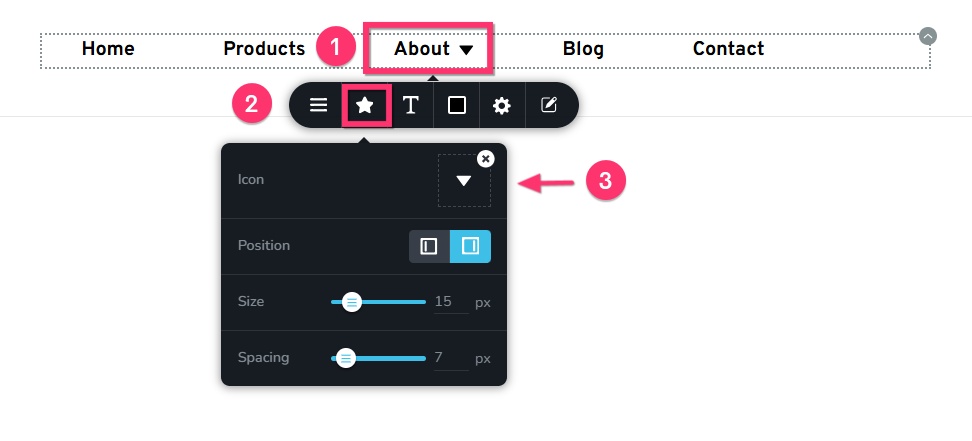
To add an icon next to any menu element, please follow these 3 steps
- Click on the specific menu text
- Select the "Star" icon from the toolbar that opens up
- Choose an icon from the icons library
 0
0 -
ahh thanks. can i make it where the submenu only opens when they click it and not just when they hover?
0 -
Hello Ryan,
Unfortunately, there is no option to set click trigger for opening the sub menu canvas. By defalt, it is triggered on hover.
0 -
thanks no biggy.
0
Please sign in to leave a comment.
Comments
4 comments