Only pages created with Brizy are slow to load and result in a 504 error.

Hi,
Only pages created with Brizy are slow to load and result in a 504 error.
https://www.tricorn.co.jp/service/mypage-solution/
I have disabled other plugins, but Brizy seems to be the cause.
The other pages not using Brizy have no issues
Using versions
WordPress 6.8.1
Brizy 2.7.15
Brizy Pro 2.7.7
PHP 7.4.21
If you have solutions, please let me know.
Thank you in advance.
-

Hi Kasumi,
Please share your WordPress admin login details with us so we can take a closer look. Please add us as an Admin user to your WordPress Dashboard and send the following details to communitysupport@brizy.io.
Community Post link: https://support.brizy.io/hc/en-us/community/posts/30008519127954
WordPress Admin URL:
Username:
Password:Looking forward to your reply.
Best regards,
Ariel H.0 -
Hi Ariel
I cannot grant access to my account for security reasons.
If there is a stable version of Brizy that you recommend, please let me know.I'd like to try downloading it.
Thank you.0 -
Hi,
Thank you for the update.
It looks like the issue is related to Cross-Origin Resource Sharing (CORS).
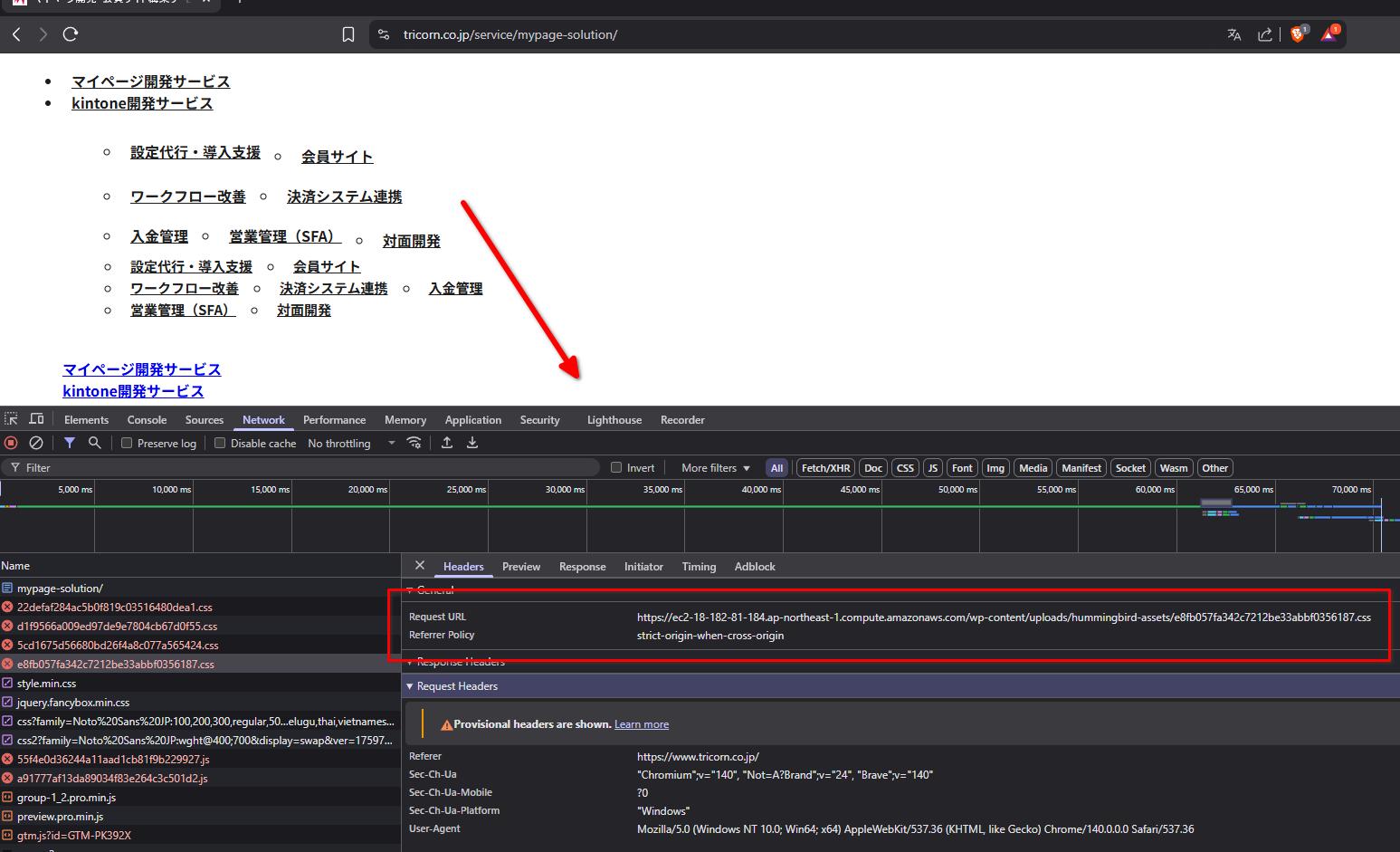
This is a browser security feature that blocks requests if your site’s URLs don’t match. When this happens, parts of your site may not load or work properly.
For more details, you can check this article:
https://developer.mozilla.org/en-US/docs/Web/HTTP/Guides/CORSTo resolve this, please update your Home and Site URL and then reset your permalinks.
To check and update the Home and Site URL:
1. Log in to your WordPress dashboard.
2. Go to Settings → General.
3. Check the WordPress Address (URL) and Site Address (URL) fields.
4. Make sure both are identical and use the correct protocol and domain (e.g., https://example.com).
Use https://www.example.com only if your site is set up with the www hostname.
Both fields must use the exact same origin (same http/https and either with or without www).
5. Click Save Changes.To reset permalinks:
1. In your WordPress dashboard, go to Settings → Permalinks.
2. Without making any changes, click Save Changes. This will flush and regenerate WordPress’s permalink rules.After this, try updating your Brizy page. Make a small change (e.g., add a bit of padding or a period in a text area), then update the page so it recompiles. Finally, check if the page loads correctly on the front end.
Please give this a try and let me know how it goes.
Best regards,
Ariel H.0 -
Hi, Ariel
Thank you for your advices.
Permalinks were definitely set correctly.
And I've tried your advice, but the situation hasn't changed.
Thank you.
0 -
Additional information.
After running a debug, I'm getting the following error code:
Hook cron reschedule event error: brizy-cloud-synchronize,
Error code: invalid_schedule, Error message: Event schedule does not exist.,
Data: {"schedule":"5minute","args":[],"interval":300}"0 -
I resolved the issue by taking the following steps.
-
Blocking a large number of access attempts
-
Upgrading the server's specifications
Thank you for your support.
0 -
Please sign in to leave a comment.
Comments
6 comments