iPhone template

Can I and should I add a new product template for an iPhone in Cloud Shop . Also, where can I find editing tools to change the spacing layout for the product template. I would like to condense the spacing on a couple of lines. I can edit some of the template details, but not all, at least that is what I think at the moment. Finally, if I want to add a deleted block element back to the iPhone control, where will I find the pre-designed data? Is there an iPhone, tablet or desktop template block available for download? Thank you.
-

Hello Wil,
In the Product template, click on any item and select the "Cog" icon and you will find an option to set the spacing between the elements.
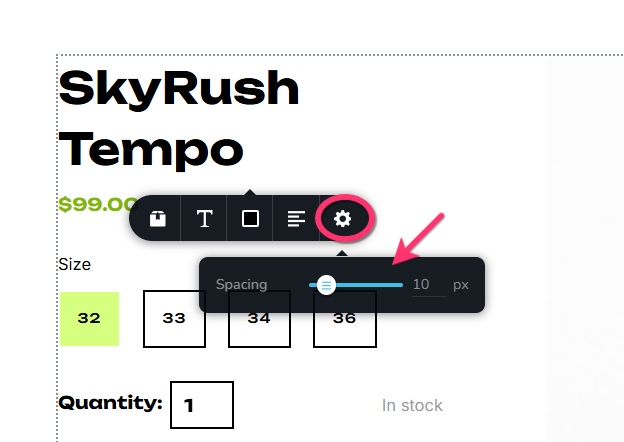
When you say should I add a new product template for iPhone, do you mean that you are unable to make your product template responsive for mobile devices? Can you elaborate?
When you say "if I want to add a deleted block element back to the iPhone control, where will I find the pre-designed data" do you mean that you were originally using a shop design template and you deleted the product template block of the premade design and you want to reuse it? If you were using the "MC Shoes" template, kindly download the product template block from https://jmp.sh/Uuwj4bi8. Then import the block to your saved blocks library by selecting the "Import New Block" button. From the saved blocks library, import the block to your product template.
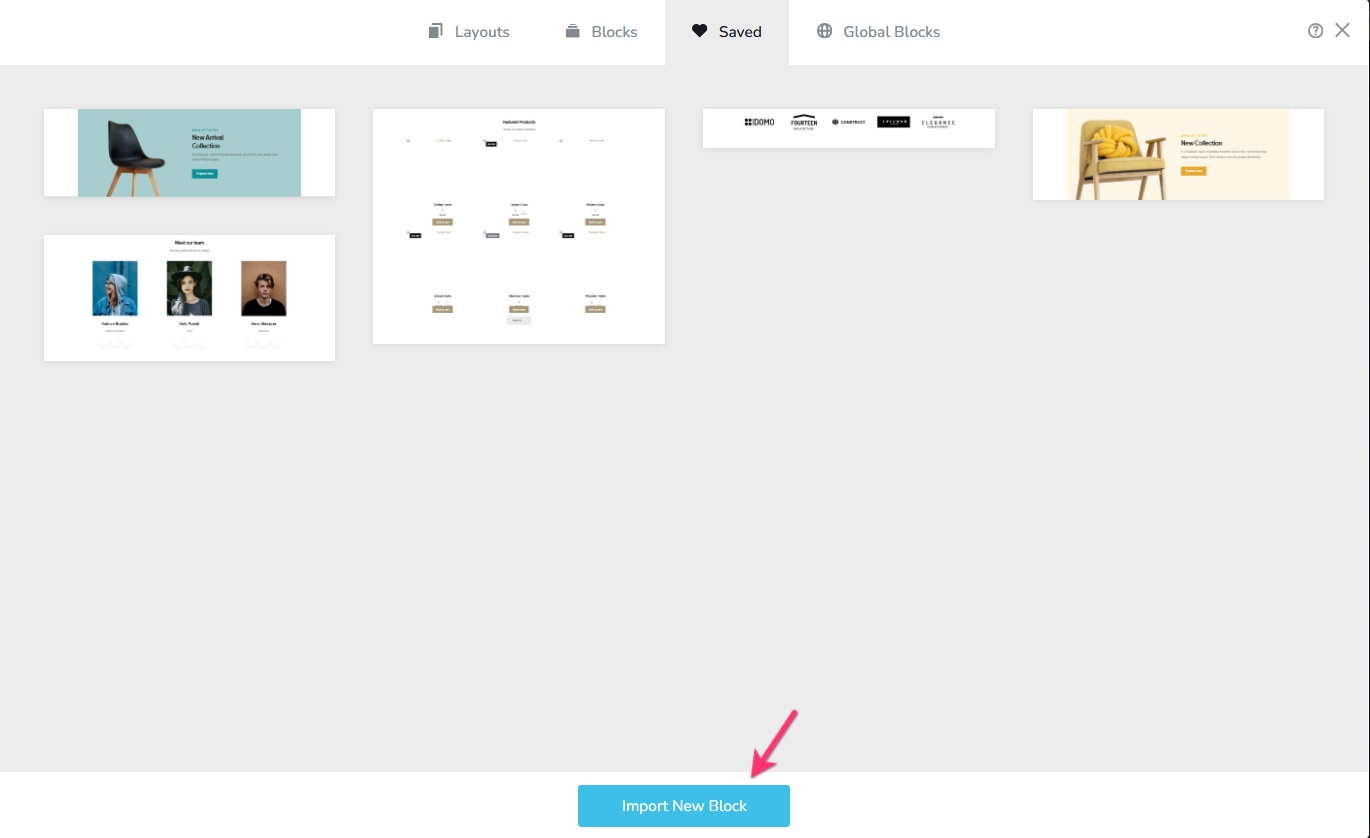 0
0
Please sign in to leave a comment.
Comments
1 comment