Brizy Product Archive template (product category) initial render shows wrong products — possible global block / template bug

Hello Brizy Support,
We have an issue with a Brizy Product Archive template for the category “épicerie” (and its subcategories).
Summary
-
On initial page load the Brizy template shows the wrong products (and more items than expected).
-
If we disable the Brizy template (so the theme template is used) the correct products appear — WooCommerce indexing is fine.
-
Ajax filters (YITH) return correct results when used, so filtered requests include the correct product_cat tax_query while the initial render does not.
-
Other Brizy product archive templates (e.g. vins, spiritueux) work correctly.
-
This template worked correctly before we reorganized product categories.
What we already tried
-
Saved Permalinks.
-
WooCommerce → Status → Tools: Recount terms, Regenerate product lookup table, Clear transients.
-
Verified product → category assignments.
-
Deleted & recreated the Brizy archive template. (Behavior persists.)
Extra observation
When creating a new product-archive template, Brizy auto-inserts a global block (a product grid + filter column). We cannot find or remove the source of that injected block in Saved/Global Blocks or template presets — it appears to be applied by default.
Example / links
-
Problem category page: https://oenogea.be/categorie-produit/epicerie/
-
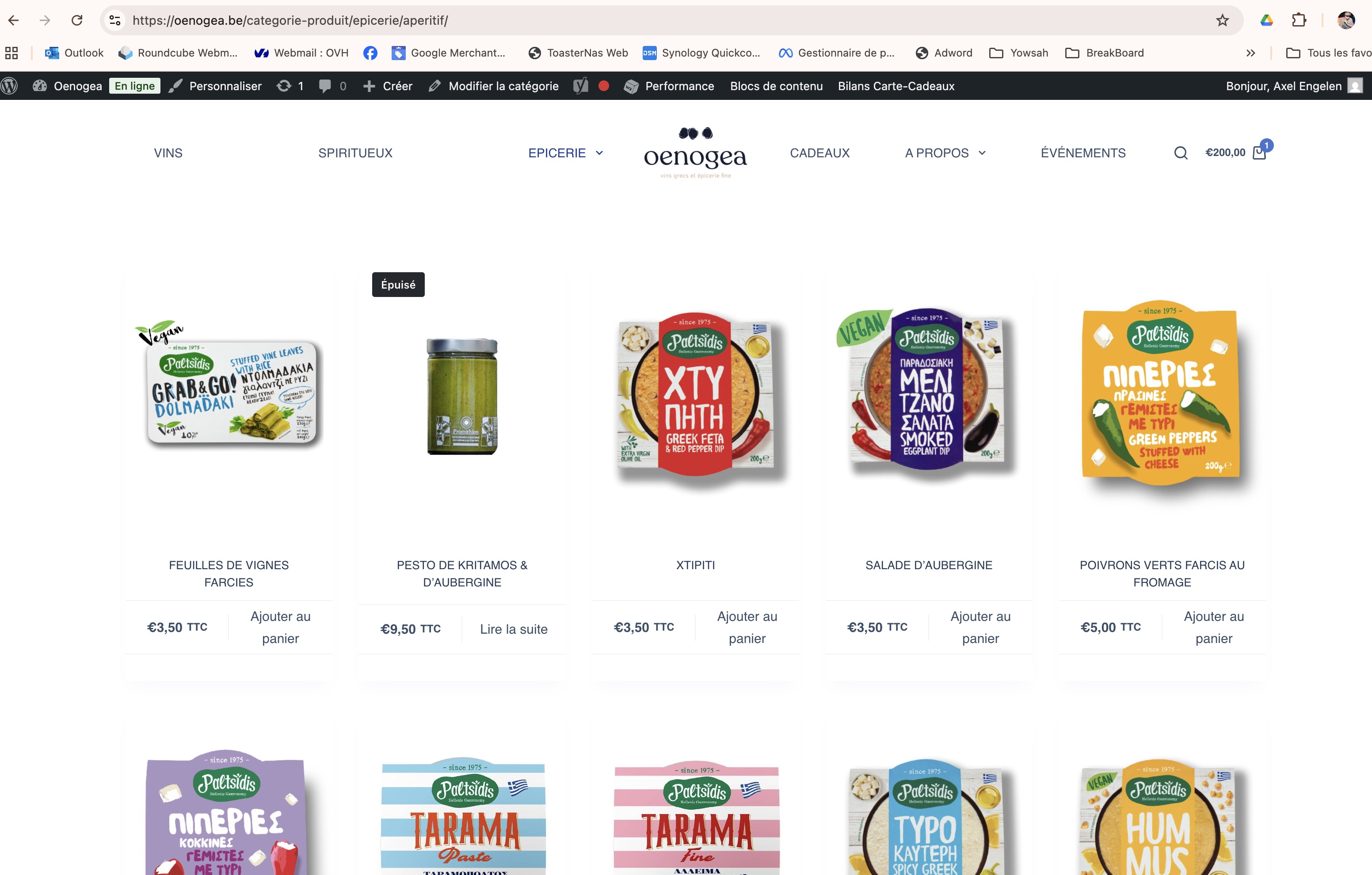
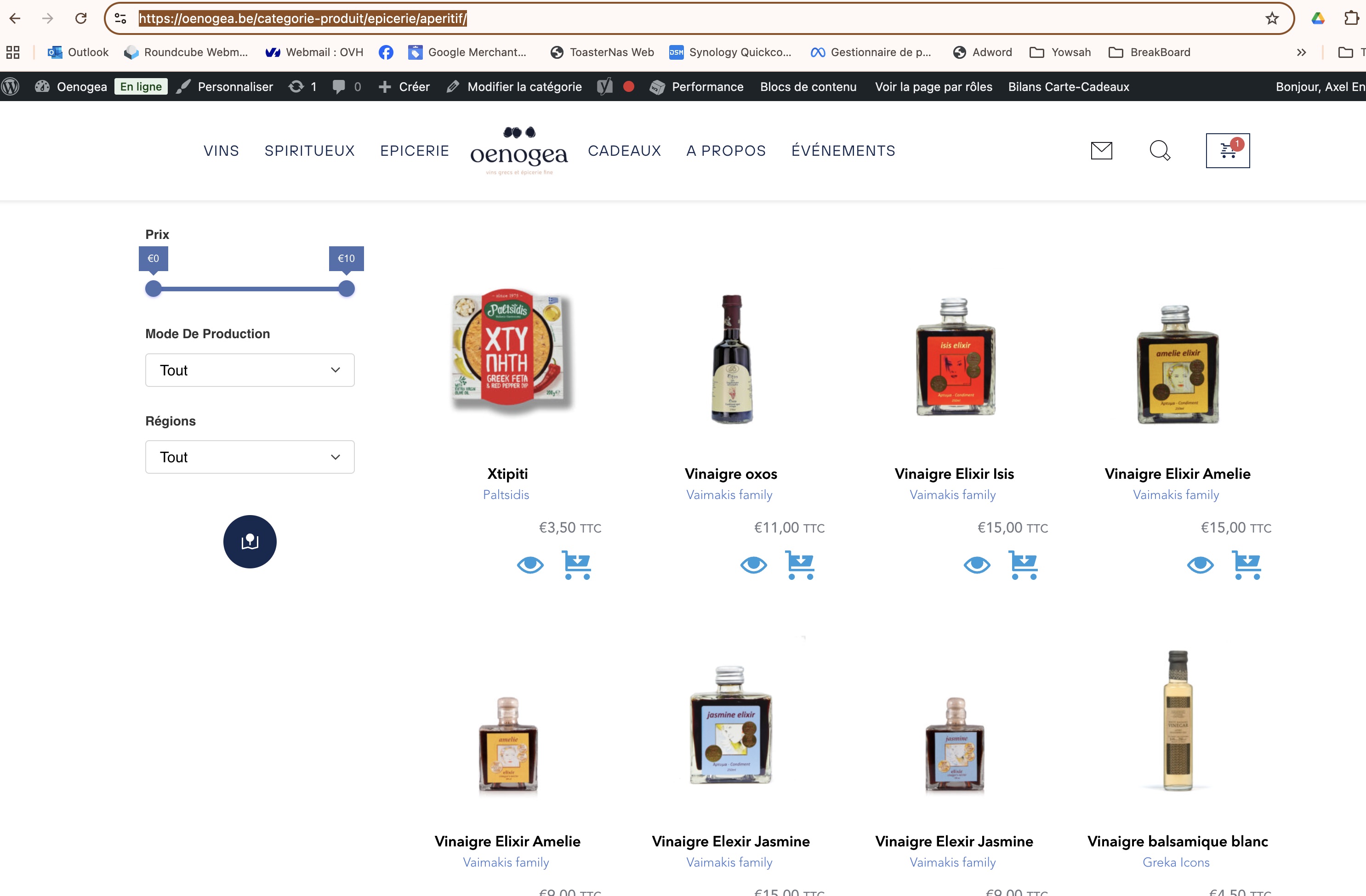
Example subcategory: https://oenogea.be/categorie-produit/epicerie/aperitif/ — this URL should display 12 products, but with the Brizy template it shows more and incorrect items.
-
Template slugs / names we tested: categorie-produit-epicerie-recherche-archive, archive-epicerie-test.
Questions
-
Where does this default/global block come from and how can we remove it so a blank archive template can be created?
-
How can we make the Brizy Products grid inherit the current archive / main query on initial render (so it uses the product_cat tax_query)?
-
Is this a known issue after reorganizing product categories? Any additional troubleshooting steps you recommend?
Note: you already have access to the site backoffice for another display issue (search results templates); that access can be used if needed and the two issues might be related.
Site: https://oenogea.be — Brizy Pro is active.
Thanks for any pointers,
Axel Engelen
-

Hi Axel,
Thank you for the update.
I tried creating a blank product template on my end but wasn’t able to replicate the issue:
https://oenogea.be/wp-admin/post.php?action=in-front-editor&post=31938. Could you please try using another browser to see if this makes any difference?To make the Brizy Products grid inherit the archive or main WordPress query, I recommend using the Archive element instead of the Products element as it automatically follow the current query.
Reorganizing product categories sometimes leads to caching or query mismatches. As you’ve already flushed permalinks, please also try clearing any object or purge cache or test it with W3 Total Cache plugin disabled.
Best regards,
Ariel H.0 -
Hello Ariel / Brizy team,
Following up — the Brizy product-archive template categorie-produit-epicerie-recherche-archive still shows incorrect products on initial page load for the Épicerie category and its subcategories.
Example: https://oenogea.be/categorie-produit/epicerie/aperitif/ should display 12 products, but with the Brizy template it shows more and wrong items. If I disable the Brizy template (theme renders the archive) the correct products appear.
What we already tried:
-
Saved permalinks.
-
WooCommerce → Status → Tools: Recount terms, Regenerate product lookup table, Clear transients.
-
Verified product → category assignments.
-
Deleted & recreated the Brizy archive template (no change).
-
W3 Total Cache was installed only after the issue appeared and then removed — no effect.
-
AJAX filters (YITH) return correct filtered results.
Could you please:
-
Inspect the template categorie-produit-epicerie-recherche-archive on our site and check why it renders wrong products on initial load?
-
Verify whether any hidden reference (old term_id / default block / preset) is stored in that template that could cause this?
-
Use the existing backoffice access (we previously granted access for another display ticket) if you need to inspect directly.
Site: https://oenogea.be — Brizy Pro is active.
Thanks,
Axel Engelen
0 -
-
Hi Axel, sorry about that, could you activate the staging environment instead so we can test the issue there and not break your website?
-1 -
Hi Ariel,
Thanks — staging is already set up on your side (the same staging environment you used previously to fix the font/display issue). Please activate/use that staging environment to test the categorie-produit-epicerie-recherche-archive template so we don’t touch production.
0 -
Hi Axel, thank you for your patience, we're now looking into this issue. I will get back to you as soon as I have an update.
0 -
Hi Axel,
I attempted to replicate the issue on your staging site, but due to the large amount of data, it was hard to test. To make it easier, I tested on my own site with only a few products.
In WooCommerce → All Products, I filtered by category. For example, the "Quatro" category shows 8 products, including 3 in its subcategories "Quatro Uno". When I select "Quatro" under Categories, it correctly displays 8 products, and when I select a subcategory, it shows 3 products.
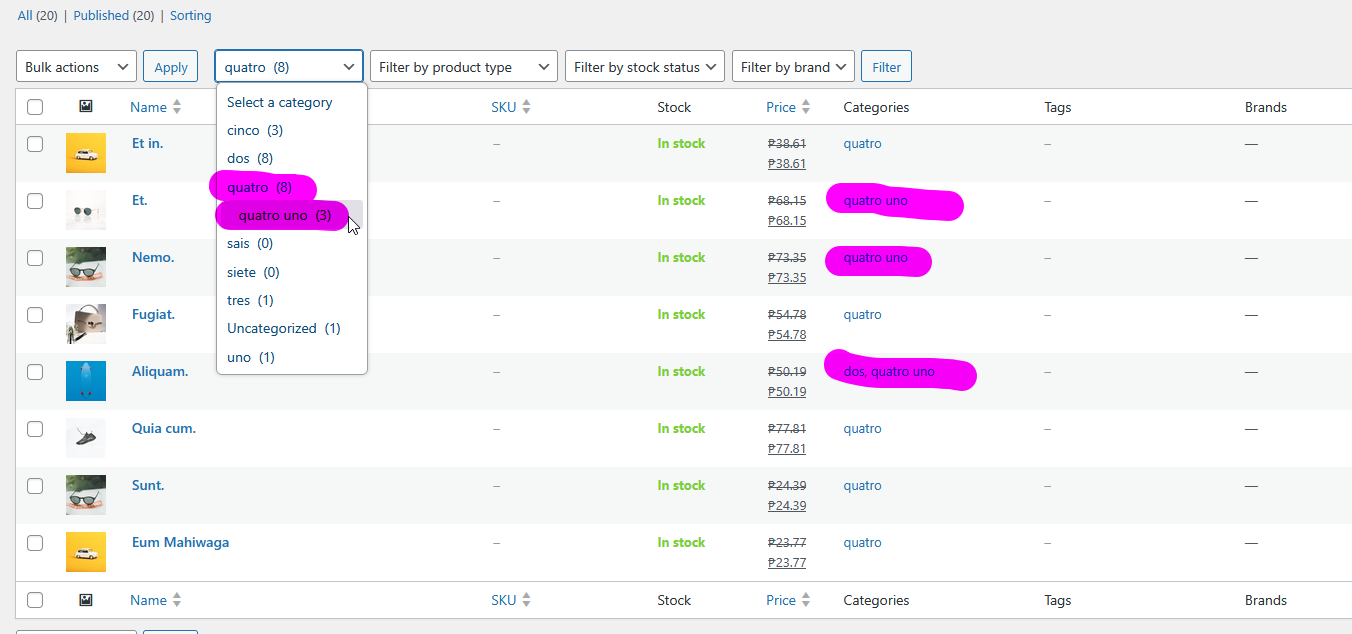
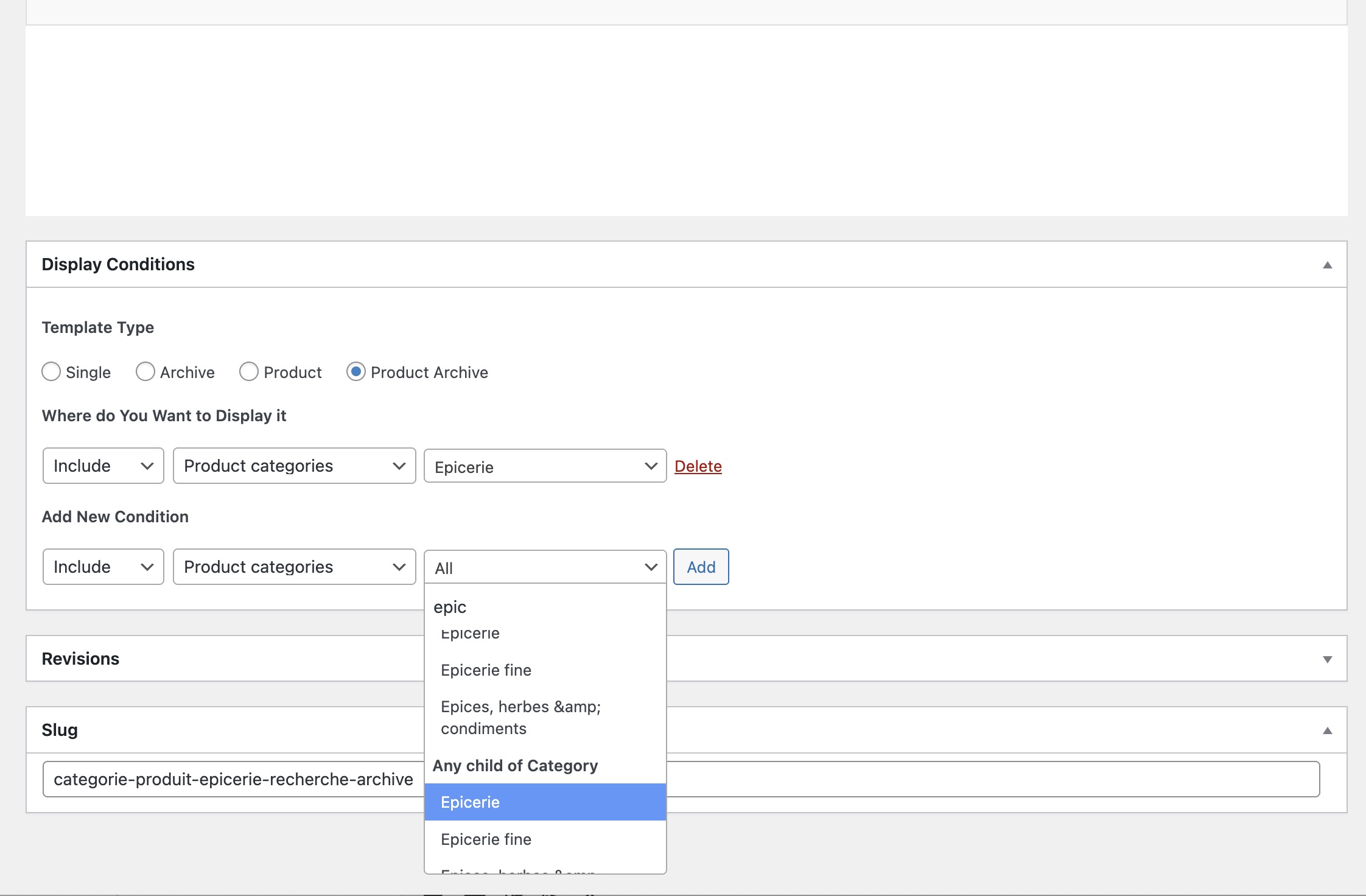
To achieve this, I set up two dynamic templates, one for the main category and another for the subcategories. The main category template uses the display condition "Product categories –> Quatro">
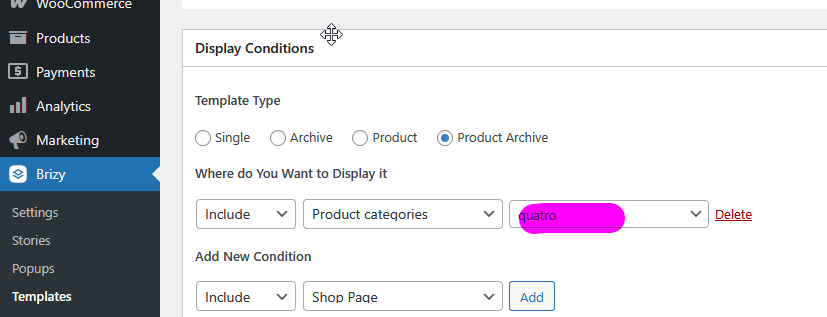
While the subcategory template uses "Any child category of > Quatro."
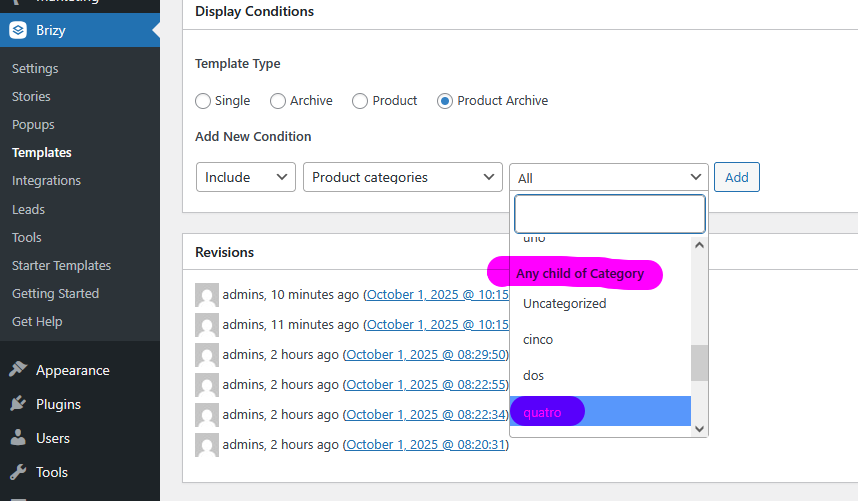
On my test site, this setup works as expected. However, on your staging site it doesn’t behave the same way. You can see the results here:
https://staging.brizywp.online/demo01/product-category/quatro/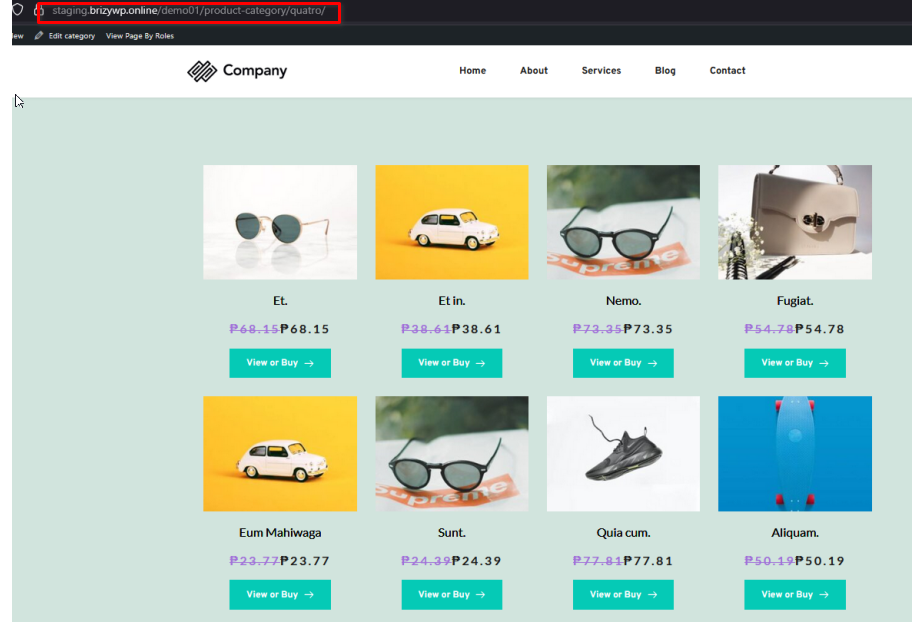
https://staging.brizywp.online/demo01/product-category/quatro/quatro-uno/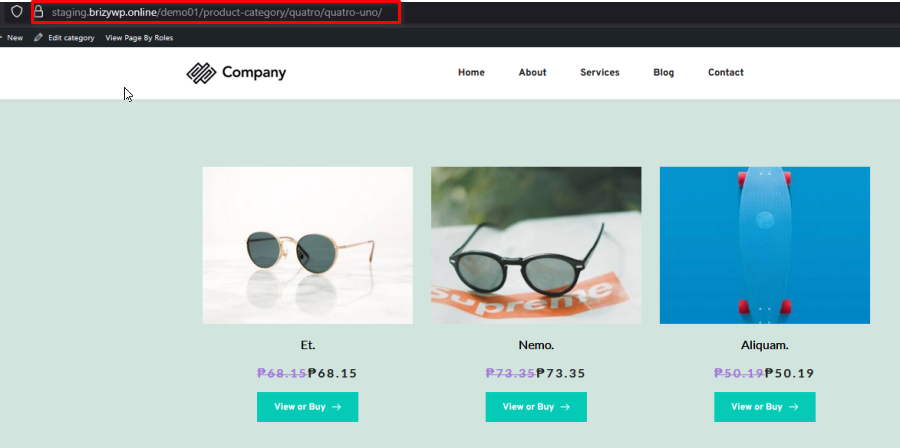
You may want to review your product categories and subcategories to confirm that you don’t have identical names for both a parent category and its child. If so, renaming either the main category or the subcategory to a unique name should prevent conflicts and help Brizy correctly identify the hierarchy.
Please try this and if you have any further questions, please let us know.
Best regards,
Ariel H.0 -
Hi Ariel / Brizy team,
Please watch this short private YouTube video that clearly demonstrates the issue on our production site:
Key facts — please inspect production directly (you already have backoffice access):
-
The Brizy archive template categorie-produit-epicerie-recherche-archive renders the wrong products on initial load (example: /categorie-produit/epicerie/aperitif/ — should show 15 products, but shows more/incorrect items).
-
If I disable the Brizy template (let the theme render the archive) the correct products appear. WooCommerce indexing and product → category assignments are correct.
-
AJAX filtering (YITH) returns correct filtered results — filtered requests include the proper product_cat.
-
This configuration worked previously and two other Brizy archive templates (for vins and spiritueux) still work correctly. The issue appeared after we reorganized product categories.
Please check directly on production and report back on these specific points:
-
any hidden reference inside the template (old term_id, default global block, or preset)
-
the template Display Conditions (parent vs child category matching)
-
the Products block settings (include/exclude, offset, include_children) compared with a working template
-
whether the initial main query differs from the AJAX query (Query Monitor on production will show this)
I’ve attached a short video showing: 1) theme rendering returns correct products, 2) Brizy template rendering returns wrong products, 3) AJAX filtering returns correct products. Please investigate on production and advise.
Thanks,
Axel Engelen
0 -
-
Hi Axel, we're currently updating the staging site to match the live site, in the meantime, could you please set the Youtube video to Unlisted? It's currently set to private so we are unable to see your video.
Kind regards,
Ariel H.0 -
Hi Axel,
Thank you for taking the time to create the screen capture. That matches what we’ve observed in the staging environment. However, I wasn’t able to replicate the issue on my own staging site, which suggests it may be specific to your current setup. I’ll review this again and escalate it to a higher tier if needed. We apologize for the inconvenience.
0 -
Hi Axel,
Thank you for your patience.
We’re not entirely sure what was causing the issue with the product element. However, the fastest way to address the issue this is by using the archive element instead. We’ve copied over the styles from the product element into the archive element, this will dynamically respect the current category or subcategory being viewed.
Please take a look at the changes we’ve made in the template on the staging site for your reference:
https://oenogea.be/titan/categorie-produit/epicerie/aperitif/If the page doesn’t load, you can also use this link:
https://oenogea.be/titan/categorie-produit/epicerie/aperitif/?nocache=0Best regards,
Ariel H.0 -
I just tested your “solution” — it works on staging but when I apply it to the production site it does not work.
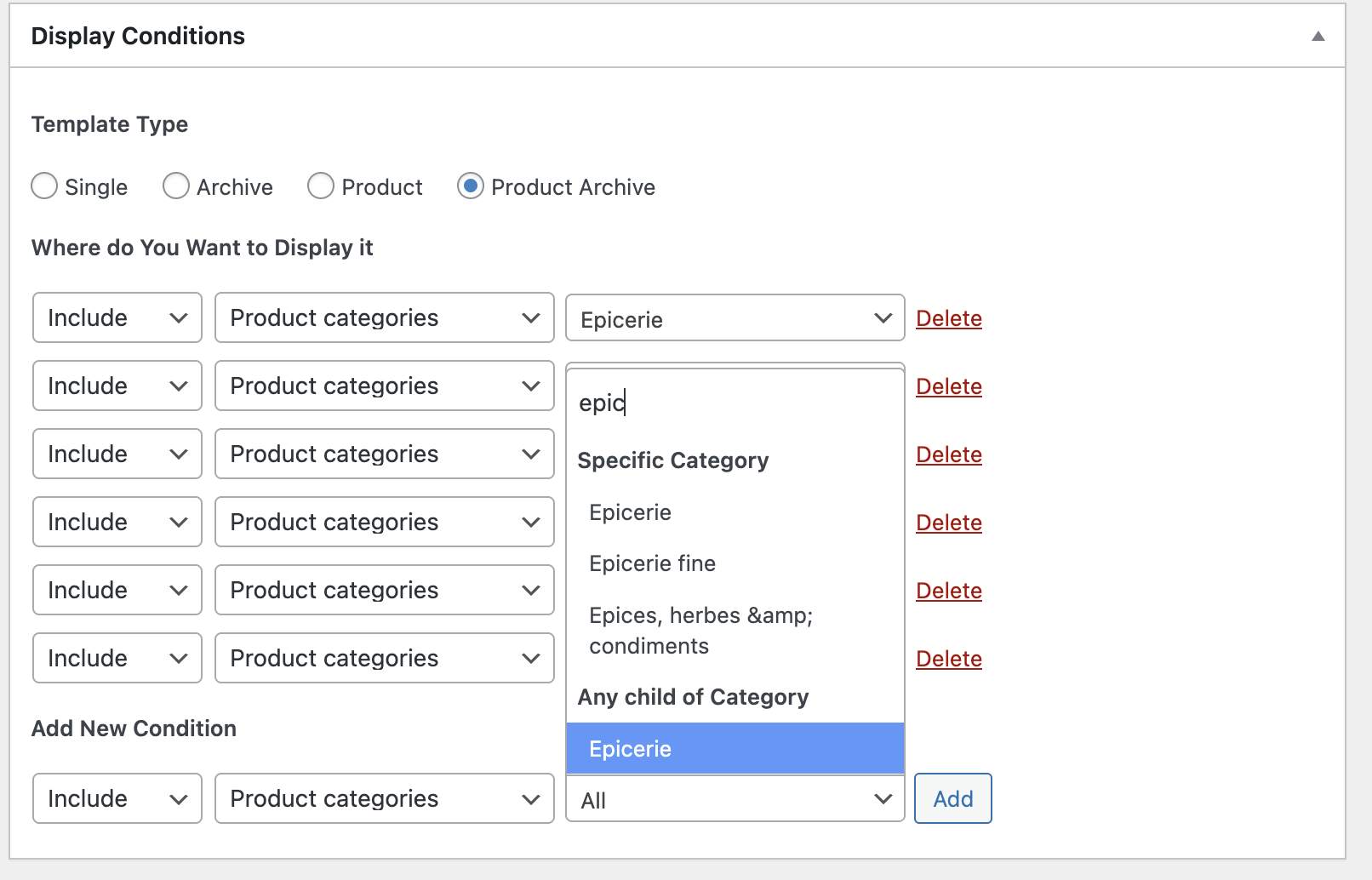
Moreover, I don’t understand your message: Brizy templates are still based on Product Archive. When you say you “copied” — what exactly do you mean? To me it looks like you simply added “aperitif” as a product category in the template’s Display Conditions.
So on staging it only works for that single product category — there is nothing dynamic about it. For example, if we create a new subcategory it will only display if we specifically add it to the Display Conditions.
I think your “any child of category” option does not work. Besides not working on production, it forces me to add every category and subcategory one by one in the Display Conditions, which, frankly, is not very practical.
 0
0 -
Hi Axel,
Thank you for your update, and apologies if my earlier explanation was unclear.
What I meant is that we replicated the layout and styling from the Product element onto the Archive element so it would look the same as before. The difference is that the Archive element is dynamic, it will display products based on the current category or subcategory being viewed
About your second point, since this is an Archive template, the more preferred approach is to use the Archive element for dynamic handling of categories and subcategories. Alternatively, if you prefer to rely on the Product element, it would require setting up separate templates for each category or subcategory and applying the category filter.
Best regards,
Ariel H.0
Please sign in to leave a comment.
Comments
12 comments