Blog

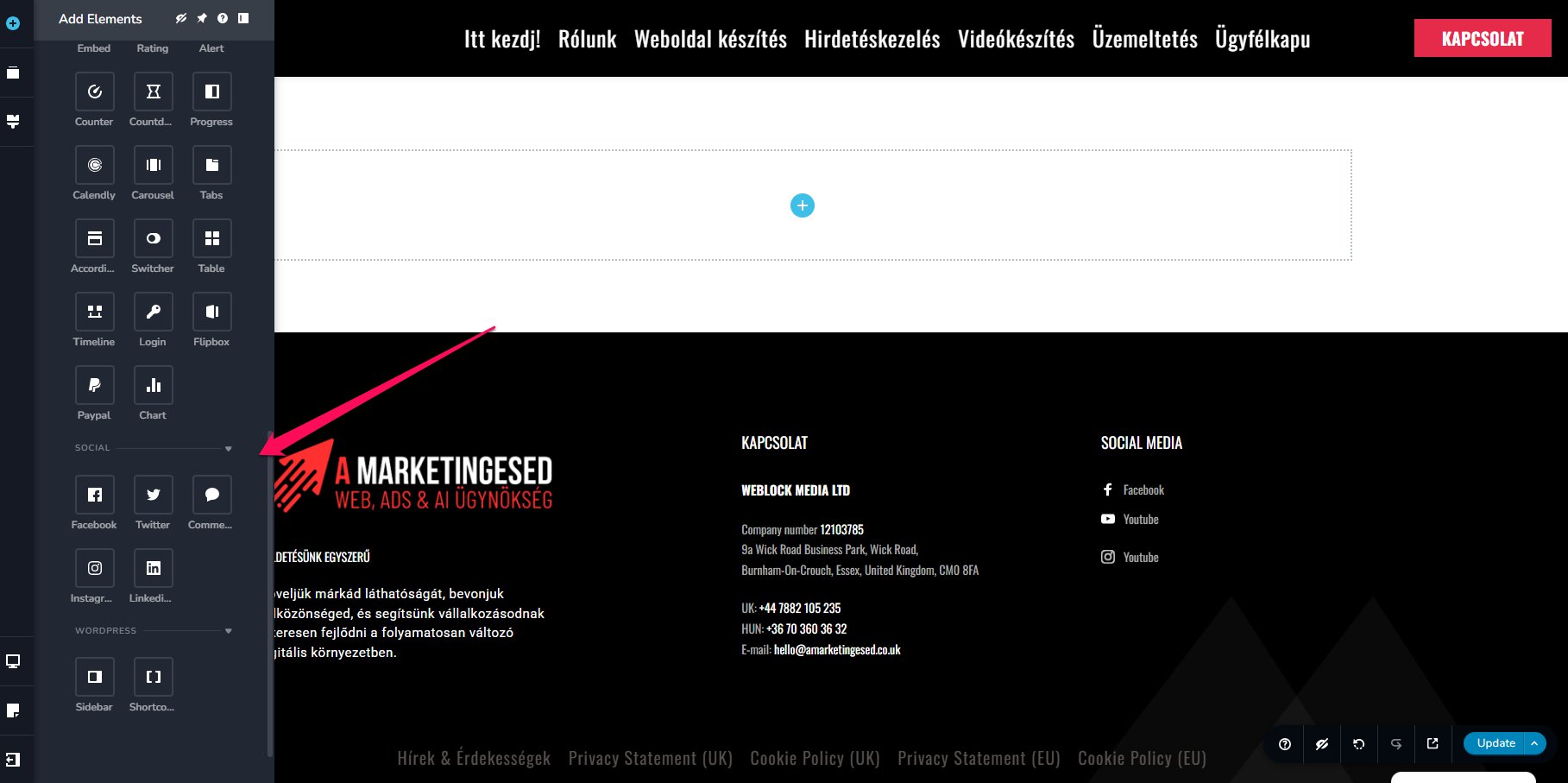
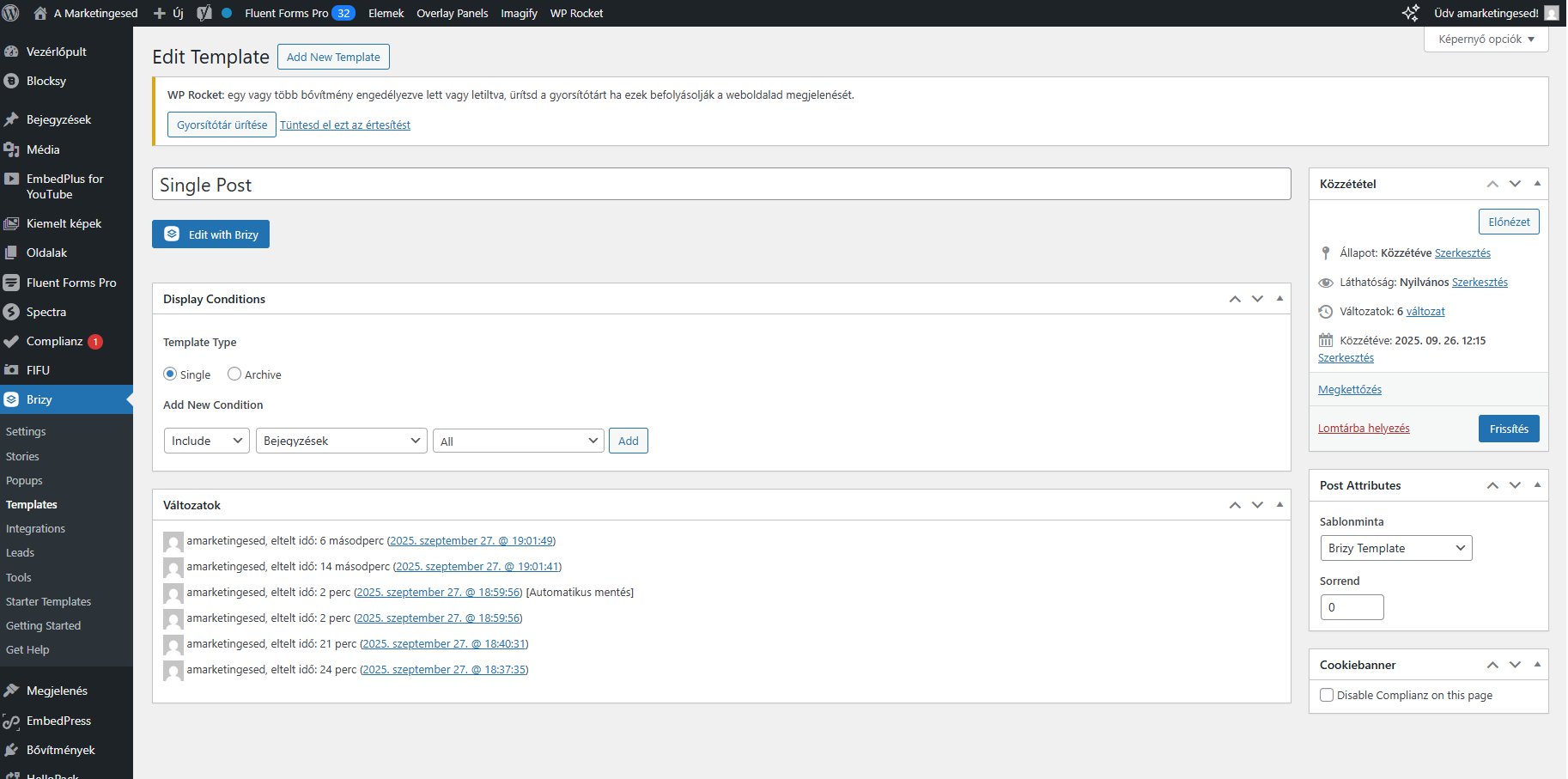
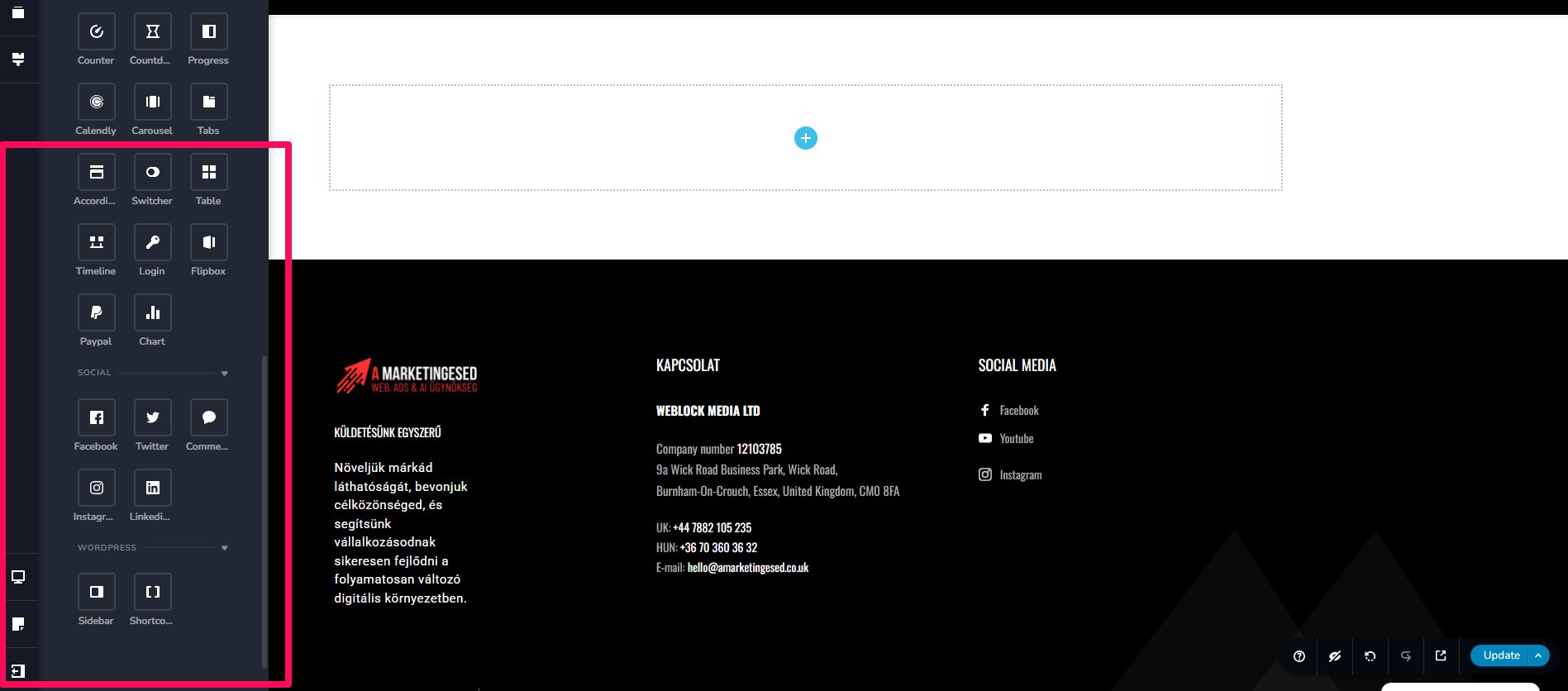
Hi, my question is that in the templates, where I want to create a single blog template, I can't find a dynamic blog option, or any option at all. Is there no single blog option in the WordPress plugin?
-

Hello Istvan Norbert Kadas,
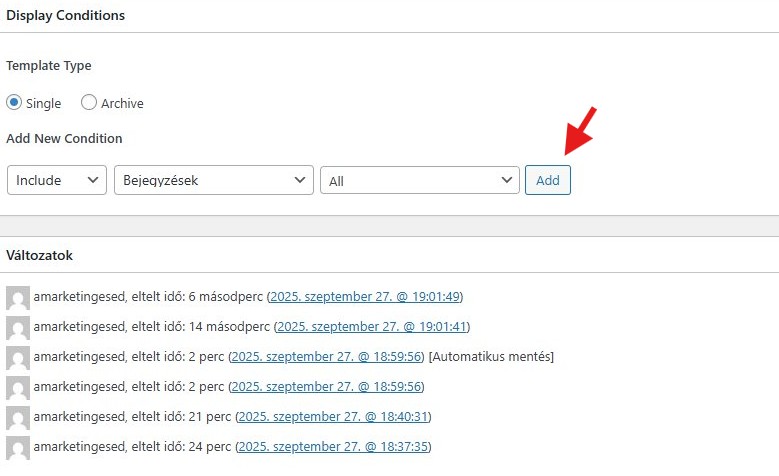
In the Display Conditions screen, kindly click on the "Add" button to add the condition.
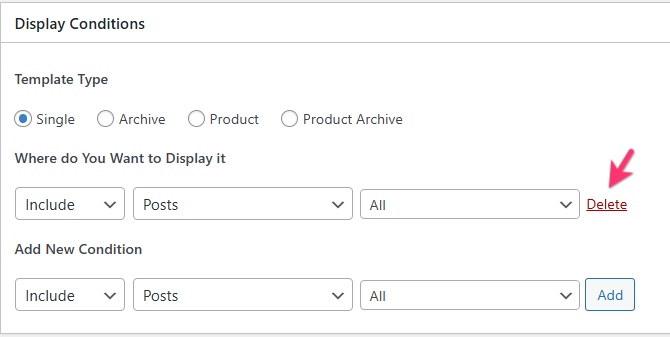
 Once you add the Display Condition, you will see a "Delete" option next to it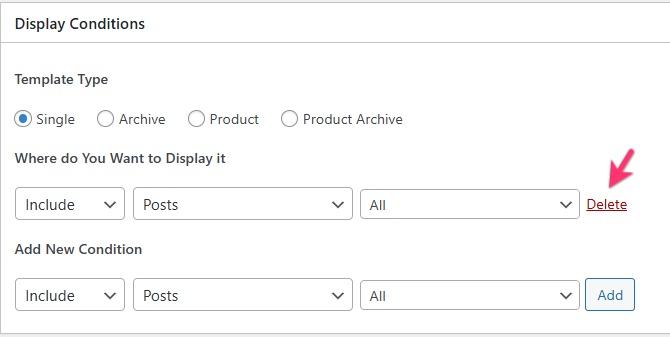
Then click on the "Edit with Brizy" button and check if you see the dynamic blog post elements
0 -
Hi George,
As I sent two images in my ticket, you can see that I am past this step. I am interested in why the dynamic elements are missing from the editor in the WordPress plugin.
 0
0 -
Hello Istvan,
The reason why the dynamic blog post elements are missing in your WordPress plugin because you have not added the required Display Condition. Kindly follow the step below to add the Display Condition
In your WordPress Dashboard under Brizy > Templates, access the Display Conditions for the "Single Post" template and click on the "Add" button highlighted below. The below screenshot is from your WordPress Dashboard.
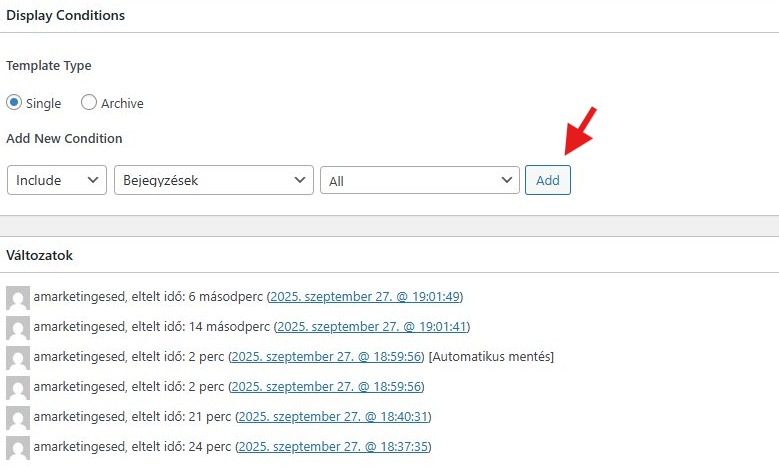
You have gone past the above step without adding the Display Condition. Now you must go back to the previous step and add the "Display Condition" and ensure that the "Add" button has disappeared and you see a "Delete" option in place of the "Add" button.
 0
0 -
I'll send you a video because I don't think we're talking about the same thing.
0 -
Hello Istvan,
Even in your video, you are missing the important step of clicking on the "Add" button. Please watch the screen recording at https://jmp.sh/y1FJmaT8 for the right procedure to add a Brizy blog post template.
0 -
That's fine now, thank you. I looked at the step I missed, but it was clearer to me the way I tried it. It works now.
0
Please sign in to leave a comment.
Comments
6 comments