Display issue with product filters and search results pages (Brizy + WooCommerce + Blocksy)

Hello Brizy Team,
I am experiencing a recurring display issue on my website when using Brizy templates with WooCommerce and the Blocksy theme.
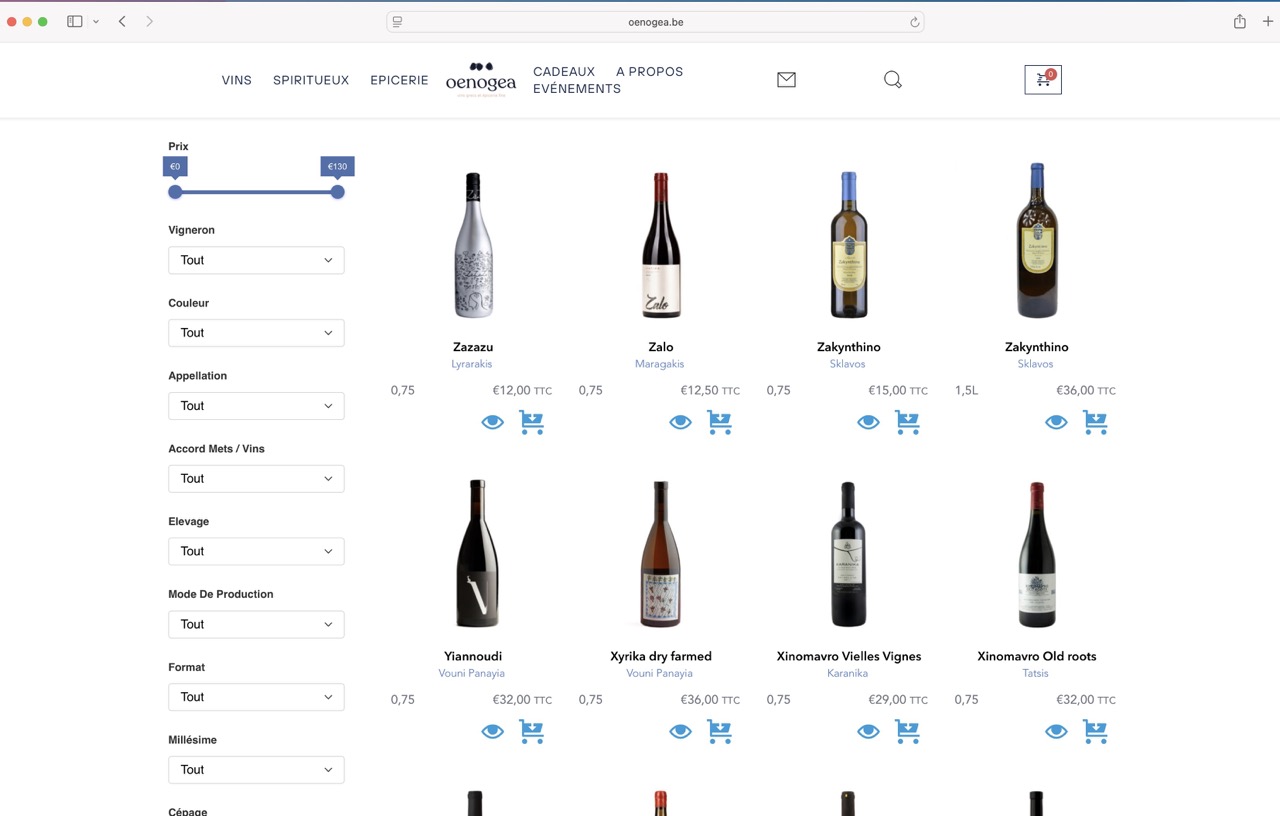
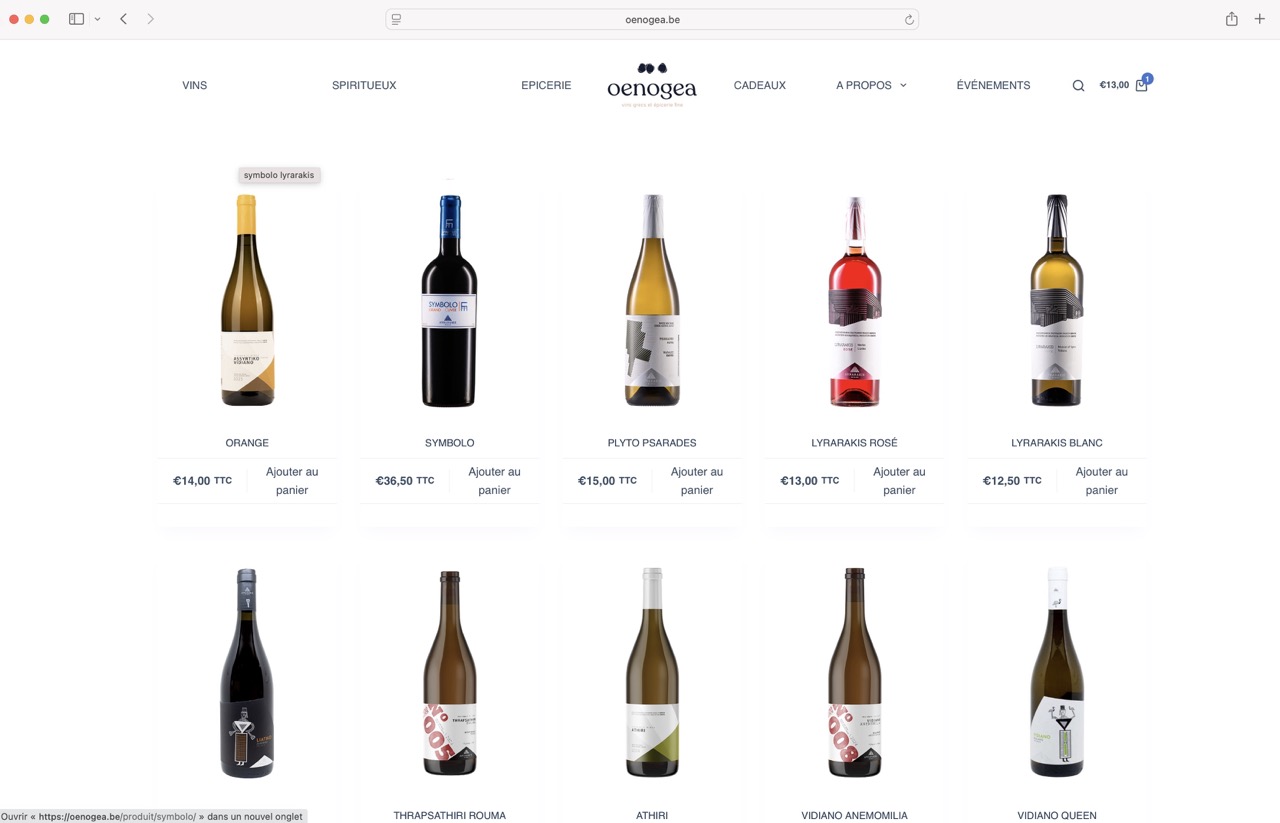
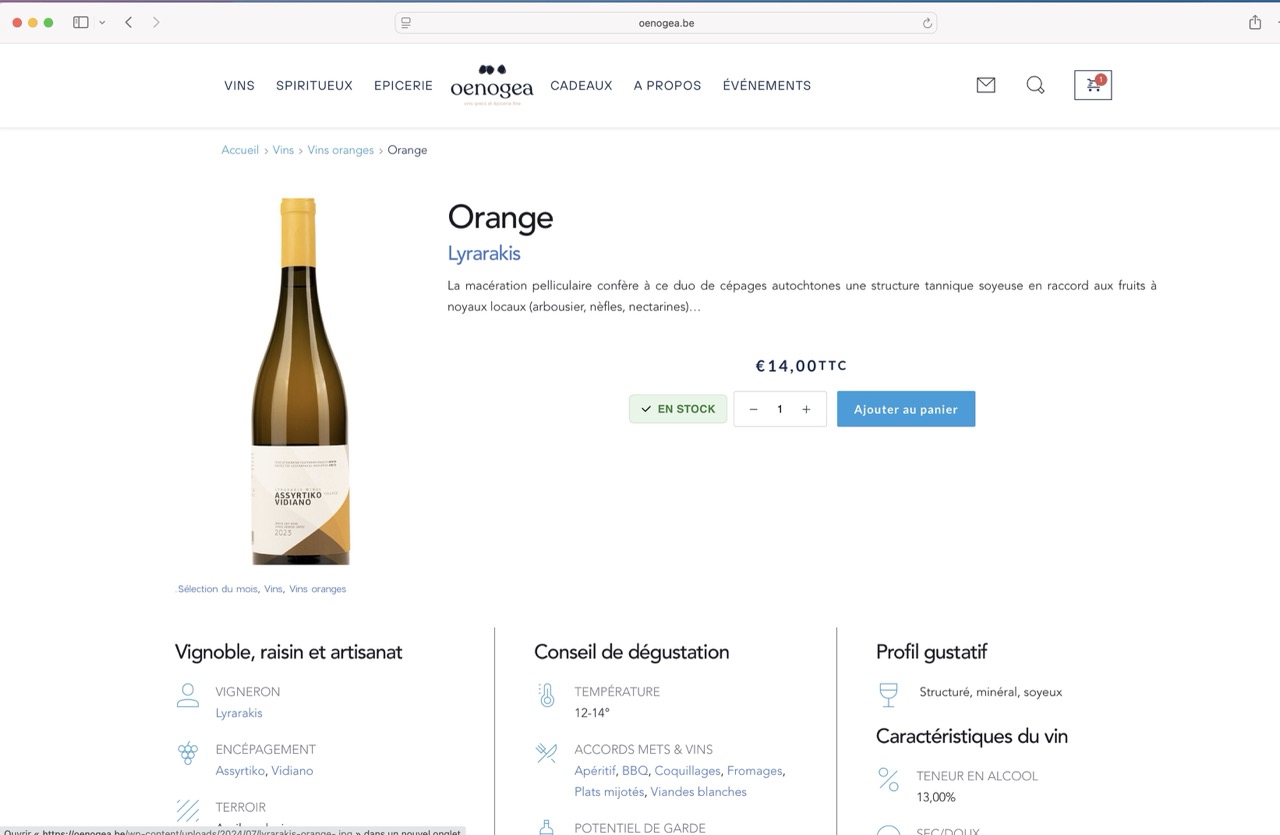
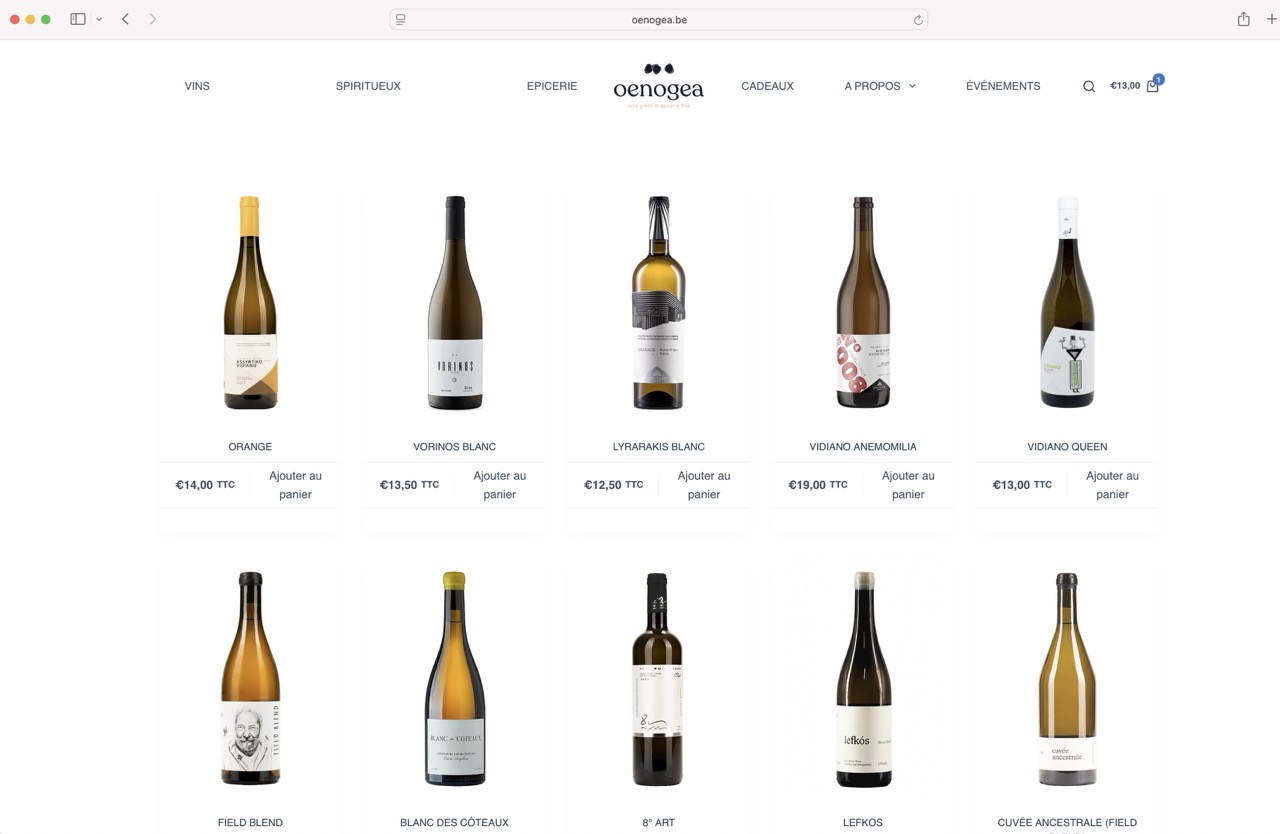
Normally, my product archive and single product pages are displayed correctly with the Brizy design. However, when I use certain filters or attributes (for example “Vignerons”) or when I perform a product search, the results page does not use the Brizy template. Instead, it switches back to the default Blocksy theme layout.
This creates an inconsistent user experience, as some pages are displayed with Brizy styling while others revert to Blocksy.
I have attached several screenshots to illustrate the issue.
Could you please advise how I can force all product-related pages (search results, attribute archives, filter results, etc.) to always use the Brizy templates instead of falling back to the Blocksy default?
Thank you in advance for your help.
Best regards,
Axel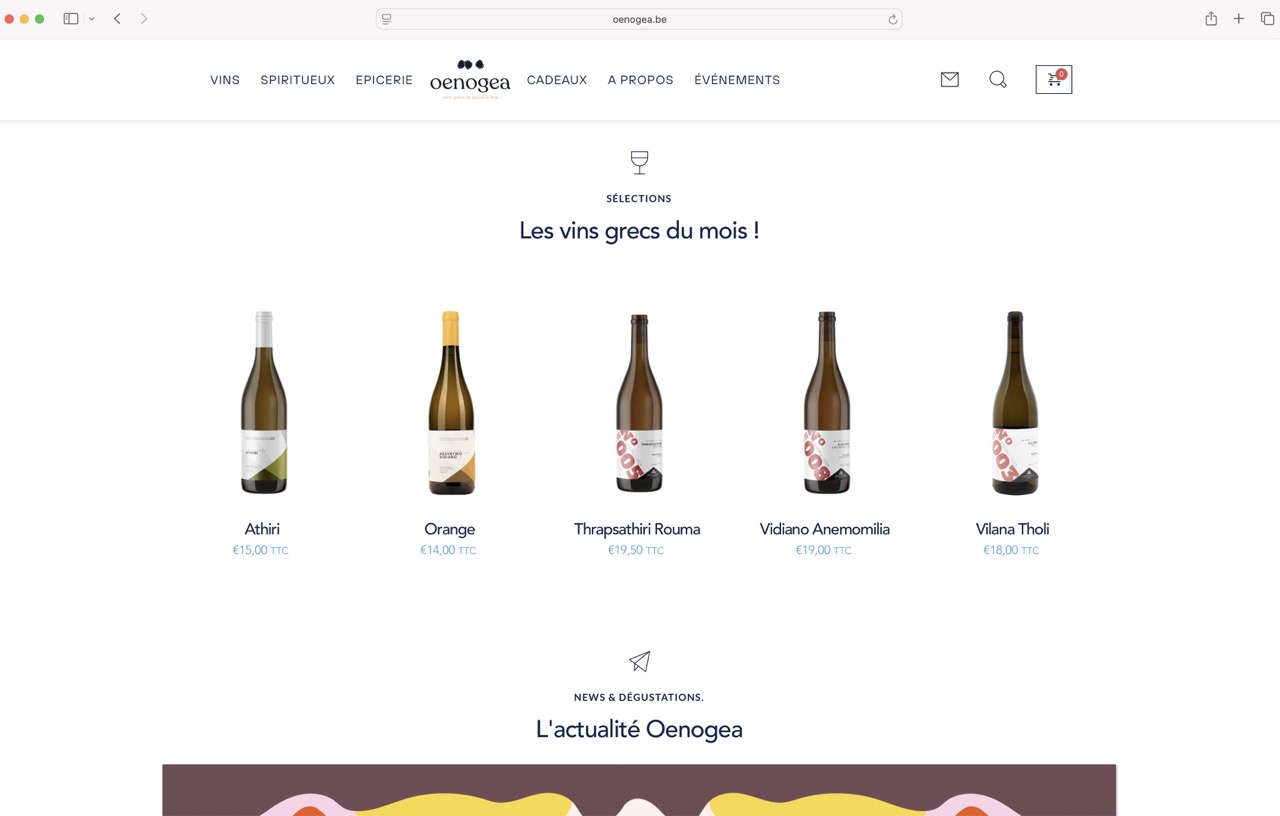
-

Hi Axel,
Thank you for contacting us.
Please try adjusting the template display conditions by including not only All Products but also All Product Categories. This helps ensure that search results, attribute archives, and filter result pages will also pick up the Brizy template instead of reverting to the default Blocksy layout.
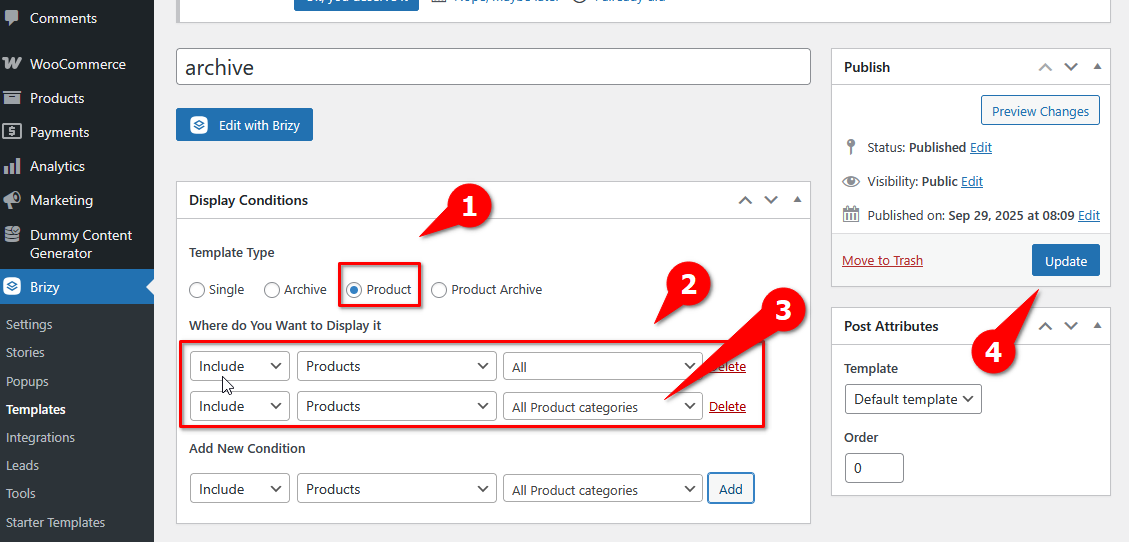
Please try this and let me know how it goes.
Best regards,
Ariel H.0 -
Hello Ariel,
Thank you for your reply and for the proposed solution. Unfortunately, after testing it carefully, the issue still persists. As expected, applying the template conditions this way breaks the existing single product template and creates a loop where product pages become inaccessible.
You already have access to the website backoffice for another issue related to fonts. Could you please check directly on the site and escalate this to your development team if necessary? The expected behavior is that all product-related archives (categories, attributes, search results, etc.) consistently use the Brizy archive template. (Résultat recherche)
For now, I have set this template to draft because it was breaking the site and making single product pages inaccessible.
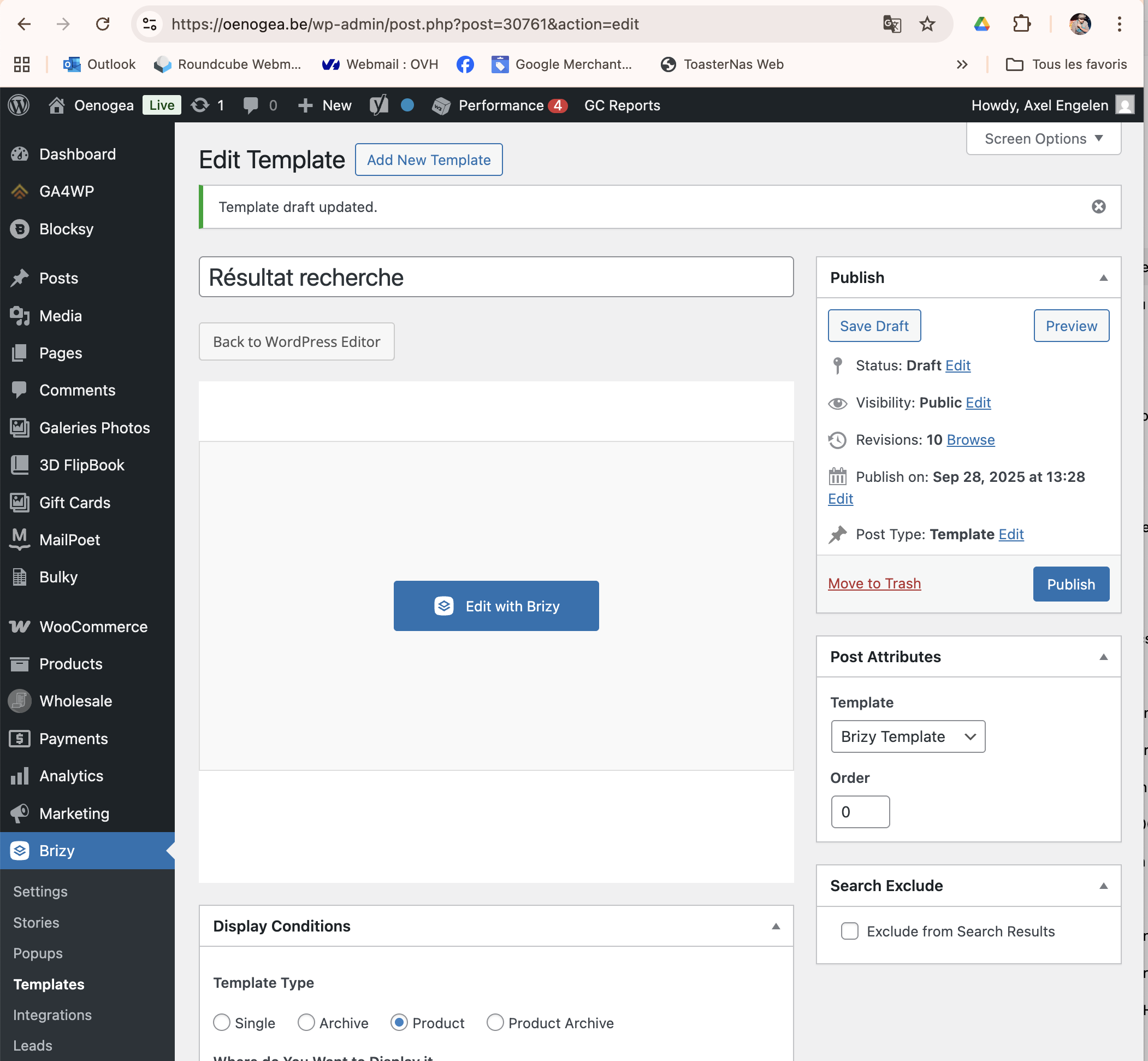
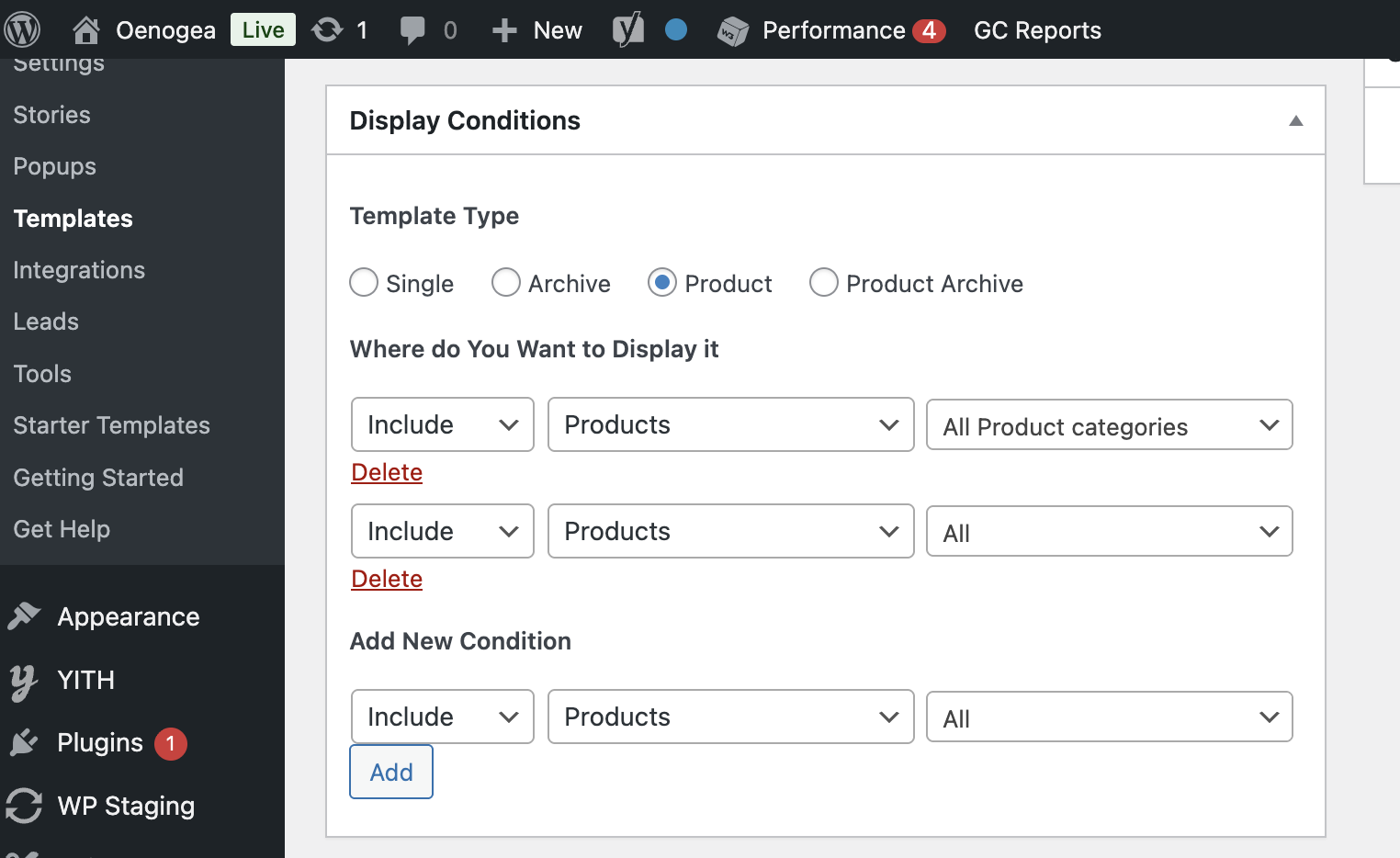
Thank you for your support.
Best regards,
Axel
0 -
Hi Axel,
Thank you for the update and I apologize for the inconvenience. Currently, Brizy’s WooCommerce builder allows you to design product archive and single product pages that display correctly with Brizy styling. However, filtered pages and attribute archives often fall back to the Blocksy theme’s default layout because Brizy does not fully control these dynamic product listing variations out of the box.
As a reliable approach to ensure consistent styling across all product-related pages—including attribute archives and search results—you may need to develop your product templates using the Blocksy theme and customize its header, footer, and product layouts to mirror your Brizy design. This is a common workaround given the current limitations of template control with Brizy and WooCommerce filters.
This may not be the most convenient approach, but it is currently the most reliable way to ensure full consistency in the display of your WooCommerce product pages.
Best regards,
Ariel H.0 -
Hello Ariel,
Thank you for clarifying. I understand this is a current limitation, but rebuilding templates in Blocksy just to bypass Brizy’s missing support is not a viable solution. The expectation is that Brizy should handle all WooCommerce product archives (including filters, attributes, and search results) in the same way it handles categories or single products.
Could you please escalate this issue to your development team and let me know if there are plans to extend template control for these pages? At the moment this is a critical blocker.
Best regards,
Axel
0 -
Hi Axel,
Thank you for sharing your feedback. I understand your concern, and I agree that having Brizy handle all WooCommerce product archives consistently would be ideal.
This is an ongoing request that has already been raised with our development team. At the moment, we’re unable to provide a specific ETA on when this feature will be available. In the meantime, I would encourage you to also submit this request on our Ideas and Roadmap page at at https://www.brizy.io/ideas-and-roadmap? This allows other users to upvote your idea and help it gain more visibility and support.
Best regards,
Ariel H.0
Please sign in to leave a comment.
Comments
5 comments