mailto: deactivate at button

Hi everyone :)
When I try to link to a button, the mailto: always appears right at the beginning.
This means I can no longer link to an external URL. Is there a trick to removing the mailto:?
Thanks!
Marc
-

Hi Marc,
Thank you for contacting us.
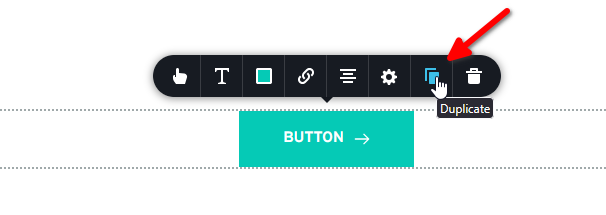
Please try to duplicate the button, this will allow you to start over and reconfigure it.
Best regards,
Ariel H.0 -
Hi Ariel,
thanx for your fast answer. I can now narrow down the problem more precisely:
I want to link to a Microsoft calendar. The URL contains an @ symbol. What can I do to prevent the URL from being recognized as an email address?
A Microsoft-Kalender-URL looks like:
https://outlook.office.com/book/test@nordprax.de/?ismsaljsauthenabled0 -
My temporary solution:
I create a short link from the Microsoft links with the @ symbol and then use that.But that's not ideal. Is there a way to make URLs with @ symbols recognized as URLs?
0 -
Hi Marc,
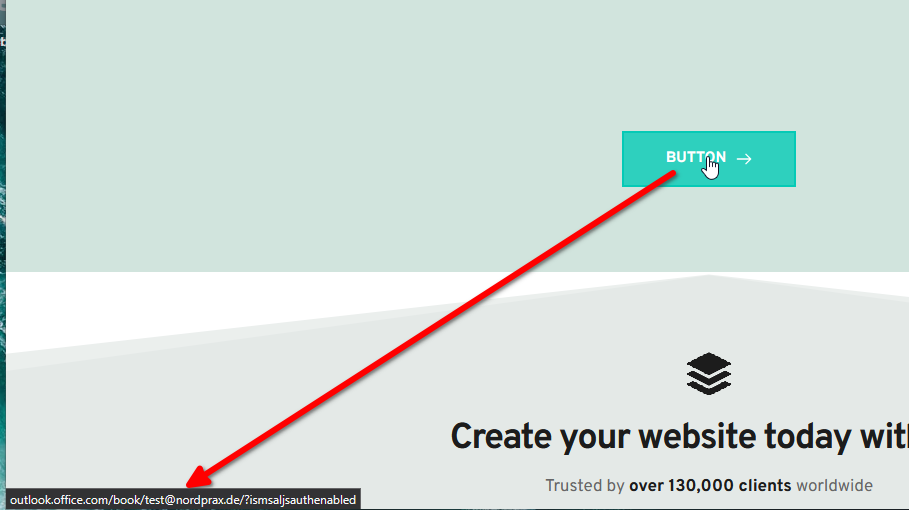
You can escape the @ symbol in your link using percent-encoding. The @ character is encoded as %40.
For example, your link would look like this:
https://outlook.office.com/book/test%40nordprax.de/?ismsaljsauthenabled
Best regards,
Ariel H.0 -
Works!
Thank you!!
0
Please sign in to leave a comment.
Comments
5 comments