Drop down menu items are in all caps

How can I modify this so drop down menu items are in normal case? I don't see an option. 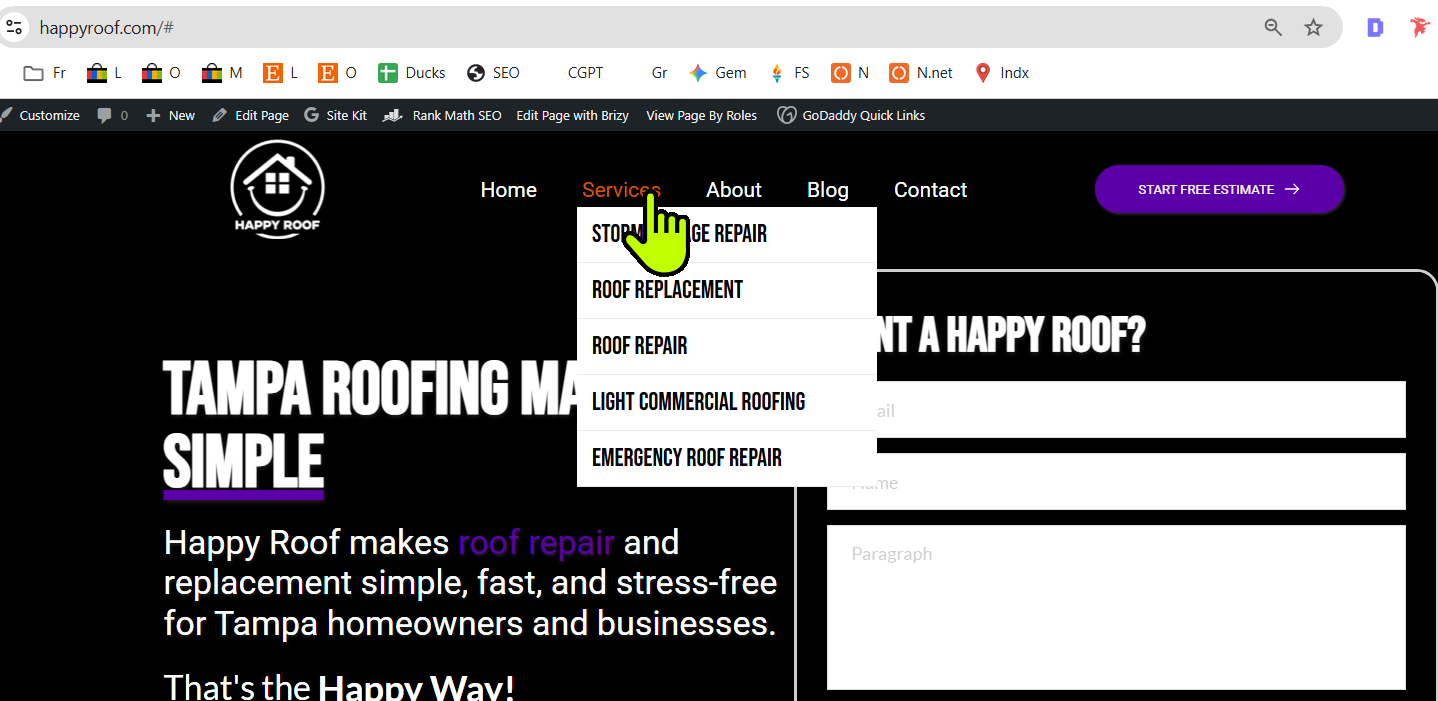
0
-

Hi Ryan,
If the menu was originally typed in upper case, all the menu items will appear in upper case. To correct this, you would need to update the labels directly in Admin Dashboard → Appearance → Menu.
Alternatively, you can also click on any of the submenu items and set them to normal case, as demonstrated in this screencast – https://www.youtube.com/watch?v=J_1C8kATUgE
Best regards,
Ariel H.0 -
Ahhh somehow I missed I could click on the submenu items. thanks
0
Please sign in to leave a comment.
Comments
2 comments