Problems with contact form and recaptcha

Hi,
First of all, my contact form submitted but I never received an email.
I thought this might be because I hadn't installed recaptcha. Google recaptcha has changed to cloud now and I can no longer 'verify origin of...' so couldn't do this step. I then tried to disconnect recaptcha from my form and brizy wouldn't let me.
I then rebuilt a new form and recaptcha was automatically added to the new form. Disconnecting recaptcha from the new form doesn't work either.
Please help!
Thanks
-

Hi Adam,
Thank you for reaching out.
To resolve this, please start over by generating a new Site Key and Secret Key in your Google reCAPTCHA account, then connect them again in Brizy as demonstrated in this screencast: https://www.youtube.com/watch?v=WotoukA5RJ8. This should refresh the integration and allow your form to work correctly.
Please give this a try and let us know if the issue persists.
Best regards,
Ariel H.0 -
Hi Ariel,
Thank you for you quick reply and the video.
Unfortunately I cannot edit the keys on form recaptcha settings, brizy won't let me. I cannot disconnect recaptcha either. I attempted to create a new form and recaptcha was already integrated. Same problem with atempting to disconect recaptcha too.
Please can I send you my credential so you can take a look please?
Thanks
0 -
Hi Adam,
Thank you for the update.
In this case, could you please try duplicating the form instead of editing the existing one?
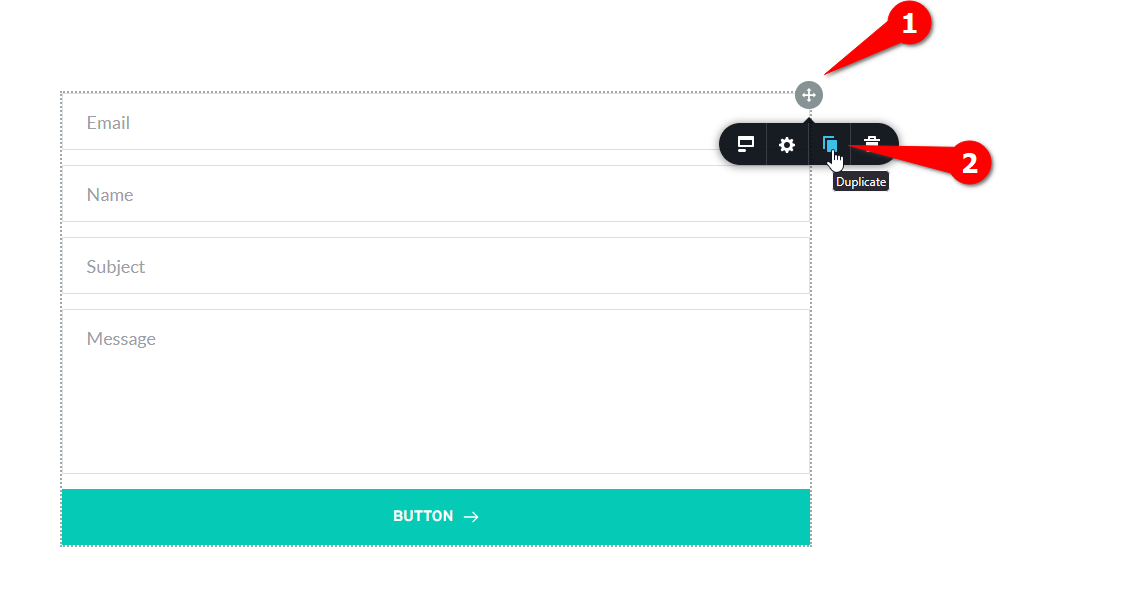
Duplicating will allow you to start fresh, removing the old reCAPTCHA settings, and should give you the option to reconfigure it from scratch.
Please give that a try and let me know how it goes.
Best regards,
Ariel H.0 -
Hi Ariel,
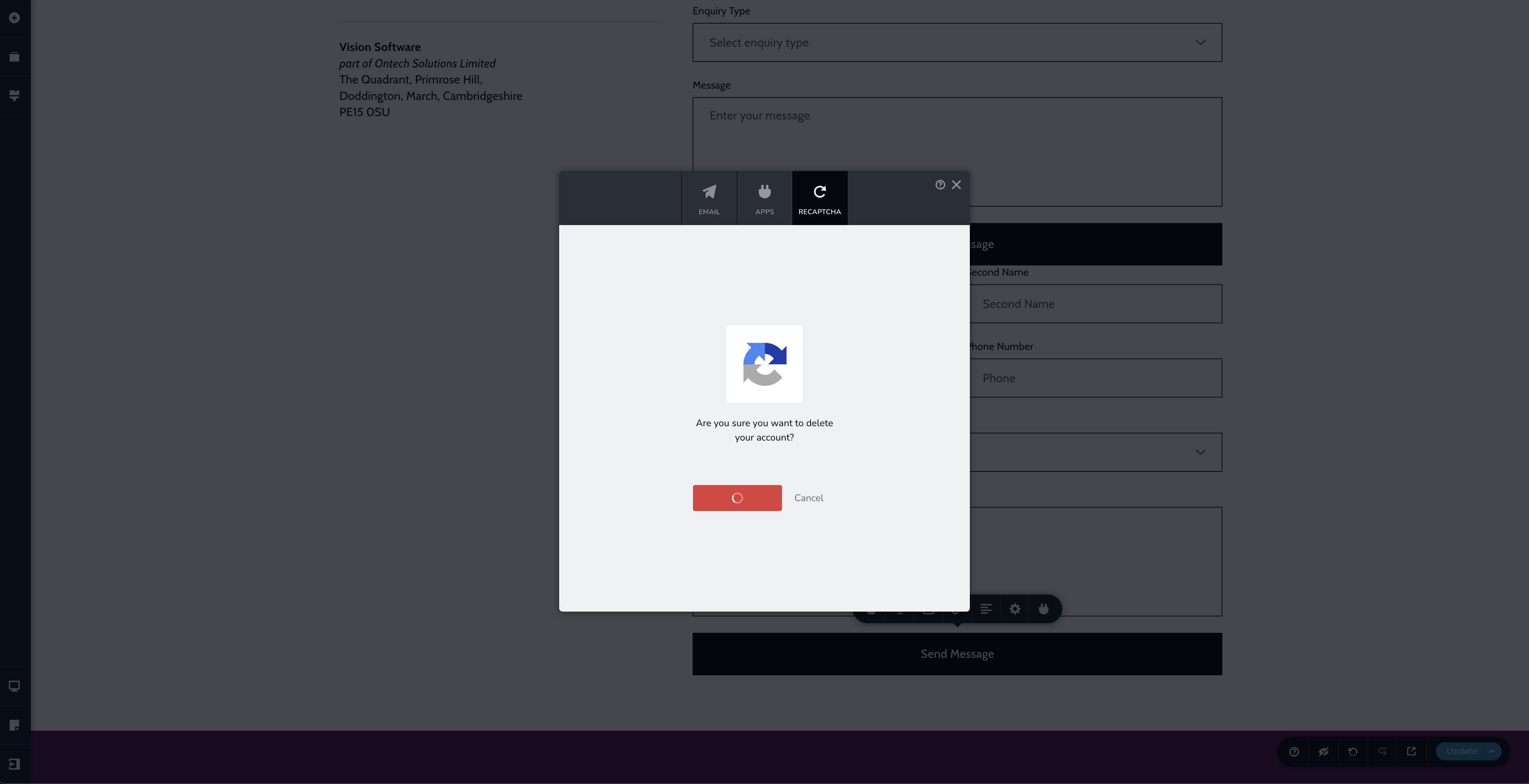
Thanks again but I have tried duplicating the form and I cannot disconnect the recaptcha. Recaptcha is automatically installed on dupplicate and new forms on this page.
 0
0 -
Hi Adam,
Kindly provide us with your WP Admin credentials so we can take a closer look. Please add us as an Admin user to your WordPress Dashboard and send the following details to communitysupport@brizy.io.
Community Post link: https://support.brizy.io/hc/en-us/community/posts/29712902932754
WordPress Admin URL:
Username:
Password:
Also include the URL of your contact form.Looking forward to your reply.
Best regards,
Ariel H.0 -
Thanks Ariel! Just sent my credentials to community support.
Thanks again!
0 -
Hi Adam,
Thank you for your cooperation.
I’ve attempted some troubleshooting on this issue, but unfortunately I wasn’t able to resolve it. Interestingly, I can’t reproduce the problem on my test environment. I even updated Brizy and Brizy Pro to the latest versions, but still no luck. I’ve asked a member of our team to take a closer look, and I’ll get back to you as soon as I have any updates. Sorry for the inconvenience, this may take some more time.
Best regards,
Ariel H.0 -
Thanks for trying Ariel.
No problem and look forward to getting this sorted!
0 -
Hi Adam,
Thank you for your patience.
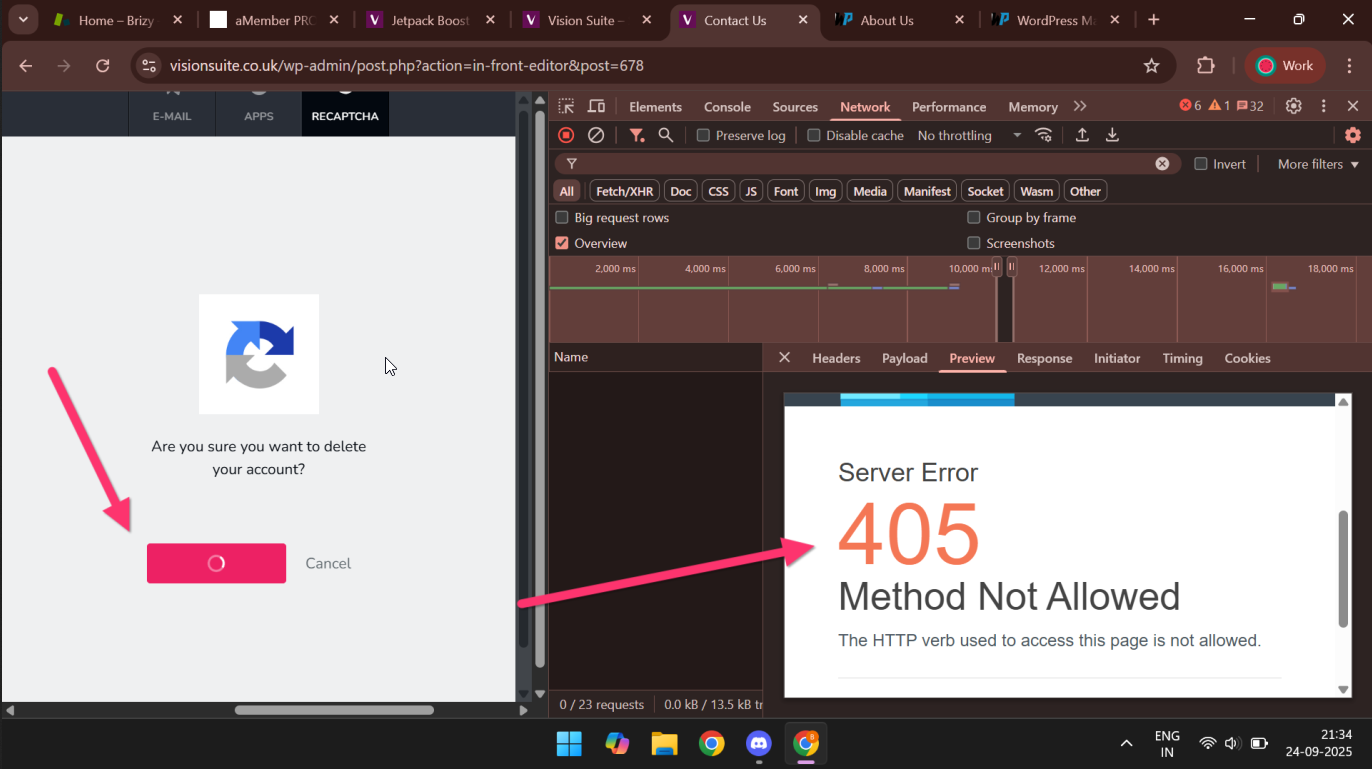
It looks like the issue is coming from your server. In the console, we’re seeing an Error 405, which indicates that the server is blocking the request method used when trying to disconnect Google reCAPTCHA.
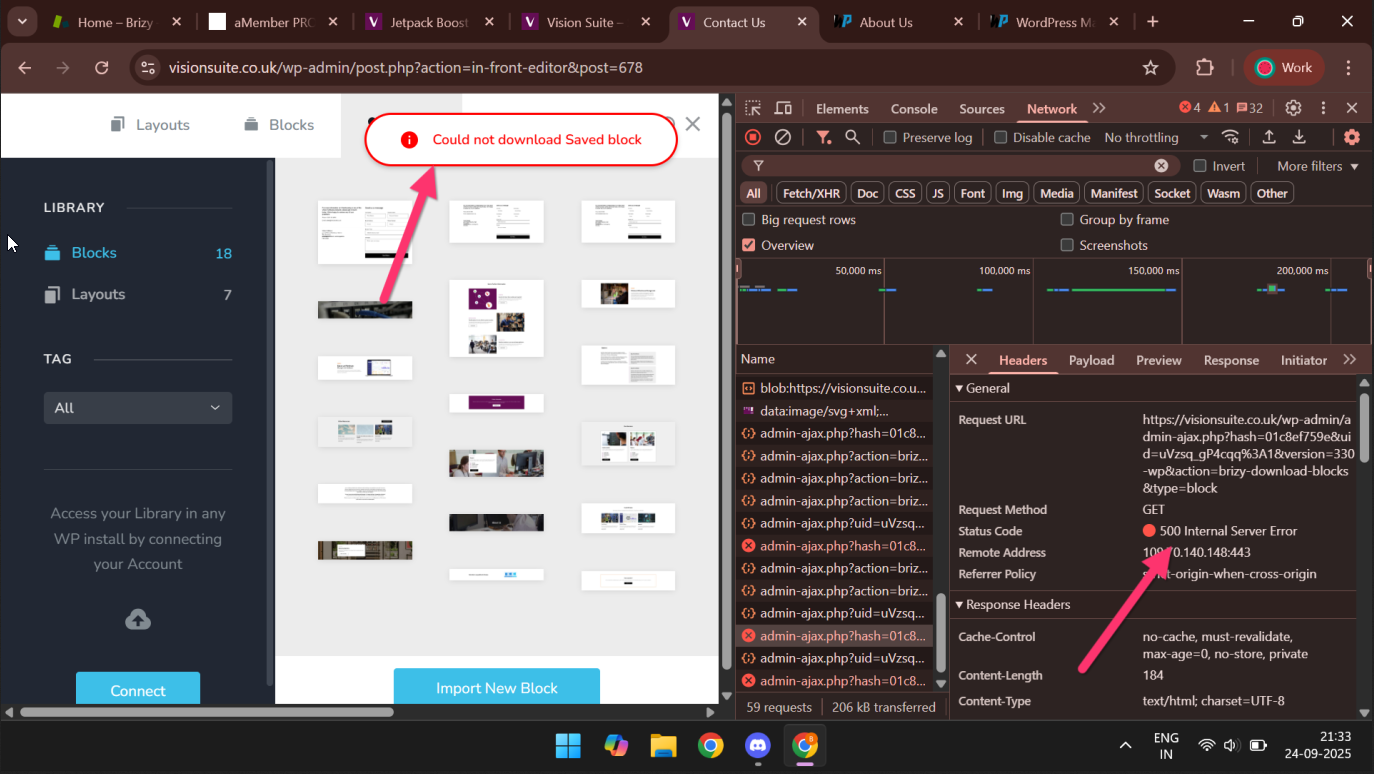
We’re also unable to download the problematic block due to an internal server error.
Could you please contact your hosting provider so they can look into this further? Once they’ve checked it, let us know and we’ll be glad to review it again.
Best regards,
Ariel H.0 -
Perfect thanks Ariel!
I've sent this to my client and will wait for thier response. Will be back soon.
Best,
Adam
0
Please sign in to leave a comment.
Comments
10 comments