Brizy Pro not activating

Hi there,
I have paid for my Brizy Pro licence and copied it into the Brizy tab/folder on my WP admin page. The licence is clearly pasted into the right section and activated (see below). However, at the top it reads 'Brizy Pro: No activation found for this installation'. I'm working on a staging copy to update my site.
I cannot access any of the pro features. This is extremely frustrating.
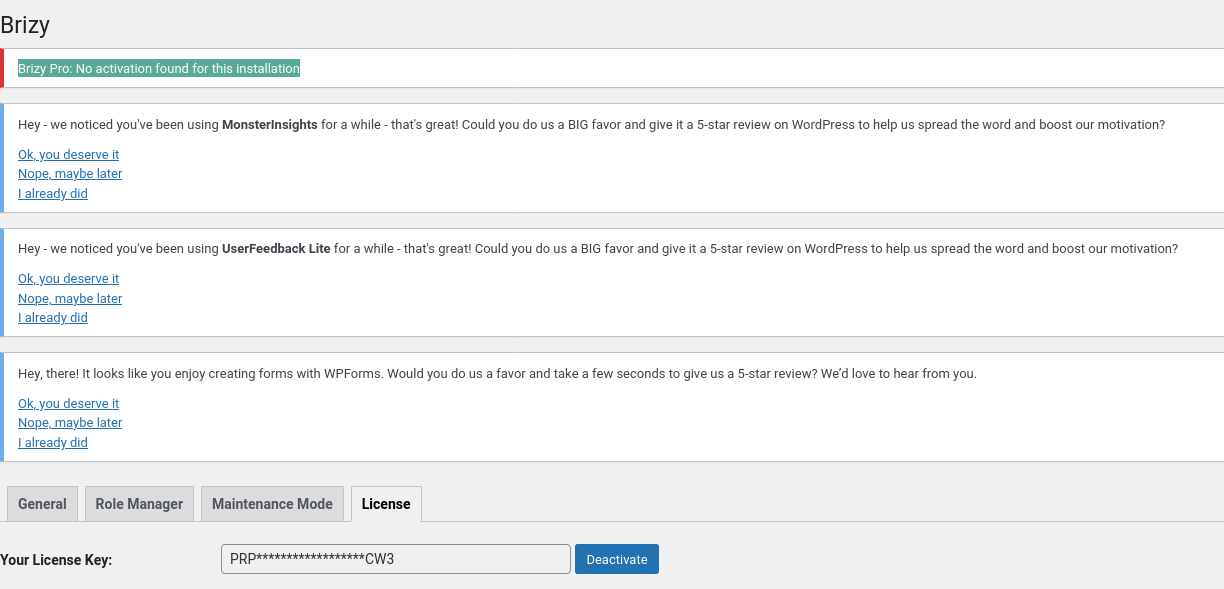
Seems I'm not alone in this:
-

Hi Jeff,
I apologinze for the frustration this has caused.
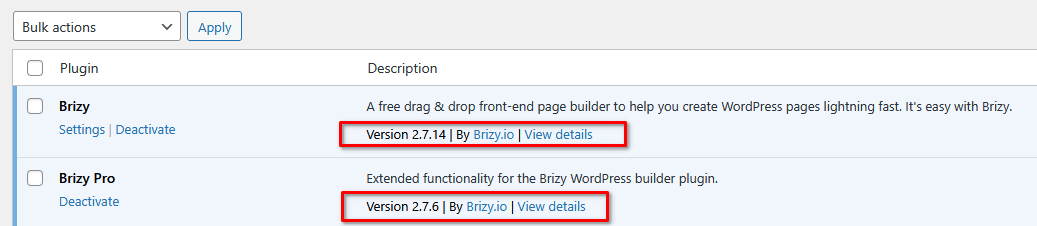
The issue you encountered could be due to a version mismatch. Please make sure you have the latest versions of Brizy and Brizy Pro installed.
If the problem continues after updating, kindly provide us with your WP Admin credentials so we can take a closer look from our side. Please add us as an Admin user to your WordPress Dashboard and send the following details to communitysupport@brizy.io.
Community Post link: https://support.brizy.io/hc/en-us/community/posts/29678613457554
WordPress Admin URL:
Username:
Password:Looking forward to your reply.
Best regards,
Ariel H.0 -
Hi Jeff, thank you for your cooperation, please also send the password for your WP Admin login page.
 0
0 -
Hi Jeff,
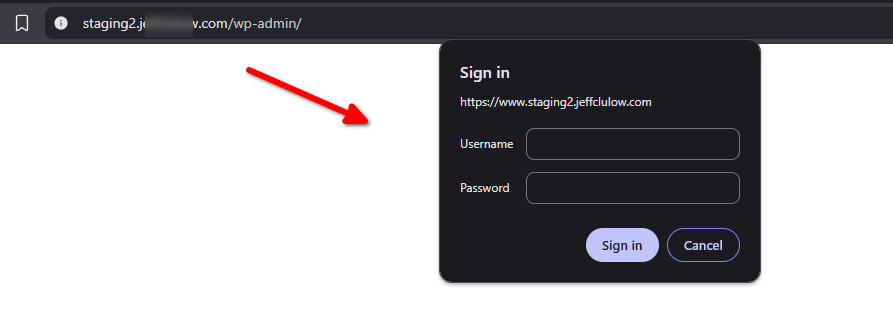
Your site is currently protected by two layers of login. The first one is an HTTP Basic Authentication (as shown on the above screenshot), and the second is the regular WordPress login.
We’re asking for the HTTP Basic Authentication username and password so we can access your WP login page.
Best regards,
Ariel H.0 -
Hi Jeff,
Just following up, could you please share the HTTP Basic Authentication username and password so we can access your WordPress login page and continue troubleshooting?
Best regards,
Ariel H.0 -
Hi Jeff,
Thank you for the update.
If you’re unable to disable HTTP Authentication on your end, please reach out to your hosting provider for assistance. Alternatively, you can also provide us with access to your hosting control panel, and we can temporarily disable it to help you with the license activation issue.
Best regards,
Ariel H.0 -
Hi Jeff,
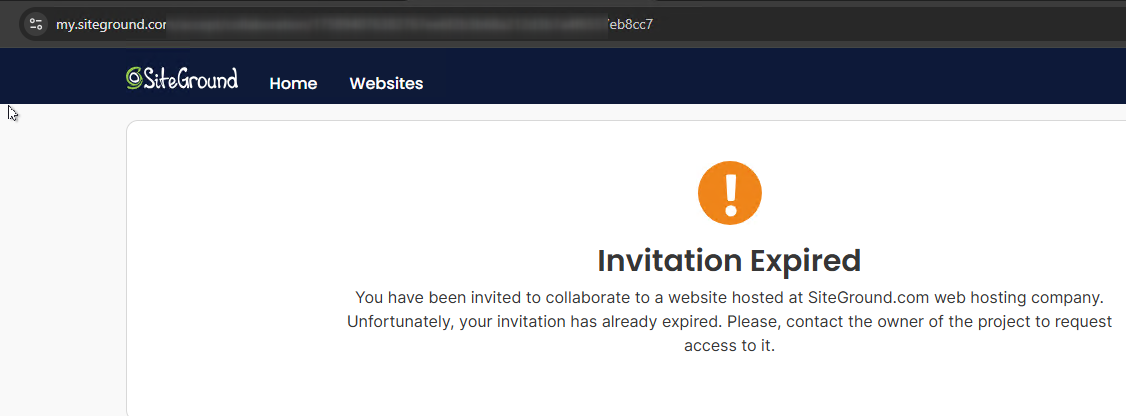
Thank you for sending the invitation. It seems that the link has already expired. Could you please reset it and send a new one so we can access your site?
Best regards,
Ariel H.0 -
Hi Jeff,
I tested this by activating another license on your staging site, and it worked without any issues. It looks like your current license is set for a single site, and it’s already activated on your main site. To proceed, you’ll either need a separate license for the staging site, or you can temporarily deactivate the license from your main site and use it on the staging site while you work on your updates.
Please note that deactivating the license on the main site won’t affect its functionality, it will just limit access to Pro features when editing pages. Once you’ve finished working on the staging site, you can move the license back to the live site.
Best regards,
Ariel H.0
Please sign in to leave a comment.
Comments
7 comments