SSL error for new custom domain shop.greentrading.space

Hello,
I pointed gpspace1.brizy.site to shop.greentrading.space last night.
But there is an SSL handshake failure error reported this morning.
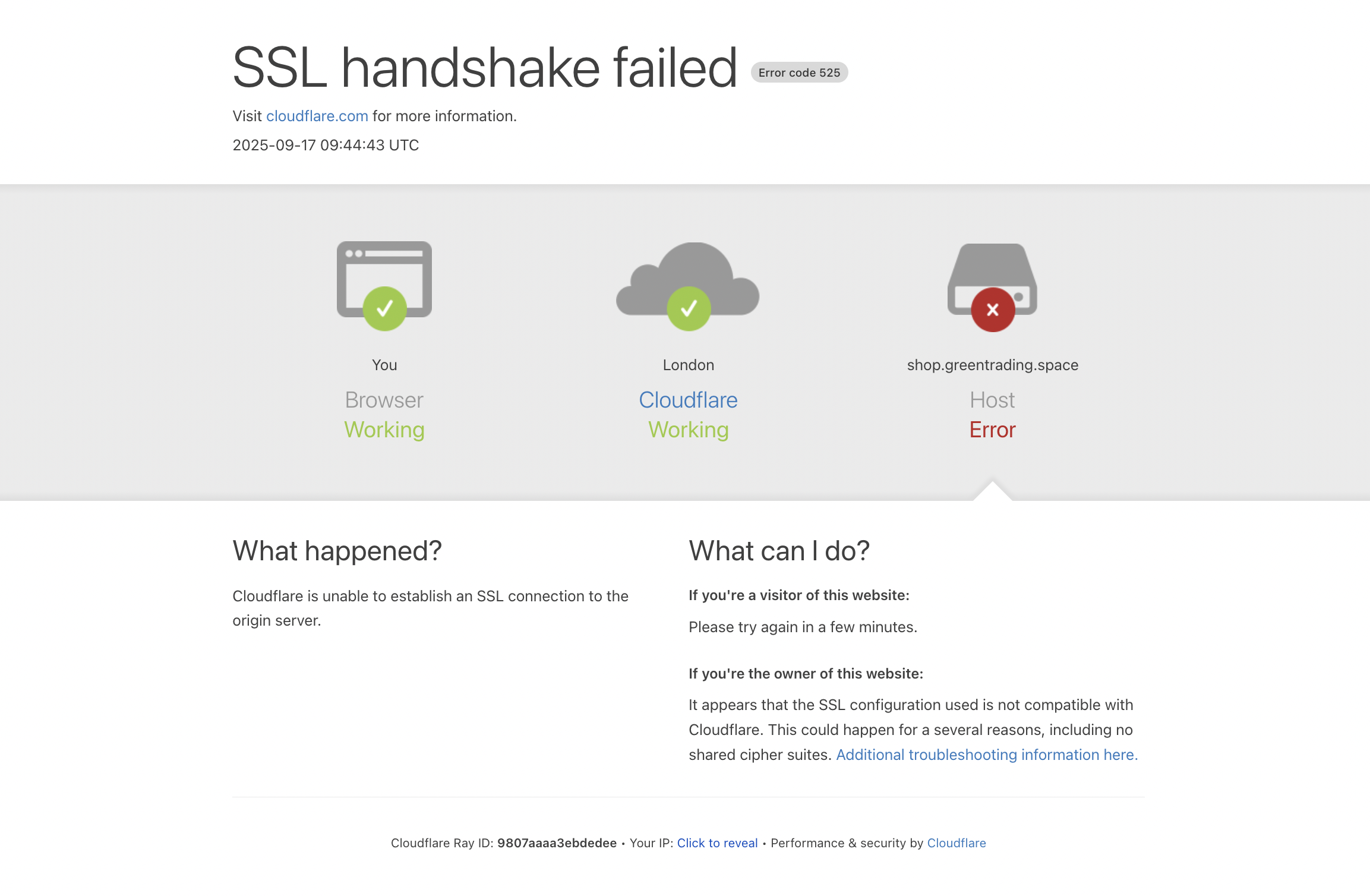
Please help.
Best,
Swee
-

Hello Swee,
Kindly delete the following A records from your domain.
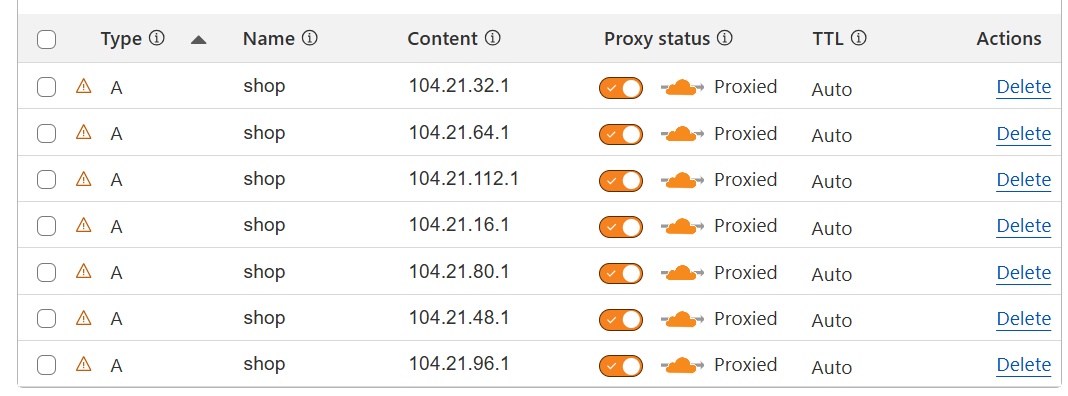
Add the following CNAME record and disable DNS Proxy for the record.

Once you do this, if you see an SSL error, please get back to us. We will help you with the SSL certificate.
0 -
Hello Ariel and KC,
I am unable to delete the A records you see because that is not how they show up on my Cloudflare dashboard, The 104.21.x.x are Cloudflare servers.
However, I have turned the A record proxy status to DNS only (grey cloud) from Proxied (orange cloud).
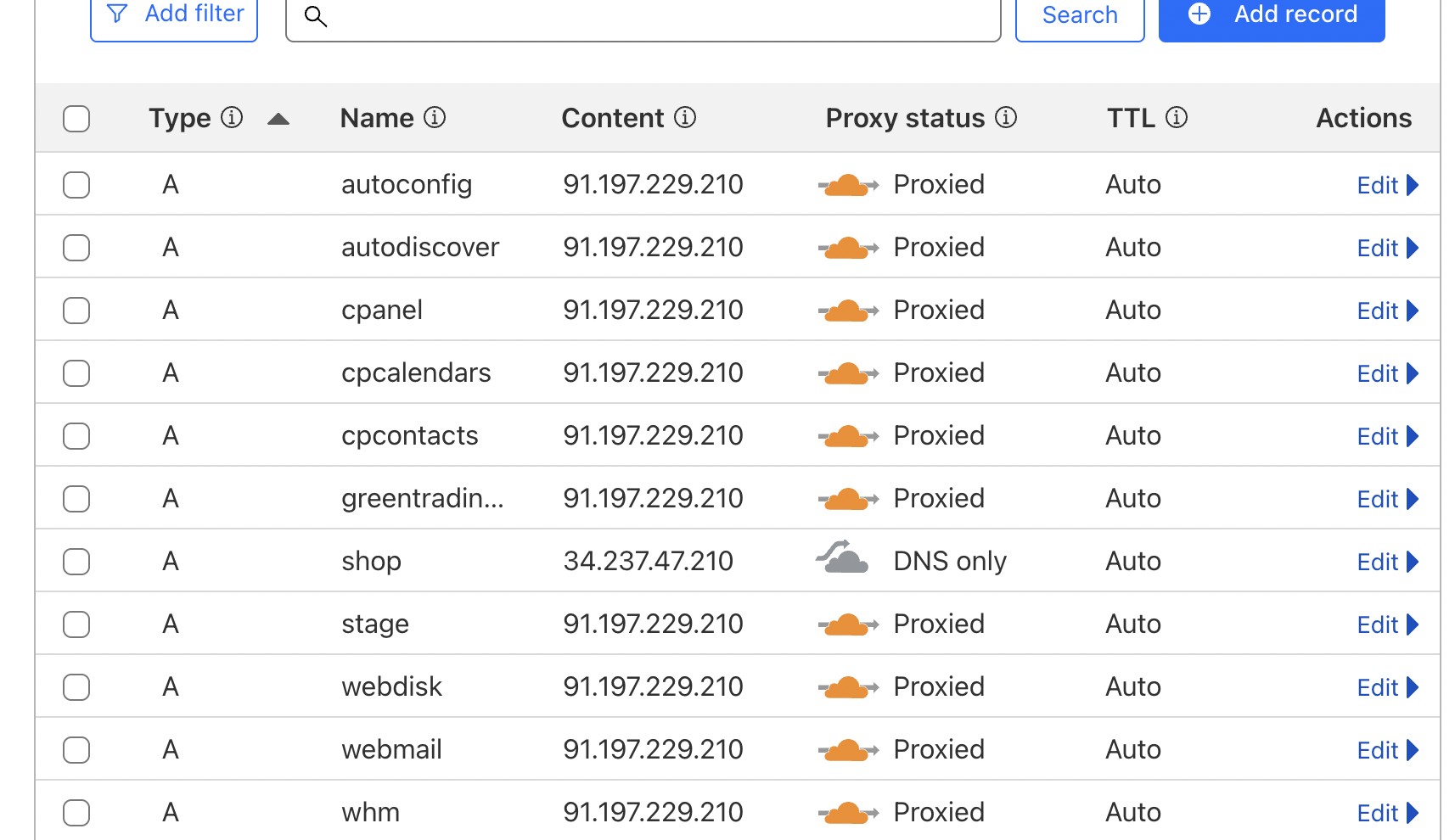
There is no CNAME record as Cloudflare only allows an A or CNAME per domain.
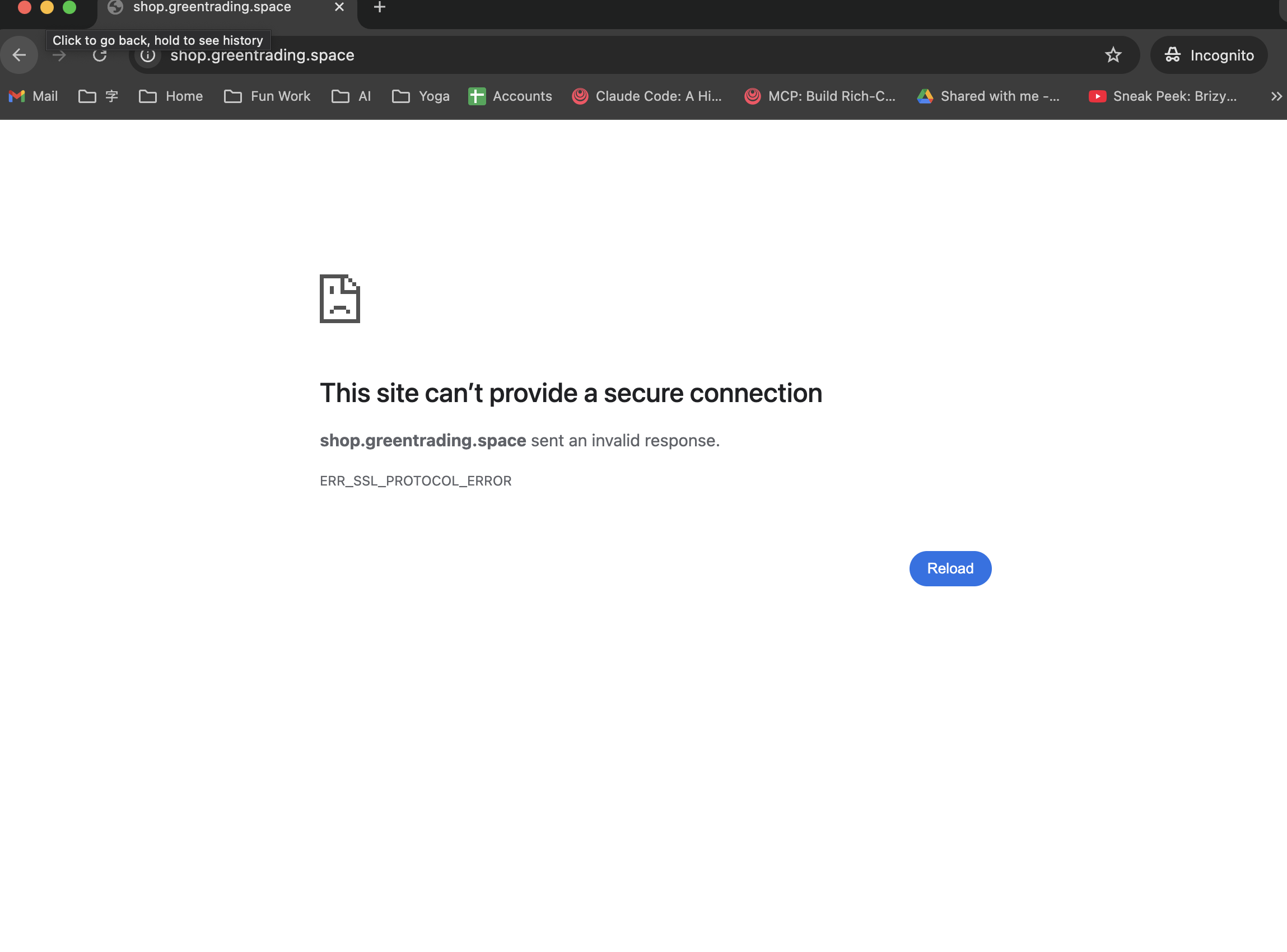
The site can't be accessed anymore after the change as Cloudflare was providing free SSL. Please set up a new SSL for it.
Best,
Swee
0 -
Hello Swee,
Please delete the A Record you have added and

Add the following CNAME record and disable DNS proxy for it and get back to us
 0
0 -
Hi KC,
I have done as requested.
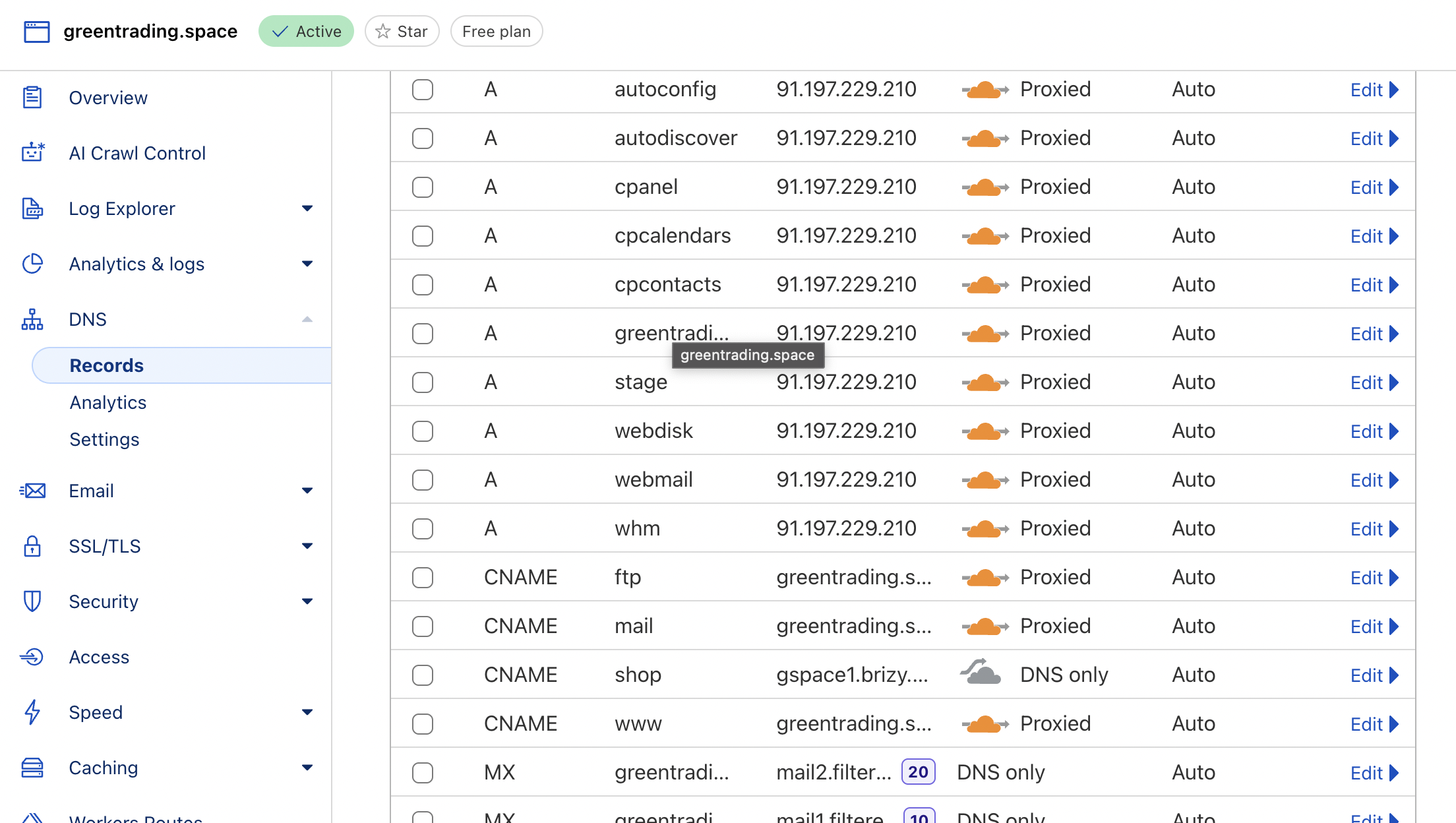
Best,
Swee
0 -
Hello Swee,
We have installed the SSL certificate. https://shop.greentrading.space/ should work fine now. If you continue to see an SSL error, kindly reload the page by clicking on the "Reload" icon on the browser address bar.
 0
0 -
Hello KC,
This is working correctly now.
Thank you
Swee
0
Please sign in to leave a comment.
Comments
6 comments