Change the colour of active form field

Hi there
I would like to change the colours that indicate a form field is active from default blue to a custom colour. Bonus if I can change the error colour from bright red. See attached screenshot.
Is this possible? How?
Many thanks,
Mike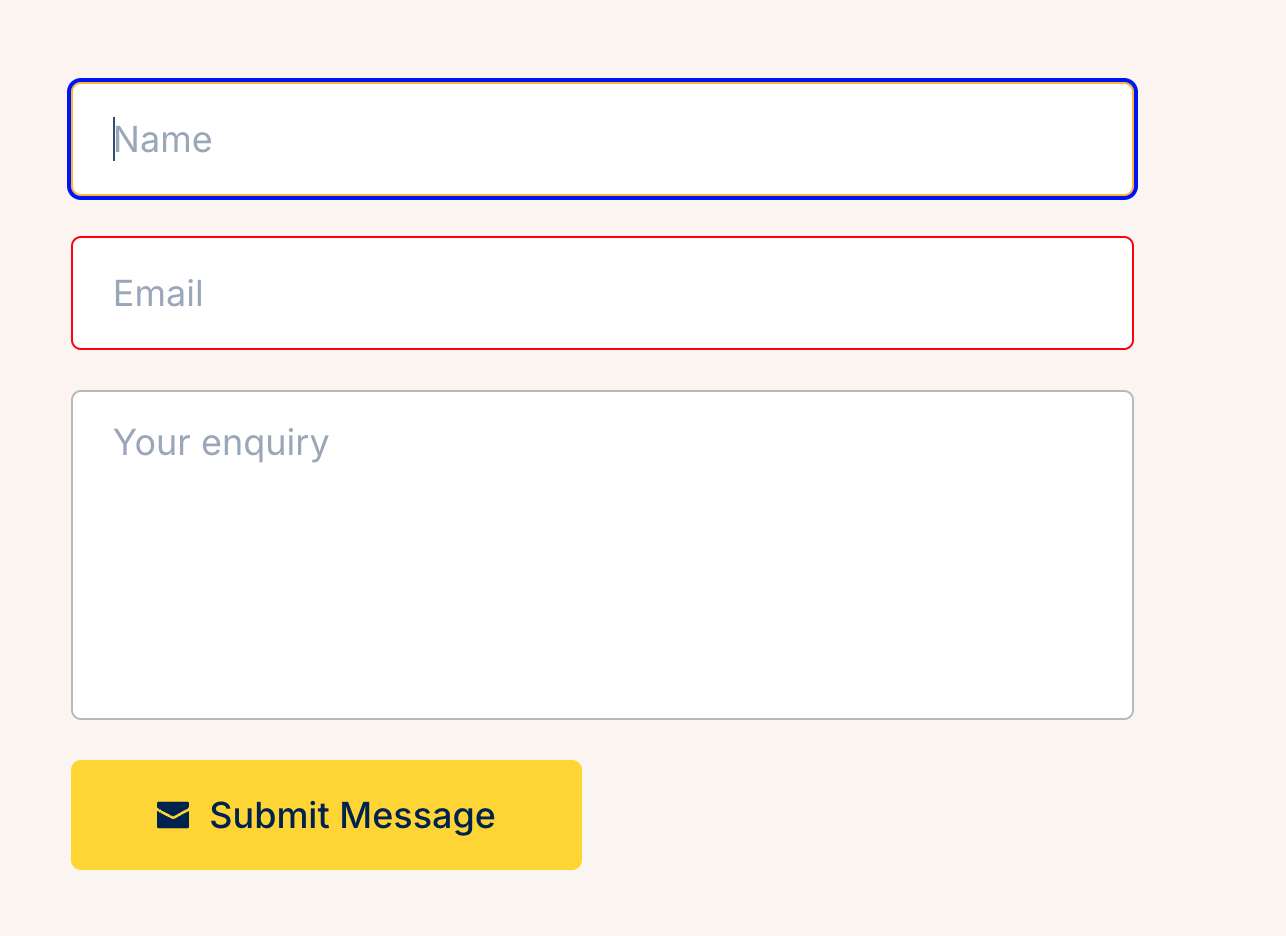
0
-

Hi Mike,
Thank you for contacting us. Please try the following CSS:
.brz .brz-forms2
  .brz-control__check-group-option:has(input:focus-visible) .brz-label,
.brz .brz-forms2
  .brz-control__radio-option:has(input:focus-visible) .brz-label,
.brz .brz-forms2
  .brz-input__upload:has(input:focus-visible),
.brz .brz-forms2__item .select2-selection:focus-visible,
.brz .brz-forms2__item input:focus-visible,
.brz .brz-forms2__item textarea:focus-visible {
  outline: 2px solid red !important;
  outline-offset: 2px; /* adds some space so it doesn’t overlap content */
  padding: 1px;
}


.brz-forms2__item.brz-css-1iejwun.brz-css-hu83wz.brz-css-1t33ach.brz-css-s9p4ak.brz-forms2__item--error.brz-forms2__item--error-required {
  background-color: #ff0000;
  padding: 1px;
}
You can put it in Project Settings > Code > Custom CSS. This is demonstrated on this screencast - https://www.youtube.com/watch?v=7Nsm7mp98f8
Best regards,
Ariel H.0
Please sign in to leave a comment.
Comments
1 comment