Brizy shop, POD providers, payment method, move within brizy

Hi, I have three questions about the shop
1. How can the Brizy Shop be connected with POD providers?
2. Is there a payment method available for customers in the shop?
3. Can I move my shop to another website of mine within Brizy?
Thanks, Birgit
0
-

Hello Birgit,
Going over your questions.
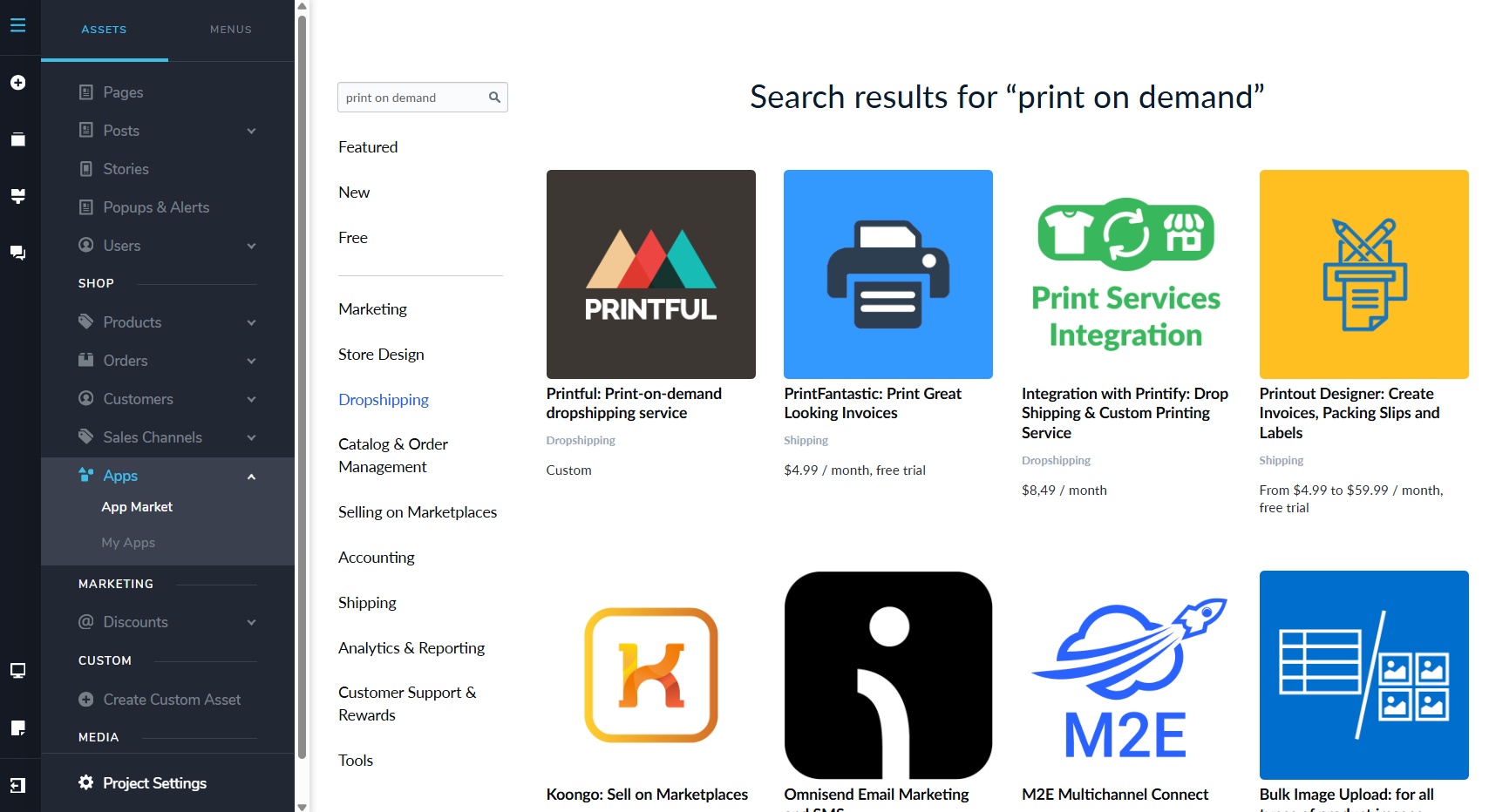
- First you must sign up with one of the POD providers like Printful. Then under CMS > Apps > App Market, select the specific POD app, install it and follow on screen instructions to link your POD account with Brizy Shop. Once you create a product in your POD app and publish it, it will appear in your Brizy Shop.
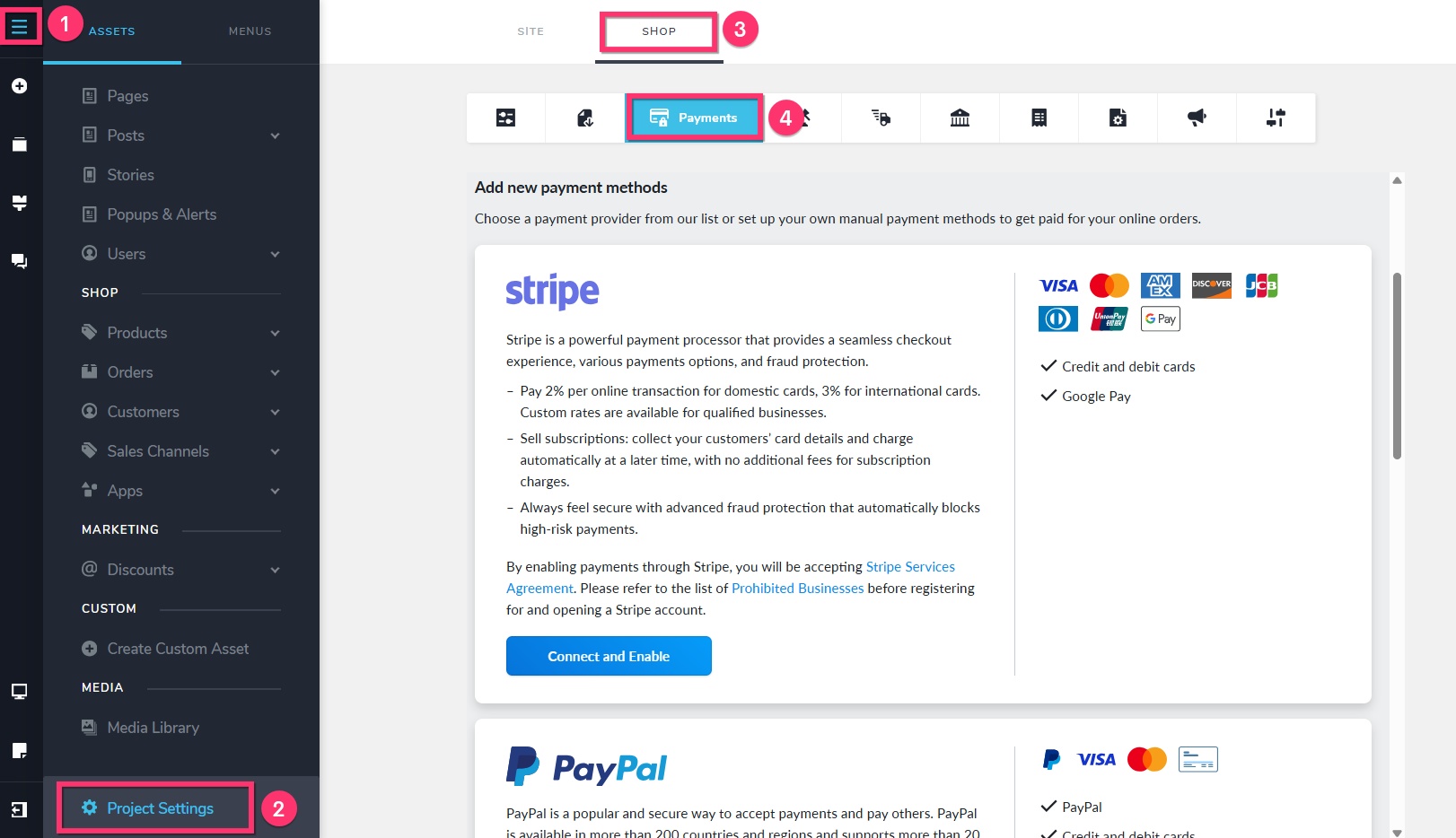
- You can add payment methods to your shop under CMS > Project Settings > Shop > Payments
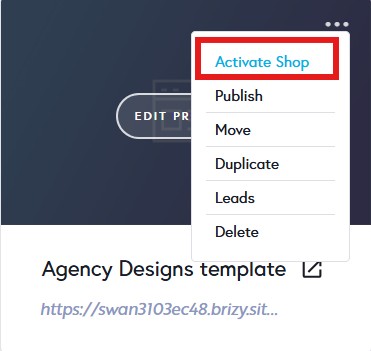
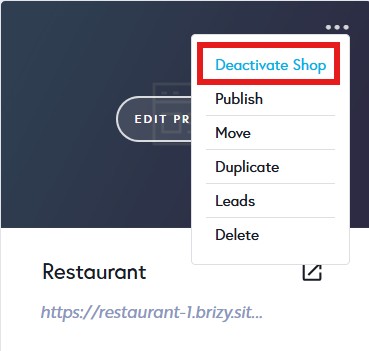
- You can move your Brizy Shop license from one project to another. You can use the "Deactivate Shop" and "Activate Shop" options in your project thumbnail to do this.
If you need to move your product catalog from one project to another, you must export the catalog in one project and import it in another.
0 - First you must sign up with one of the POD providers like Printful. Then under CMS > Apps > App Market, select the specific POD app, install it and follow on screen instructions to link your POD account with Brizy Shop. Once you create a product in your POD app and publish it, it will appear in your Brizy Shop.
-
Hello K C George,
thank you very much!
You really make it easy to love Brizy Cloud and Shop - Birgit
0
Please sign in to leave a comment.
Comments
2 comments