Push notifications

Is it possible to get notifications on my phone when an order or abandoned cart is triggered in Brizy Cloud Shop? If so, how can this be done? Do you use an Ecwid app? Thanks for your reply.
-

Hello Wil,
You can install the My e-Shop app on your Apple or Android phone and enable app notifications.
- PlayStore: https://play.google.com/store/apps/details?id=com.myeshop.android
- AppStore: https://apps.apple.com/us/app/my-e-shop/id1096550347
Kindly follow instructions at Manage a Brizy Shop on the go to link your Brizy Shop with the app.
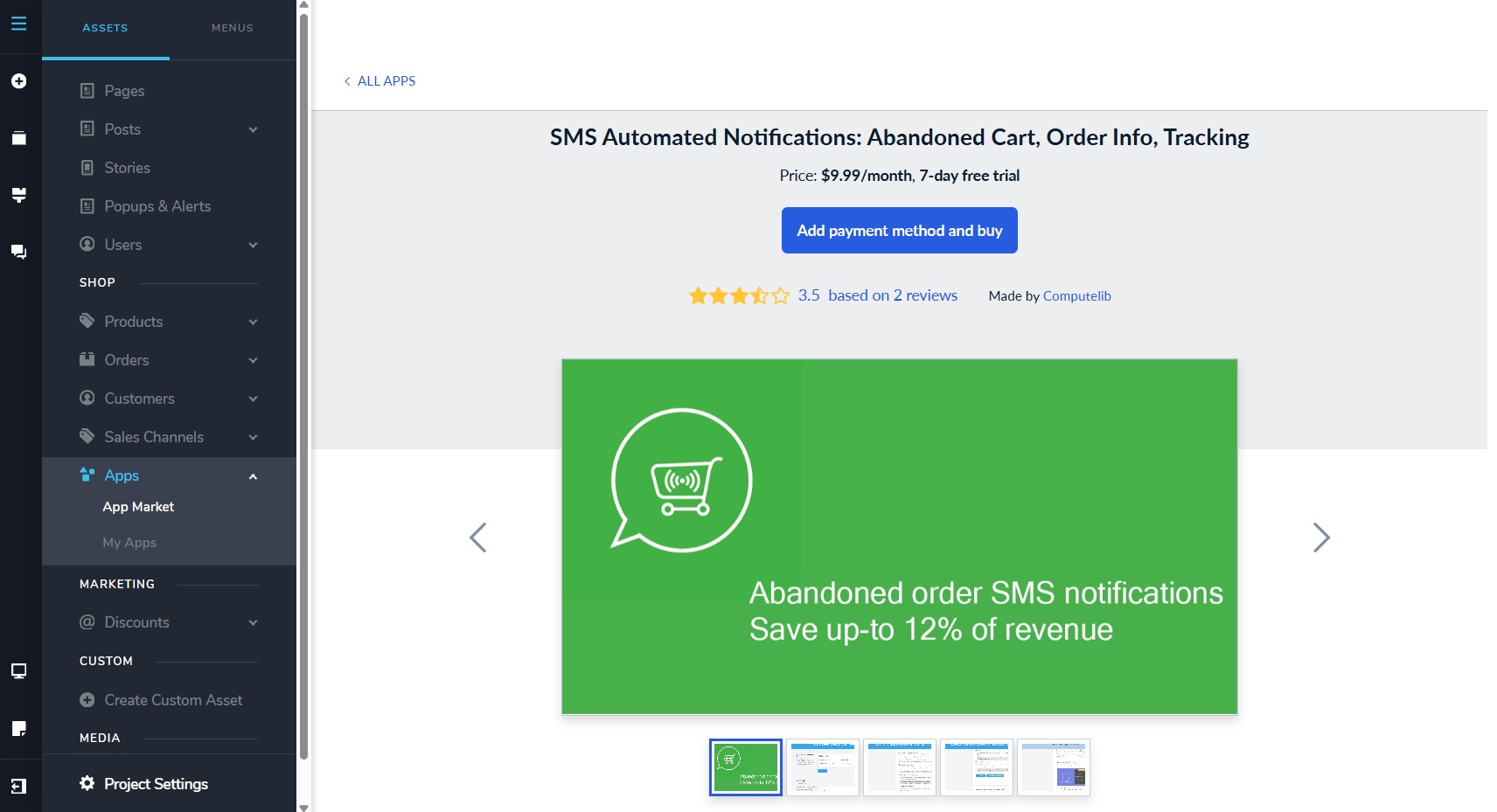
If you want to receive SMS alerts every time an order is received or abandoned cart is triggered in Brizy Cloud Shop, you will need to purchase the "SMS Automated Notifications: Abandoned Cart, Order Info, Tracking" app from the App Market. If you are interested in this app, please get back to us. We will guide you on the steps to install it.
 0
0 -
Thanks for your reply KC George. Yes, I would actually prefer the SMS option, so please send me instructions regarding the app. Thank you.
0 -
Hello Wil,
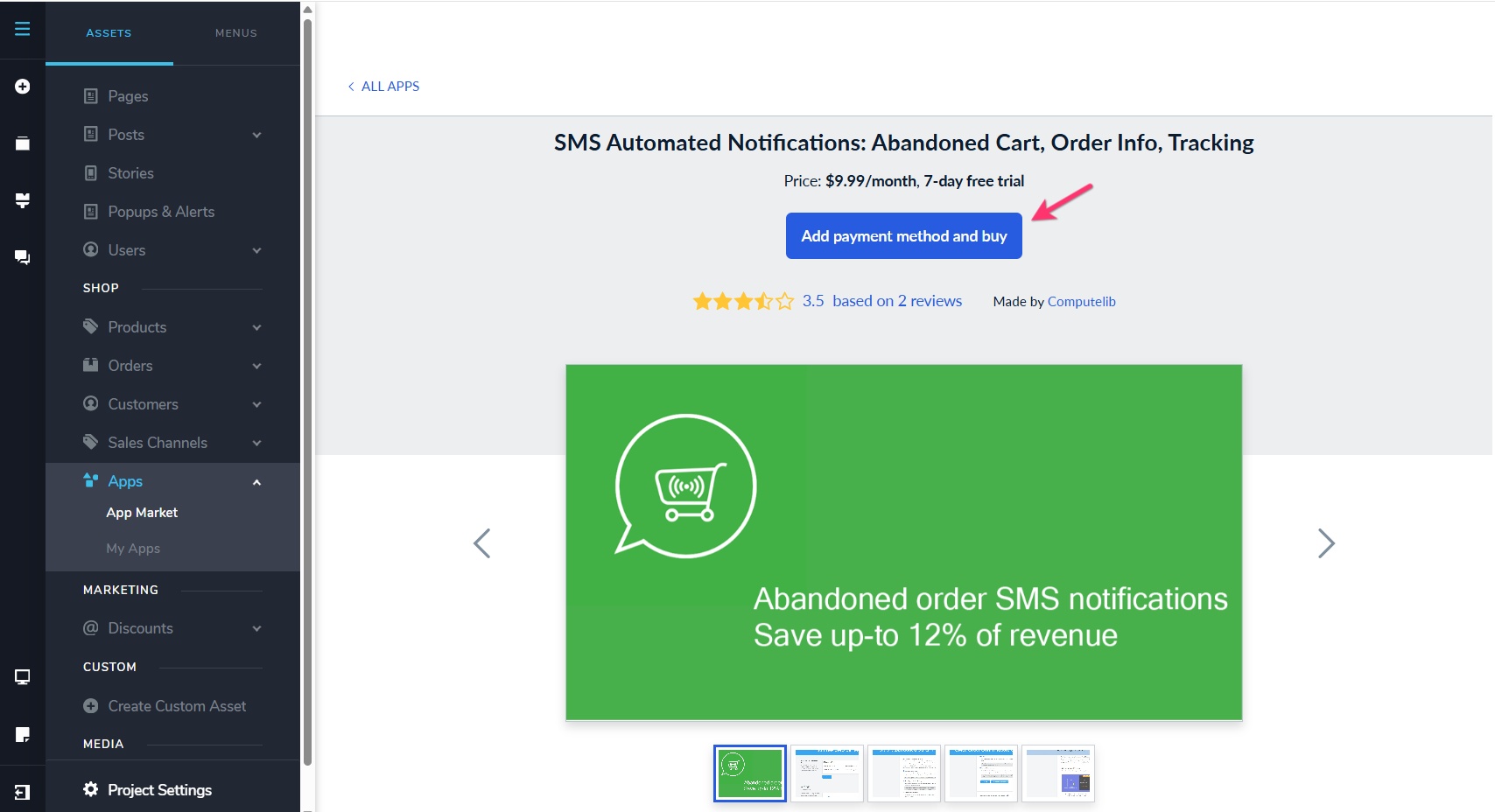
Kindly add the "SMS Automated Notifications: Abandoned Cart, Order Info, Tracking" app to Brizy Shop by adding your payment method by clicking on the "Add Payment Method and buy" button. Your card will be verified and saved. This will start a free trial for 7 days and your card will be charged after the 7 days period.
To manage your SMS Automated Notifications, under CMS > Shop > Apps > My Apps, click on the "Open App" button next to the app.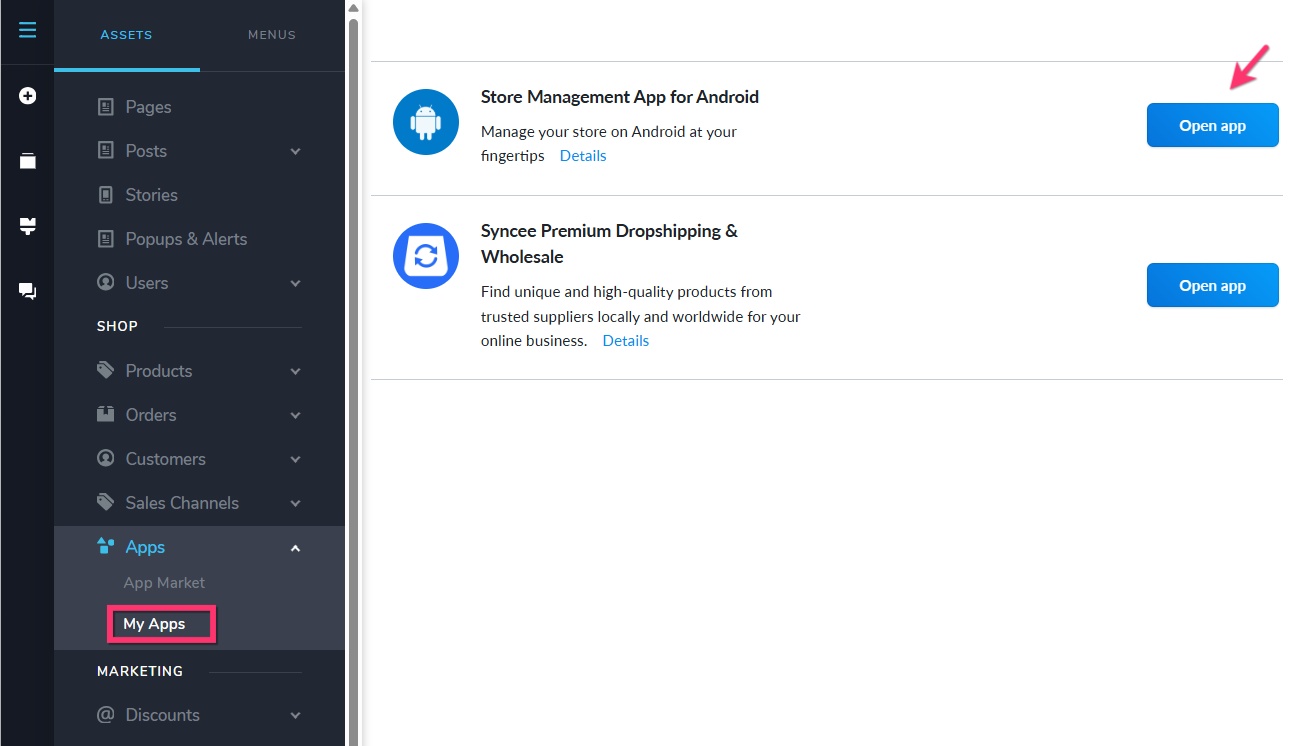 0
0
Please sign in to leave a comment.
Comments
3 comments