Brizy Cloud Shop Product Template, can I use the Accordion element to show product attributes?

Hello,
I would like to know if the product attributes can be pulled in dynamically and displayed using the Accordion element? Example as shown on https://greentrading1.brizy.site/shop/organic-face-oil-coffee-rosehip.
I have added the content manually but I would like to be able to display product attributes dynamically for each product (preferably pulled in from product attributes) without using any 3rd party software.
Also, some of the system copy/text coming from Ecwid/Lightspeed, e.g. Privacy Policy pop up , reviews-related copy and favourite/favourited copy on the Product Page are not using the font style I defined. How can I fix this?
Screenshot provided for more information
Best,
Swee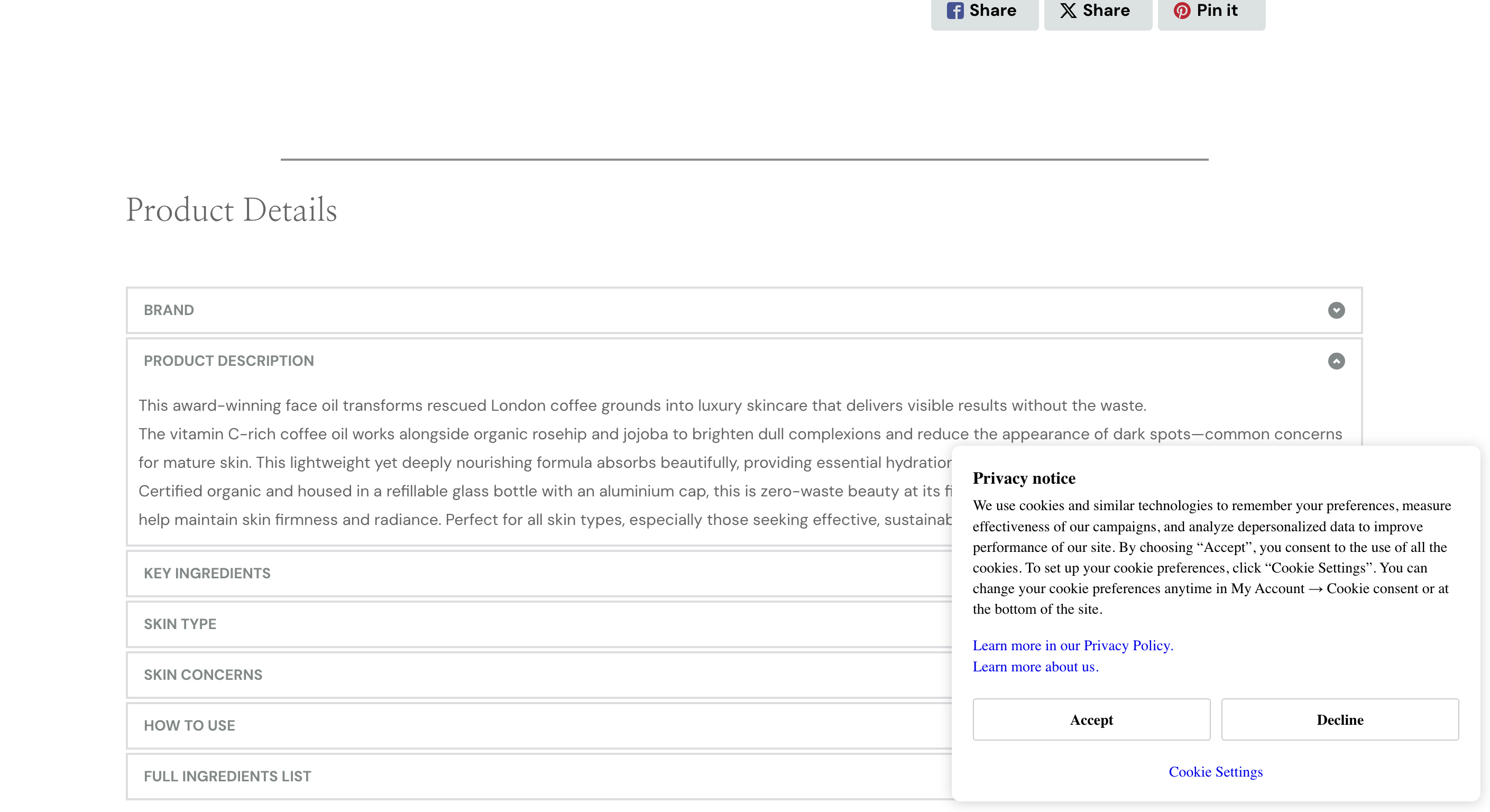
-

Hello Swee,
Your can add attributes to your products and it can be displayed dynamically on the product details page. Have a look at https://chameleond963c929.brizy.site/shop/blooming-ritual-pourer where you can see product attributes being displayed dynamically.
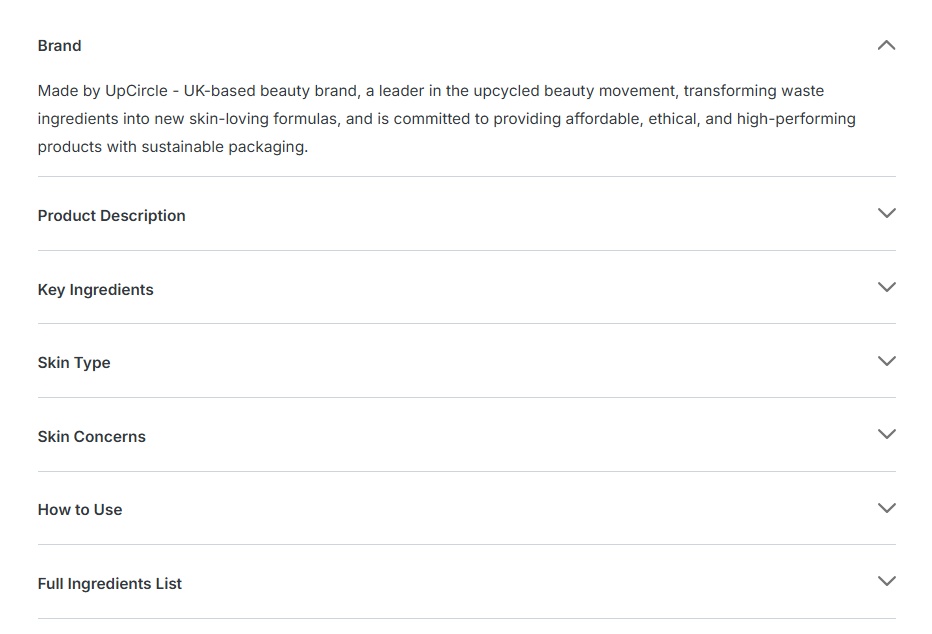
Kindly follow these steps to add the product attributes dynamically.
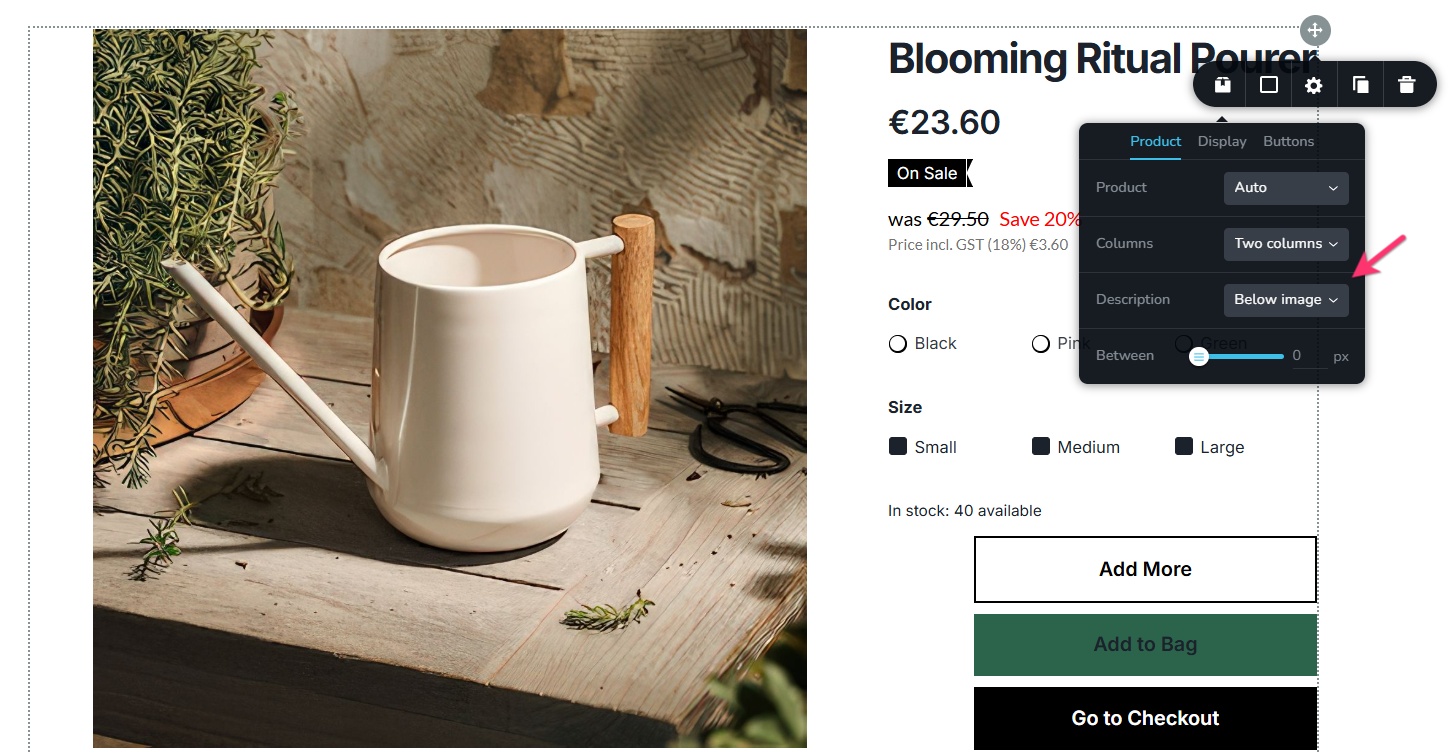
- In your product template, set the "Description" to be displayed "below image"
- Add your product attributes under the "Description" field in the Product Editor.
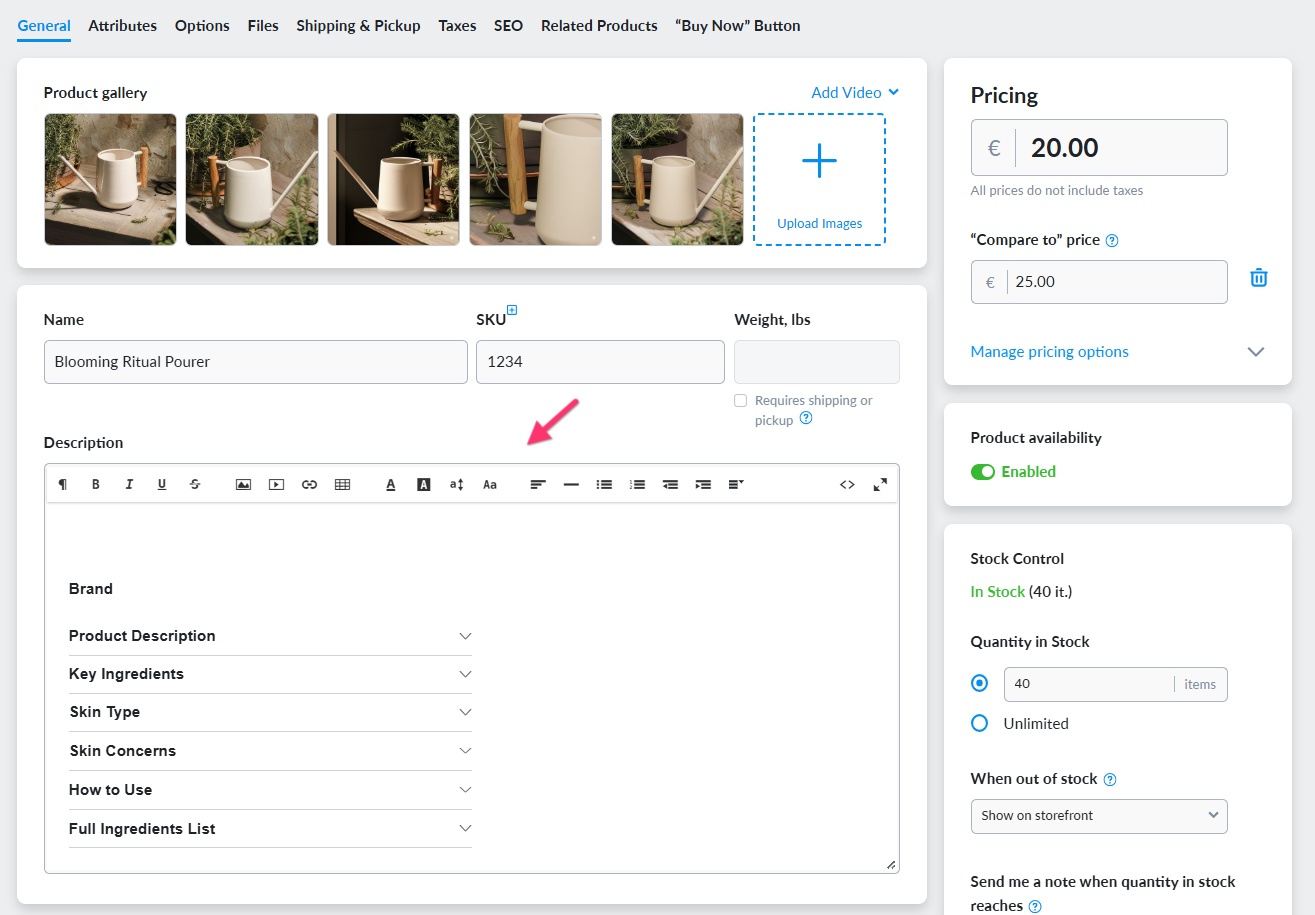
- Use the "Collapsible Text Block" feature of the Rich Text Editor to add attributes. Collapsible Text Block is the same as accordion.

- Add the attribute title and description to the Collapsible Text block title and description
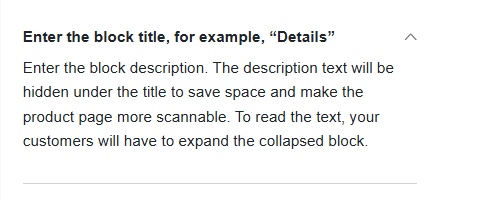
- Repeat Step 3 and 4 for each attribute and save your work.
Regarding the Privacy Policy pop up , reviews-related copy and favorite copy on the Product Page not using the appropriate font style, I need to discuss with the rest of the team and will get back to you soon.0 - In your product template, set the "Description" to be displayed "below image"
-
Hello Swee,
The font mismatch in the product details page is due to a bug and we have escalated it to our developers and we will work on fixing it.
0 -
Hello KC,
Regarding the font mismatch, thanks for the update.
Do you know when this will be fixed? Will you be able to update me then so I can check it's working?
With regards to the (collapsible text blocks) content, I can create them now. Thank you.
Best,
Swee
0 -
Hello Swee,
Our developers are still working on a fix and it may get released within 1-2 weeks. We will inform once we release a fix for it.
0 -
Hello KC,
Do you know if the font mismatch fix will be systemwide or targeting the areas I have identified?
I ask because I have found other areas where there is a font mismatch, like the Cart page.
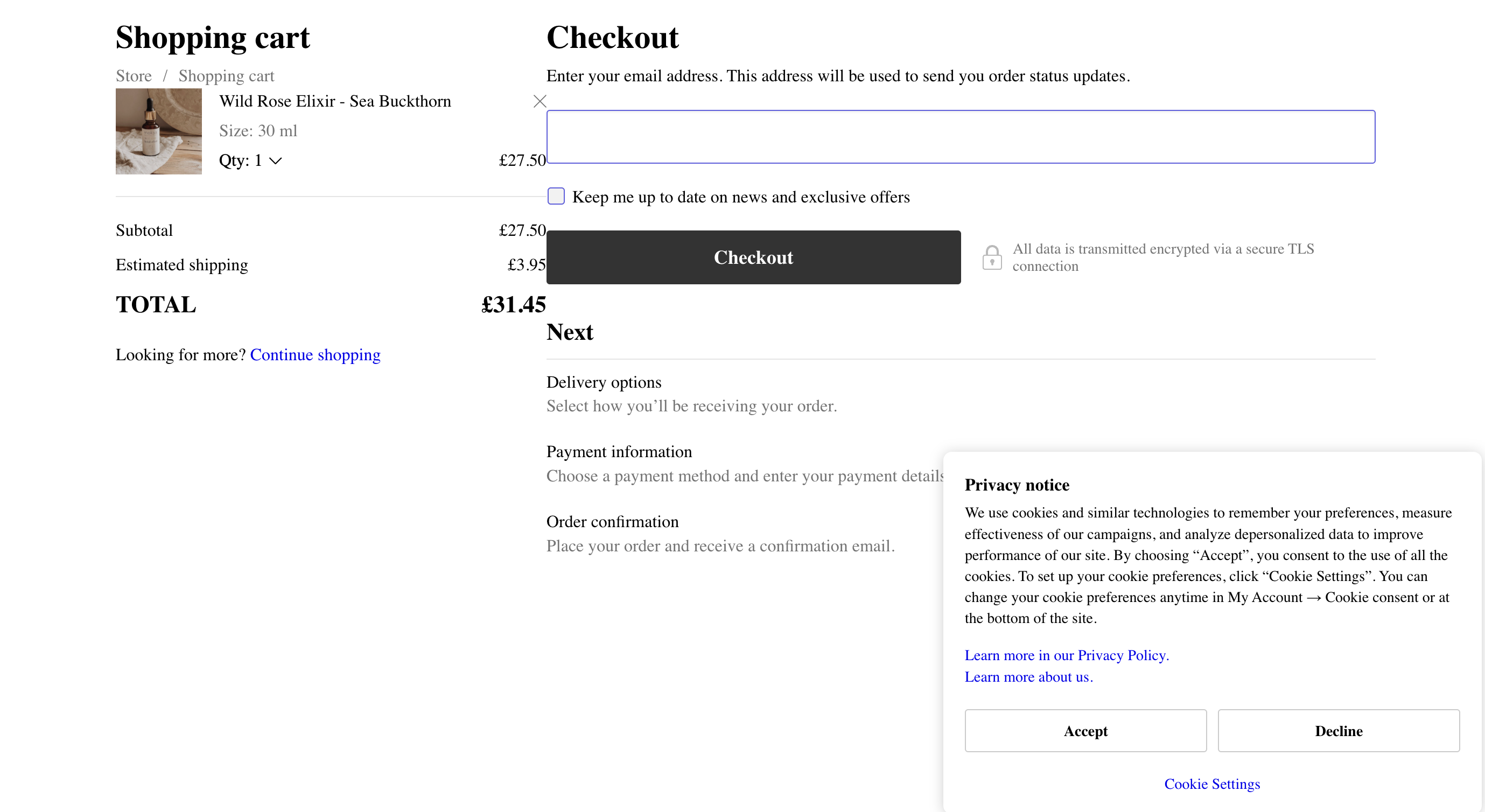
For now, I have changed my font style to match the system default font (Serif font type). I will change it back when the fix is released. (Sans serif font type).
Best,
0 -
Hello Swee,
Yes; the fix for the font mismatch will be systemwide and not just for the product details page.
0
Please sign in to leave a comment.
Comments
6 comments