Header & Footer - Specific Website

Hi,
I appreciate that like groundhog day an error has caused a huge number of issues for your clients with headers and footers on their websites - exactly as this did last year.
We have in the most part managed to fix this issue on all our clients' sites. However, our own website frequently loses the header and footer every single time we make any changes to it. Is this something that you would be able to look at please?
Given we list Brizy as our chosen page builder etc on our website it looks highly unprofessional and we have an increasing number of clients wanting to swap to Elementor.
The site is freshspace.co.uk
Thanks,
Eilidh
-

Hi Eilidh,
Thank you for reaching out.
The issue you’re seeing is related to caching. Please try clearing your browser cache and any server-side caching you may have enabled, as this often resolves the problem.

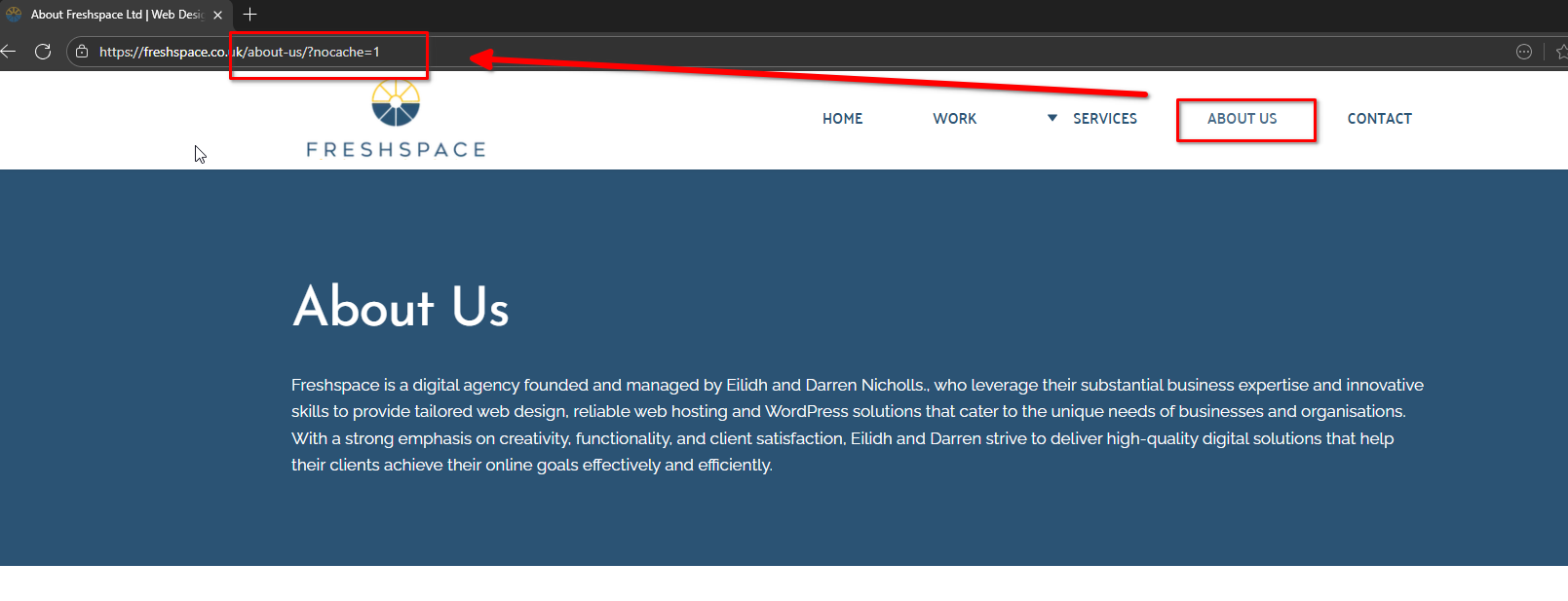
You can also confirm if caching is the cause by adding /?nocache=1 at the end of your page URL. For example: https://yourdomain.com/page/?nocache=1. This tells the browser to bypass cached files and load the page fresh from the server. When you do this, you should see the correct header and footer appear.
Best regards,
Ariel H.0 -
Hi Ariel,
The issue we saw was both when viewing a page and also when editing in Brizy.
We had to add in the global block and then edit it to show on that page, portfolio item etc.
So I don't think it was a cache issue. The header / footer are showing again but only because we've had to edit the global block again.
Something isn't right here and as I say I don't think its a cache issue.
Thanks,
Eilidh0 -
Hi Eilidh,
Thank you for your patience.
When we first checked your request, we observed that the header was missing on some pages but adding '/?nocache=1' to the URL made the header appear. This confirmed that it was connected to caching, please see screencast: https://www.youtube.com/watch?v=URxSGscKllw
After updating Brizy and Brizy Pro, we kindly ask that you try this procedure first before applying the previously suggested fixes to recompile the affected blocks. Please also test this on any other websites you manage that are experiencing the same issue and let me know how it goes.
Best regards,
Ariel H.0 -
Hi Ariel,
We tyopically clear cache, both LiteSpeed and CloudFlare once we notice the issue so as to ensure we know where we are at on this occasion it didn't make any difference.
It feels like it's inconsistent, so we'll just have to keep monitoring the site as and when there are updates released.
Thanks,
Darren
0
Please sign in to leave a comment.
Comments
4 comments