Website Menu Breaks after each Brizzy update

HI we've had Bizzy Pro since May 2025.  Each time there
is a Brizzy or Wordpress updae, our menu breaks.
Needless to say,  he client wants a better solution.
How can we prevent this? The screen shot shows what
appears where the main menu is positioned on their website.

Please advise soon.
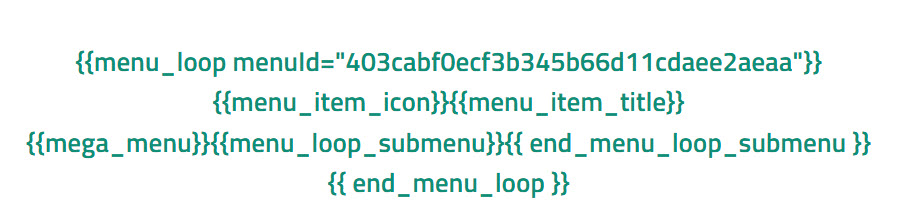
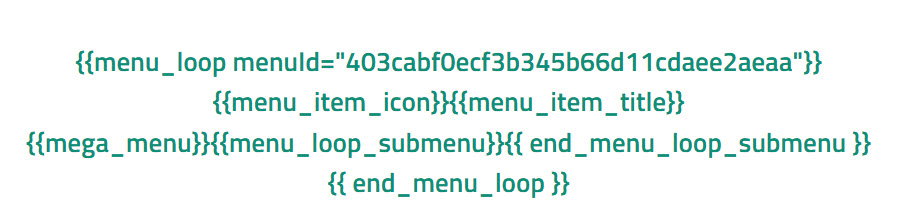
-

Hi Nichole,
I apologize for the inconvenience.
In most cases, this issue can be resolved by forcing Brizy to recompile the page. To do this, please try temporarily changing the menu block width to 90%, save the page, and then switch it back to 100%. Alternatively, you can add a 1px padding, save, and then revert the change. This simple adjustment refreshes the page structure and usually prevents the display issues.
Please give this a try and let me know how it goes.
Best regards,
Ariel H.0 -
Hi Ariel,
Okay, the menu width is currently set to 66%. Are you saying that I just need to adjust and then restore the width to 66%?
 0
0 -
Hi Nicole,
Thank you for the update.
Instead of adjusting the width of the menu element, please try adjusting the width of the block itself - https://youtu.be/AtPApQwaLyE
Best regards,
Ariel H.0
Please sign in to leave a comment.
Comments
3 comments