How do I replace an image?

I created a site on Brizy Cloud using AI. I am trying to replace the images on the content boxes but can't figure out how to do. Editing the title is not problem. This seems like it should be very easy. .
.
-

Hi Jeff,
Thank you for your message.
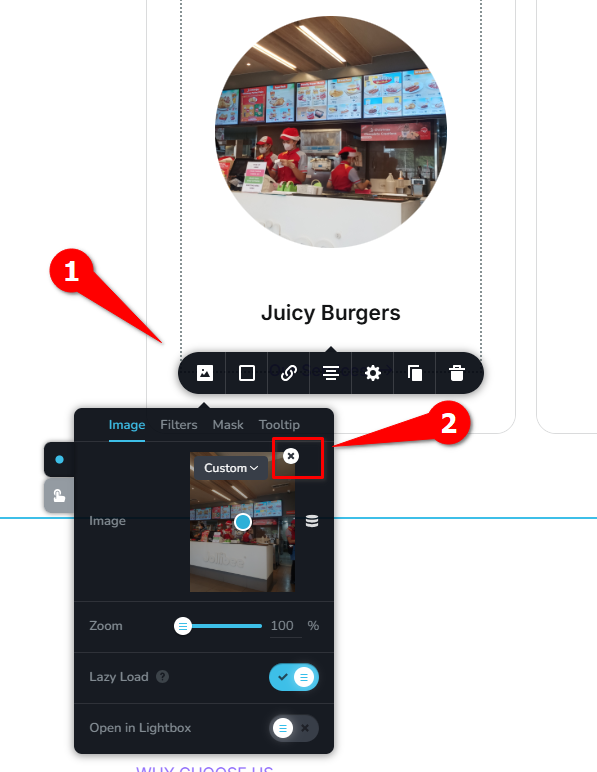
Just to clarify, are you trying to make changes to a page that’s already been generated? If so, you can simply delete the current image in the content box and upload a new one of your choice.
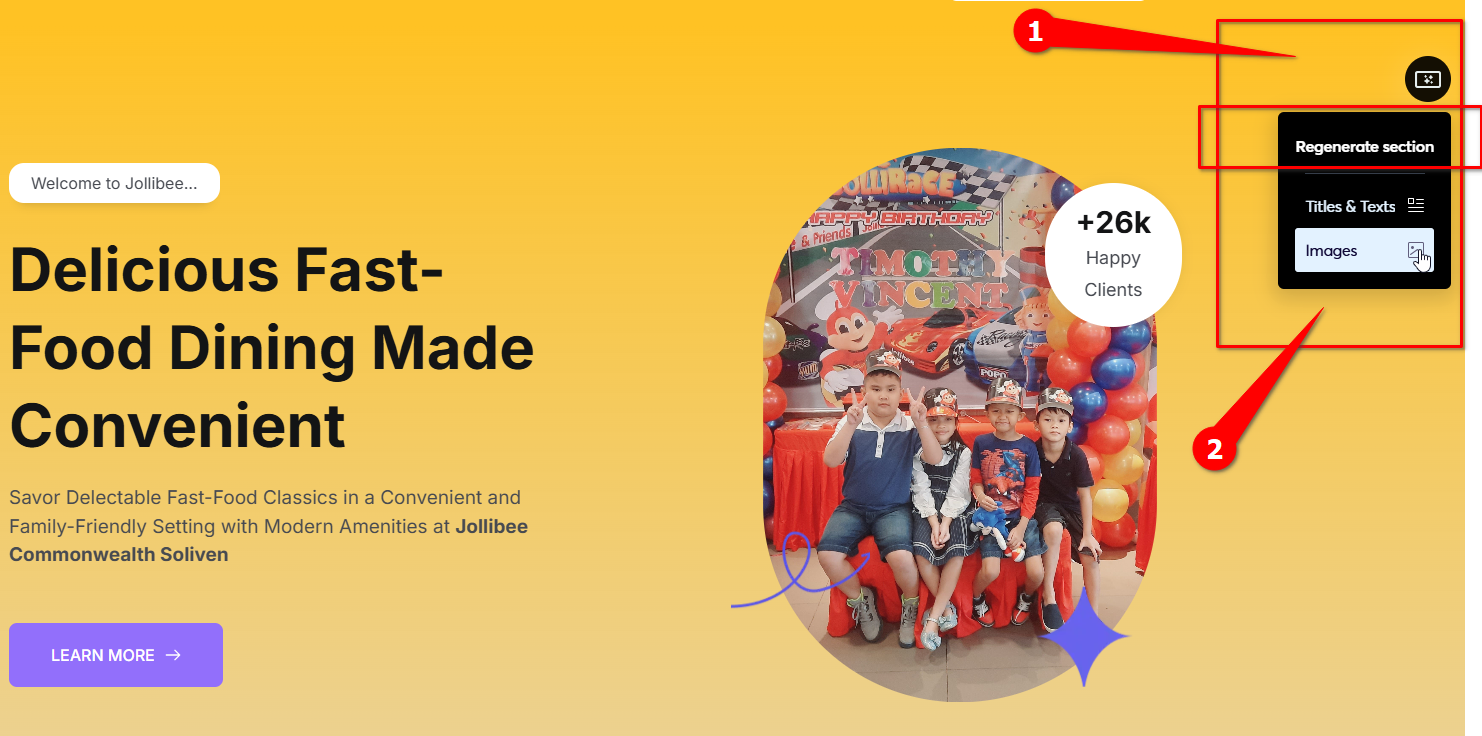
If you’re still in the AI generation stage and haven’t approved the final pages yet, you also have the option to scan the page and regenerate the text and images per block before finalizing.
Best regards,
Ariel H.0 -
Thanks for the quick response Ariel. That works now (the page was already generated), but before there was not an option to upload a new image showing. As a side note, is there a way to have the new image automatically resize to the one being replaced? That would be nice when working with a grid of photos.
0 -
Hi Jeff,
Thank you for the update.
At the moment, the image won’t automatically resize to match the one being replaced. This would only work if the new image you upload already has the same dimensions as the original. As a workaround, you can crop or resize the new image beforehand to ensure it aligns properly within the grid.
Best regards,
Arie H.0
Please sign in to leave a comment.
Comments
3 comments