pop up cookie consent

I'm trying to set up a popup cookie consent. How do I stop it from coming up everytime some moves to a different page? I only want it to come up once.
-

Hello Nick,
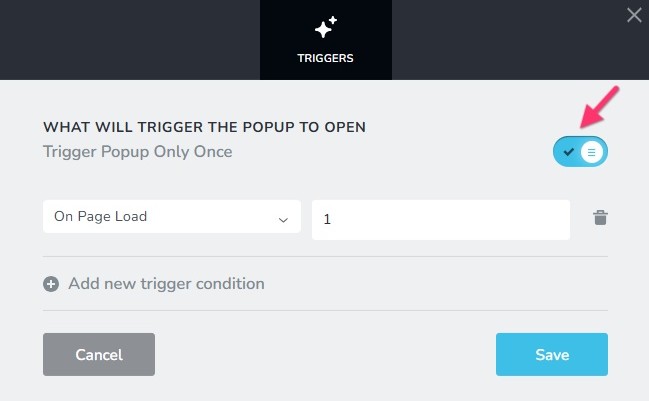
In the Display Conditions for your popup, you will see a "Trigger Popup Only Once" toggle switch. Please turn this switch ON to display the popup just once per user session.
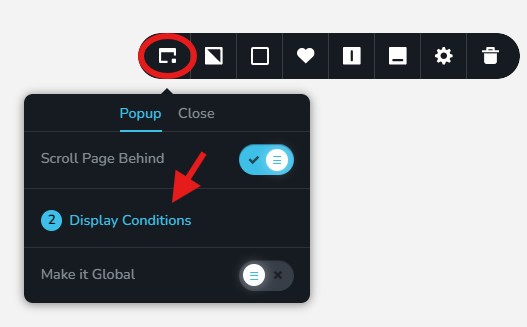
You can access the Display Conditions screen from the settings icon of the popup.
 0
0 -
I'm not seeing a display condition option while building the popup. it's only normally comes up when putting in code on my home page but the instructions to put this code into the footer code so can't see where to do this?
0 -
Hello Nick,
You will see the "Display" tab when you are developing an internal popup under CMS > Popup & Alerts. You can set the pages in which the popup should be displayed.
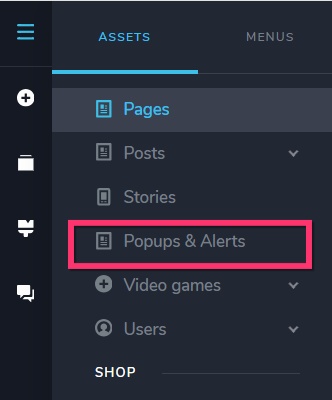
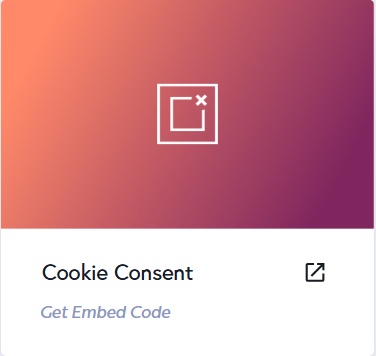
The "Display" tab is absent in external popups that are added as a project in your Cloud Dashboard. The pages on which you place the embed code will determine which pages display the popup.
 0
0 -
Hi KC, i'm find this so confusing. Could you do me a video tutorial on how I set this up and set it to only come up once per visitor please.
0 -
Hello Nick,
Kindly let us know the URL of the project where you are attempting to setup a cookie consent popup. We will do this for you.
0 -
https://www.thebookmarketer.pro thanks!
0 -
please do the small thin dark banner at the bottom of the page thanks
0 -
Hello Nick,
I have enabled the Cookie Consent popup and set it to be displayed only once per user. Please check.
0 -
HI KC, yes thats working now thanks!
0
Please sign in to leave a comment.
Comments
9 comments