Override default font size by css in Brizy WP

Hi Team,
In Brizy WP, I can use Custom CSS for font color like:
h1{
color: red; // it does work
// however if I try to change the font size, it doesn't work
font-size: 2rem; // does not work. also doesn't work if using id or class not just element.
}
1. can you confirm whether we can use custom CSS in this case or not? or only Font Color can be applied?
2. Does Brizy WP allow to set Global CSS as stylesheet css or the same custom CSS in Brizy cloud?
Thank you,
Keith.
-

Hi,
Thank you for reaching out.
Yes, you can use custom CSS in Brizy WP, not just for font color but also for properties like font size. If your font size changes are not applying, it’s likely being overridden by more specific CSS rules from Brizy or your theme. You can inspect the element with your browser’s developer tools, or try adding !important to test if that resolves it.
Also, please note that Brizy headings may include a <span> tag inside the <h1>. In that case, you’ll want to target the span directly, for example:
h1 span {
color: red !important;
font-size: 2rem !important;
line-height: 2rem !important;
font-size: 42px !important;
}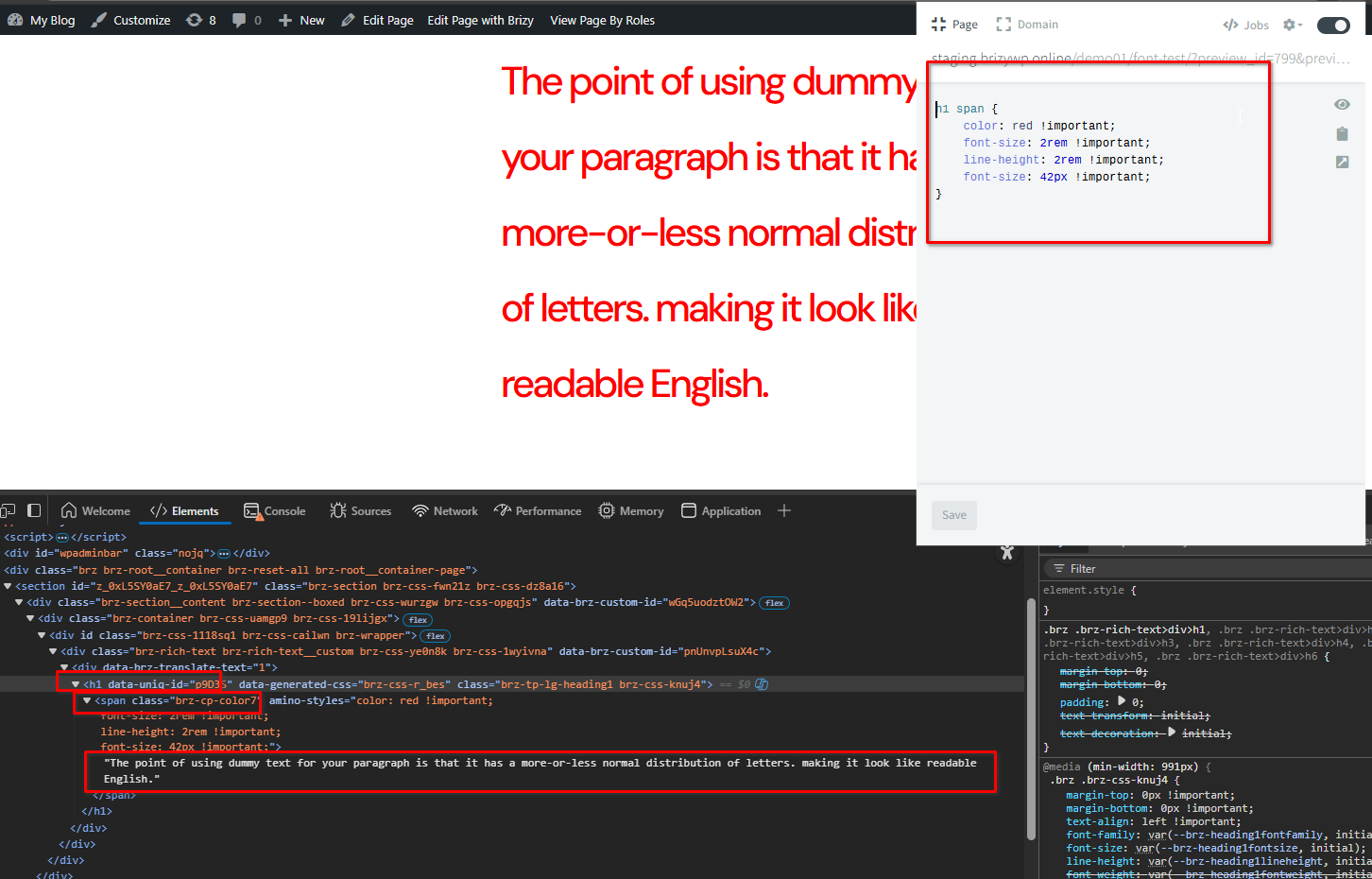 Regarding your second question, Brizy WP does allow you to add global CSS. You can insert your custom stylesheet or custom CSS in the Brizy > Settings > Custom CSS section, similar to how it works in Brizy Cloud. This will apply your styles across the site.
Best regards,
Ariel H.0 -
Hi Ariel,
I use 2025 theme, and just only one section without any css elswhere.
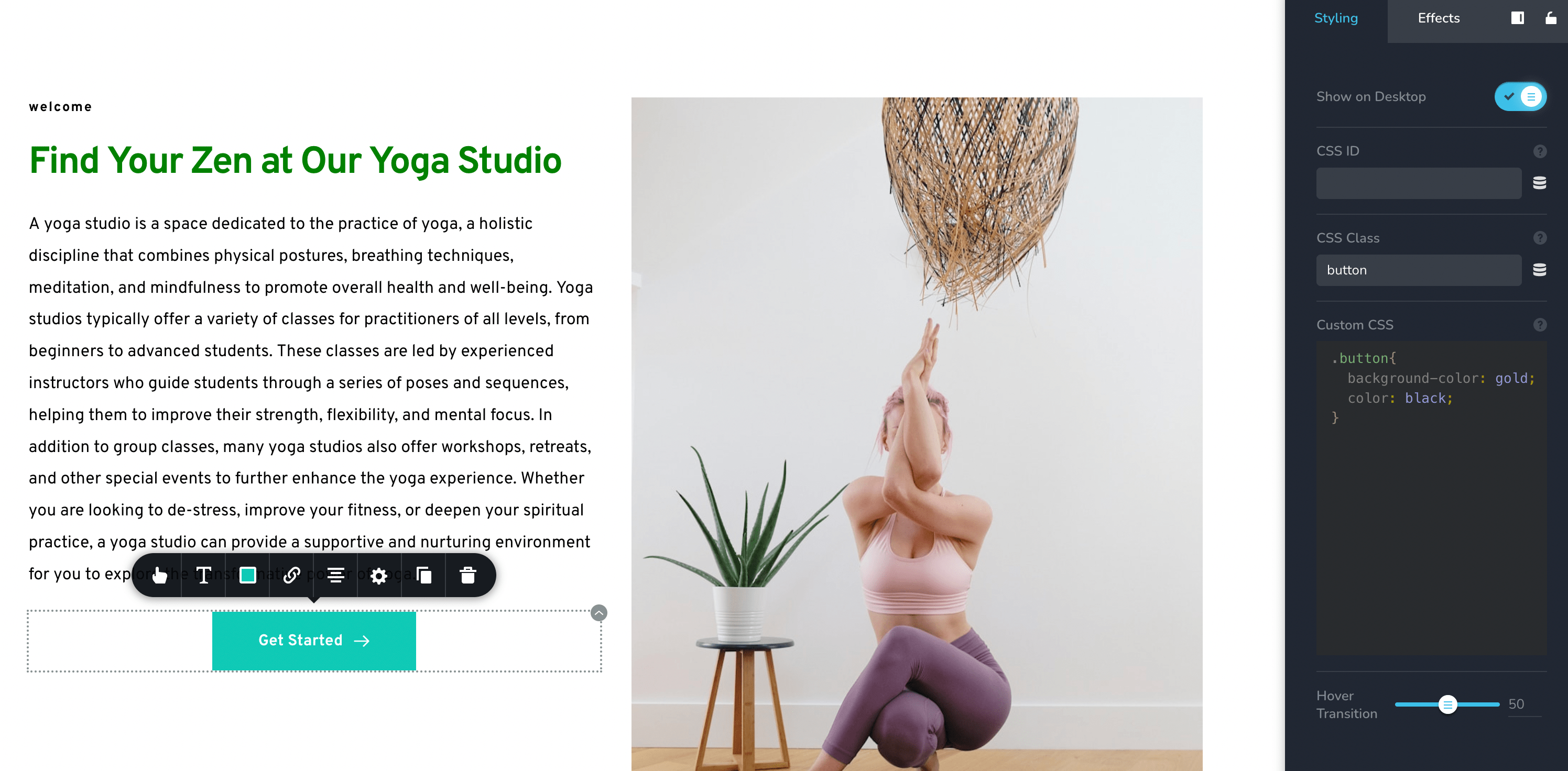
!important does work with button (does not work without !important). I set a class, work fine.
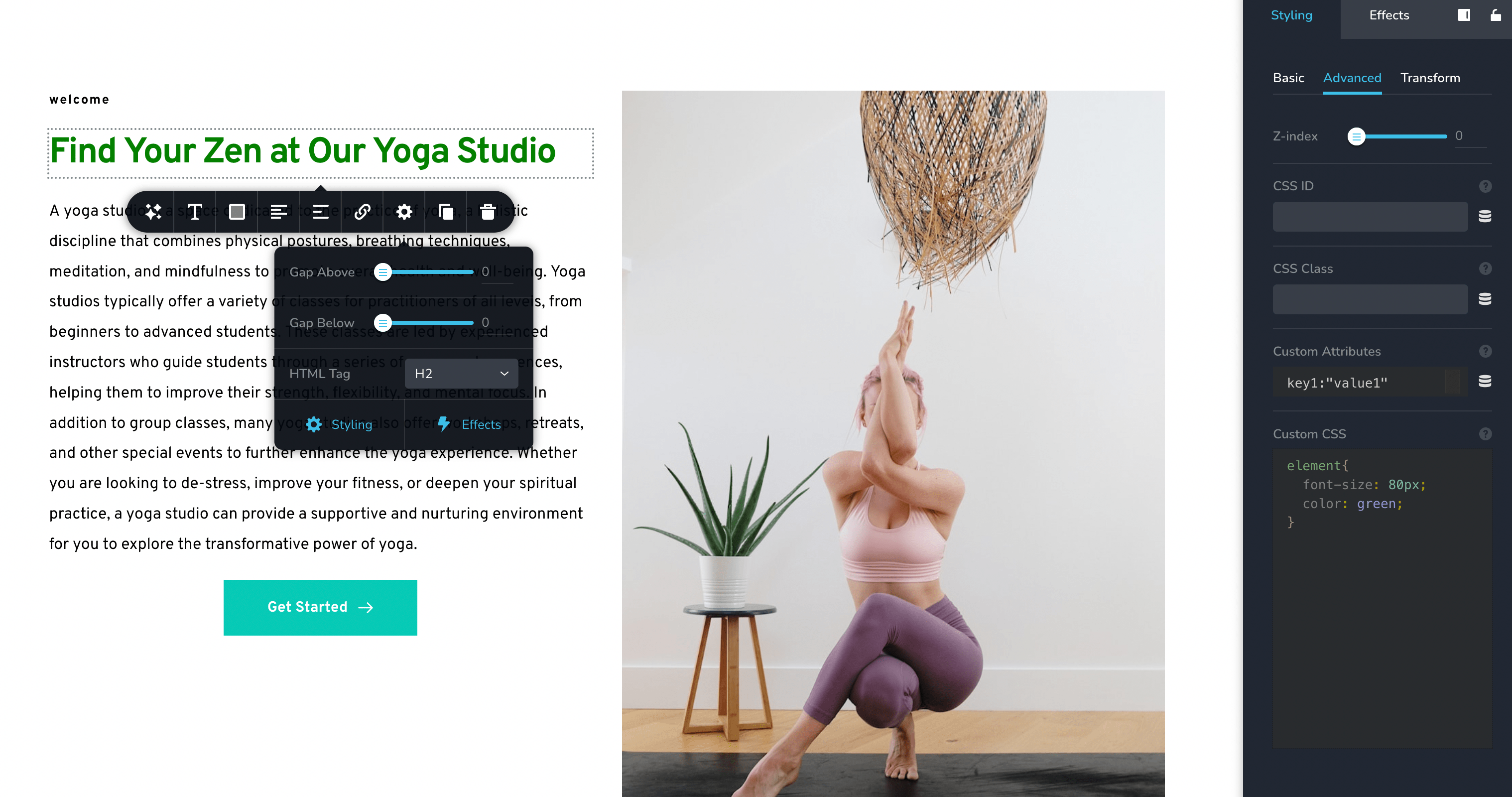
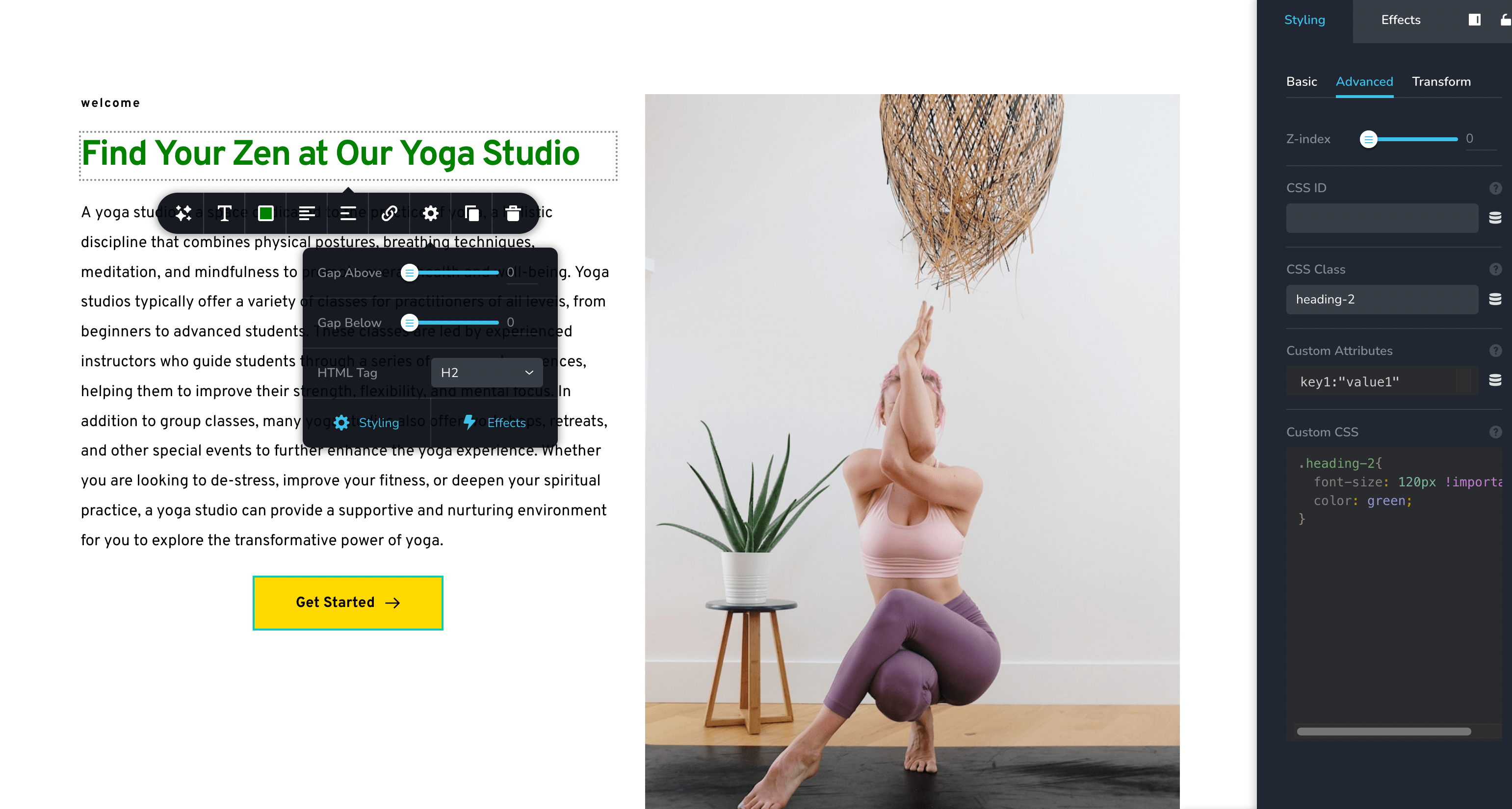
for h2, it doesn't work with class or id, or element, unless I use h2{} itselft with !important, then it can work.
So I can see it is not consistently rule set here.
can you correct me if I am wrong or can you give me a rules set for those?
#heading-2{
font-size: 54px !important;
color: green;
} <--this one doesn't work with font-size, work with color--/>h2{
font-size: 54px !important;
color: green;
}<--this one work both--/>for button, it works well with id, class, and element if set !important.
Thank you,
Keith.
0 -
Hi Keith,
Thank you for the udpate.
To better understand what’s happening, could you please provide us with the URL of the page so we can inspect it directly? It would also be helpful if you could send us a screenshot of the specific element you’re trying to style with CSS.
This way, we can check the applied rules and advise you on the correct CSS setup.
Best regards,
Ariel H.0 -
Hi Ariel,
As I am working on LocalWP, cannot redirect an URL to you. I attached here the screenshots for your review.
Thanks,
Keith.
 0
0 -
Hi Keith,
Thank you for the update.
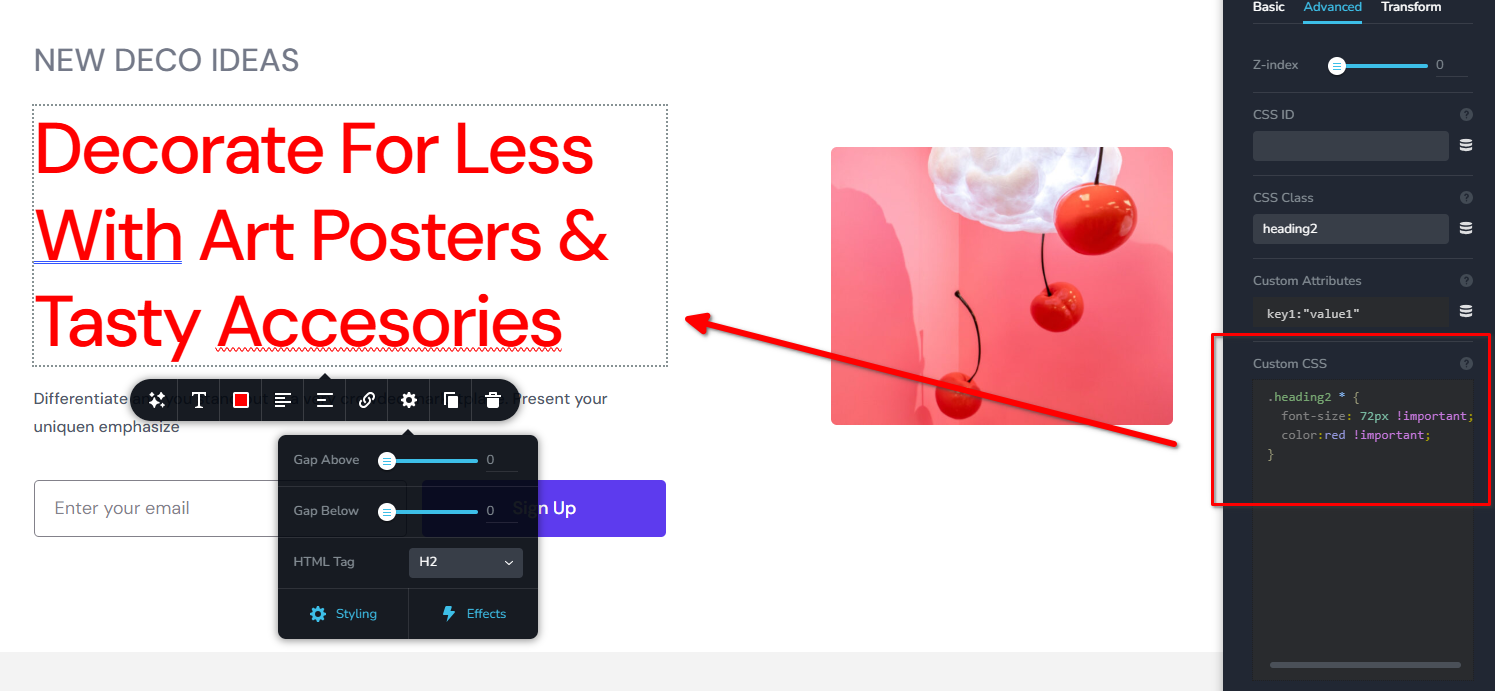
Please try it this way:
.heading2 * {
  font-size: 72px !important;
  color:red !important;
}
Please try this and if you have any further questions, let us know.
Best regards,
Ariel H.0
Please sign in to leave a comment.
Comments
5 comments