Background of product selection white

I have some issues with product selection on Brizy.
First: Selection field phrase is cutted
Second: When selection deploys it have white background, so options doesn't show clearly
I marked with yellow so you can focus on what I am saying.

Can you help me please?
Best Regards
-

Hello Xavier,
Can you share with us the product page URL so that we can understand the problem better?
0 -
Hello George thanks for your answer, this is the url:
https://vctrainerfitness.cl/product/plan-small-group-antonino/
This happen to all the products on the page.0 -
Hello Xavier,
Looks like you have revised the design of your product page and the drop down list of product options is missing. Hence we could not take a look at the issue you are facing. How do we see it?
 0
0 -
Hello George I had to change the design because by system ppl shouldn't buy the product without login so button says that. That is a block that just can be viewed by not logged ppl, so the drop down list of product is in a block of logged user.
I changed it so you can check the page https://vctrainerfitness.cl/product/plan-small-group-antonino/
Thanks, best regards
0 -
Hello Xavier,
Can you describe how you have implemented the product options?
- Have you setup each product option (like 12 classes per month) as a variation in WooCommerce?
- Are you trying to display product variations in the drop down list?
- What theme are you using? Does your theme provide good support for WooCommerce?
- If you set your single product template to "Draft" mode, do you see the product variations in the theme design?
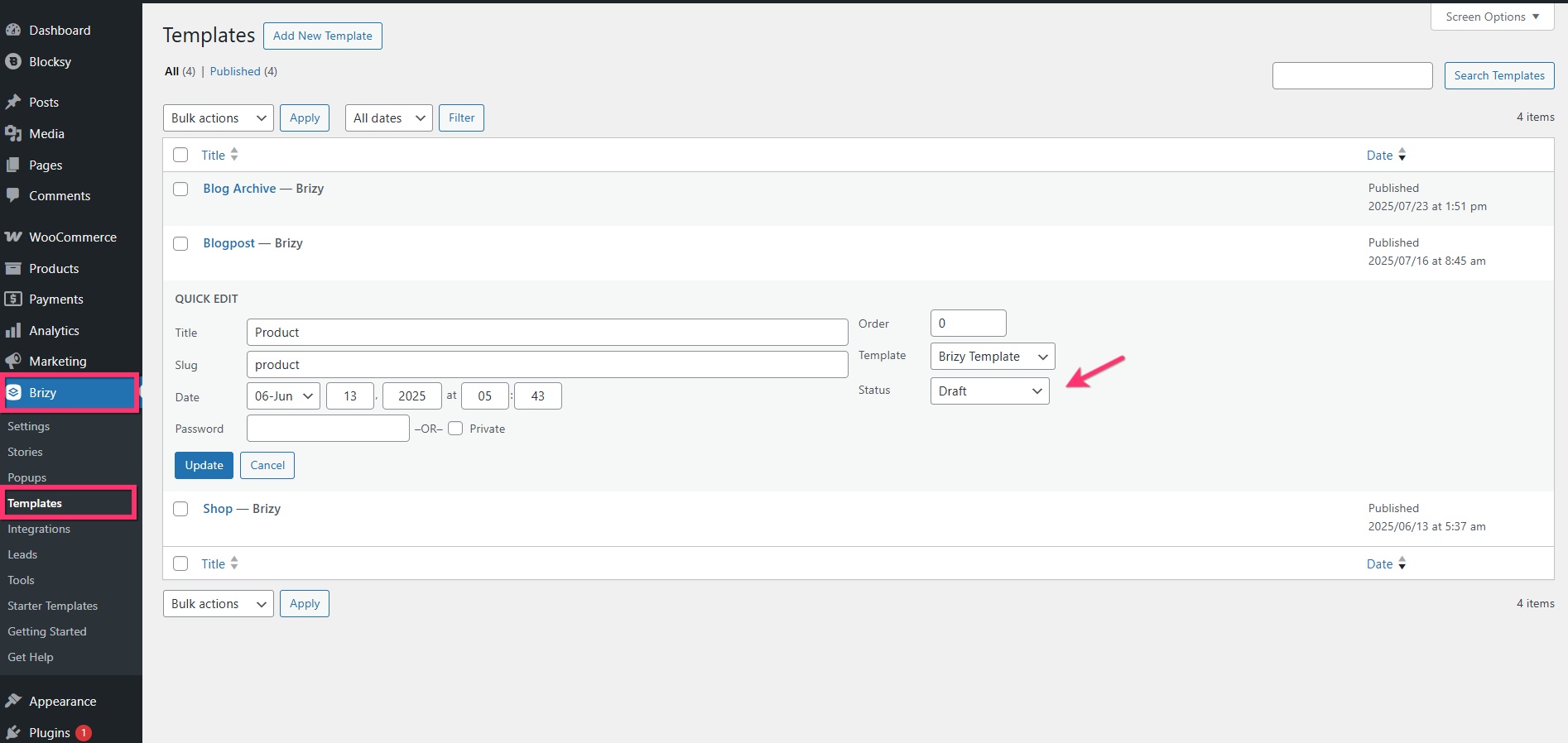
0 -
Hello George thanks for your time.
1. Yes I did as you can see below: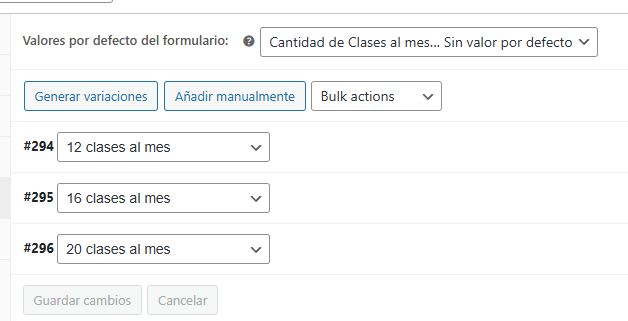
2. Yes I am trying to display product variations in the drop down list.
3. I am using Astra for this case- Previously was Blocksy but both have the same issue.
4. Yes I see the products variation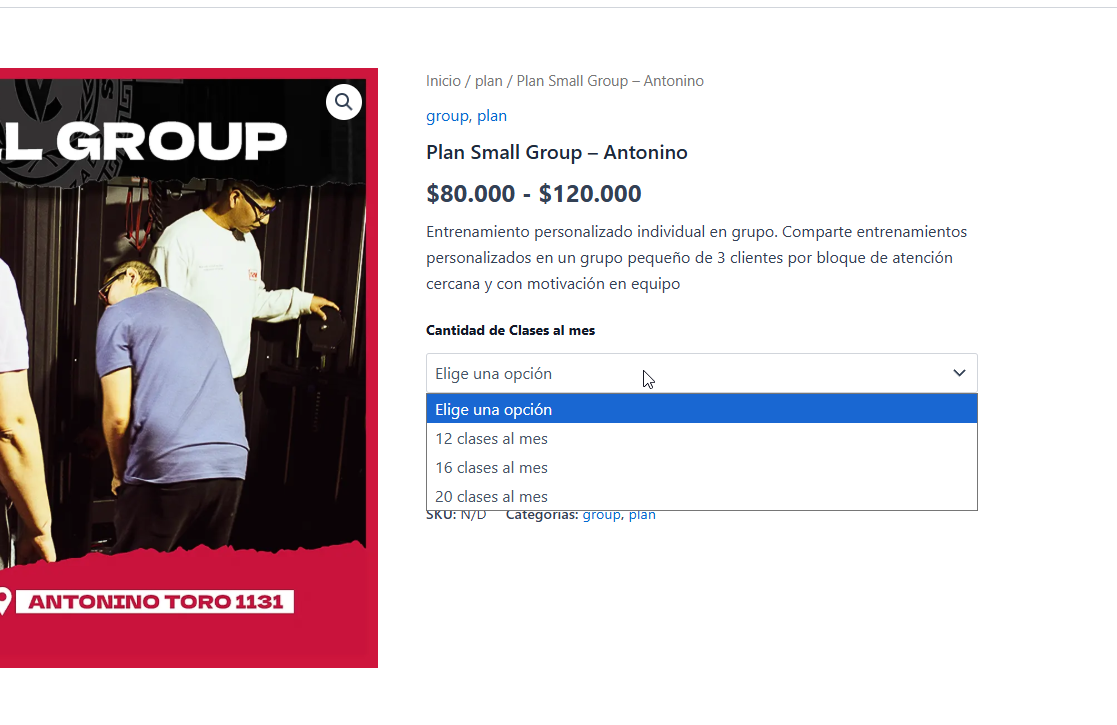 0
0 -
Hello Xavier,
The white background for the product variations is no more visible; I see a red background on your website.
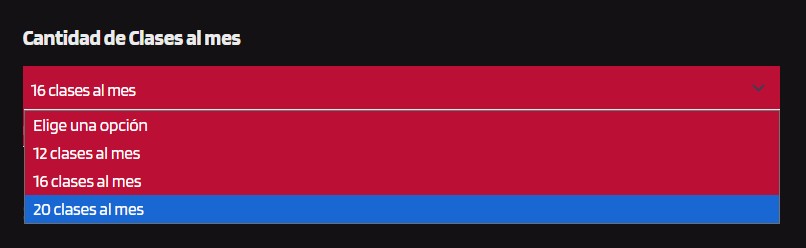
However the product price is not clearly visible now.

Have you tried changing the color of the Price element to make it more visible?
0 -
Hello George, I had to do that solution because issue didn't fixed. I can regenerate the issue so you can see what is happening. Yes that price color is not clearly visible but I don't know how to change it through the builder. Do you know how? Or it just code? I tried doing it through the theme modifier but couldn't change it.
0 -
Hello Xavier,
To change the color of the "Price" element, click on it, select the color icon and select the "Price" tab and set the color. What happens when you try to do this?
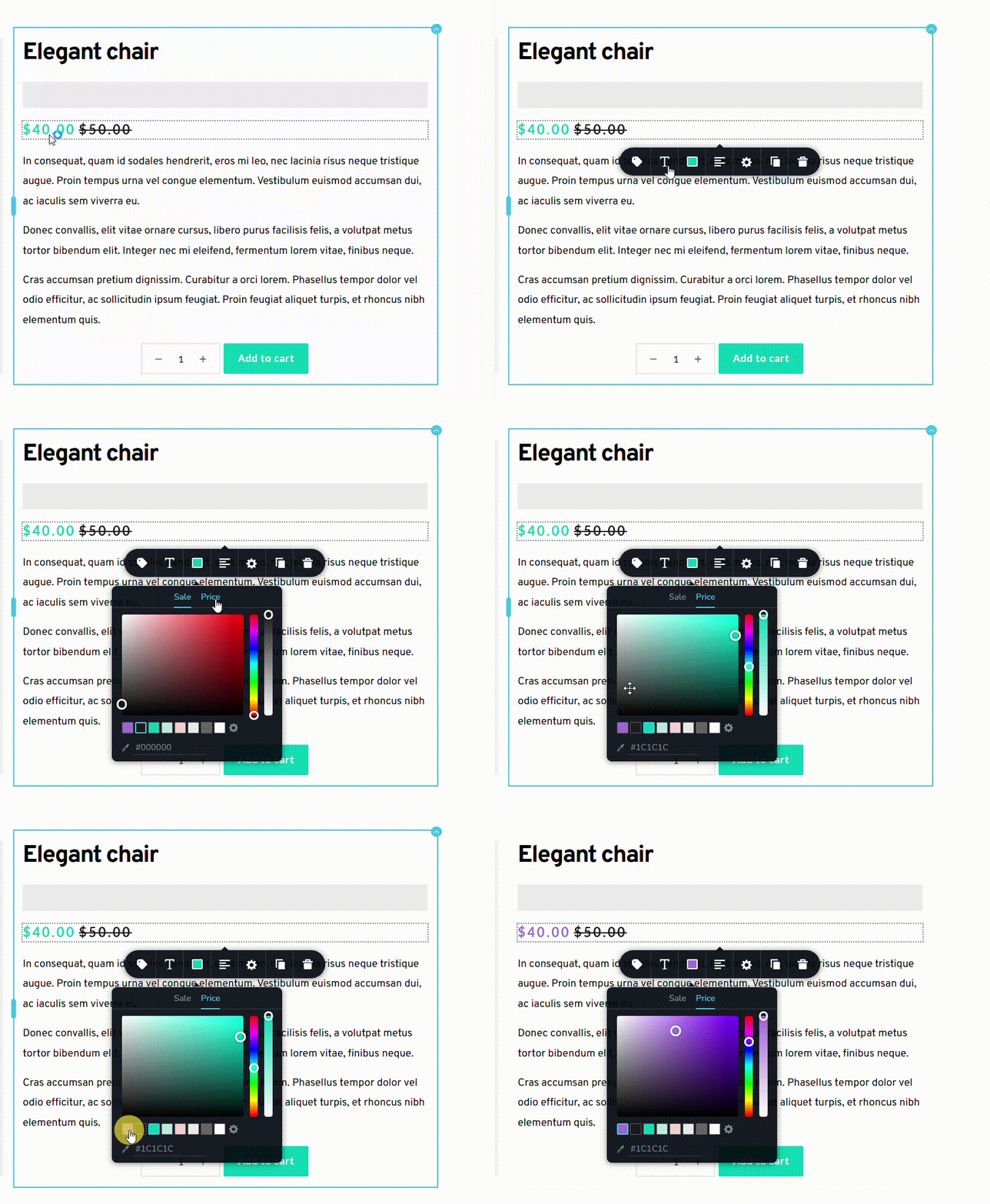 0
0
Please sign in to leave a comment.
Comments
9 comments