Trying to style Wordpress Single Post page with Brizy

Uploaded a dummy blog post so I could style the single post page. Not understanding how to style the single post page that's dynamic for Brizy.
I watched this video: https://www.youtube.com/watch?v=d5jKPa_dT-s
But I'm not seeing these fields, even though I am using Brizy Pro as a Wordpress plugin. Brizy Pro and Brizy free plugins are both up to date. I can't add any dynamic content. What am I doing wrong?
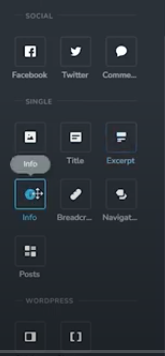
This is what I see...
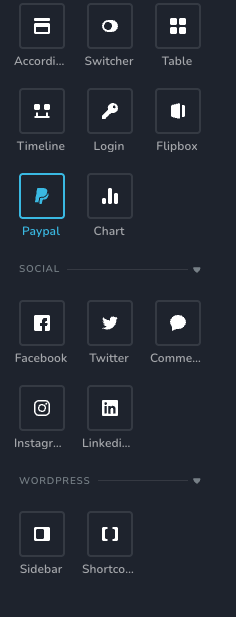


-

Hi Bethany,Thank you for reaching out.
From what I can see, it looks like the display conditions haven’t been set for your template, which is why the icons needed for a single template aren’t showing. Please make sure to add the display condition and hit Publish before editing the template with Brizy. This process is demonstrated in the following screencast.
Once the display condition is set and the template is published, you should be able to edit and add dynamic content as expected.
Best regards,
Ariel H.0 -
Hi Ariel,
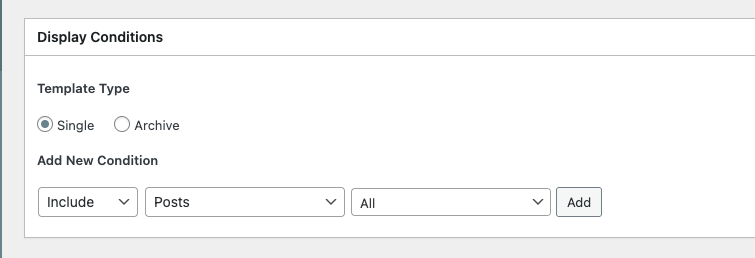
Thanks for your response. However, the display conditions have been set (see screenshot) just like the video you sent. And I'm still not seeing those dynamic icon options (See screenshot, I scrolled up and down). Both Brizy and Brizy Pro plugins are up to date in my plugins folder.
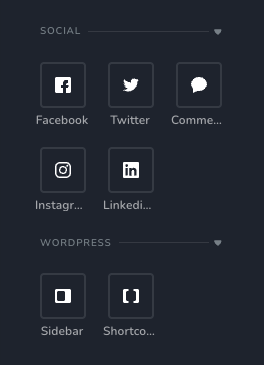 0
0 -

Hello Bethany,
Next to your Display Condition, kindly click the "Add" button.
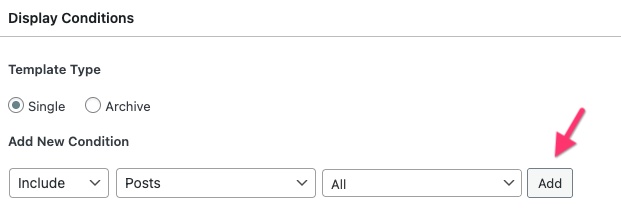
Once you add the Display Condition, you will see a "Delete" option next to it.
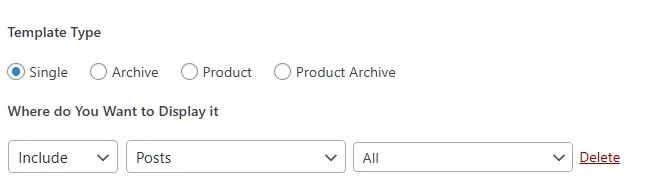
Then click on "Edit with Brizy" button and you will have access to elements required for building a blog post template.
0 -
That's crazy. I did that 5 times last night and it didn't work, but it finally worked today. Thanks
0
Please sign in to leave a comment.
Comments
4 comments