Website not displaying, error "The content of the page cannot be displayed"

I visited my website just now and I'm getting this error:
The content of the page cannot be displayed
Only displaying a blank page...
-

Hello Michelle,
Please provide the URL of your website, which in the frontend shows a blank page. We will take a look.
0 -
http://michellegephart.com
now it is showing the namecheap page, as if it isn't even being hosted.
Thanks so much for checking on this for me!0 -
Hello Michelle,
Please sign in to your Namecheap account and select the domain michellegephart.com. Scroll down the page to the section "Other Domain Settings" and turn OFF the domain parking by selecting the "Turn OFF" button.

Then switch to the "Advanced DNS" tab and change the CNAME record value from parkingpage.namecheap.com to chinchillae7298fa5.brizy.site
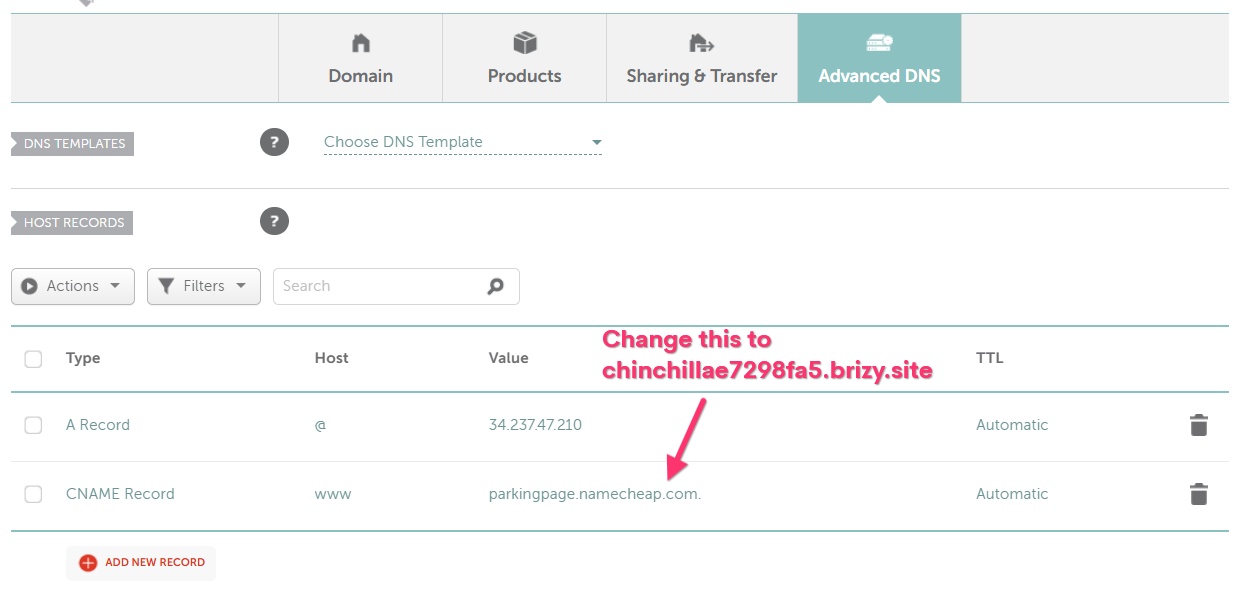
After completing the above steps, please get back to us. We will install the SSL certificate for your domain.
0 -
AH HA! Thank you so much!
I completed both tasks.
Would you please install the SSL certificate now?
Thank you again!0 -
Hello Michelle,
While the A Record you have added has taken effect, the CNAME record has not. It is missing.
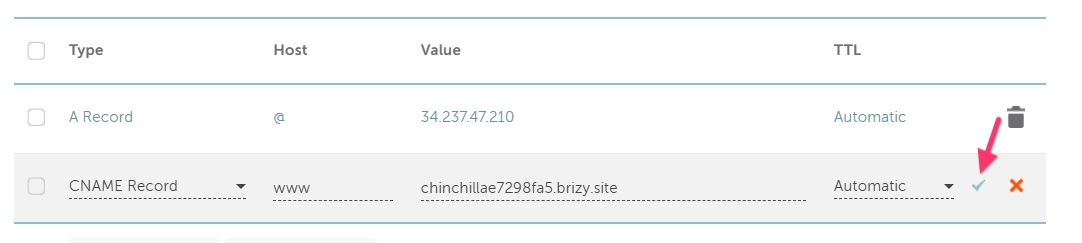
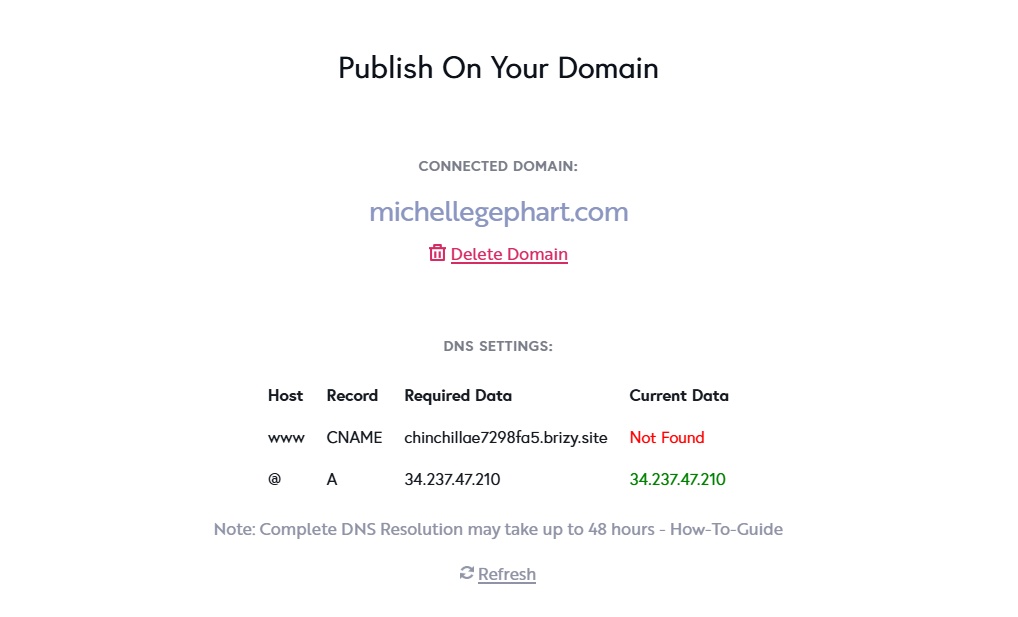 In your Namecheap account, select the domain michellegephart.com; under the "Advanced DNS" tab, please confirm if you see the CNAME record you have added. After adding the CNAME record, you must click on the "check mark" to save your changes.
 0
0 -
I do not understand. That CNAME record is there. Here's a screenshot. I will delete it and add it again.
 0
0 -
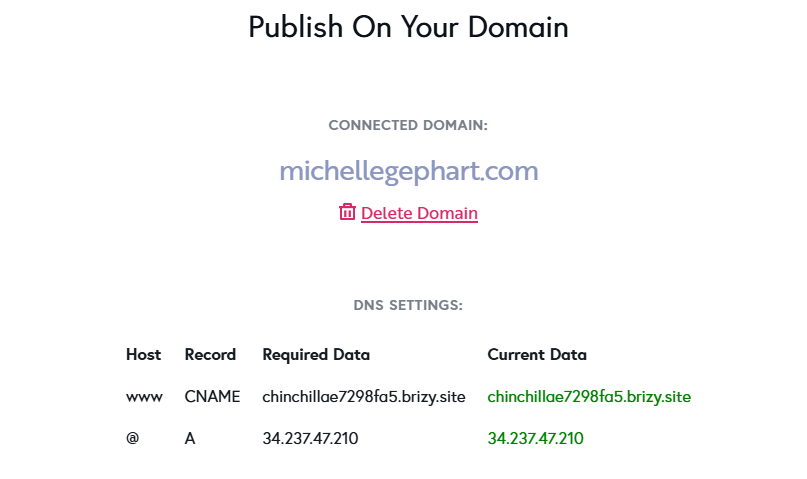
I deleted and added again. I am getting all clear from Brizy, see screenshot. I had cleared my cache and my website still is not displaying. I will wait a few hours and try again. I just don't understand because my website was displaying fine... and then it wasn't. Thank you for your help.
 0
0 -
Hooray! It's back up!
Thanks for updating the SSL.
0
Please sign in to leave a comment.
Comments
8 comments