<head> inexplicably bloated with inline Brizy CSS, Facebook not seeing Open Graph tags

Dear Brizy team,
One of my clients' websites has become bloated with inline CSS (which for the most part comes from Brizy) and as a result, Facebook stopped showing their featured images. This is particularly problematic and embarrassing since my client pays me for content marketing.
Here is a snippet from the research I ran through my AI assistant:
"The most significant contributor to the large volume of CSS at the top of the page is the extensive use of inline <style> blocks generated by Brizy. These are identified by IDs like inline-handle-brizy-asset--1006976118-50-inline-css and inline-handle-brizy-asset-projectPalette-50-inline-css."
Feel free to see for yourself: https://rasurachiropractic.com.au
Originally, I expected the problem to come from SmartCrawl, their SEO plugin, but they have very few settings and I found no sign that their Open Graph function might be the problem.
Next, I investigated whether the issue could be coming from LiteSpeed, their caching plugin. But after turning ALL of the CSS optimisations off, the issue remains. I have currently left this configuration in place so you can test on your end.
The Open Graph tags appear between line 1800 and 2100 depending on my tests. I tested after every single change I made.
There are no other caching, optimisation, or SEO plugins on my client's website. So I'm forced to come to the conclusion that Brizy is responsible for this.
The website is currently running Brizy 2.6.22 and Brizy Pro 2.6.14. I now make plugin updates every 6 months as this tends to break the site too often - and I do not get paid for fixing site breakdowns.
Can you please advise how to fix this? I have already invested 2 hours in this issue. Or if it's a known issue, please advise when a fix will be released.
Thank you for your assistance.
Best regards,
Nathan Van Steenberghe
-

Hi Nathan,
Thank you for contacting us.
We’ve looked into this; the issue seems to be specific to your setup rather than a general Brizy bug. Facebook may stop reading tags if they appear too far down in the page source, which can happen when inline CSS and other content push them lower.
It could also be caused by a third-party plugin conflict, so we suggest temporarily disabling all plugins except Brizy and Brizy Pro and then testing again in Facebook’s Sharing Debugger tool.
Are you using a plugin to generate the open graph meta tags for your website? If not, kindly consider installing the Rank Math plugin, configure it and check if the issue gets resolved. When you install the plugin, the open graph meta tags will be placed at the very top of the HTML header.
For reference, we tested two WordPress sites from our Showcase page with the Debugger and they display Open Graph tags correctly: https://developers.facebook.com/tools/debug
https://stackby.com/
https://maddesign.media/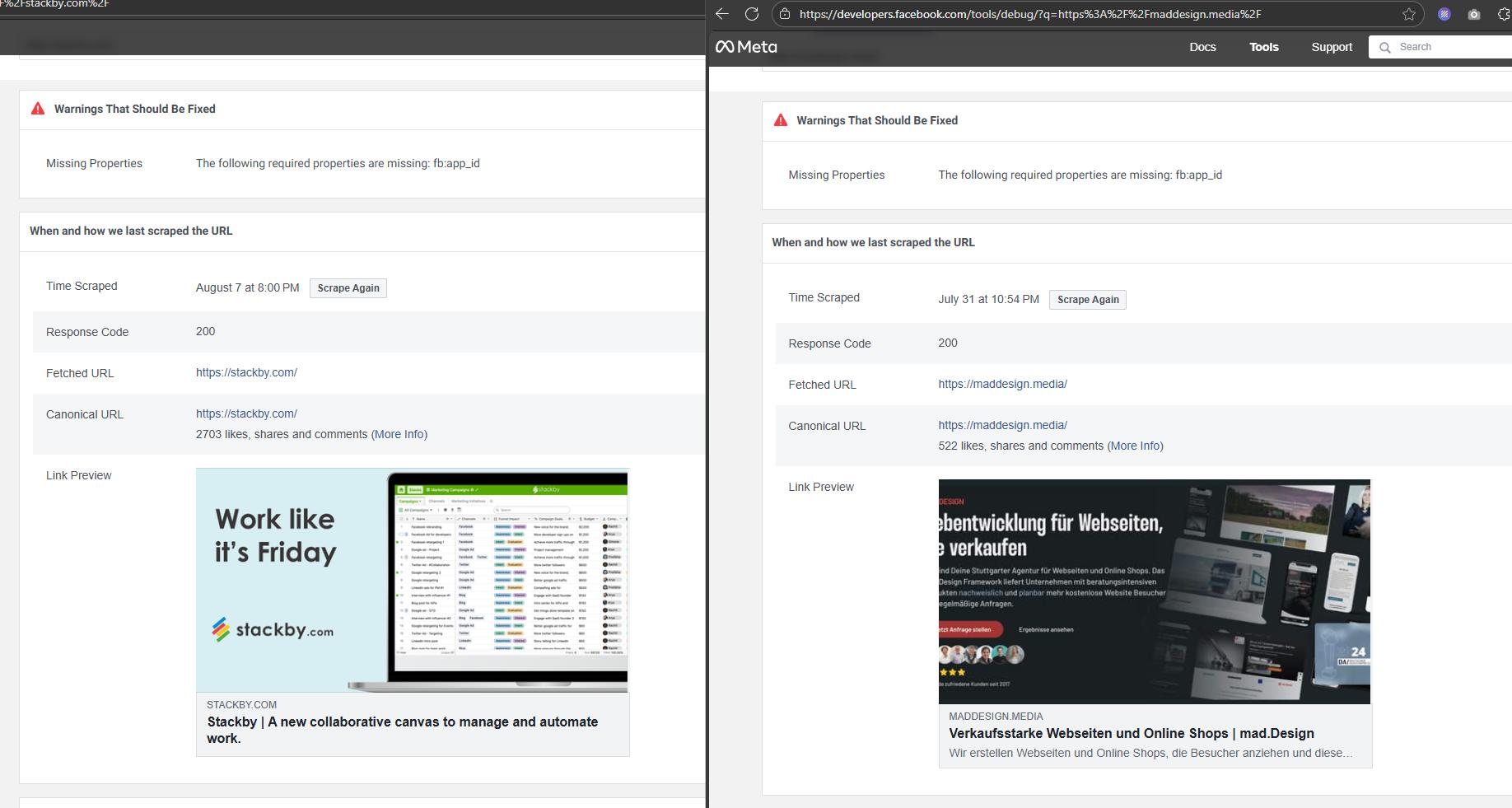
Please try this and let me know if you have any further questions.
Best regards,
Ariel H.0
Please sign in to leave a comment.
Comments
1 comment