Google Tag Tracking

Hi,
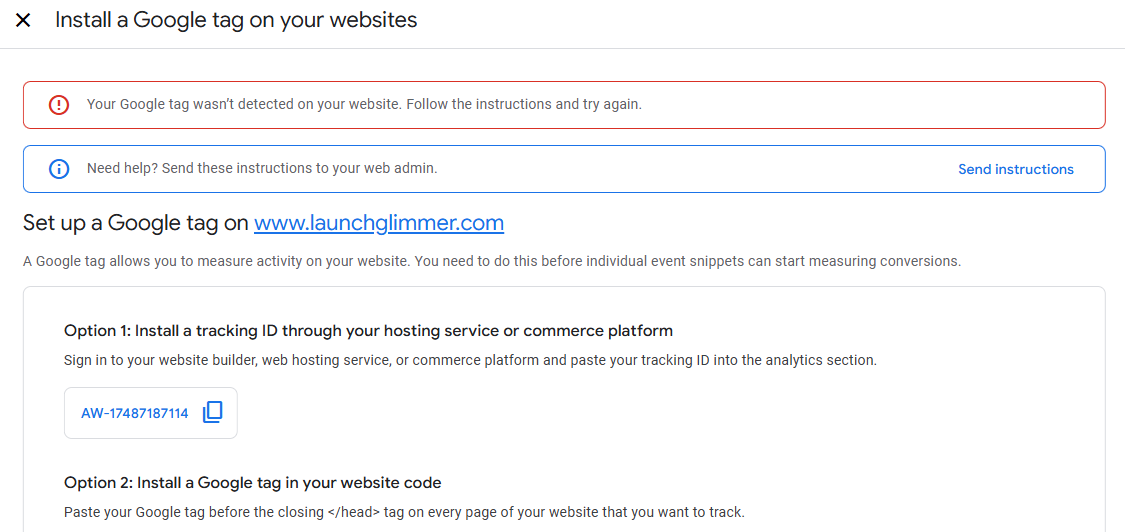
I am currently running Google Ads and I am trying to install a Google Tag into the website code. I am doing this through project settings > code and then pasting the code into the code injection header, But when I go onto my Google Ads page to test connection, I get "Your Google tag wasn’t detected on your website. Follow the instructions and try again."
I have also given this 24 hours, but still no success.
-

Hello Mark,
I tested https://www.launchglimmer.com using Google Tag Assistant at https://tagassistant.google.com/ and it confirm that Google Tag is installed on your website.
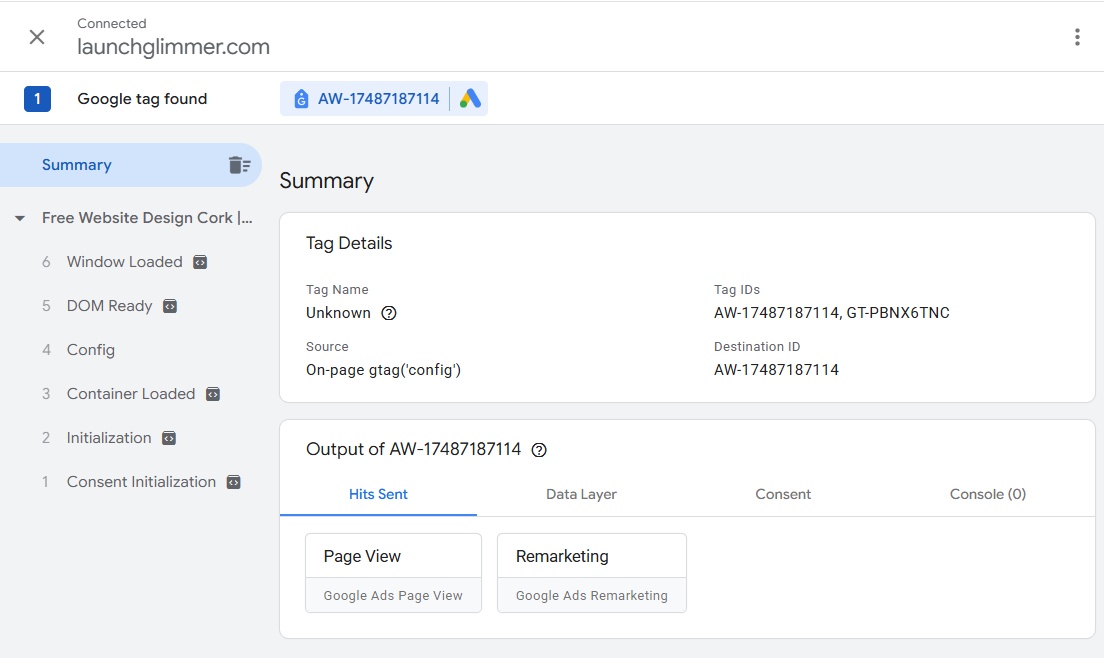
To test it yourself, go to https://tagassistant.google.com/#/?url=https%3A%2F%2Fwww.launchglimmer.com%2F and follow the instructions online.
0 -
Hi,
Thanks for getting back, This is why I'm really confused as when I test the connection via Google Ads it won't detact the Google ad tag, Below is a screenshot
 0
0 -
Hello Mark,
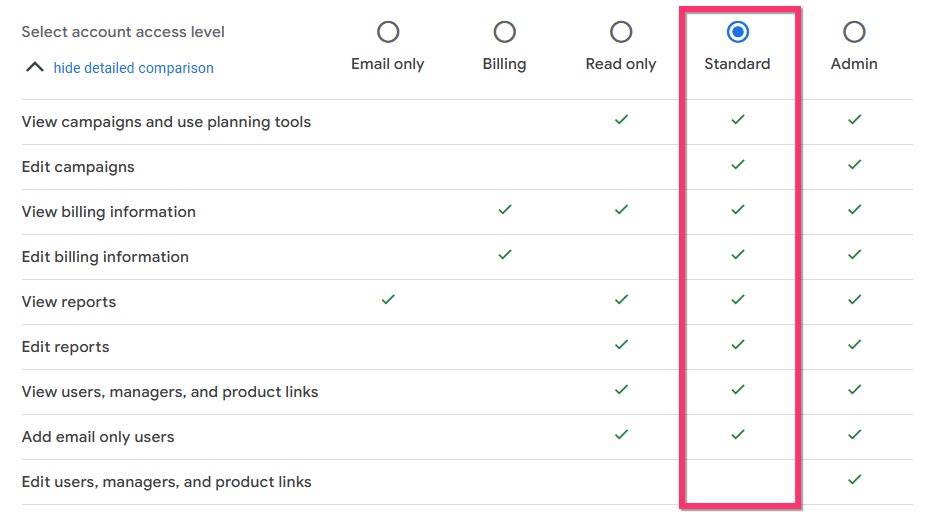
If you need help with troubleshooting the above issue, kindly give us access to your Google Ads account. You can send an invitation at our email communitysupport@brizy.io following the procedure at https://support.google.com/google-ads/answer/6372672
To troubleshoot the above issue, the "Standard" access level should be sufficient.
 0
0
Please sign in to leave a comment.
Comments
3 comments