Publish my Brizye site on my domain hosted by Blueshot

I need to publish my site on my domain (next1.tech) hosted by Bluehost.
What are the DNS # I need to enter in my DNS setting page at my Domain's setting page.
-

Hello Pierre,
The name servers for your domain next1.tech are currently with Cloudflare and not with Bluehost.
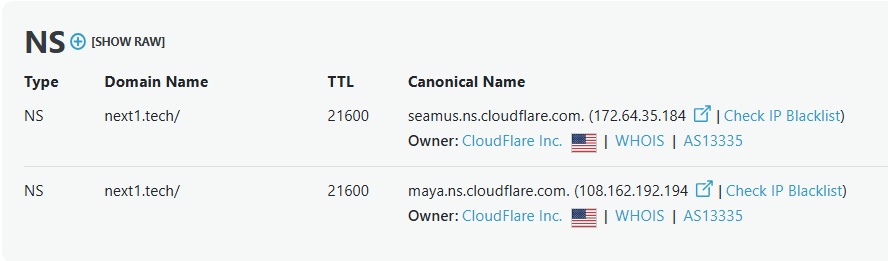
Kindly follow the steps below to point your Brizy Cloud website to your domain.
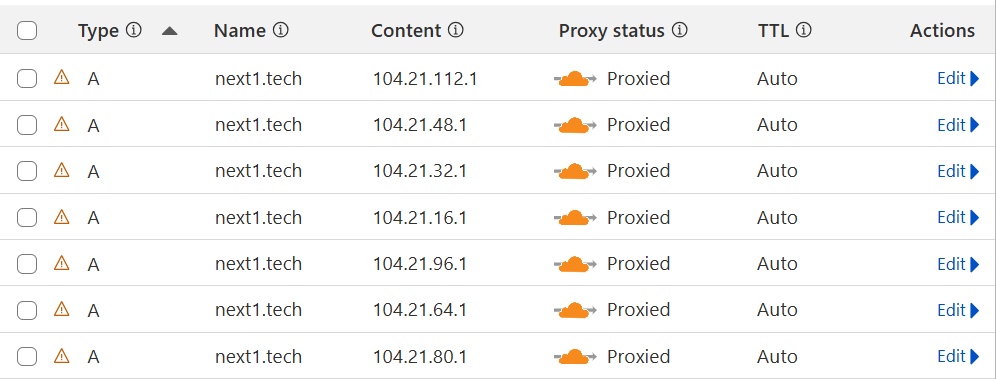
- Sign into your Cloudflare account, select the domain next1.tech and under DNS > Records, delete the following A Records pointing to external servers.
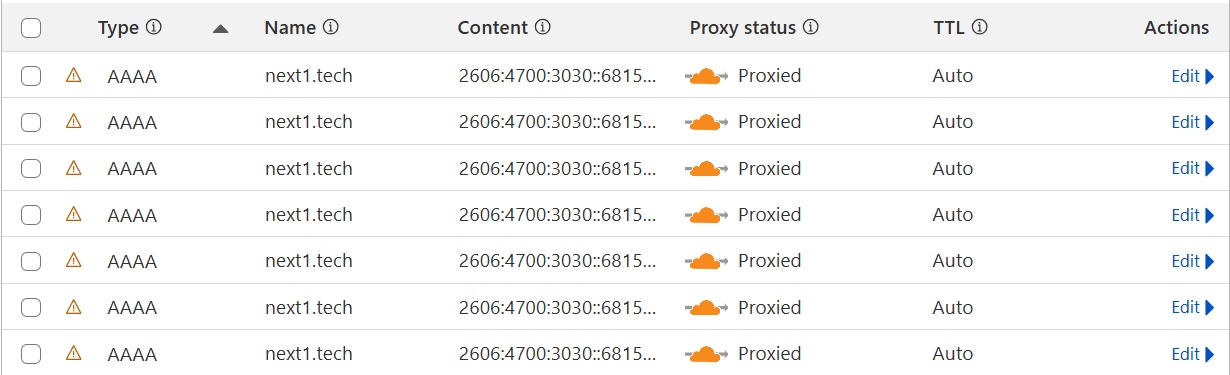
- Delete the following AAAA records pointing to external servers.
- Add a new A Record with the IP: 34.237.47.210 to point your domain to Brizy Cloud web server and disable DNS "Proxy" for the record.

- Add a new CNAME record with the "Name" www and "Target" beagle33cd3aa7.brizy.site and disable DNS Proxy for the record.

After making the above changes, if you see an SSL error when visiting your website, kindly get back to us. We will install an SSL certificate for your domain.
0 - Sign into your Cloudflare account, select the domain next1.tech and under DNS > Records, delete the following A Records pointing to external servers.
-
Hi George,
Thanks for the help. I've updated the DNS records and everything seems to be working.
What's the reason for not using the cloudflare proxy for the DNS entries?
Thanks,
Pierre Barnouin
0 -
Hello Pierre,
The Cloudflare Proxy is incompatible with the Brizy Cloud custom domain. A workaround for this problem is to disable DNS Proxy in Cloudflare.
0
Please sign in to leave a comment.
Comments
3 comments