Brizy Builder

(Homepage) Update is not working in my Brizy Builder. It spins as though it is updating, but it is not updating the page in the live site. It stays corrected in the editor, but won't update. We need to resolve this issue very soon. Please advise. Thank you.
-
resourcebeagle.org is the site that is causing the issue.
0 -

Hi Will,
Thank you for contacting us.
We tried replicating the issue you described but were unable to reproduce it on our end. This is demonstrated on this screencast: https://youtu.be/aEpm_CDjVe0
Could you please try clearing your browser cache or using a different browser to see if that makes a difference?
Best regards,
Ariel H.0 -
Hi Ariel H.
If you look at the bottom footer, the edited version has 501(c)3 and there are 3 branches of the company listed. The current version on line does not have the 3 or the 501(c)3.
0 -
Hi Wil,
It appears this is due to ahard caching issue. If you add URL parameters like this:
https://resourcebeagle.org/?NOCACHE=1
you’ll see that the footer displays correctly.
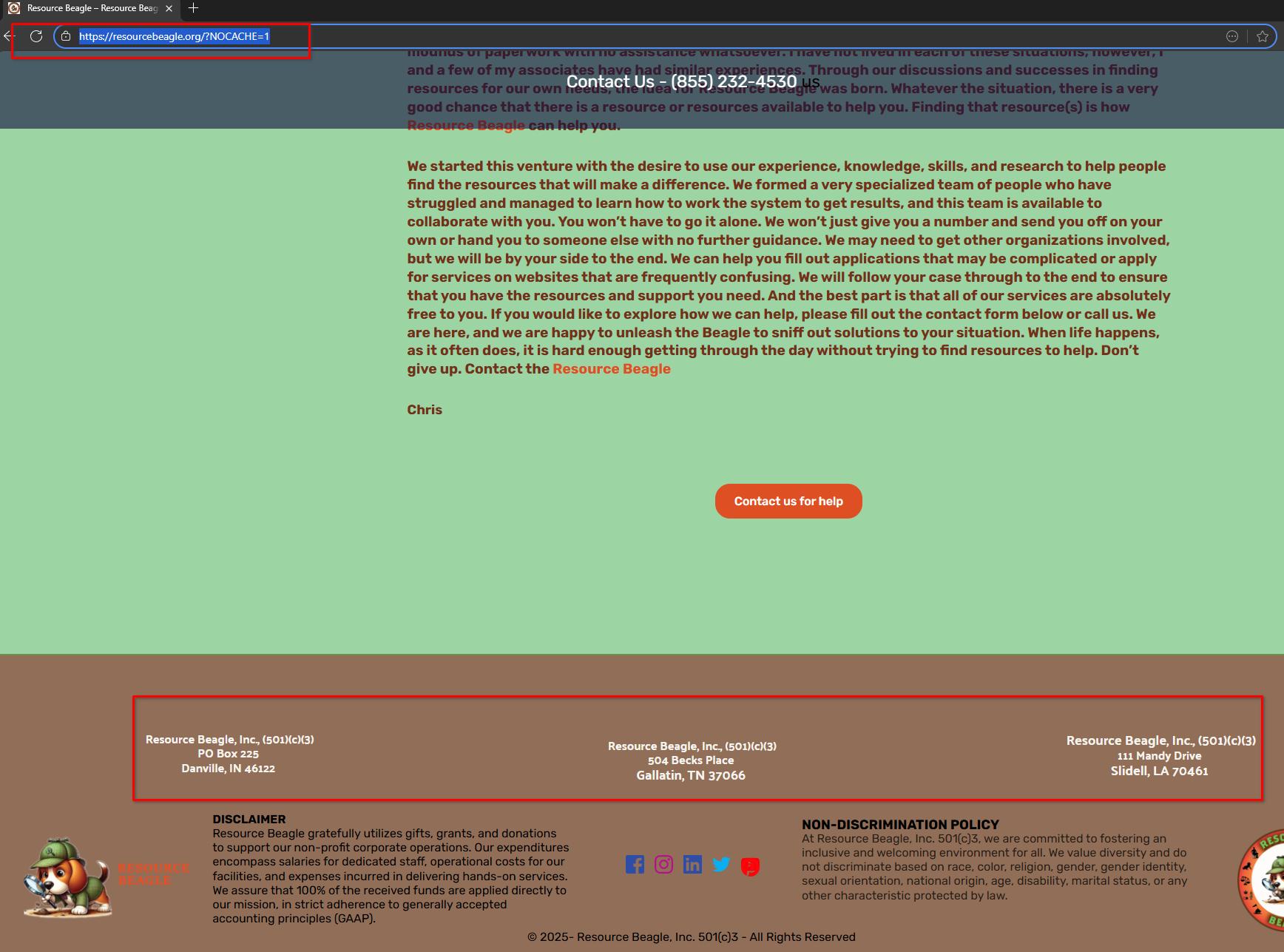
These parameters at the end of a URL (/?NOCACHE=1) are called query strings. They don’t change the actual content of the page but make it appear as a unique request to the browser or server, bypassing cached versions so you can view the latest updates.
To fix this permanently, you can:
1.Clear your browser cache (usually found under your browser’s settings → Privacy & Security → Clear browsing data).
2.Purge any server-side or plugin cache if you are using a caching plugin or your hosting provider has caching enabled.Once the cache is cleared, the footer should show correctly without adding the /?NOCACHE=1 parameter.
Best regards,
Ariel H.0
Please sign in to leave a comment.
Comments
4 comments