problem charging image

-

Hi Laurent,
Thank you for contacting us.
To help isolate the issue, please try the following steps:
1. Temporarily disable all other plugins except Brizy and Brizy Pro.
2. Switch to a default WordPress theme (like Twenty Twenty-One).These steps will help determine if the issue is being caused by a conflict with another plugin or your current theme.
If the issue persists, please send us your site credentials so we can take a closer look. Kindly add us as an Admin user to your WordPress Dashboard and send the following details to communitysupport@brizy.io.
Community Post link: https://support.brizy.io/hc/en-us/community/posts/28718221112082
WordPress Admin URL:
Username:
Password:Looking forward to your reply.
Best regards,
Ariel H.0 -
Hi Laurent,
Thank you for sending the site credentials. Unfortunately, we’re unable to log in using the details provided.
Could you please install the Login Without Password plugin, create new access credentials there, and set them to expire in 72 hours and send us the link? This will allow us to log in securely and check the issue directly.
https://www.wpbeginner.com/plugins/how-to-create-temporary-login-for-wordpress-no-passwords/Best regards,
Ariel H.0 -
Hi Laurent,
Thank you for sharing the invite link.
It seems that the link didn’t work as shown in the below screenshot.
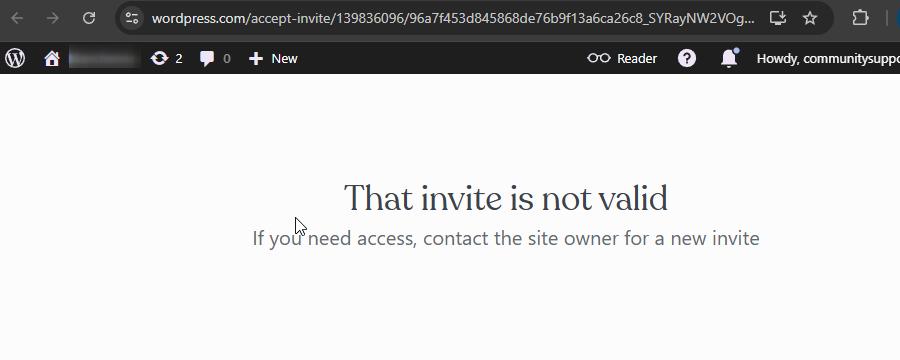
Could you please follow the steps we previously suggested to create temporary login credentials to your site instead? That way, we’ll be able to log in and help you fix the issue directly.
Looking forward to your reply.
Best regards,
Ariel H.0 -
Hi I have followed your step by step and I have no more news since then.
Is there someone to help me?
0 -
Hi Laurent,
Thank you for the update.
We’re having some difficulty logging in with the WordPress.com credentials. This is because our email address communitysupport@brizy.io has previously been linked with other WordPress.com accounts, which can cause conflicts when trying to sign in.
To make the process smoother, could you please install the plugin Temporary Login Without Password.
Please follow this guide to set it up:
https://www.wpbeginner.com/plugins/how-to-create-temporary-login-for-wordpress-no-passwordsCreate new access credentials there, set them to expire in 72 hours, and send us the link? This will allow us to log in securely and check the issue directly.
Best regards,
Ariel H.0 -
I just create a new one like it has been show.
0 -
Hi Laurent,
Thank you for your cooperation.
The issue is caused by the embedded scripts in the header and footer. When a page is created without these scripts, there’s no problem changing the images.

To work around this, you can temporarily remove the scripts while editing your pages or ask a developer to adjust them, so they work properly with Brizy.
Best regards,
Ariel H.0 -
Where I can remove the scripts? I tried on a new page it's worked with the header and the footer.
But when I take one of my old page even if I remove the header and the footer I can not add or change the image.
0 -
Hi Laurent,
Thank you for getting back to us.
This seems to be a more complex issue. As mentioned in our last reply, we were able to add images successfully on an empty page without the header and footer, as confirmed by the screenshot we shared. However, it looks like the behavior has now changed, and it no longer works as expected. This suggests that the problem is likely coming from a conflict.
To narrow this down, we recommend first making a full backup of your website. After that, please try disabling all other plugins except Brizy and Brizy Pro, then check if you can replicate the issue again. If it works when only Brizy is active, that would confirm that one of the other active plugins is causing the conflict.
Could you try this and let us know the results?
Best regards,
Ariel H.0
Please sign in to leave a comment.
Comments
9 comments