Hookup with Mail program

In the popup-feature when trying to hook up to Brevo, I cannot continue the process.
See here: https://share.zight.com/2NuDyvgb
At "Folder" there is no list to select, and the continue button does not work.
-

Hello Stephan,
Brizy form integration with Brevo is currently broken. While we take time to fix the bug, kindly consider embedding a Brevo form to your popup following the procedure at https://help.brevo.com/hc/en-us/articles/208771869-Create-a-sign-up-form-in-Brevo You can then embed the form following the instructions at Step 6.
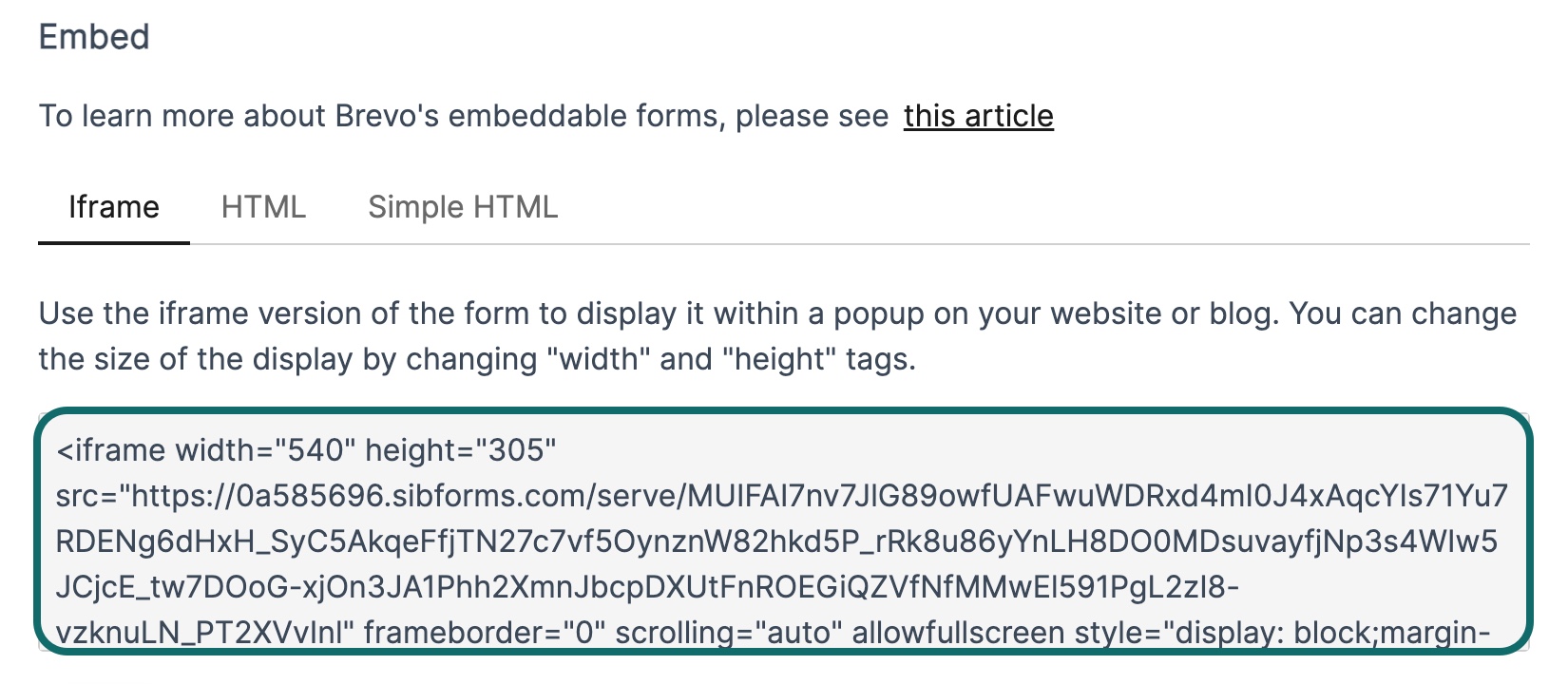 0
0 -
Hello Stephan,
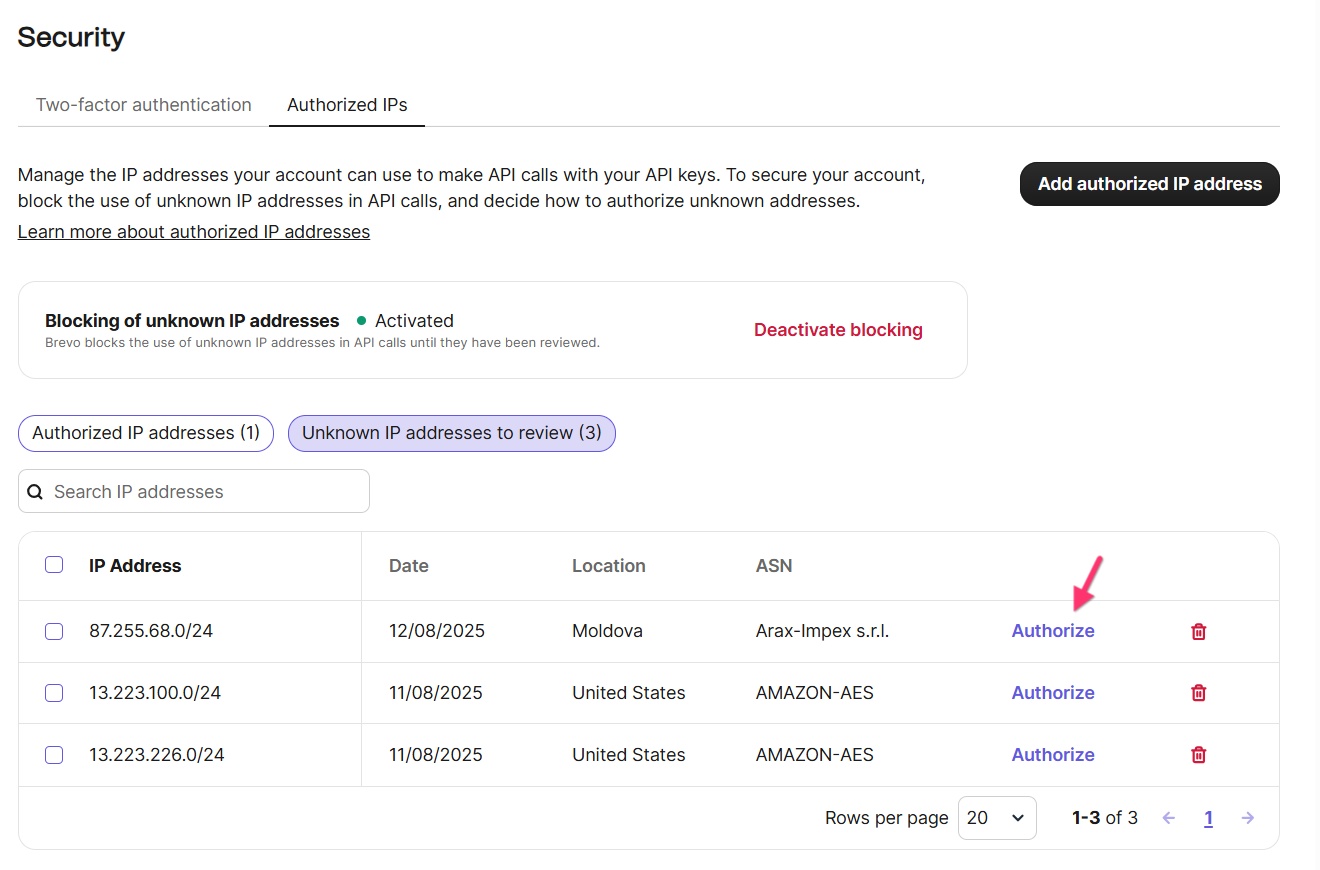
It was not due to a Brizy bug that the Brevo integration was broken. For the Brevo integration to work, the IP address of your website must be whitelisted in your Brevo account. Depending on the number of times you have attempted to integrate your Brizy form with Brevo, you will see a list of blocked IPs in your Brevo account. Please authorize the blocked IPs in your Brevo account to make the Brizy integration work, following the procedure at https://jmp.sh/f2bVOjTj
 0
0 -
I whitelisted the IP addresses.
Still at "Folder" there is no list to select, and the continue button does not work.0 -
In the last days, I am getting permanently new requests for new IP addresses for Unites States Amazon-AES via the Brizy interface. It is hard to judge whether I should allow it or not, because I do not have any clue if they are reliable. However, if I allow one of them, another 10 come right after that, and so on.
This is somehow not a good approach to regulate access.
I have now stopped whitelisting new IP addresses until a better approach is found.0 -
Hello Stephan,
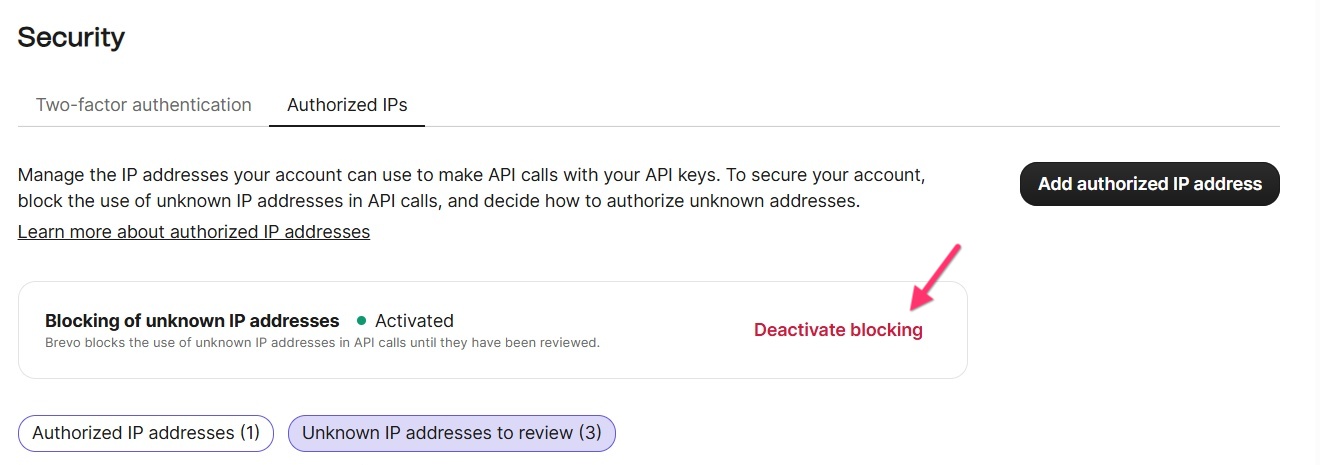
You are right; for every API call that you make from a Brizy Cloud project, Brevo captures a different IP address. This makes whitelisting of IPs practically impossible. Kindly deactivate blocking temporarily by selecting the "Deactivate Blocking" option and setup the Brizy-Brevo integration. After you setup the integration, you can activate blocking again.
 0
0 -
That seems to work, thanks.
0
Please sign in to leave a comment.
Comments
6 comments