Brizy Shop Navigation

I find it very unintuitive to navigate the product section in the Brizy Shop. First, I don't see a data sort option on the product page and I don't find a way to get back to the product page after making an edit change to a product without going back to all products and then I am taken to the beginning of the product section, not to the page and item I was working on. Ecwid WordPress has the same problem, but it needs to be fixed in my opinion. Can you please advise me on this. I may be overlooking something, which is not unusual. Thank you.
-

Hello Wil,
You are right; an option to sort products is currently not available. We are unable to comprehend your second comment completely. At https://jmp.sh/kKEDxG24, I am attempting to reproduce issue you have described above; but could not. Could you please elaborate on your feedback?
0 -
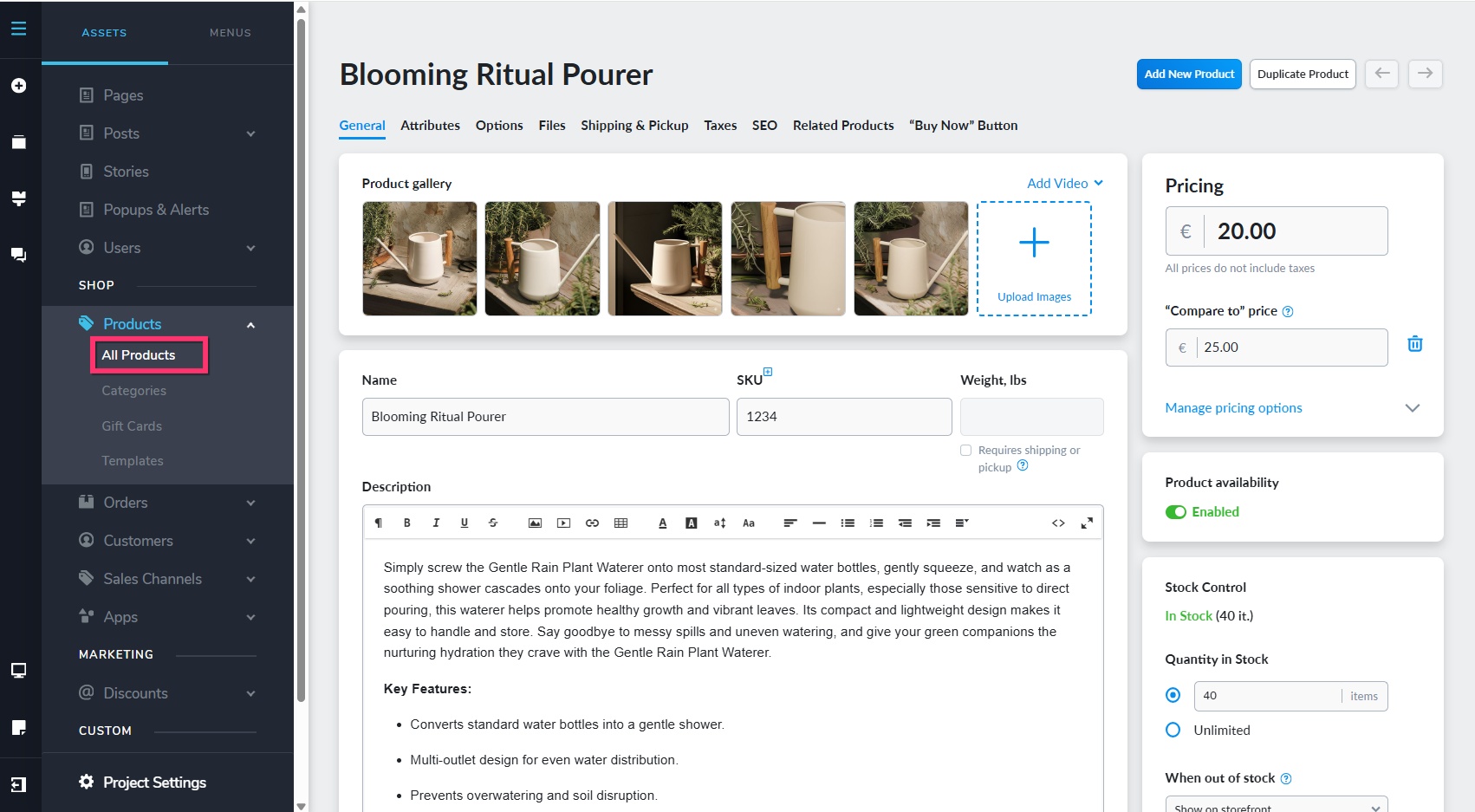
I think I see the issue. When I first open the application and navigate to the Products (All Products) tab I am taken to a listing that has actions, edit individual templates, duplicate and delete on the right. When I click on the Product name, I am taken to the individual product page where edits can be made. After clicking on Save and close or Save "CTL + S", there is no "Go Back" tab or button as found in the Ecwid WordPress system. How do I go back to the list I was using prior to the individual product edit? Interesting thing this morning however, once, when I clicked on the Products (All Products) tab, I was presented with a listing that looked exactly like the Ecwid WordPress list, which I am familiar with. The issue that I have with the WordPress version is that although it does have the "go back" tab after a save (or even without a save), it doesn't take you back to the item you were working on when you left the list. It takes you to the top of that list section which is a nuisance when you are working on an item that is near the bottom of that section. My recommendation would be to examine the WordPress Ecwid version and you will see what I am talking about. I am also puzzled as to how I was able to see the WordPress "Ecwid"-like listing in the Cloud version this morning. All in all, I believe the Products Ecwid list version is a much cleaner approach, but then as I mentioned, I may be missing something. Thanks again for you help.0 -
Hello Wil,
You're correct; selecting "All Products" from the left sidebar after making changes to a product will take you to the top of the product listing rather than the particular product you just edited.
 0
0
Please sign in to leave a comment.
Comments
3 comments