Issue with Brizy's auto-generated sitemap, giving errors for Sitemap.xml - needs a fix/patch.

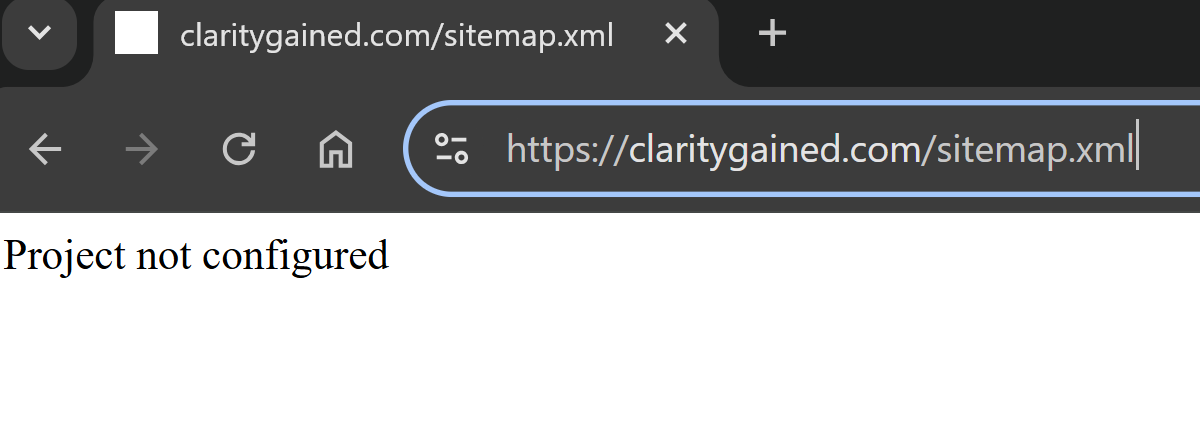
and a
400 error in both Google Console and SiteGuru:
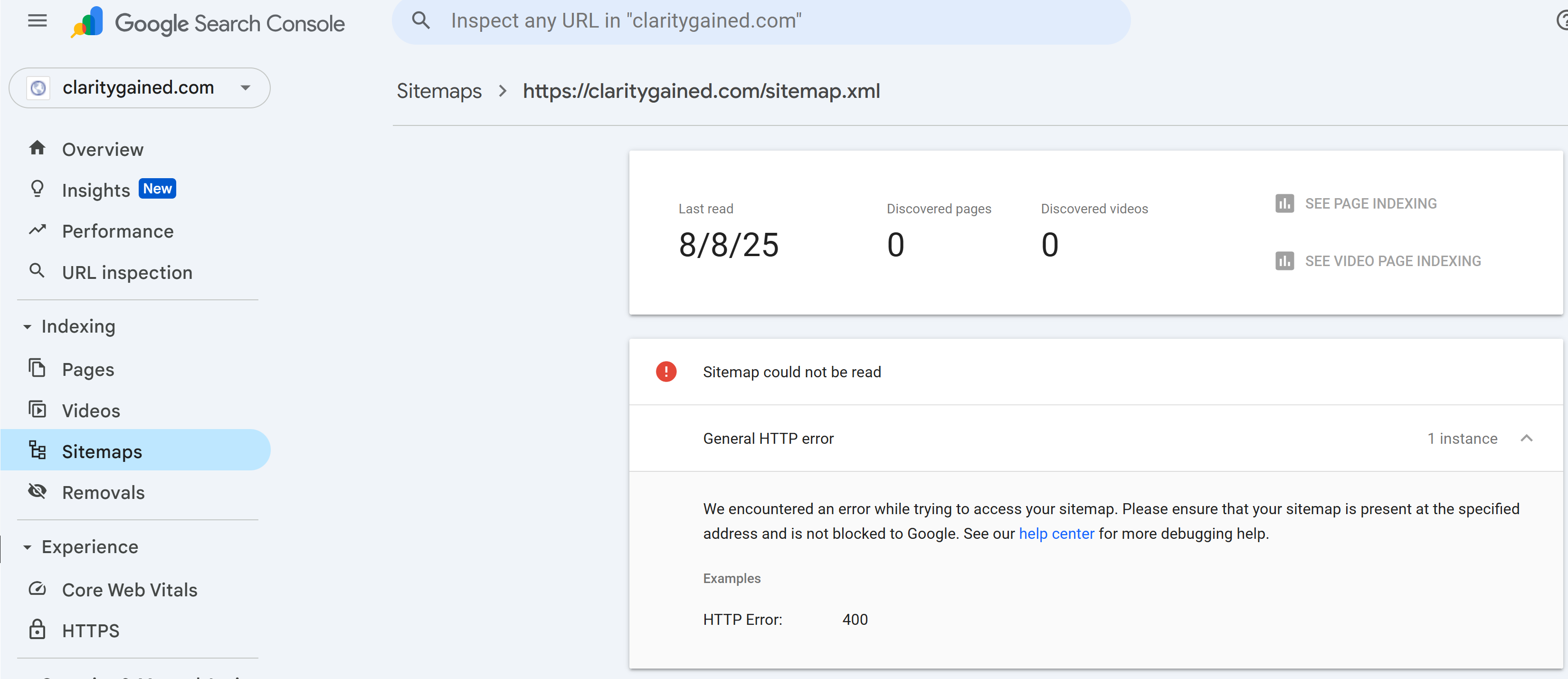
I've examined other users' feedback, and ask if you could please set up some auto checks on websites you host to catch and resolve these errors? The issue appears to be with Brizy's auto-generated sitemap.
Please regenerate sitemap for my project or provide a way to "push" a new version?
This is affecting my site’s ability to be crawled and indexed properly, which in turn impacts SEO and visibility. Could you please either regenerate the sitemap for my project or provide a way for me to trigger a fresh version?
Thank you for your help, and for looking into what seems to be a recurring issue among other Brizy users.
-

Hello Sunita,
The sitemap for your website is available at https://www.claritygained.com/sitemap.xml and not at https://claritygained.com/sitemap.xml Kindly provide the correct sitemap URL in your Google Search Console and let us know if you are facing any issues.
 0
0 -
Hi, Kc George,
Thanks for clarifying that my sitemap is at
https://www.claritygained.com/sitemap.xml.
To follow SEO best practices and avoid future indexing issues, could you set up a 301 redirect from the non-www version (https://claritygained.com) to the www version?This would ensure all traffic and search engine crawlers use the canonical domain, prevent sitemap errors in Google Search Console, and help consolidate SEO signals for my site. It should also help other customers avoid the same problem in the future.
Thanks for your help,
Sunita0 -
Hello Sunita,
https://claritygained.com, should ideally redirect to https://www.claritygained.com. Please add the required A Record to your domain and get back to us and we will setup this redirect.
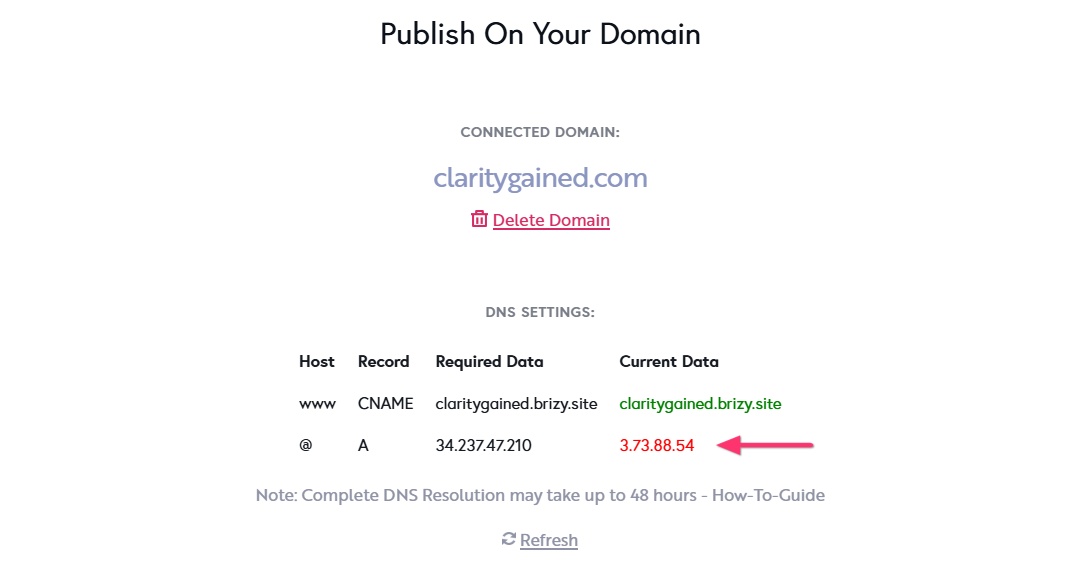
Keep in mind that this redirect will work only for your homepage. Other pages like https://claritygained.com/about will not redirect to https://www.claritygained.com/about.
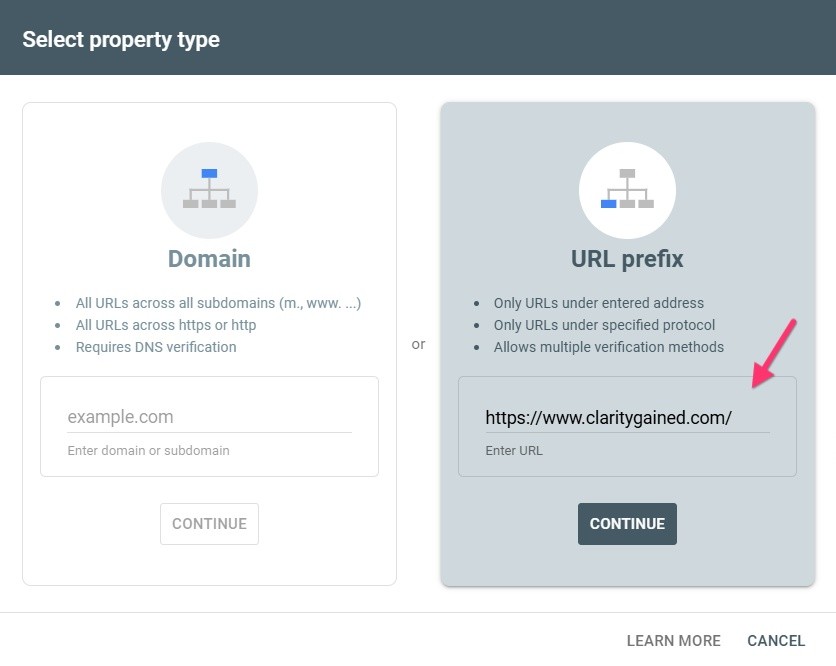
Please add a Search Console property using the URL https://www.claritygained.com/. and add the sitemap URL. This will ensure that the correct URLs are indexed by Google.
 0
0 -
Hi, Kc George,
Thanks for your guidance regarding the www redirect. I’ve implemented the redirect at DNS level so all URLs now point correctly to
https://www.claritygained.com and updated Google Console.I opted for this approach as it ensures the entire site, not just the homepage, redirects properly, something I know would be valuable for other Brizy Cloud users facing the same issue.
I appreciate your help and can confirm no further action is needed from your side.
Thanks again,
Sunita0 -
Hello Sunita,
I see that you are now using Cloudflare DNS. To make your domain point to your Brizy Cloud website, kindly follow these steps
- Add the required A and CNAME records to the Cloudflare DNS
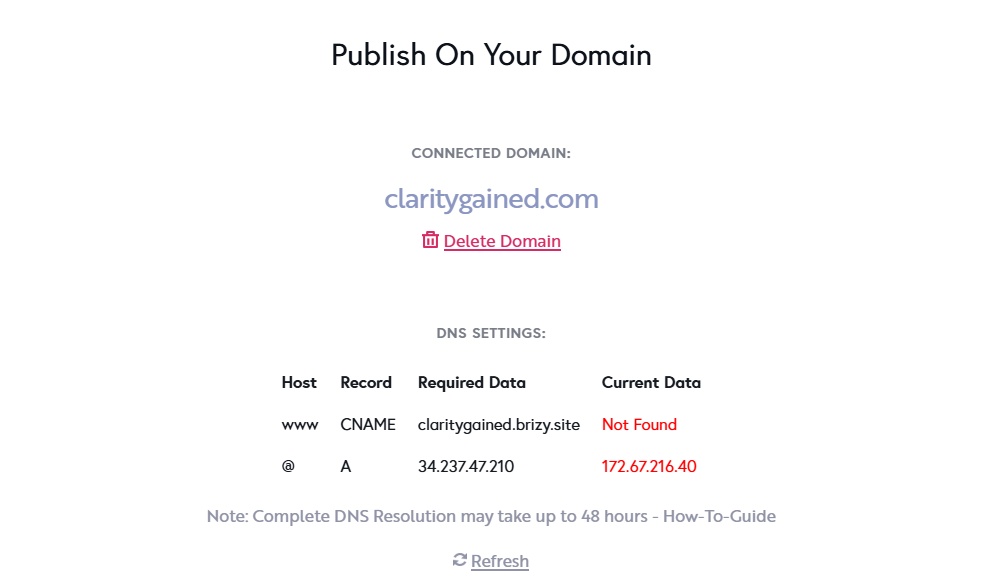
- Disable DNS proxy for the A and CNAME records


- Delete A and AAAA records pointing to external servers
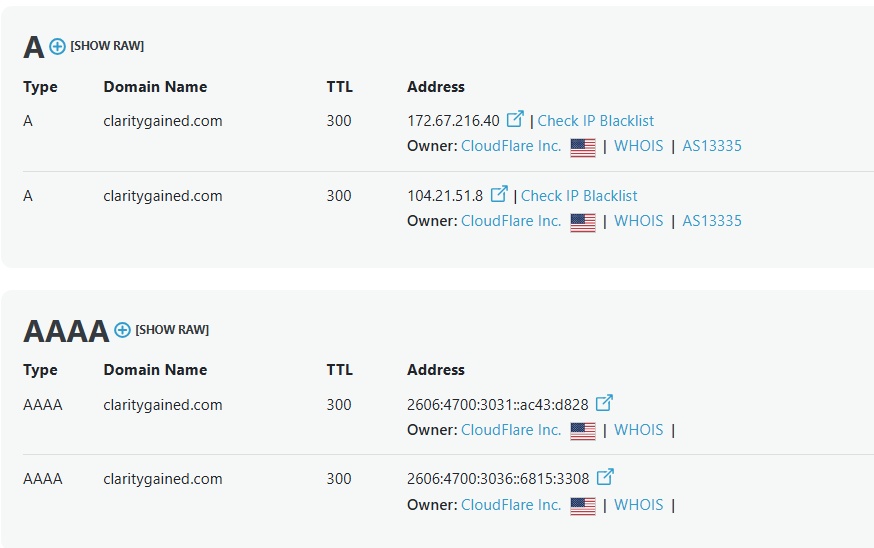
- If you see an SSL error after making the above changes, delete the custom domain, add it again and wait for 20 minutes to auto generate the SSL certificate.
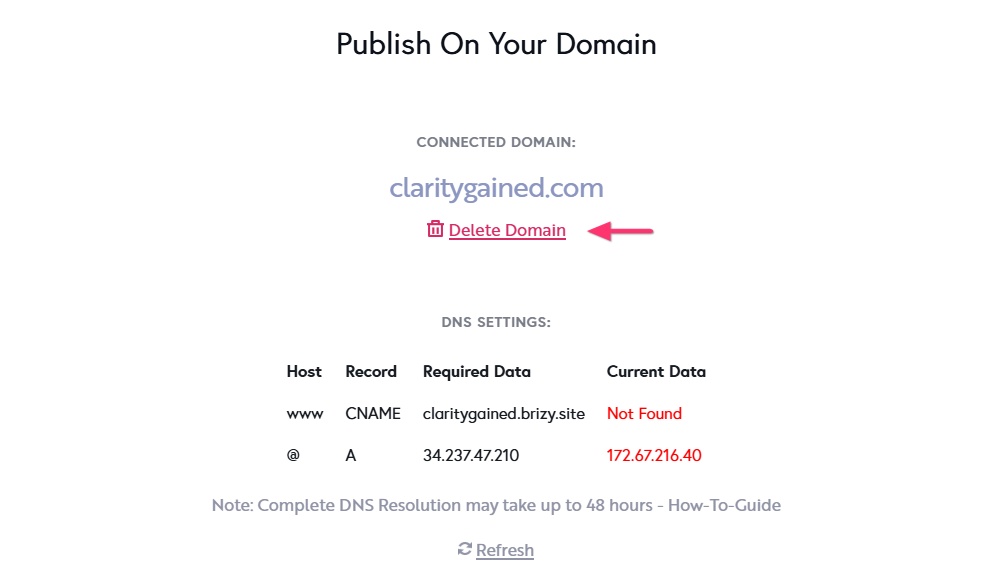
0 - Add the required A and CNAME records to the Cloudflare DNS
-
Hi Kc George,
Just a quick update to let you know the non-www to www redirect is now working perfectly.
Here’s what helped to get it sorted, in case it’s useful to anyone else:
- Checked DNS settings in Cloudflare – confirmed the existing CNAME for www pointing to claritygained.brizy.site was correct and set it to DNS only.
- Added an A record for @ (claritygained.com) pointing to 34.237.47.210 (Brizy’s root domain IP) and set it to DNS only in Cloudflare.
- Set the root domain (@) to point to the same target, also DNS only.
- Added a Page Rule in Cloudflare to forward all http://claritygained.com/* requests to https://www.claritygained.com/$1 with a 301 permanent redirect.
- Tested the redirect in an incognito browser and via online redirect checkers – all worked as expected.
Everything’s now running smoothly — thanks for your patience during the above amendments.
Kind regards,
Sunita Cooke, Clarity Gained0 -
Hello Sunita,
Thanks for the update. We are glad that you could successfully implement redirects from the root domain to www using Cloudflare Redirect Rules.
0
Please sign in to leave a comment.
Comments
7 comments