🛠️ Issue: Unable to save changes using Brizy – “This page needs a refresh” error

Hello, I hope you're doing well.
I'm experiencing difficulties saving changes to pages using Brizy. Every time I click "Update," I receive the following error message:
"This page needs a refresh. You’ve probably updated this page (or another page) in a different tab or browser."
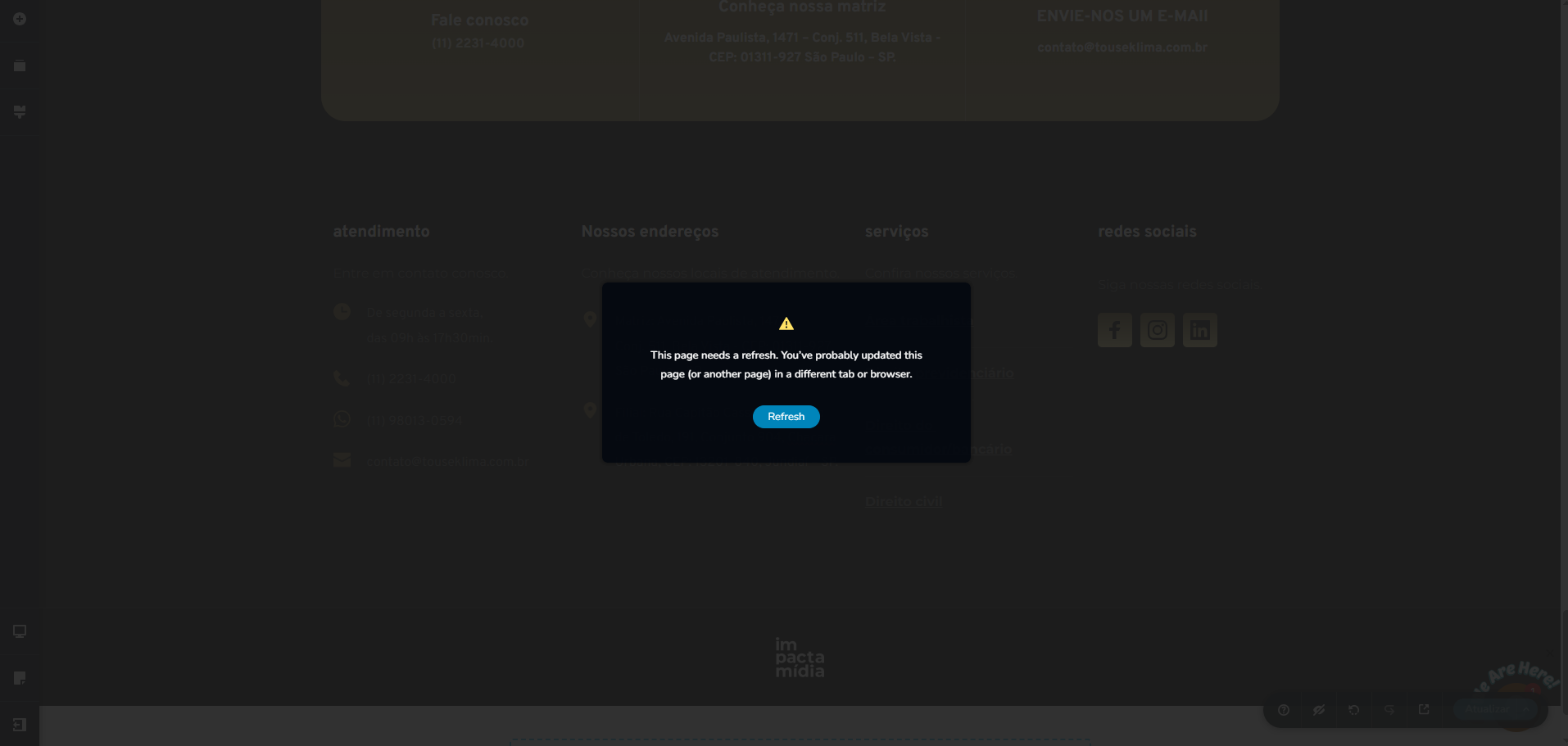
However, I'm certain that:
-
I don't have the same page open in another tab or browser.
-
This issue also occurs on other devices and from different locations.
-
I have already cleared the browser cache.
-
The Brizy and Brizy Pro plugins are both up to date.
Could you please help me identify what might be causing this issue or assist in resolving it?
Website link: https://www.touseklima.com.br/
Thank you in advance!
-

Hi,
Thank you for contacting us.
Please provide us with temporary access to your WP Admin page so we can take a look. Kindly add us as an Admin user to your WordPress Dashboard and send the following details to communitysupport@brizy.io.
Community Post link: https://support.brizy.io/hc/en-us/community/posts/28639089893906
WordPress Admin URL:
Username:
Password:Looking forward to your reply.
Best regards,
Ariel H.0 -
Hello Ariel, thank you for your response. I have just sent the email with the temporary access to the WordPress dashboard for your review. If you have any questions, please feel free to contact me.
0 -
Hi Pamela,
Thank you for your cooperation.
It looks like setting Wordfence to Learning Mode has resolved the issue. This will allow Wordfence to learn Brizy’s actions, so you can continue working without interruptions.

Best regards,
Ariel H.0 -
Hi Ariel, thanks for your feedback. I just tested the site and it's working now. I appreciate your attention and help.
Best regards,
Pâmela Marafigo.0
Please sign in to leave a comment.
Comments
4 comments