Connection To Brevo API Issue

I have created a form that features two text fields and two dropdown menus. However, when I attempt to integrate it with the Brevo API, it correctly displays my lists and relevant information, but fails to link the specific form fields I want to associate. Upon reaching the final steps of the process and clicking "Continue," the loading button just spins indefinitely. Although I don’t receive a timeout error, I have waited 3-5 minutes without any progress.
-

Hello Matt,
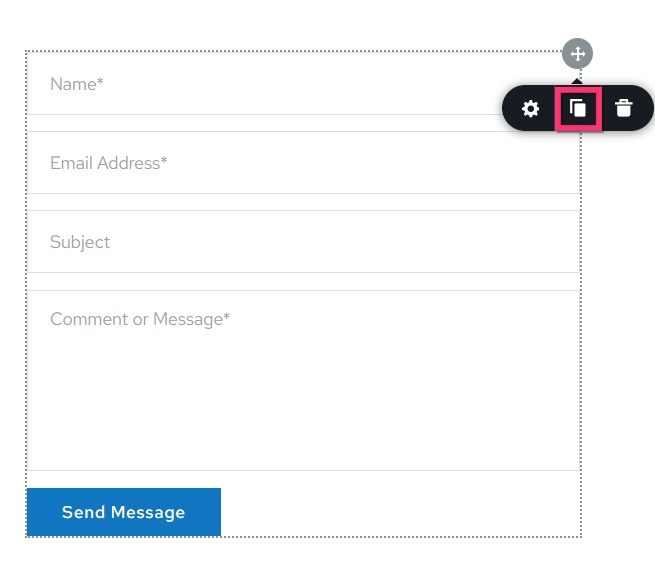
Kindly duplicate the form by selecting the "Duplicate" icon at the top right corner of the form, delete the original form, try the Brevo API integration in the duplicated form and check if the issue resolves.
If this does not help, kindly share with us the frontend URL of your website. We will take a look.
 0
0 -
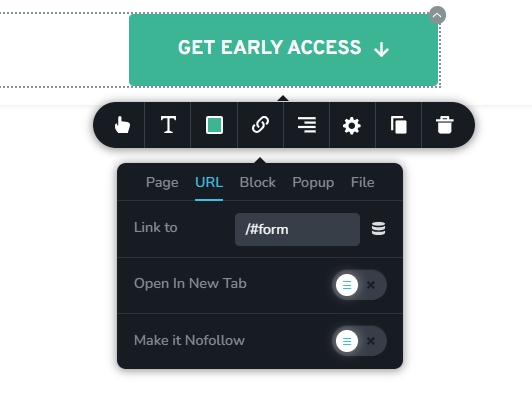
There may be more issues with the page, I'm noticing as well my CTA's do no anchor to the linked block. I linked them initially to the contact block at the bottom of the page and check settings of block and the ID/Block Within the admin, both of the linking names are correct.
I've inspected the page and it is showing <section id="form". Which, #form is the "block name" I am using.
However, the CTAs themselves are linking to a random text -> href="#ib74ab3b483836a6e17ed_viDxqK_NSBmU"
Not sure if this is normal or not?I tried duplication of the component form and it did not seem to work. The form is still searching for a connection to finish.
Please feel free to look here: https://www.petvue.app/0 -
Hello Matt,
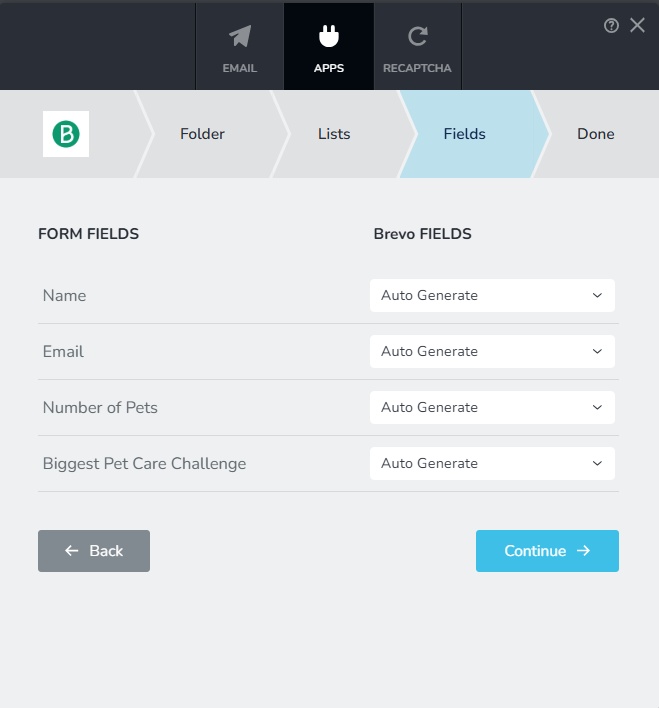
If your Brevo account, under Contacts > Lists > Petvue > Early-Access-Signup, kindly check the data fields of your contacts. Do you see these data fields?
- Name
- Number of Pets
- Pet Care Challenge

To add contacts into your Early-Access-Signup segment using the Brizy form at https://www.petvue.app/, your contact database should have the above data fields. During the integration of the form to your Brevo list, kindly map the form fields with the Brevo Contact Fields and check if the issue gets resolved.
The feature to link to a block within the page using the Link tool is broken at the moment. I have added anchor links manually to fix the issue.
 0
0 -
Hello Matt,
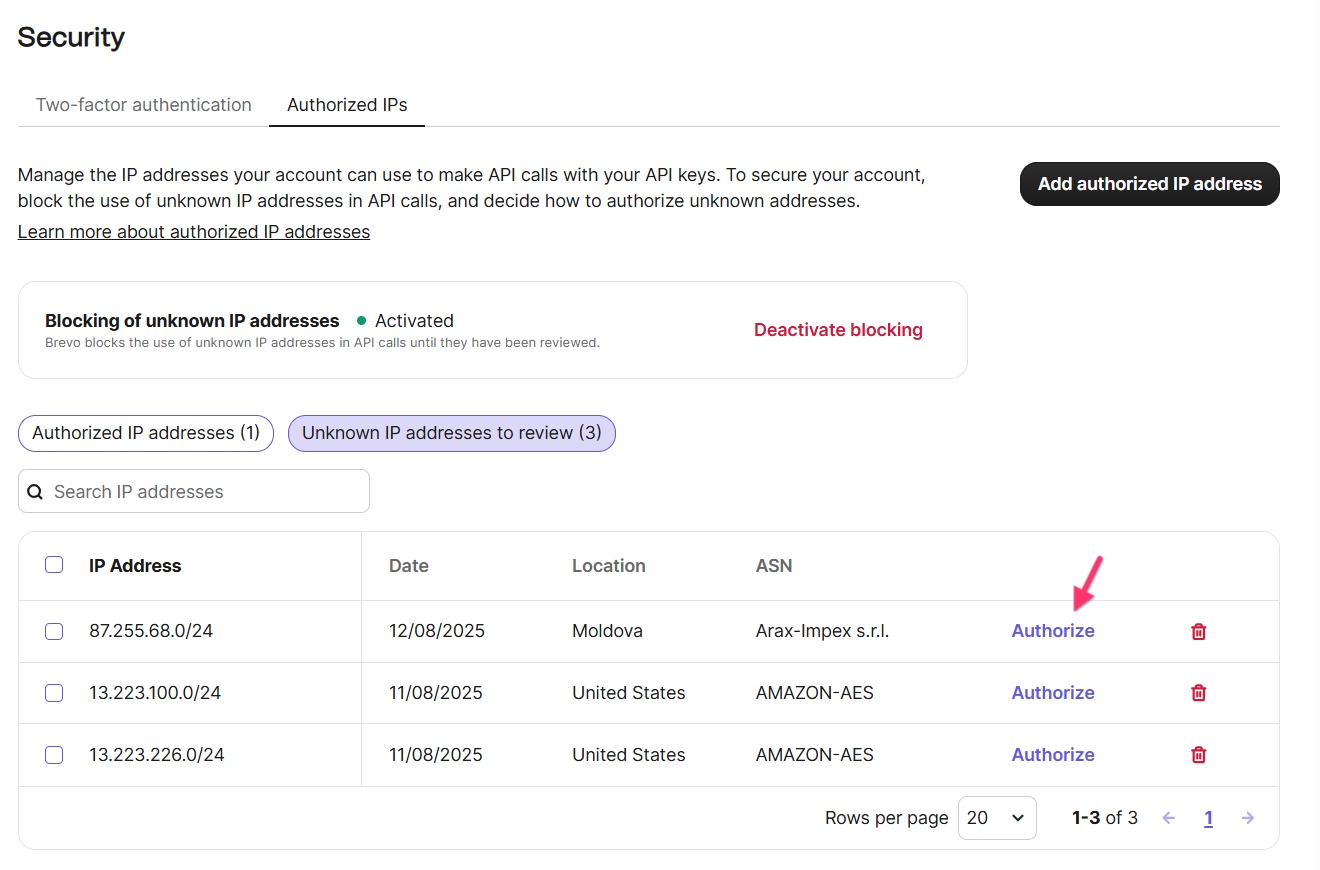
For the Brevo integration to work, the IP address of your website must be whitelisted in your Brevo account. Depending on the number of times you have attempted to integrate your Brizy form with Brevo, you will see a list of blocked IPs in your Brevo account. Please authorize the blocked IPs in your Brevo account to make the Brizy integration work, following the procedure at https://jmp.sh/f2bVOjTj Once you authorize the IP, the Brizy- Brevo integration will work.
 0
0
Please sign in to leave a comment.
Comments
4 comments