web site antakyataksi.net not open

My website, antakyataksi.net, was live on Brizy Cloud, but I noticed it hadn't been opening for a while. DNS is correct. Brizy domain panel is verifying. Everything is fine, but the site isn't opening. The site is being opened and edited through Brizy Cloud admin. Nothing has changed. Could you help me with this urgent issue? Thank you.
Domain: antakyataksi.net
projects/22697112
-

Hello Umut,
If your DNS records are hosted on Cloudflare, kindly ensure that DNS Proxy is disabled for the A Record and the CNAME Record pointing to Brizy Cloud webserver.


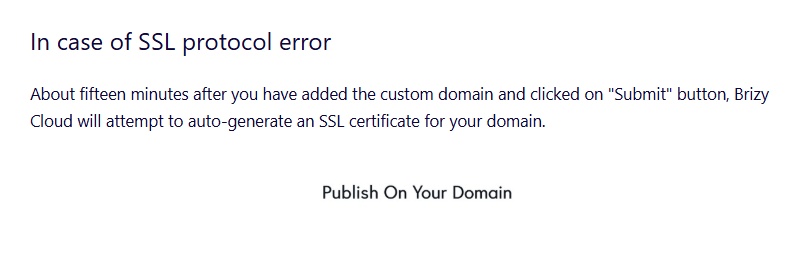
After confirming this, kindly follow instructions under the heading "In case of SSL protocol error" at https://support.brizy.io/hc/en-us/articles/360041764052 to auto generate the SSL certificate for your domain.
 0
0 -
Kc George, the problem is very different. As Brizy Cloud Agency, we have dozens of sites. Our site, antakyataksi.net, was live, but one day it stopped opening. I've checked with Cloudflare numerous times, and everything is normal and correct. The SSL connection from Brizy Public verifies the domain, but the site doesn't open. All our other sites are opening. There's a block or other underlying issue on the Brizy Cloud side that we can't reach.
0 -
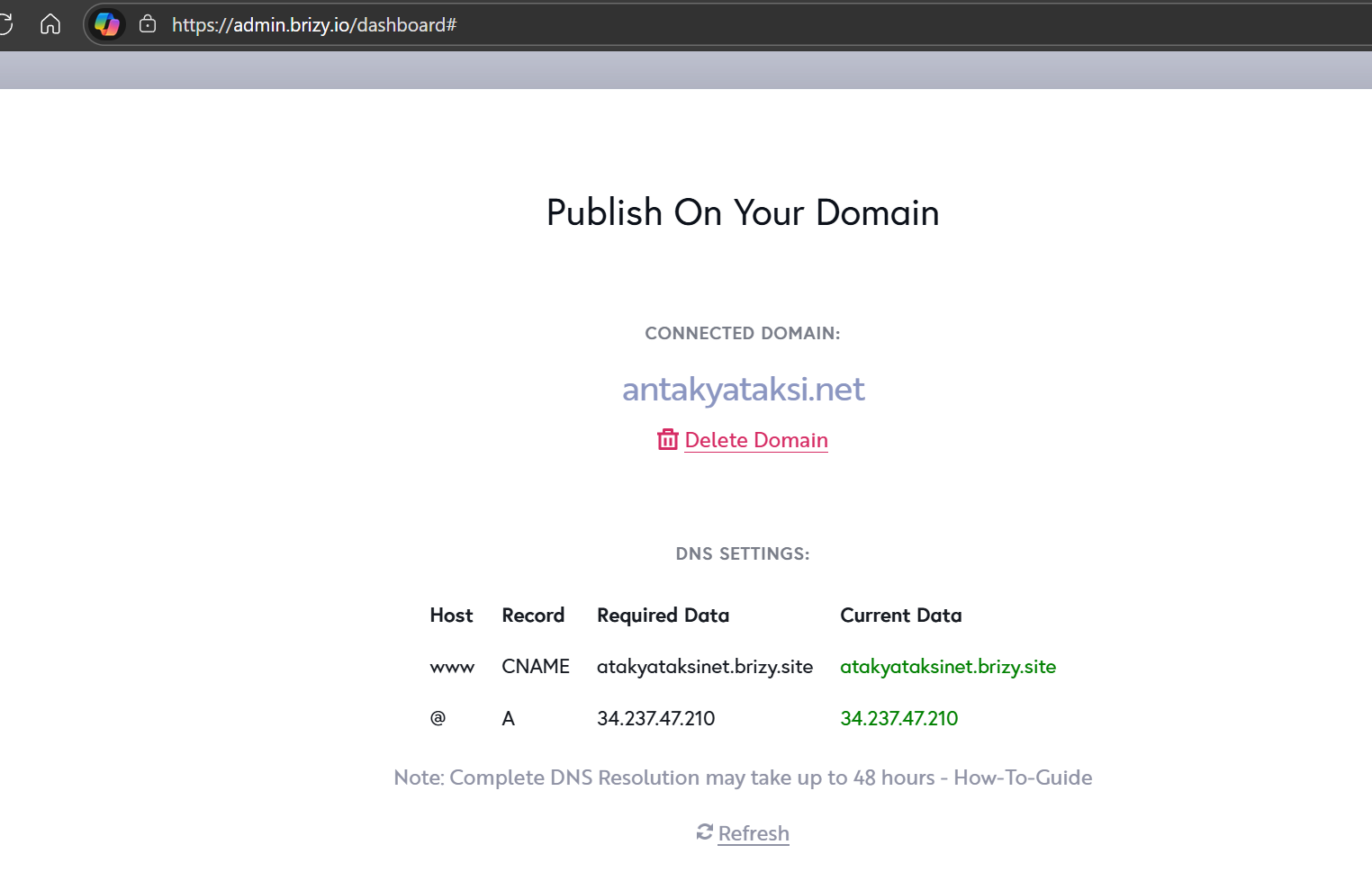
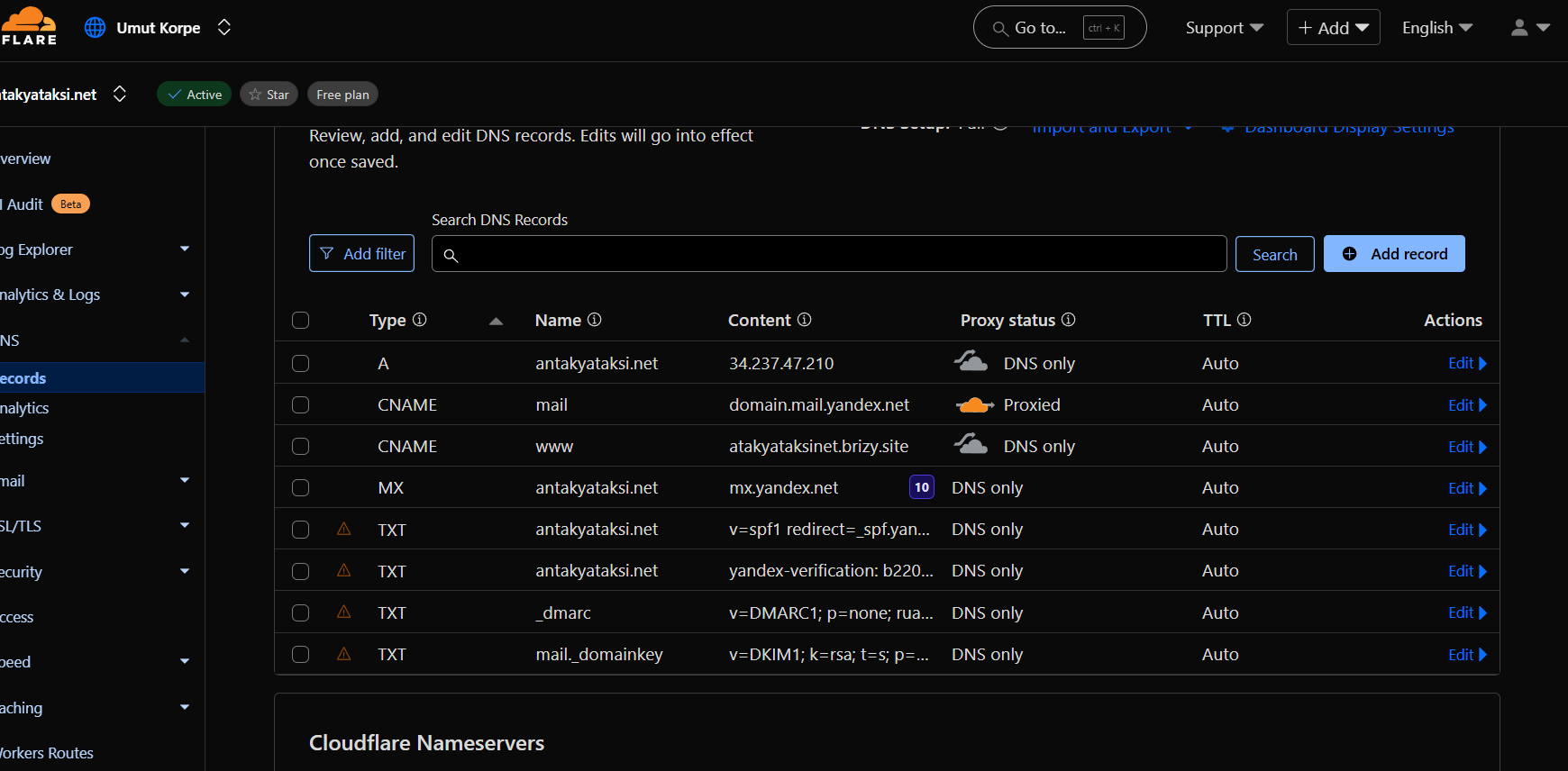
As you can see, everything is correct and error-free, but the site suddenly stopped opening. I deleted the site, duplicated it and opened it again, it remained open for a few hours and then it closed again on its own.
0 -
Hello Umut,
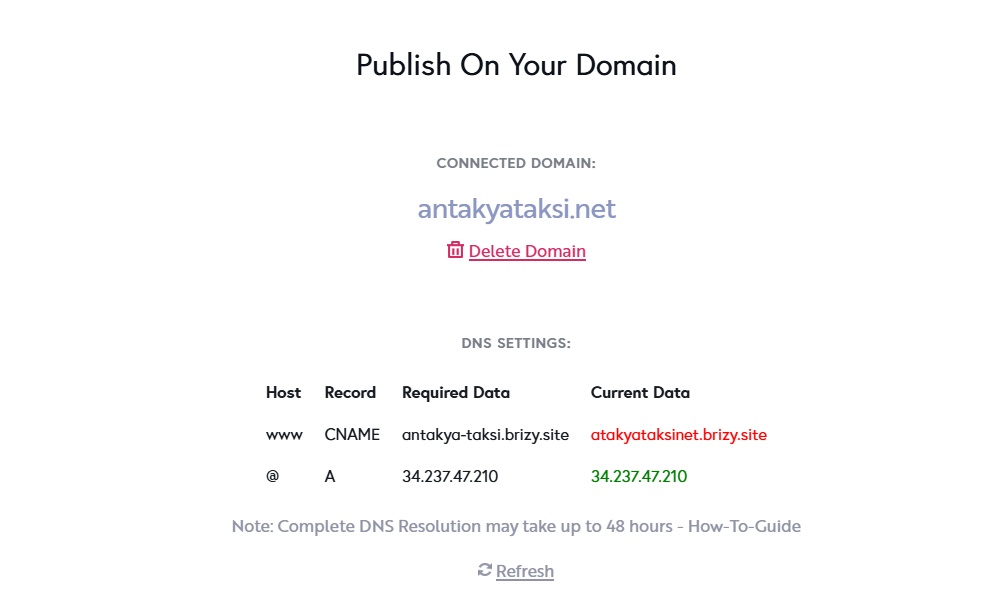
The brizy.site subdomain you were using did not point to your website. I have changed your subdomain to antakya-taksi.brizy.site. Kindly update the CNAME record in Cloudflare and get back to us.
 0
0 -
I updated the DNS and the site opened. It opened the other day in the same way, but then it closed itself. Can we check the reason for this error and prevent it from happening again? Thank you.
0 -
The site was only working for half an hour or an hour, but then it closed itself in the same way. We did this many times and the same problem occurs again, it closes itself. What is the source of the problem? Could something like a firewall be blocking Brizy?
0 -
Hello Umut,
The subdomain www.antakyataksi.net should ideally show the IPs: 3.73.88.54 and 3.126.238.36. Instead, we see the IP 127.0.0.1 in your case, which is unusual.
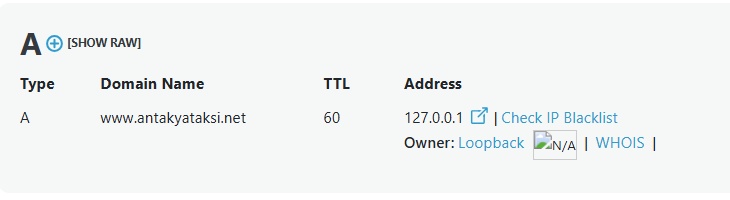
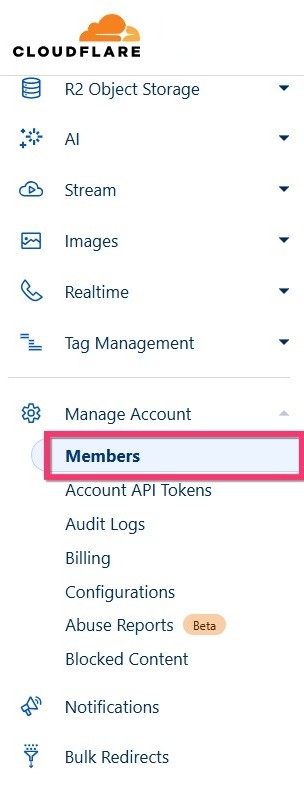
Can we have access to your Cloudflare account to check why this happens? To give us access, under Manage Account > Members kindly invite communitysupport@brizy.io as a member. Kindly grant us these two roles. Have a look at https://jmp.sh/7yrM2qGq
- Domain Administrator
- Domain DNS
 0
0 -
I disconnected the https://antakya-taksi.brizy.site/ domain and disabled the cloudflare proxy and all security features. The site is not running on Brizy Cloud. The problem seems to be on Brizy Cloud's side, not Cloudflare's?
0 -
Unfortunately, the problem is in the Brizy Cloud systems, but what is causing the error? I'm waiting for a solution. As a software and server administrator, I believe the problem is caused by a firewall or similar security structure on the Brizy Cloud servers, a ban, or something similar.
You may see that the brizy cloud subdomain does not work without the domain connected.0 -
Hello Umut,
I have changed the subdomain to https://antakya.brizy.site. This subdomain will stop working if you add it to your Cloudflare account. Kindly switch your name servers back to your domain registrar and add the required A Record and the CNAME there.
0 -
When you do this, the site opens for an hour, then stops opening again. Unless you've made any changes other than this A record, I've done this many times and it works temporarily, but then it restarts?
The site is currently open, but it will be closed again in 2 hours unless another problem is detected and corrected.
0 -
Hello Umut,
Do you mean that you have switched to ihs.com.tr name servers (from Cloudflare) and even then the domain shows error after one to two hours?
0 -
https://www.antakyataksi.net The same problem has happened again, and the site won't open. No DNS records have changed. I've done this at least 5-6 times, but it doesn't fix the problem. The problem must be with the Brizy Cloud servers or the Fierewall. Could you please check and intervene urgently?
0 -
Hello Umut,
This was expected as I said in an earlier statement. "This subdomain will stop working if you add it to your Cloudflare account". Out of thousands of custom domain websites hosted on Brizy Cloud, https://www.antakyataksi.net is the only one which opens for an hour then stops opening. While a firewall or security software on the Brizy Cloud servers could be a possible cause, since this happens only with this website, can we do more tests at your end?
- Remove the custom domain, change your subdomain to something like https://antakya1.brizy.site and add the custom domain back.
- Remove the domain antakyataksi.net from Cloudflare and add it again, add the required A Record and and CNAME record, disable DNS Proxy for these two records and check if the issue resolves. This will reset all additional DNS configurations added to your domain earlier. Several Brizy Cloud users hosts their DNS records on Cloudflare and the domain resolves correctly for all of them. Kindly stick to the default DNS configuration and do not add any Redirection Rules or other DNS configuration. (If you like, we can carry out these steps for you if you give us access to this domain in Cloudflare)
- If this does not help, remove Cloudflare Name Servers from your domain registrar account and use their default name servers. Add the required A and CNAME records in your domain registrar account and check if this resolves the issue.
0 -
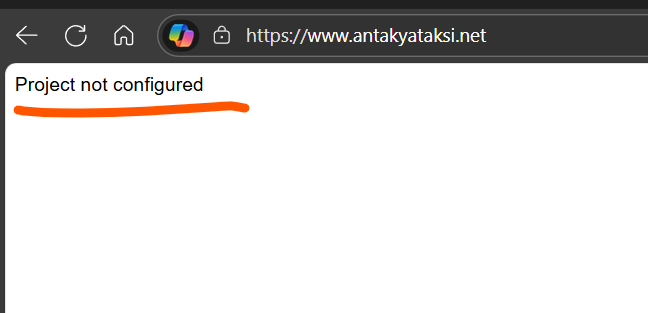
I installed the DNS server cloudflare.com on IHS and the Brizy Cloud domain add DNS entries are shown in green. However, the site is not opening. Can we check? Thank you.
ERR_SSL_PROTOCOL_ERROR
 0
0 -
Hello Umut,
We have fixed the above issue. https://antakyataksi.net/ should work fine now.
0 -
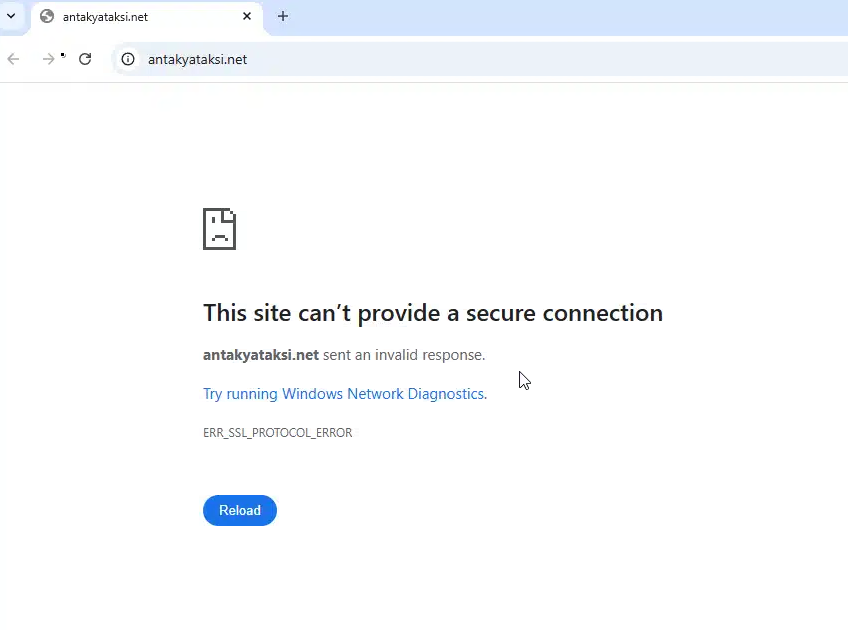
I get the "ERR_SSL_PROTOCOL_ERROR" error and the site doesn't open?
 0
0 -
Hello Umut,
I have created a private ticket for you. Kindly look for an email from support@brizy.io. My colleague Basharat will help you with this issue.
1
Please sign in to leave a comment.
Comments
18 comments