Bug - Product Price: Huge space

Hello
The formatting for product PRICE block has a huge bug - rendering in a very strange way. The text is centered in the template.
https://meditateincapetown.org/retreats/meditation-retreat-western-cape/
How can this be fixed?
Thanks
-

Hello Tushita,
Ideally you should be able to set the pricing text as left, center and right aligned. Do you mean that you do not see an alignment icon for the Brizy Pricing element?
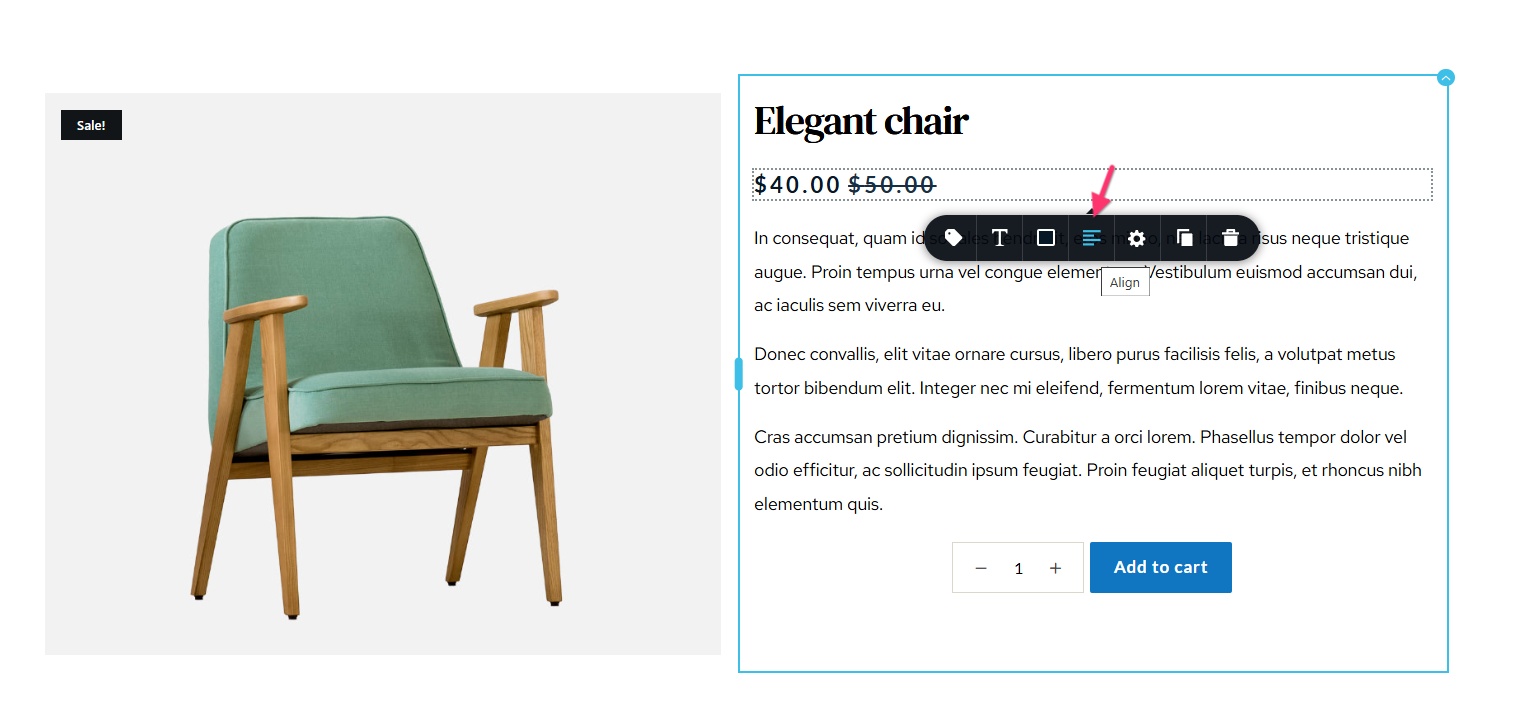 0
0 -
Yes I see the menu for aligning text and yes it does align the text BUT there is a huge space between the second price. This is a Price Block - please check the image below
 0
0 -
A bug perhaps as there is no way I can change this text as it is coming via WooCommerce and Brizy Price Block
0 -
Hello there,
This could be due to a bug. Kindly try this work around to fix this issue in your project. Drag the Row element next the Brizy Price element and delete one of the two columns in the Row. Drag the Brizy Price element into the Row. Then reduce the width of the Row element to let's say 60% to reduce the gap between the prices. This percentage width needs to be customized for the desktop, tablet and mobile.
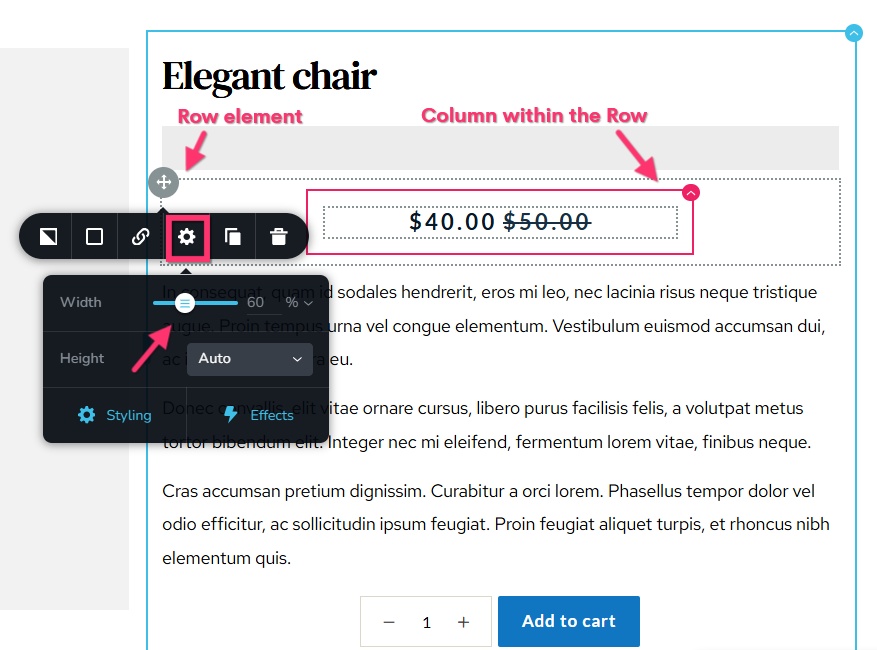 0
0 -
Cannot drag a row element into a column within a row. Is there another work around?
0 -
Hello there,
Kindly try setting an equal right and left margins (something between 150-25 pixels) to the price element and see if that helps.
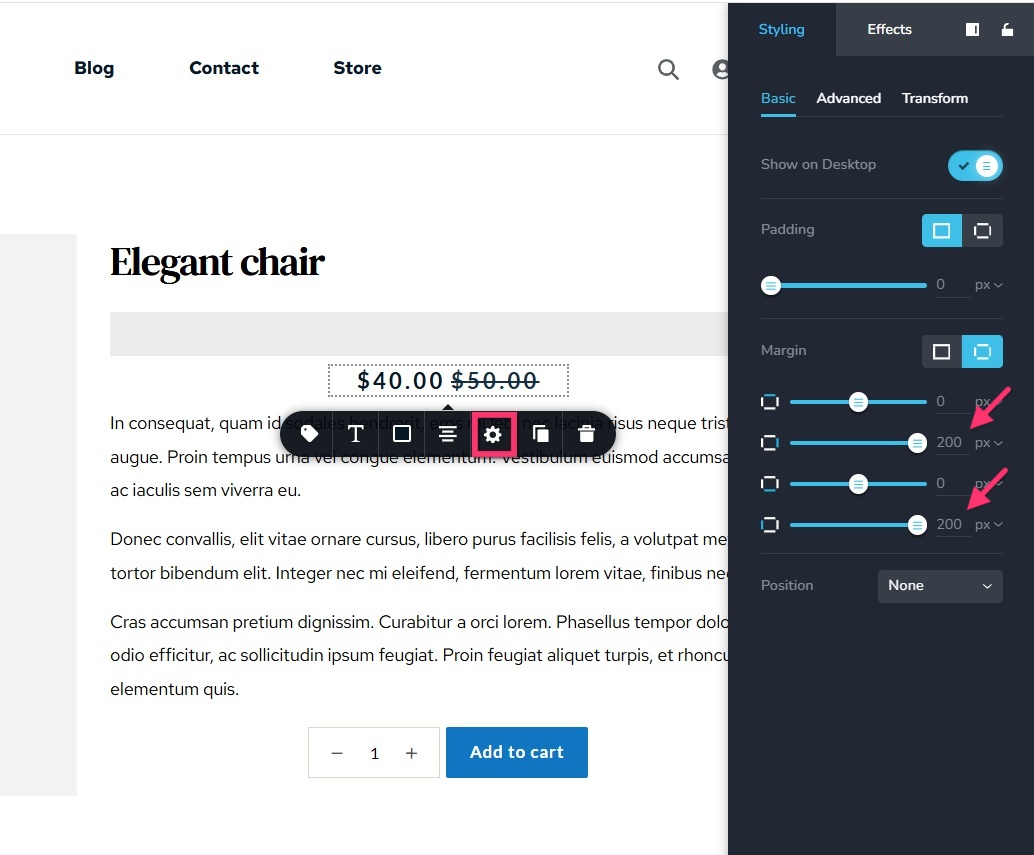 0
0
Please sign in to leave a comment.
Comments
6 comments