Link - Anchor Links not working - creating random #tags on publish

Hi,
Website:
https://radfordadvisory.com/
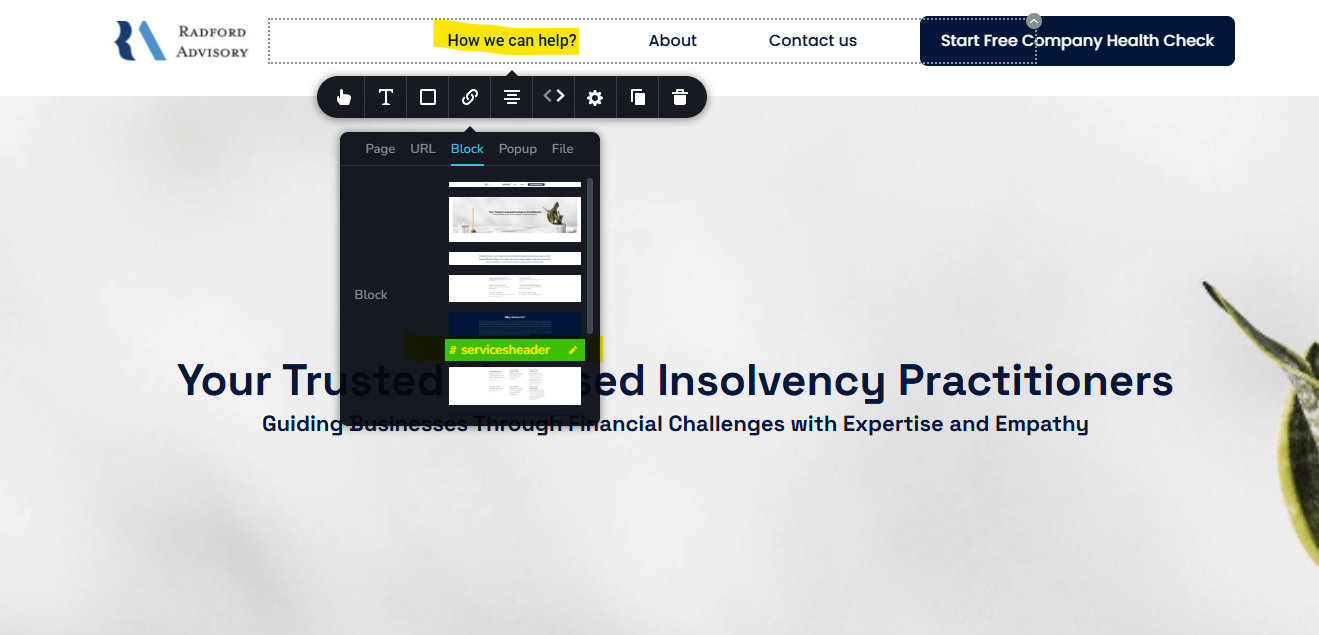
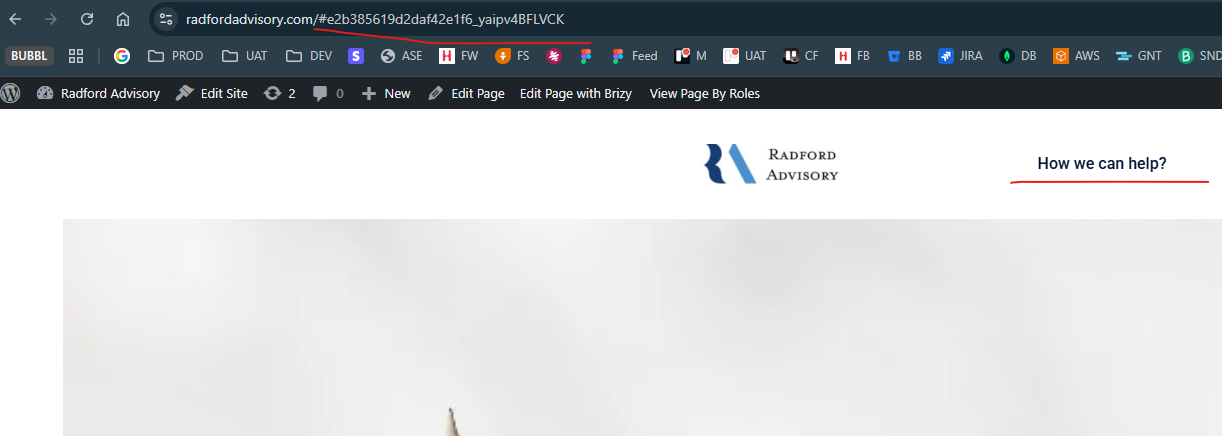
I click on the top menu item, click "block" and then link to a block. When I publish, the anchor # is created as something completely random and not the #servicesheader anchor I used.
Note there was previously an issue with the WP plugin (it wouldn;t register as it kept getting blocked by your security services) - so not sure if this needs updating.
See screenshots below.
-

Hello Benjamin,
We have fixed the above issue and you can see how we did it at https://jmp.sh/zaqiOASh. Please check if your menu buttons link to appropriate blocks.
0 -
Hi George,
Thanks for fixing... however the button "Start Free Company Health Check" button is still not working and if I try and link it to the Contact Form - it just adds a hashed section anchor.
While I appreciate you fixing this issue originally - please can you explain what is going on here as I cannot come to you each time I need to link to a block!
Ben 0
0 -

Hi Benjamin,
We’ve released an update today. Could you please install it and see if this helps fix the issue?

Best regards,
Ariel H.0 -
Hi Ariel,
This is YOUR license installed, as the license server was blocking the registration requests.
I can try...
Ben0 -
Hi Ben,
The license is active. If the updates aren’t showing in your WordPress dashboard, you can manually uninstall both Brizy and Brizy Pro, then download and install the latest versions from your account dashboard.
Please note that uninstalling Brizy and Brizy Pro will not deactivate the license.
Best regards,
Ariel H.0 -
Hi Ariel,
Ok, I updated both - no difference.
And see the link it is generating.
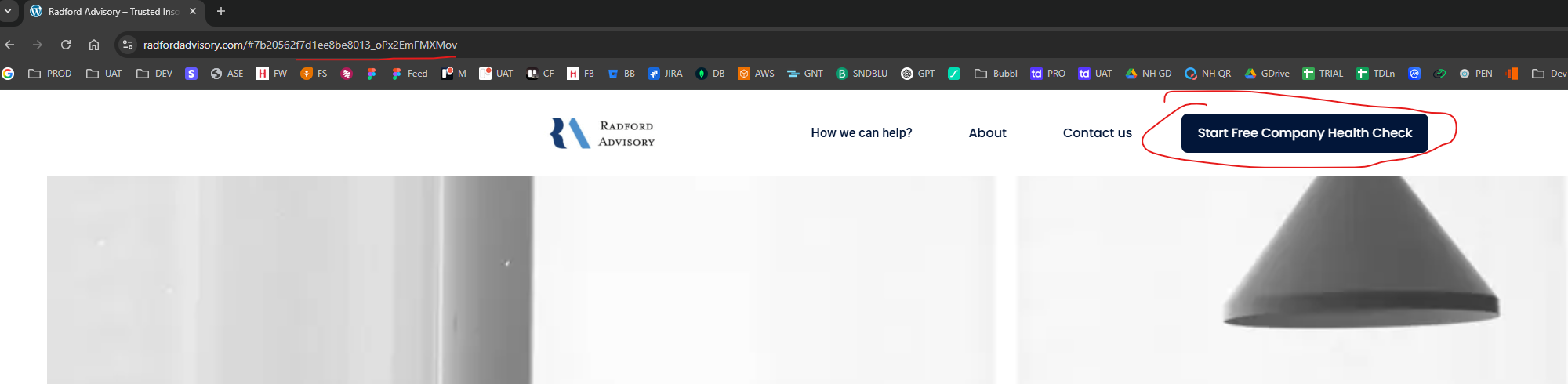
This is the link, it is generating no matter which block I link it to.
Please can you have a look and explain what is going on its crazy that I can't link top a block via #anchor and that I have to do this outreach.
Regards,
Ben0 -
Hi Ben,
Thank you for the update.
The anchor works in the latest update. Here’s a quick screencast showing it in action: https://youtu.be/qCzeVX61zjE
If you have any further questions, please let us know.
Best regards,
Ariel H.0
Please sign in to leave a comment.
Comments
7 comments