Editor issue

Hi there,
Got a strange issue. When I login as an editor to this page and edit it in Brizy, I can edit it fine but when I preview it's lost it's formattring. See screenshot below:

Note the header and footer, both Brizy elements are fine.
In the error log I see this, not sure if it's related or not:
[29-Jul-2025 09:12:00 UTC] Cron reschedule event error for hook: brizy-cloud-synchronize, Error code: invalid_schedule, Error message: Event schedule does not exist., Data: {"schedule":"5minute","args":[],"interval":300}-

Hi Darren,
Thank you for contacting us.
The cron job error you’re seeing isn’t related to the layout issue, it’s a background task and won’t affect how your page displays.
To help troubleshoot the formatting issue, please try clearing your browser and site cache. If you’re using any performance or caching plugins, you might also want to temporarily disable them to see if that helps restore the layout.
Please try this and let me know how it goes.
Best regards,
Ariel H.0 -
Hi Ariel,
I cleared cache at the time but it didn't make any difference.
The site is a multisite but not sure what difference that would make?
I'vew also created a new page, saved it and previewed it with the same result. See screenshot
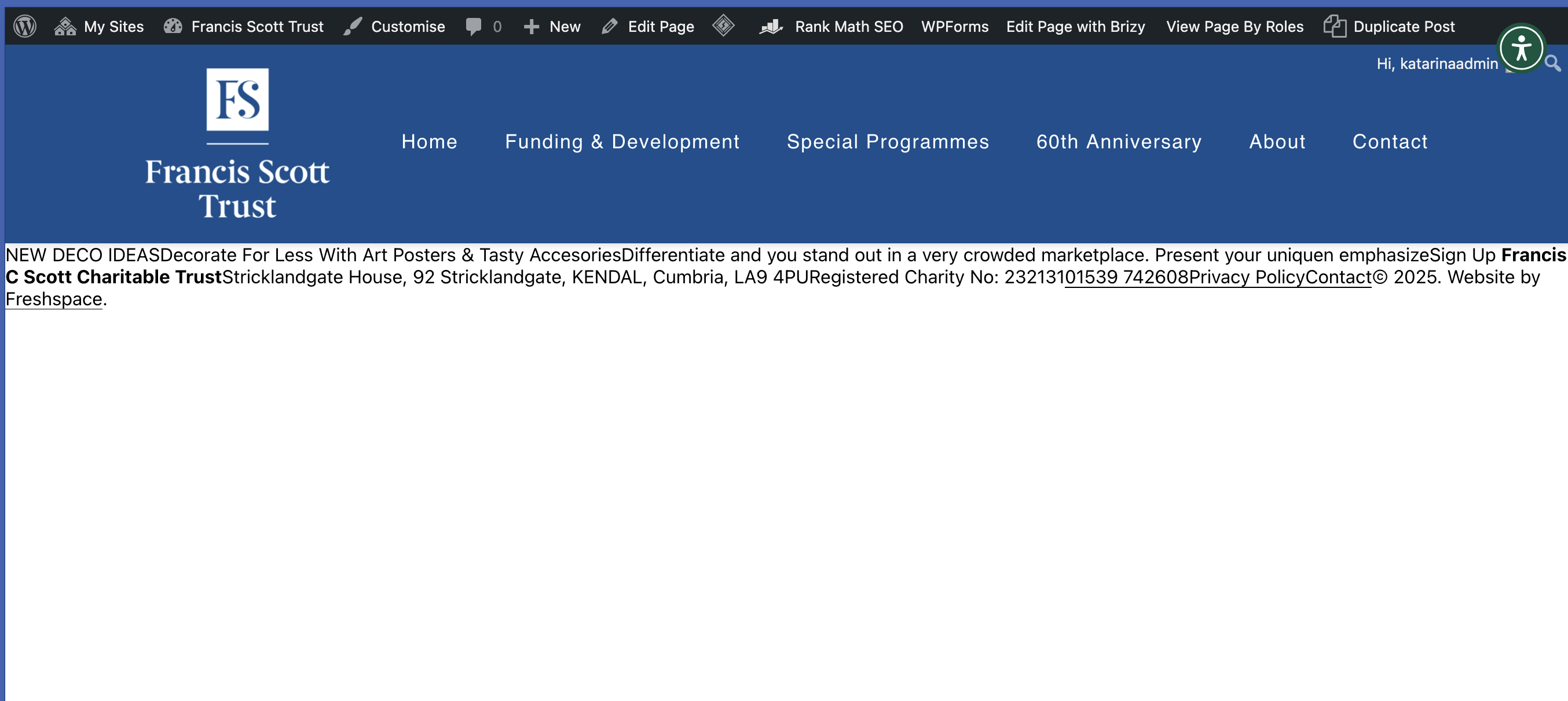
We've had a lot of issues with rescent Brizy updates so not sure if this is related or not?
Thanks,
Darren0 -
Hi Ariel,
A quick update. I worked out that any editor, no matter what role also had to be set as Super Amin.
I changed the new users to Super Admin and then edited / saved the page and there was no formatting issue.
Thanks,
Darren
0 -
We had another site with the same issue. See attached:
With this one we had to edit the page and make a change to each block in the site. I think there was around 10 on this page.
Also this isn't a WordPress multi site, so perhaps that connection isn't the issue?
Thanks,
Darren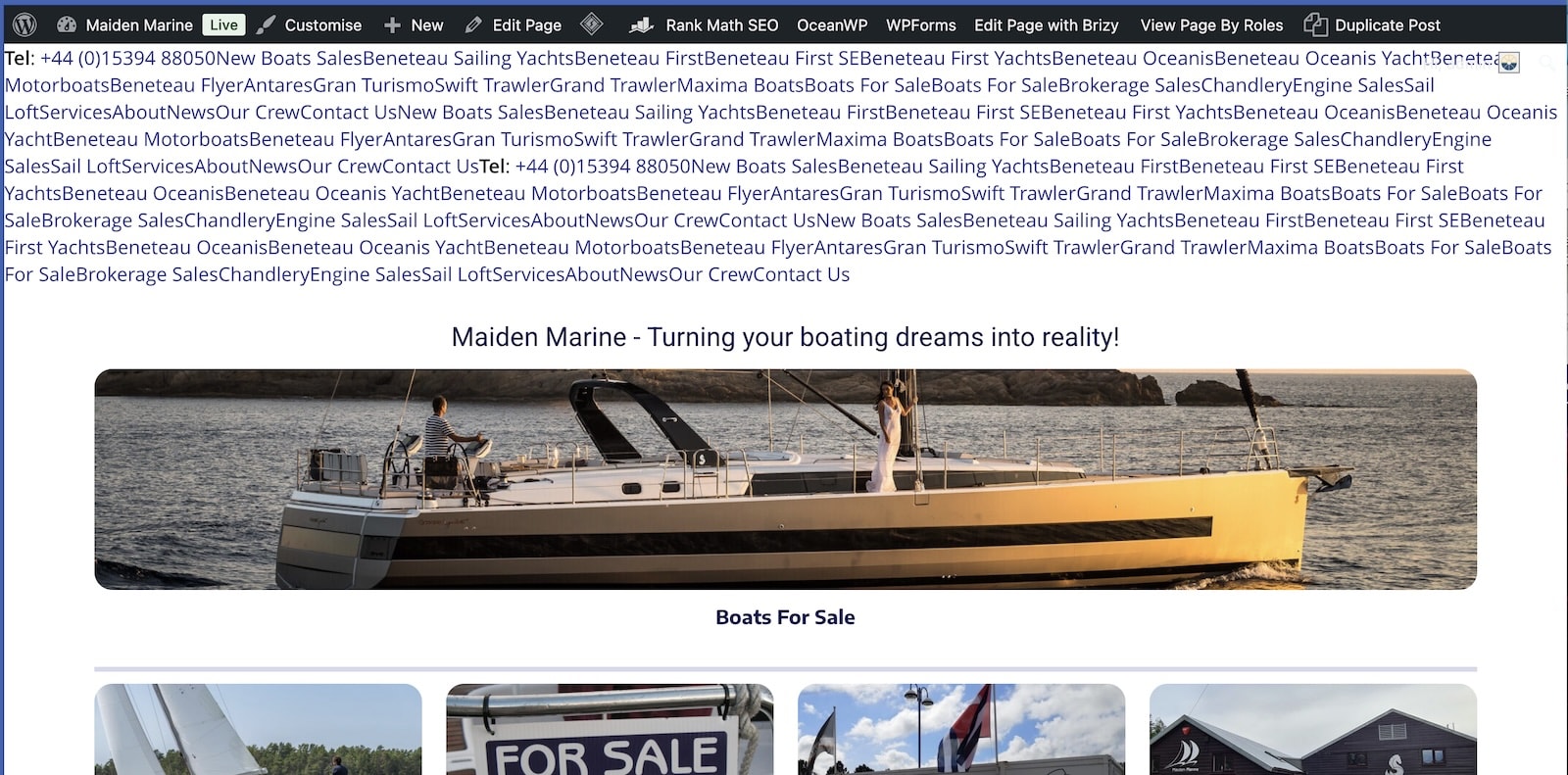 0
0 -
Hi Darren,
Please share your WordPress admin login details with us so we can take a closer look. Please add us as an Admin user to your WordPress Dashboard and send the following details to communitysupport@brizy.io.
Community Post link: https://support.brizy.io/hc/en-us/community/posts/28400570170002
WordPress Admin URL:
Username:
Password:
Also kindly let us know how to find this page or include the URL.Looking forward to your reply.
Best regards,
Ariel H.0 -
Hi Darren,
Thank you for your cooperation. I’ve inspected your site and also created a test page, but I wasn’t able to replicate the issue on my end.
Could you please provide us with step-by-step instructions on how to reproduce the problem? If you're encountering the same issue on other pages or sites, a short screencast would also be very helpful.
If you come across the issue again on other pages or sites you manage, kindly avoid fixing it right away so we can attempt to replicate and investigate it from our end. Feel free to send over the credentials as well so we can take a closer look.
Best regards,
Ariel H.0 -
Hi Ariel,
The problem is. We've now fixed the issue so until it breaks again I don't know how we'd replicate the issue. But clearly there has been an issue somewhere.
Thanks,
Darren0 -
Hi Darren,
Thank you for the update, and I’m really sorry we weren’t able to catch the issue while it was still happening.
In order for us to replicate and escalate the issue properly, we do need to see it in action. Unfortunately, since it's already been resolved, we’re unable to provide support for it at this time.
If the issue happens again, please don’t hesitate to report it to us immediately using this same support thread so we can look into it right away.
Apologies again and thank you for your understanding.
Best regards,
Ariel H.0
Please sign in to leave a comment.
Comments
8 comments