Unable to custom cart template

Dear Brizy Support Team,
I hope you're doing well.
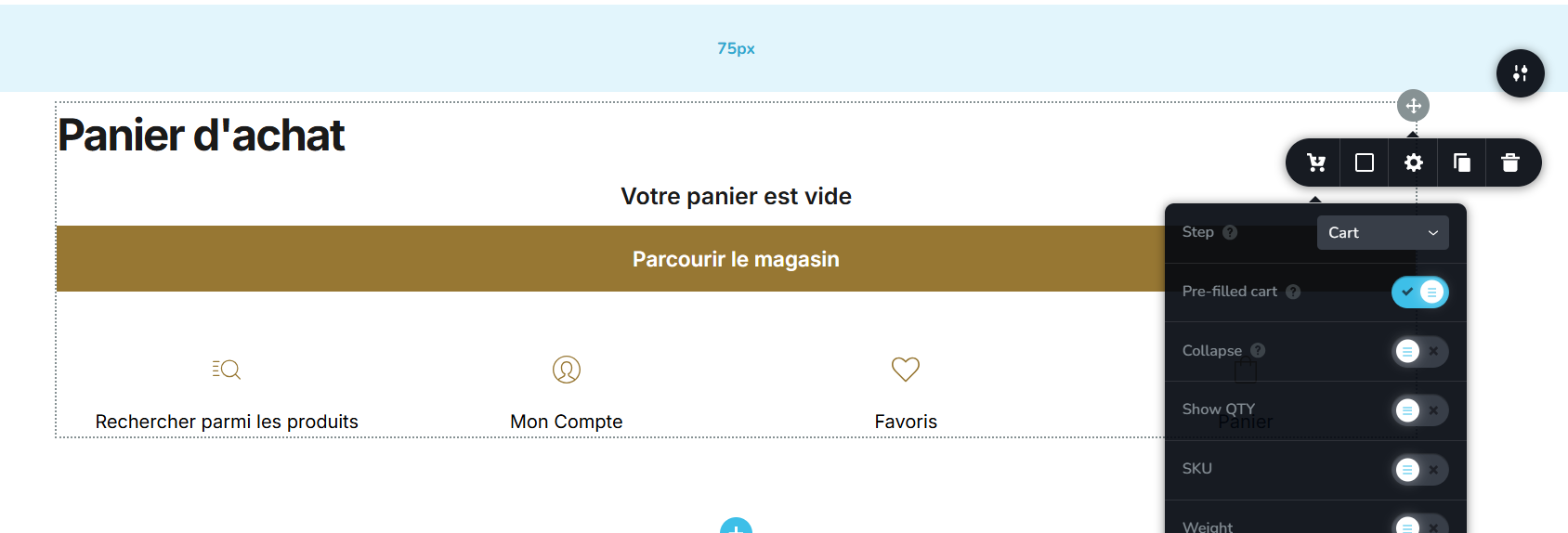
I'm currently trying to customize the cart template on my website, but I’m encountering an issue that’s preventing me from making progress. Each time I open the template to edit, the cart appears empty and is not preloaded with any sample product data.
Because of this, when I attempt to preview or go further in the checkout process, the cart element shrinks and becomes invisible, making it difficult to properly style or customize the layout.
Could you please advise how to resolve this? Is there a way to preload a product or simulate a filled cart when editing, so I can see and adjust the cart template accurately?
Thank you in advance for your assistance.
Best regards,
Mahfoudh Zaidi
-

Hello Mahfoudh,
We are looking into this issue in your project. We hope to get back to you with an update by tomorrow.
0 -
Hello Mahfoudh,
This issue is bigger than we had anticipated. Brizy and ECWID developers need to work together to fix it. Hence a fix may get delayed.
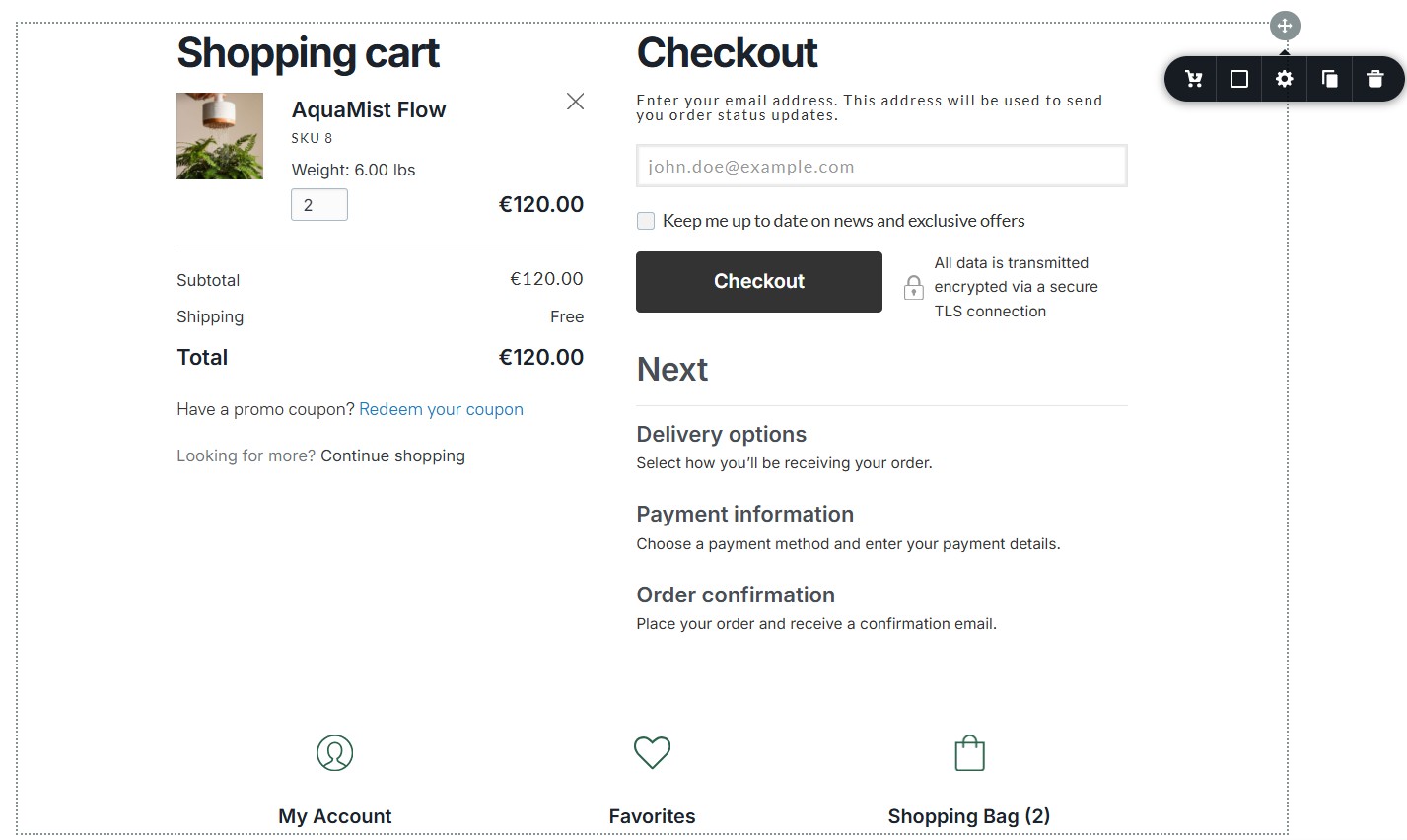
To stylize the Cart, Address, Shipping and Payment screens, in the interim, please try this work around. This bug has not affected all Brizy projects. For instance, at my end, I can see the cart template with a sample product
Please try these 4 steps
- Add a new project temporarily, activate PRO feature in the project and activate the Shop trial plan and call this project SP New
- Copy paste the global colors from "Soumaya Patisse" project to the "SP New" project.
- Design the cart templates according to your preferences in the "SP New" project. (Hopefully the sample product will display in the new project)
- Save the block with the Cart element by selecting the "heart" icon in the block settings
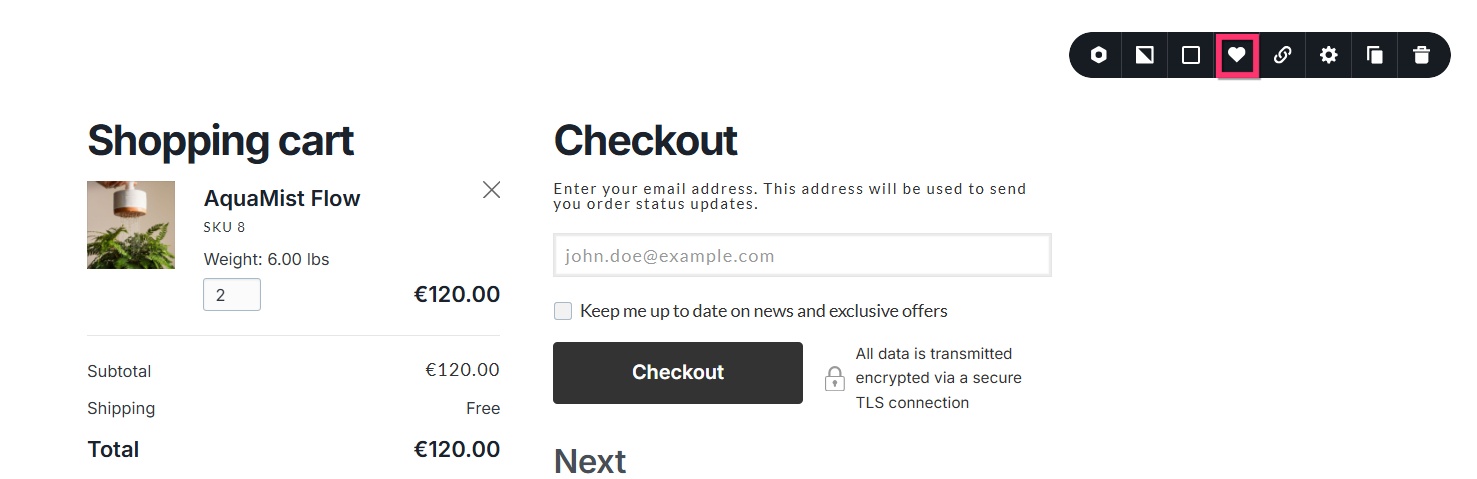
- In the "Soumaya Patisse" project, access the Cart Template and delete the block with the Cart element and import the block from the "SP New" project.
0 -
Hello Mahfoudh,
We have more information on this issue from the ECWID support team. The sample product could not be added to the Cart Template due the "Date Picker" "Customer Input field" being set as "Required" for the product "Coffret Cadeau Gourmandise Harmonie" which is your sample product.
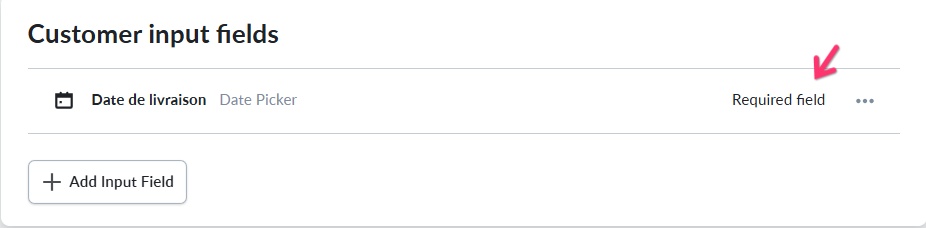
ECWID support is working on fixing this issue. In the meantime, kindly remove the "Required" condition for the Customer Input Field of the product "Coffret Cadeau Gourmandise Harmonie"
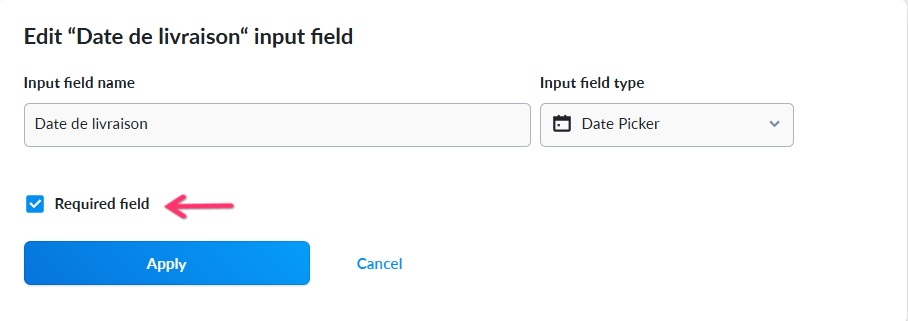
Then you will be able to edit the Cart Template with a sample product.
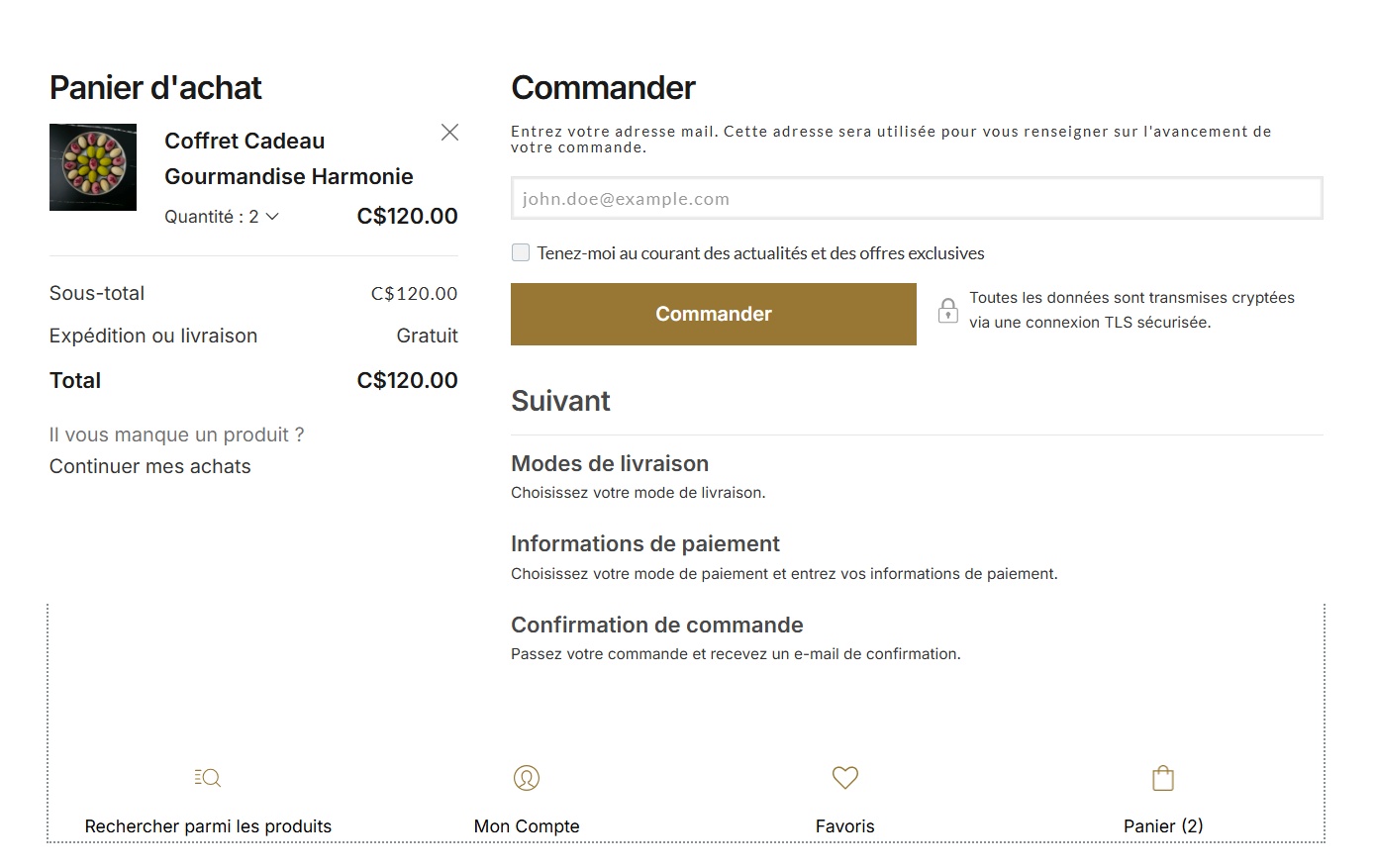 0
0 -
Hi George,
Thanks for the update. Unfortunately, the issue seems to go beyond the required input field.
I’ve actually tried removing all the custom input fields — even went as far as deleting all the products — but the problem persists. Now, the cart appears to be filled at first, but as soon as I move to the next step in the checkout, the product disappears entirely.
It looks like something deeper is causing this. Could we investigate further with ECWID or see if there's a caching or session issue affecting the cart behavior?
Appreciate your help on this.
Best,
Mahfoudh0 -
It looks that there's no communication between ecwid and brizy shop, the cart come filled when you go to the next step you loose connection with ecwid, also when saving the cart as element to use it later it comes white block there's nothing inside.
0 -
Do you think that deactivating the shop and reactivating it might help to establish a good communication with ecwid ?
0 -
Hello Mahfoudh,
We could reproduce the issue you have mentioned above. While the Cart element displays the Payment screen, other options like "Cart", "Address" and Shipping do not work. We are looking into these issue and hope to get back to you soon.
Deactivating the shop license and reactivating may not help resolve this issue.
0 -
Hello Mahfoudh,
We're in fact waiting on ECWID to resolve the above bug. Your project can get somewhat delayed as a result. In order to avoid charging you while you wait for a fix, we would monitor the time lost as a result of the bug and extend your subscription accordingly. In order to avoid additional cost while you wait, you can also choose to discontinue your subscription.
We apologize for all the inconvenience.
0
Please sign in to leave a comment.
Comments
8 comments