How to Prevent Brand Name from Being Translated in Dropdown Question Text

Hi Brizy Team,
I'm using the Dropdown element (FAQ) on my website and I want to ensure that my brand name, Call My Dokter, is not automatically translated by tools like Google Translate.
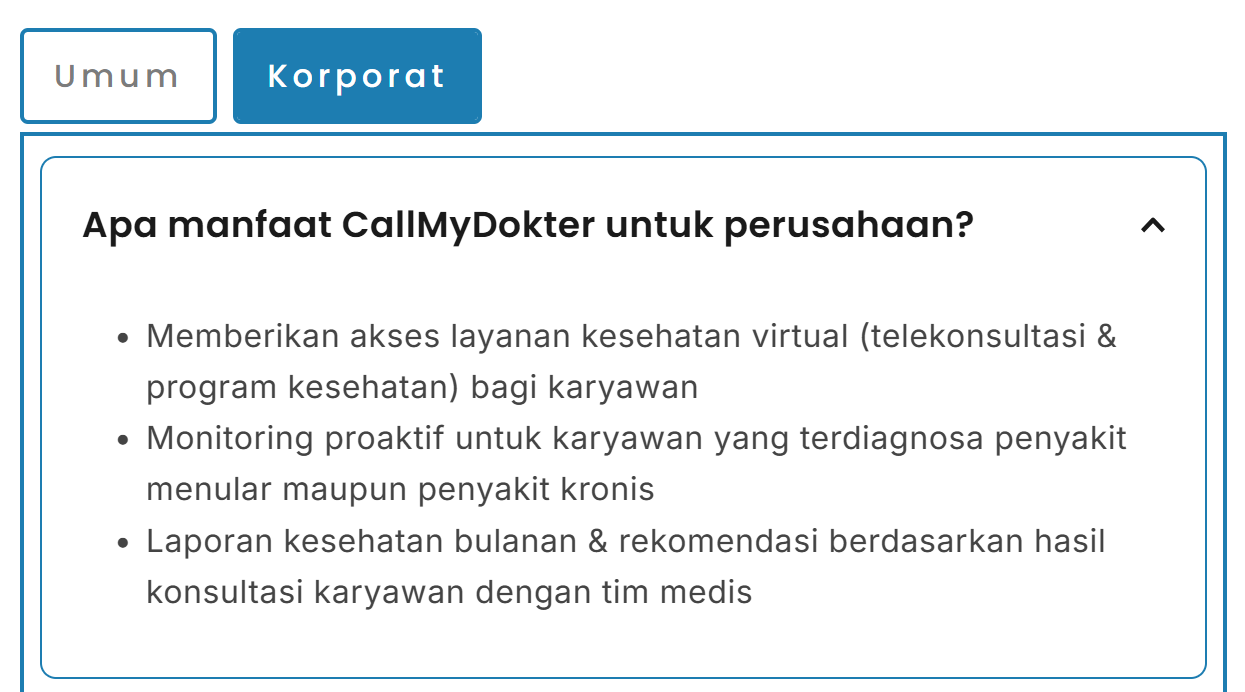
Currently, whenever the FAQ question contains the brand name "Call My Dokter," it gets translated to "Call My Doctor" or other variations depending on the language.
My temporary solution is to either:
-
Merge the words (e.g., "CallMyDokter"), or
-
Add a hyphen (e.g., "Call-My-Dokter"),
…so the translator ignores it and keeps the brand consistent.
However, I would prefer to display the brand as "Call My Dokter" (with spaces, properly formatted) everywhere.
In other parts of my website, I can use HTML embed and wrap the brand name with a <span class="notranslate"> tag, which solves the problem. But for the Brizy dropdown/accordion FAQ element, it seems there is no way to add HTML tags or classes directly in the question/summary text.
My question:
Is there any method, workaround, or upcoming feature in Brizy that would allow me to prevent a specific word or phrase (such as my brand) from being translated in the Dropdown question text? For example, can you support the <span class="notranslate"> tag or add a way to mark certain words as "do not translate" in the visual editor?
Thank you for your help!
Let me know if you need screenshots or further details.
Best regards,
GV
-

Hi GV,
Thanks for reaching out.
Could you please share the URL of your website so we can take a closer look? Additionally, may I know which translation plugin you’re currently using?
Looking forward to your response.
Best regards,
Ariel H.0
Please sign in to leave a comment.
Comments
1 comment