No option to add licence

Hello Support, can you please assist me, that I don't see any option to add licence on the plugin setting page. I'm using wordpress.com and activated twenty-twenty five theme. Please let me know as soon as you can.
Thank you!
-

Hello Justin,
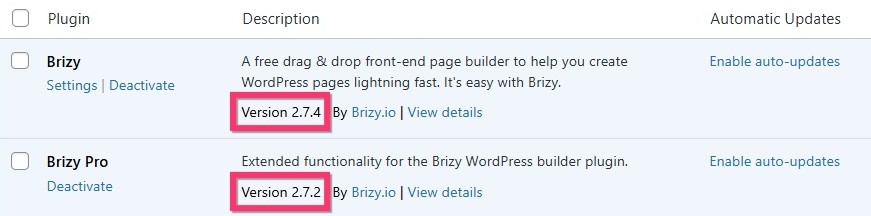
You must have compatible Brizy and Brizy Pro plugin versions for the "Settings" tab to appear. Do you have these Brizy and Brizy Pro versions? If not, kindly update to these versions.
 0
0 -
Hello Kc
Yes, these two plugins are properly installed but when I activate the Brizy pro then it converts to Halo and Halo pro.
Thanks.0 -
Hello Justin,
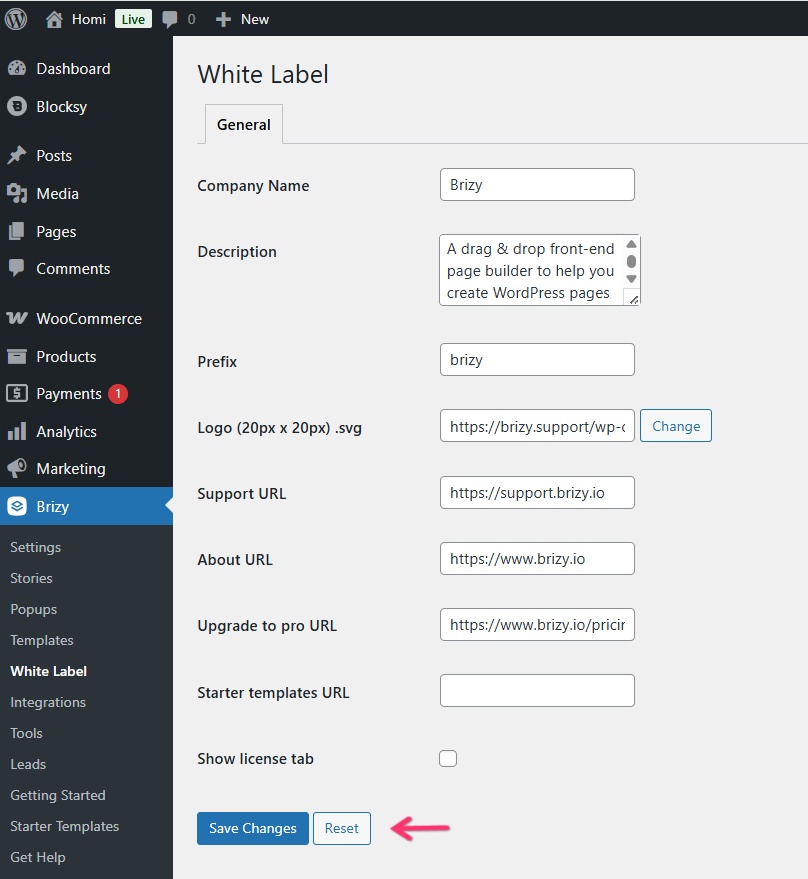
Kindly follow the procedure at https://support.brizy.io/hc/en-us/articles/360040492831 and access the white label options of Brizy and reset it by selecting the "Reset" button at the bottom to revert the plugin names to Brizy.
 0
0
Please sign in to leave a comment.
Comments
3 comments