Unable to edit fixed pages in WordPress

Hello, I have always been a fan of Brizy.
We have a Brizy pro subscription and use it with WordPress.
The problem is as follows
・I cannot edit Brizy on a fixed page (I can edit it, but not save it)
Message displayed:「This page needs a refresh. You’ve probably updated this page (or another page) in a different tab or browser.」
・Can't even install the starter template.
Message displayed:「Something went wrong
Bad news, your starter template was not installed. Something went wrong and we couldn't do it. Please contact us.」
I have the latest Brizy and Brizy Pro.
I have tried different versions of WordPress, the latest theme “Ocean” and downgrading, but only Brizy does not work properly.
I have tried everything: removing plugins, removing themes, disabling other plugins, disabling security, removing and re-adding domains.
But the problem is not solved.
I would appreciate your help with this matter.
Could you please let me know if you need any further information?
-

Hi 七美 河井,
Thank you for the update, and I’m sorry to hear about the issue.
Please share your WordPress admin login details with us so we can take a closer look. Please add us as an Admin user to your WordPress Dashboard and send the following details to communitysupport@brizy.io.
Community Post link: https://support.brizy.io/hc/en-us/community/posts/28263151486098
WordPress Admin URL:
Username:
Password:Looking forward to your reply.
Best regards,
Ariel H.0 -
Hello.
I sent you an email on July 24.
Have you checked it?
Thank you in advance.0 -
Hello 七美 河井,
My apologies for the delay.
We tried to access your website, but unfortunately, we’re unable to log in due to a firewall restriction. To help us inspect the issue further, could you please temporarily disable the firewall.
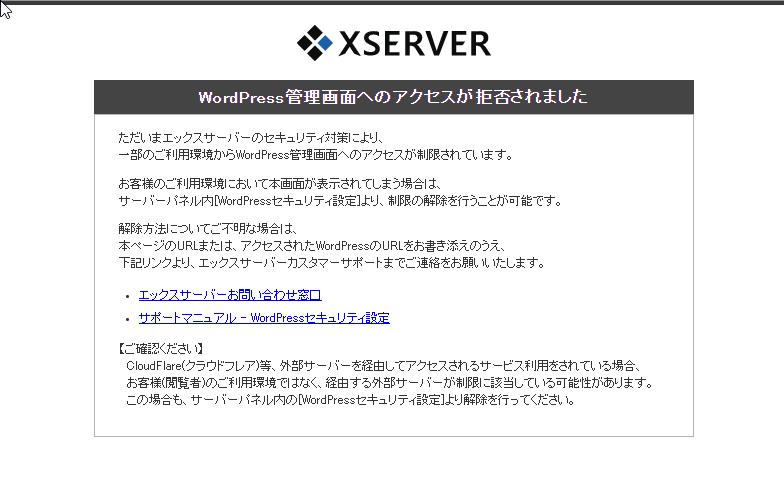
Once done, kindly let us know.
Best regards,
Ariel H.0 -
Hi Ariel H.
Thank you for your reply.I have removed the firewall restrictions.
I believe they will be completely removed in an hour, so please check again then.
Thank you very much.0 -
Hi 七美 河井,
Thank you for the update. Unfortunately, I'm still seeing the same warning on my end. Could you please try whitelisting the following IP addresses instead?
192.64.81.41
112.205.153.251Best regards,
Ariel H.0 -
Hi Ariel H.
Thank you for your reply.The server automatically restricted access from outside Japan.
We have added your IP address to the whitelist, so please check again.
We apologize for the inconvenience.0 -
Hi 七美 河井,
Thank you for the update.
This could very likely be caused by ModSecurity on your hosting server. ModSecurity sometimes interferes with page builders like Brizy by scanning large POST requests, which can delay or block the "save complete" response.
Could you please reach out to your hosting provider and ask them to either:
1. Temporarily disable ModSecurity for your domain to test if this resolves the issue, or
2. Revise the "SecRequestBodyLimit" setting in ModSecurity as suggested in this support article: https://support.brizy.io/hc/en-us/articles/22590197512210
Your hosting provider should be able to check their ModSecurity logs to see if any rules are being triggered when you save pages in Brizy.
If you have any further questions, please let us know.Best regards,
Ariel H.0 -
Hi Ariel H.
Thank you for your reply and confirmation.
Is ModSecurity the same as WAF?
I had already turned off WAF.So, I edited the .htaccess file.
Then I was able to save it.Turning off WAF and leaving the .htaccess file as is is a security concern.
Do I have to do this every time I edit a static page?Why was I able to save it without any problems until now, but this problem suddenly occurred recently?
I don't think anyone else is having the same problem.
Please let me know.0 -
Hi Ariel H.
The same problem occurs in other domains.
I turned off WAF there as well.
I wrote to the .htaccess file.
I can create and save new files, but I cannot overwrite existing fixed pages created with Brizy.Is there anything else I can do?
0 -
Hi 七美 河井,
Thank you for the update.
I’ve noticed that it only occurs when the page is saved as a draft. However, if you simply publish the page directly using the Update button without saving it as a draft, the issue does not occur.
I was able to save this page without any issues on my end.
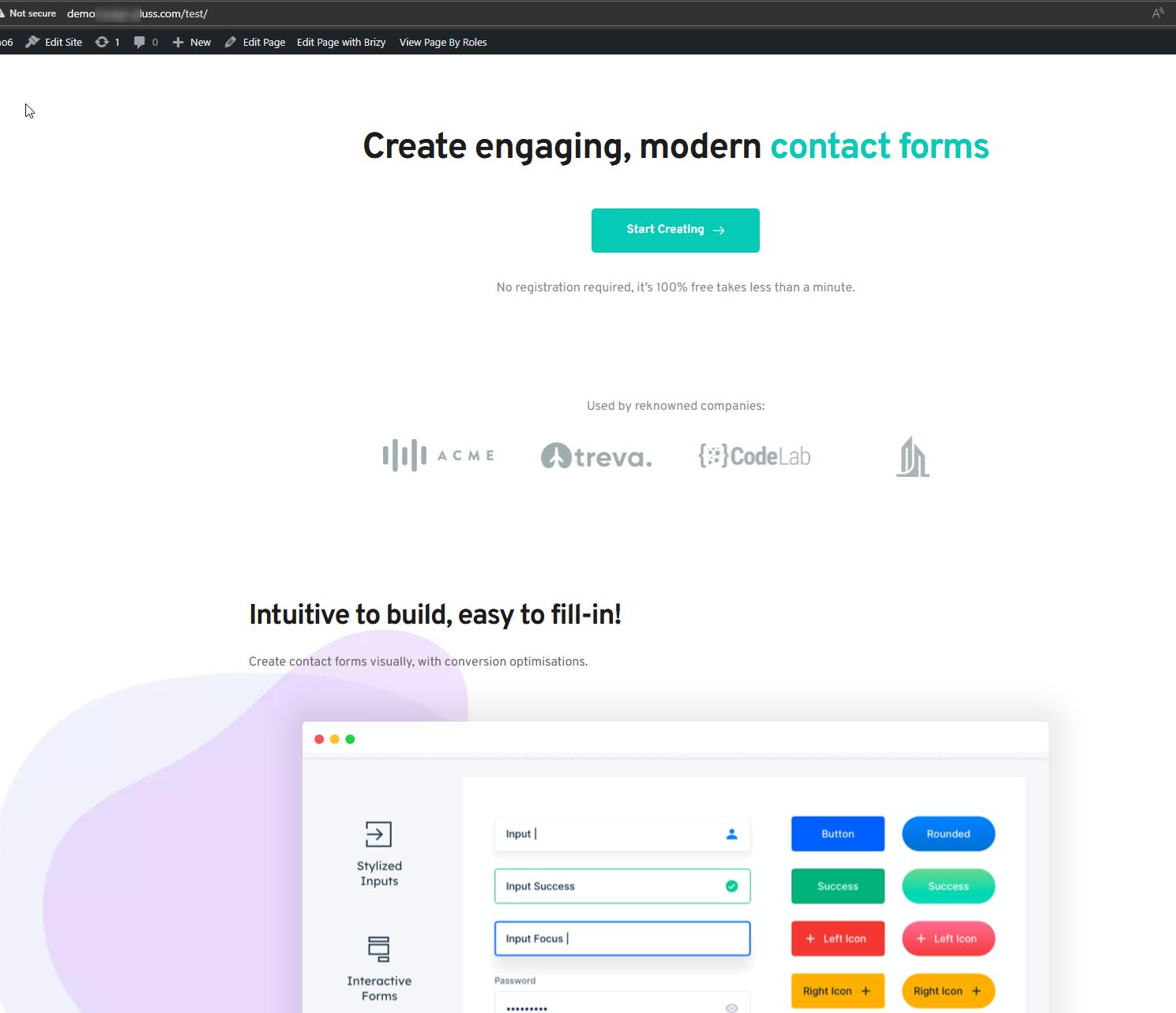
Kindly try publishing the page instead of saving it as a draft and let us know if the issue persists.
Best regards,
Ariel H.0 -
Hello Ariel H.
Thank you for your patience in investigating this issue.No errors occurred when I saved it as a draft or published it.
The issue with the demo6 site has been resolved.However, we have multiple similar sites.
This is the parent domain.
https://page-pluss.com/
On this page, I can create new drafts and publish them.
However, I cannot edit existing pages.
This issue only occurs on the top page, not on all existing pages.
Could this be due to there being too many elements?There are six subdomains.
https://demo4.page-pluss.com/
Among these, only demo4 is experiencing the same phenomenon as the parent domain.
Could you please check the demo4 admin panel information sent to this address: ‘communitysupport@brizy.io’?I hope this issue can be resolved soon.
Thank you for your continued support.0 -
Hi 七美 河井,
You're right, the issue is likely due to the page having too many elements. This can exceed server limits and cause problems when editing or saving.
To resolve this, please contact your hosting provider and ask them to revise the "SecRequestBodyLimit" in ModSecurity. This is explained here: https://support.brizy.io/hc/en-us/articles/22590197512210
Also, increasing the PHP Max Input Variables will help, raising this limit allows the server to handle larger pages.
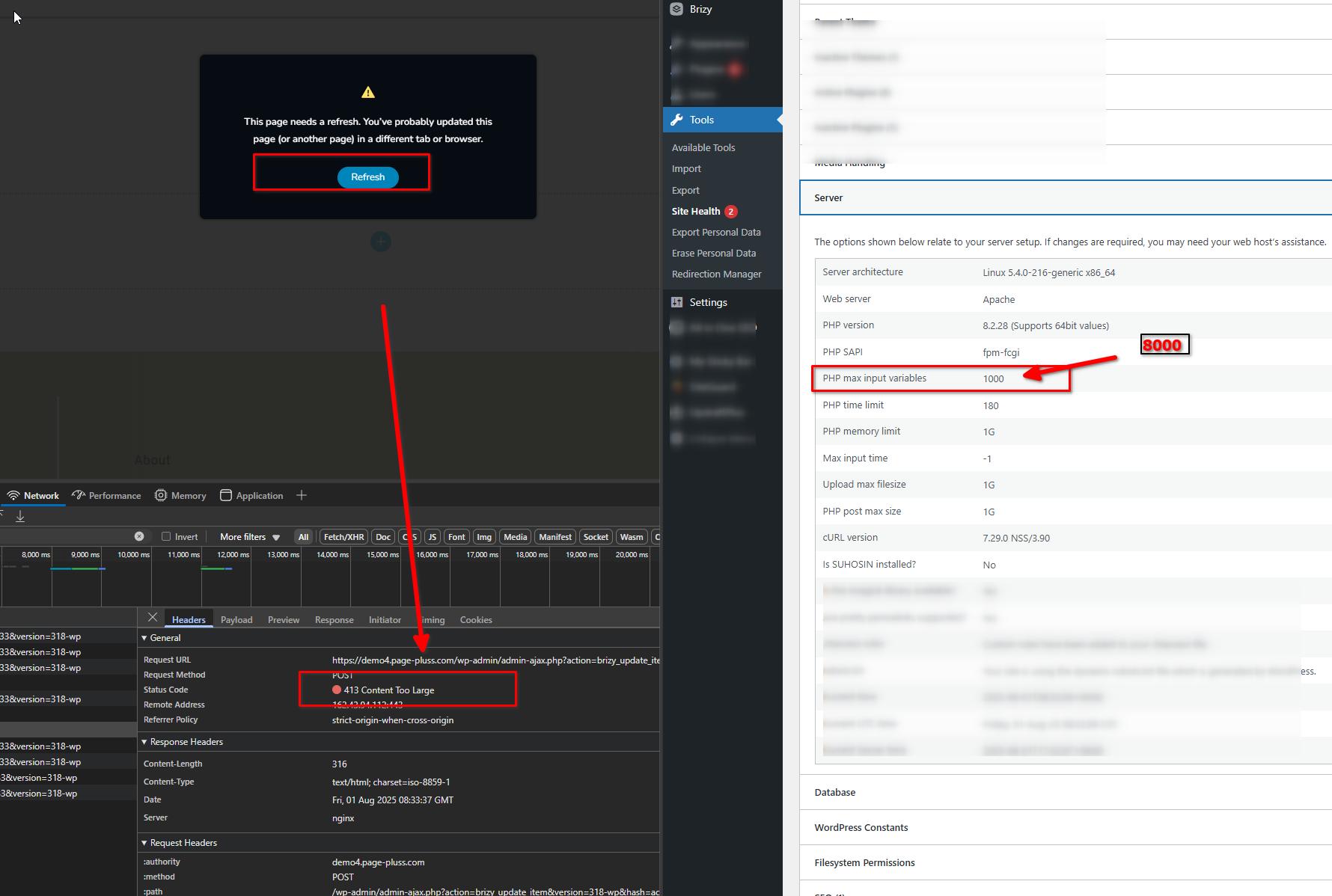
Please try this and let me know how it goes.
Best regards,
Ariel H.0 -
Thanks for your reply, Ariel H.
I appreciate you checking it out.
I'll contact the server at the beginning of next week.
Once I get a reply and check the site, I'll get back to you.
Please wait until then.Thanks.
Have a great weekend.0 -
Hello Ariel H.
We have received a response from the server.
The response is as follows.
「Our service does not allow individual changes to server defaults.
Due to the nature of shared servers, we ask for your understanding in this matter.
Regarding PHP's Max Input Variables, you can make the necessary changes by adding the “max_input_vars” entry in the [php.ini Direct Edit] tab of the server panel's “php.ini Settings.”」
So, I wrote it in [php.ini Direct Edit].
However, the situation remains unchanged.
I cannot save the top page.
The same thing happens on the parent domain site.Is there anything else I can do?
Thanks.
0 -
Hi 七美 河井,
Thanks for the update.
Since you’re able to save smaller pages, it does look like the server is limiting how much data can be saved at once. You can try shortening the page and moving some content to other pages as a workaround.
If the issue persists, it's possible your host is overriding the custom php.ini settings. In that case, switching to a hosting provider without such restrictions may be the best long-term solution.
Let me know how you'd like to proceed.
Best regards,
Ariel H.0 -
Hi Ariel H.
Thank you for your reply.
For now, I will try to reduce the number of elements on the page.
I would also like to consider changing servers.Thank you very much for looking into this.
0 -

Something went wrong
Bad news, your starter template was not installed. Something went wrong and we couldn’t do it. Please contact us. I tried to fix from every aspect. there was no solution.
0 -
Hi Shrawan,
To help us investigate this issue, could you please provide temporary access to your WordPress admin dashboard? This will allow us to take a closer look at your setup and identify the cause of the issue.
Kindly send the following details to communitysupport@brizy.io:
- Community https://support.brizy.io/hc/en-us/community/posts/28263151486098
- WordPress Admin URL:
- Username:
- Password:
We’ll review it as soon as we receive the access.
Best regards,
Ariel H.0
Please sign in to leave a comment.
Comments
18 comments