The drop-down menu is overlapped by the lower block.

Hello
The drop-down menu is overlapped by the lower block.
Adding CSS z -index: 9999; to the block helps, but then the elements inside the page builder overlap.
-

Hi Timur,
Thank you for reaching out to us.
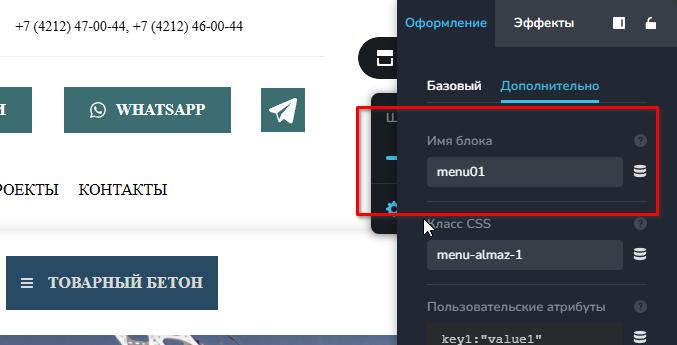
To fix it, I assigned specific CSS IDs to the header blocks to better manage their stacking order. For example, I set the top navigation menu container or first header block to #menu01, and the second header block to #menu02.
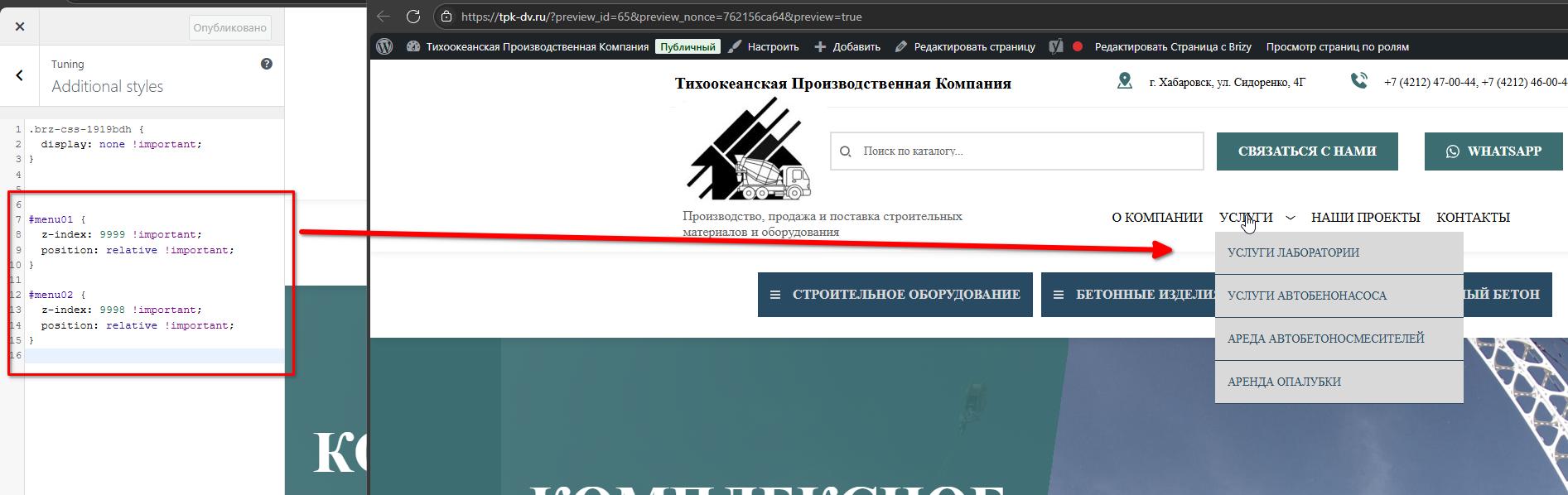
To ensure the first header block appears above the second, I applied the following CSS:
#menu01 {
  z-index: 9999 !important;
  position: relative !important;
}

#menu02 {
  z-index: 9998 !important;
  position: relative !important;
}
This is how it looks like after I've included the CSS.
Best regards,
Ariel H.0 -
Hello
This solution worked.
But problems appeared.
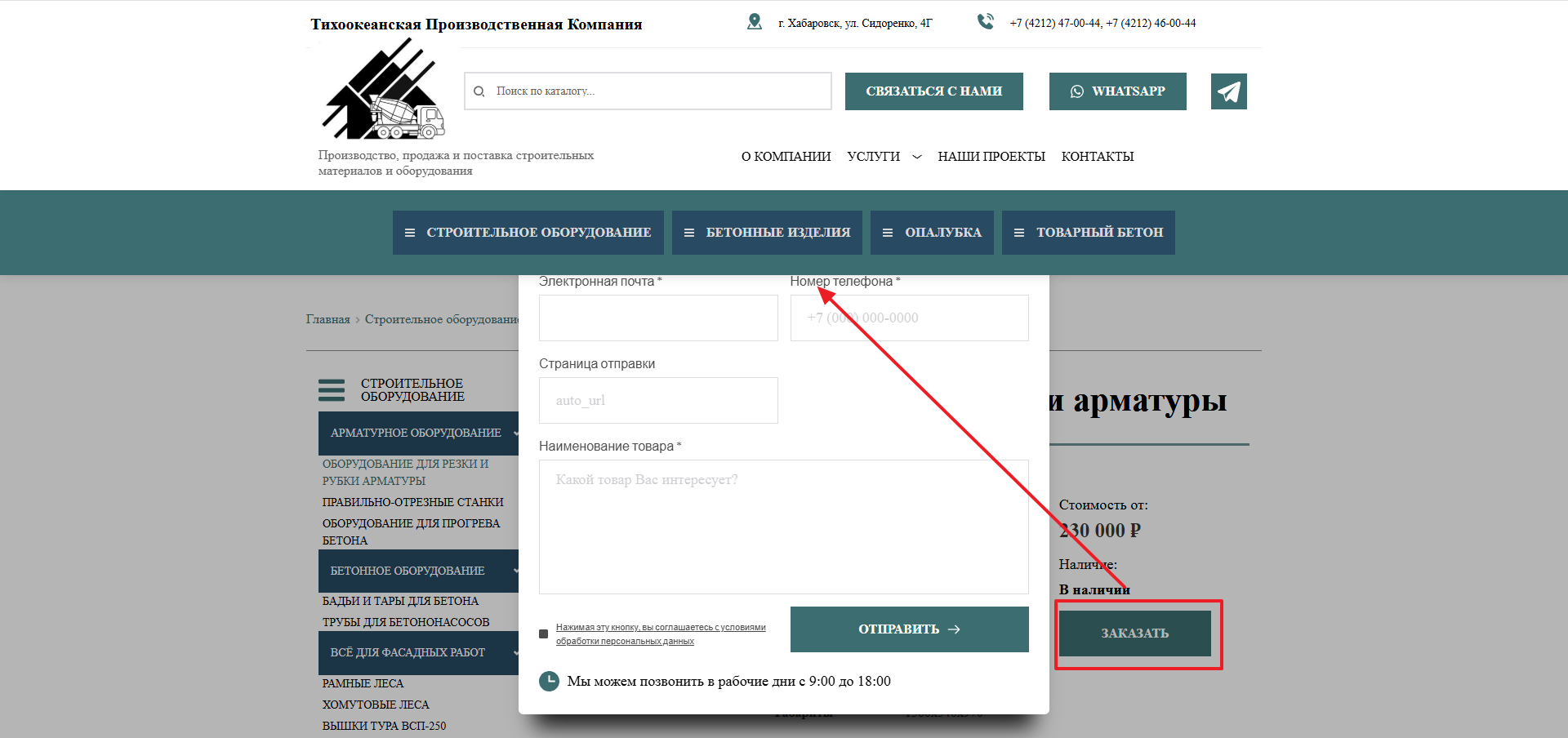
01 The pop-up window became under the menu.
02 In the designer, when editing, for example, a pop-up window, some blocks are shown above the system elements, this interferes with editing.
 0
0 -
Hi Timur,
Thank you for the update.
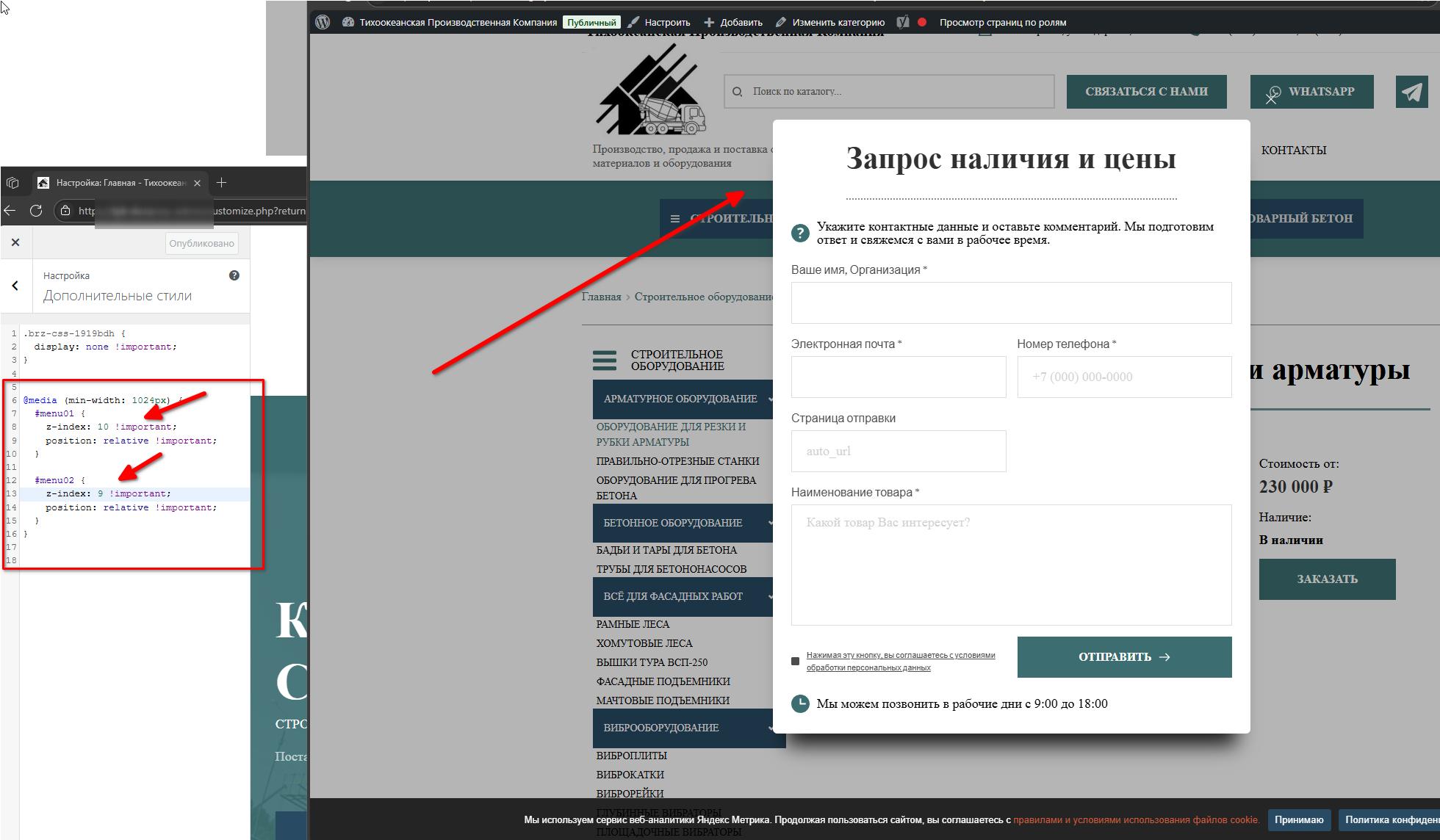
Lowering the z-index values should resolve the issue. If you notice any other overlapping elements, feel free to adjust the z-index values accordingly.
Best regards,
Ariel H.0
Please sign in to leave a comment.
Comments
3 comments