License menu disappeared and Brizy Pro stopped working suddenly

Hello,
Suddenly, Brizy Pro stopped functioning properly.
Specifically, the “License Activation” menu item in the Brizy plugin section of the WordPress dashboard has disappeared, so I cannot re-enter or activate my license.
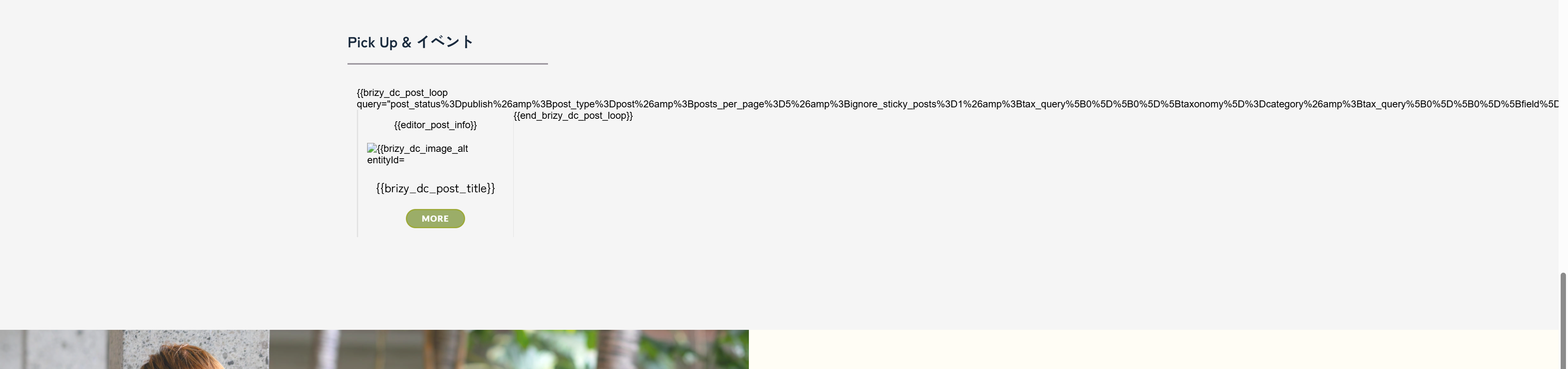
As a result, the Pro blocks on my website are not displaying correctly, causing layout issues.
Here are some details about my situation:
-
The Brizy plugin is updated to the latest version, and I have tried reinstalling it.
-
I am using the “Blocksy” theme on my WordPress site.
-
I have considered potential plugin conflicts and can provide more information if needed.
I would greatly appreciate any help or guidance to resolve this issue as soon as possible.
Thank you very much.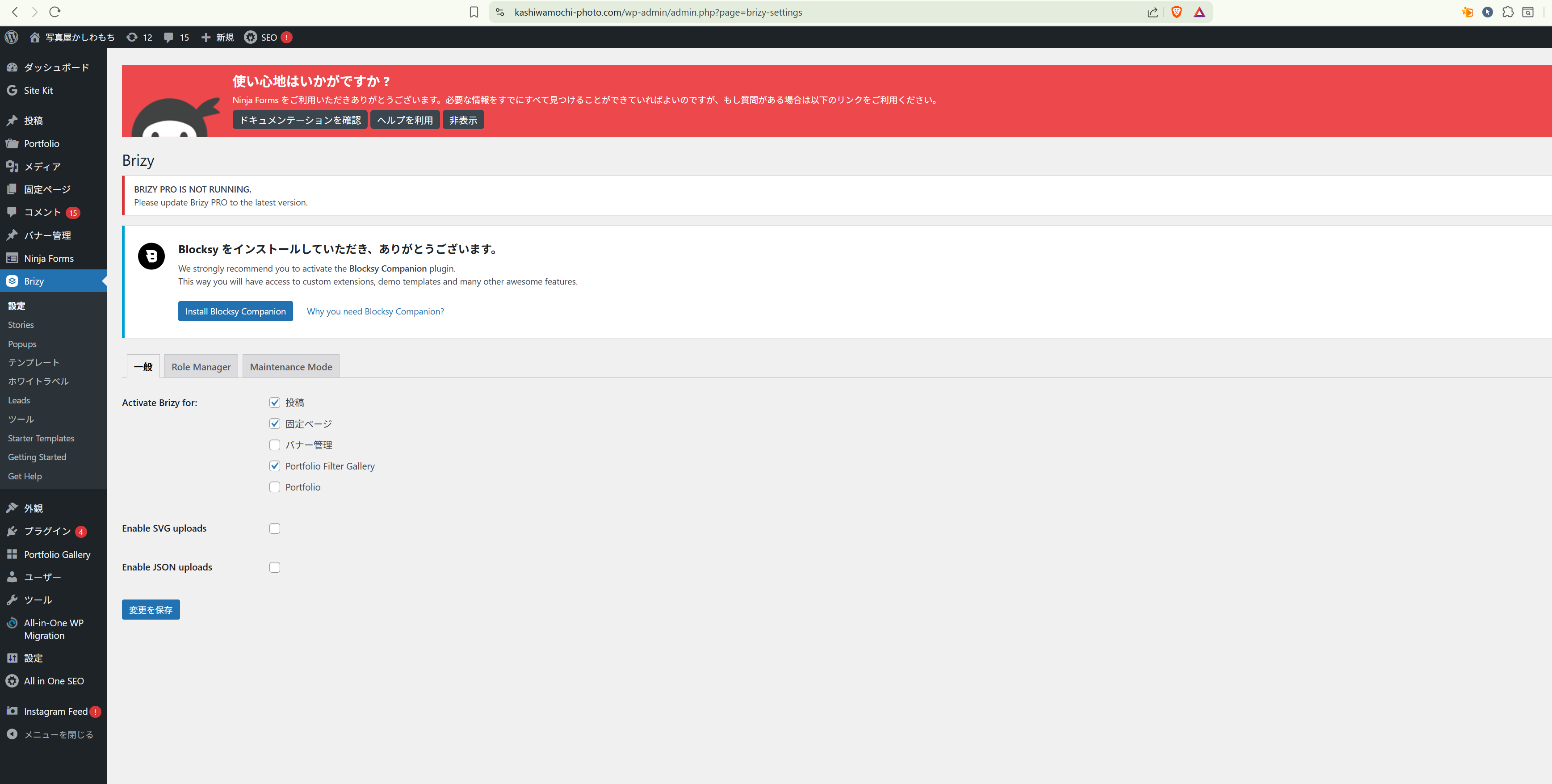
-

Hi Hirotomoq,
Thank you for reaching out.
Please make sure you're using the latest versions of Brizy and Brizy Pro.

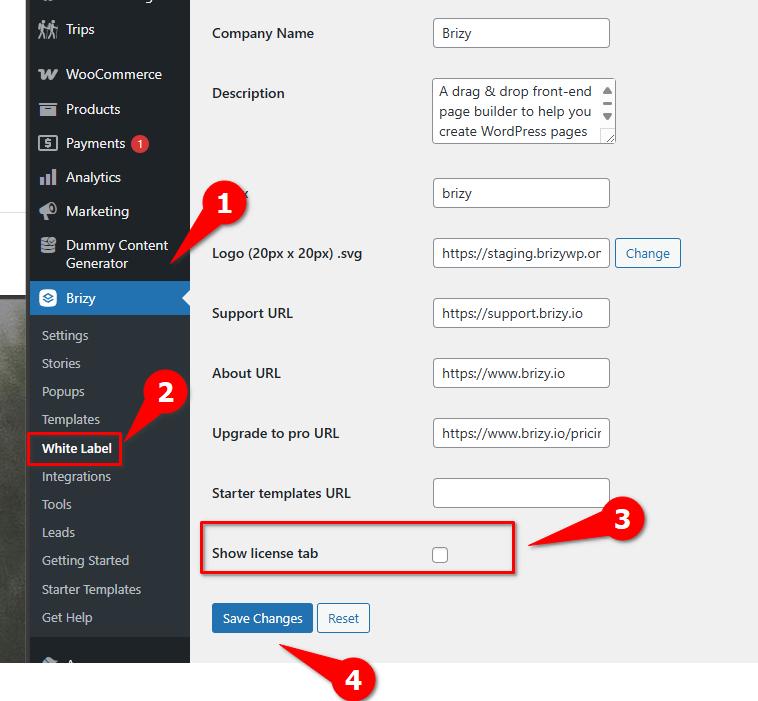
If you're already up to date, it's possible that White Label was enabled at some point. In that case, you can follow these steps to access the White Label settings in Brizy WP: https://support.brizy.io/hc/en-us/articles/360040492831-How-to-activate-the-white-label
Check the option Show license tab and click Save Changes.
Give that a try and let me know if it helps.
Best regards,
Ariel H.0 -
Mr.Ariel H.
Thank you so much for getting back to me so quickly.
I managed to solve the issue.
I truly appreciate your help.0
Please sign in to leave a comment.
Comments
2 comments